

編輯:關於 Android 程式設計
HTML5 離線應用能讓 Web App 在網路中斷時仍可開啟,對 Android 混合應用相當實用。若要在 WebView 中支援離線快取,需要同時設定 DOM Storage、AppCache、快取路徑,並確保伺服器回傳正確的 MIME 類型。
若 Activity 中已有 WebView 實例,可先取得 WebSettings,再開啟 DOM Storage、AppCache 與檔案存取,並指定應用內的快取目錄。
WebSettings webSettings = m_webview.getSettings();
webSettings.setDomStorageEnabled(true);
webSettings.setAppCacheMaxSize(1024 * 1024 * 8);
String appCacheDir = getApplicationContext().getDir("cache", Context.MODE_PRIVATE).getPath();
webSettings.setAppCachePath(appCacheDir);
webSettings.setAllowFileAccess(true);
webSettings.setAppCacheEnabled(true);
webSettings.setCacheMode(WebSettings.LOAD_DEFAULT);
WebView 可透過 WebChromeClient 的 onReachedMaxAppCacheSize 回呼擴充配額,避免快取空間不足。
m_webview.setWebChromeClient(m_chromeClient);
private WebChromeClient m_chromeClient = new WebChromeClient() {
    @Override
    public void onReachedMaxAppCacheSize(long spaceNeeded, long totalUsedQuota, WebStorage.QuotaUpdater quotaUpdater) {
        quotaUpdater.updateQuota(spaceNeeded * 2);
    }
};
若使用 Apache,需要在 conf 目錄下的 mime.types 加入 text/cache-manifest mf manifest,然後重新啟動伺服器。這一步經常被忽略,卻會直接影響離線快取是否能正常運作。
實測時,getApplicationContext().getCacheDir().getAbsolutePath() 未必能達到預期效果,可改用 getDir("cache", Context.MODE_PRIVATE).getPath() 指定應用私有快取目錄。
 深入剖析 ListView 動態增刪數據項的經典陷阱
在 ListView 等 AdapterView 上動態添加、刪除列表項時,稍不留神就會踩坑。本文就帶大家一起揭開這個經典陷阱的真相。 定義 array 資源 先準備一份
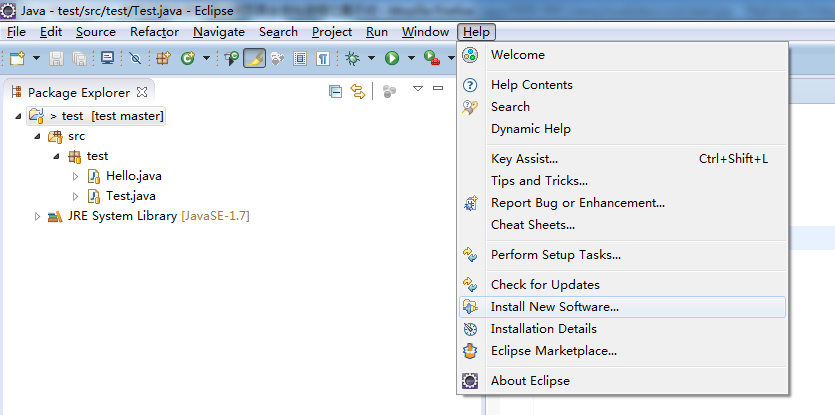 Eclipse 將專案上傳至 GitHub 的完整教學
對許多開發者來說,程式碼不只是學習過程中的產物,也是日後複習、維護與協作的重要資產。若沒有妥善保存,換電腦、重灌系統或誤刪檔案都可能造成心血流失。GitHub 提供雲端版
 用 ListView 做出 WheelView 滾輪效果:ClipToPadding 取巧解法
身為 Android 開發者,大概都聽過這句話:「你看,人家 iOS 那個效果多炫。」而滾輪選擇器(WheelView)正是最常被點名的元件之一。 最後我還是把它做出來
 Android 四大組件之 Service:兩種啟動方式與生命週期全解
Service 是什麼 Service 是可以在後台執行長時間操作、且不提供使用者介面的應用組件。它可以被其他組件啟動,而且即使用戶切換到別的應用,它仍會在後台持續運行