

編輯:關於 Android 程式設計
若希望 ListView 呈現圓角或類似對話框的外觀,可以利用系統內建的 Drawable 資源作為背景,並將 cacheColorHint 設定為透明,避免捲動時出現不自然的底色。
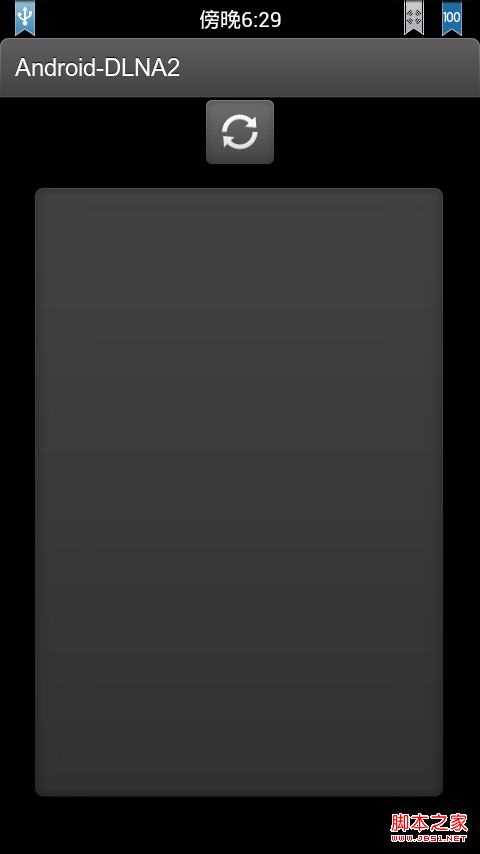
重點在於 ListView 的 android:background 與 android:cacheColorHint 兩個屬性。例如使用 android:background="@android:drawable/dialog_frame" 以及 android:cacheColorHint="@color/transparent",即可快速得到乾淨的圓角效果。
這種做法很簡單,不需要額外建立複雜的自訂 Drawable,就能讓清單視覺更精緻。若專案需要更深度的樣式控制,也可以再搭配自訂背景圖或 Shape Drawable。
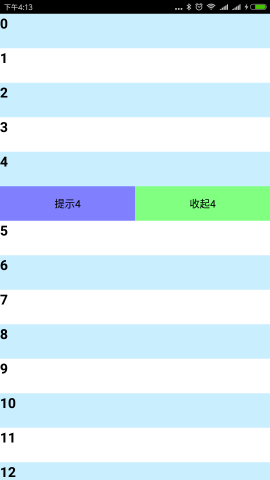 ListView 點擊 Item 展開菜單實現代碼詳解
一、概述本文要實作的效果是:點擊 ListView 的 Item 時顯示菜單,如下圖所示。 需要實現的邏輯如下:1)點擊一個普通 item,展開當前菜單,同時關閉其他菜
 用 TeamViewer 從 Android 手機遠端控制你的電腦
TeamViewer 是一套能在任何防火牆與 NAT 代理背後運作的遠端控制方案,涵蓋桌面共享與檔案傳輸,設定簡單、連線速度快。要連上另一台電腦,只需在兩端同時執行 Te
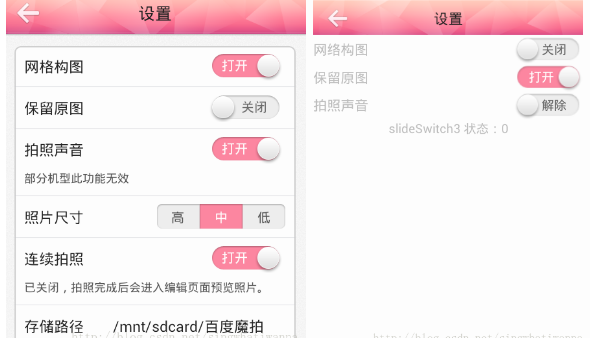 自製滑動開關控件 SlideSwitch:完全手繪的 iOS 風格 Switch
Android 4.0 之後官方提供了 Switch 控件,但有兩個問題:一是無法向下相容 4.0 以前的版本,在當時等於失去使用價值;二是外觀實在不算好看。 後來看到百
 Android Studio 右鍵選單裡找不到 Git?兩張圖教你搞定
從 Git clone 一個專案並打開後,許多人會習慣性地像在 Eclipse 裡那樣,選中工程按右鍵,想找出 Git 的版本控制選項。 但如下圖所示,你會發現右鍵選單裡