

編輯:關於 Android 程式設計
在實際開發中,LayoutInflater 這個類別非常有用,它的作用有點類似 findViewById()。兩者的不同在於:LayoutInflater 是用來找 res/layout/ 底下的 XML 佈局檔並將其實例化;而 findViewById() 則是找 XML 佈局檔下的具體 widget 控件(如 Button、TextView 等)。
LayoutInflater 主要用在兩種情境:第一,對於一個尚未被加載、或想要動態加載的介面,需要使用 LayoutInflater.inflate() 來加載;第二,對於一個已經加載的介面,則可以用 Activity.findViewById() 方法來取得其中的介面元素。
LayoutInflater 是一個抽象類別,在文檔中宣告為 public abstract class LayoutInflater extends Object。
1. LayoutInflater inflater = getLayoutInflater();  // 呼叫 Activity 的 getLayoutInflater()
2. LayoutInflater inflater = LayoutInflater.from(context);
3. LayoutInflater inflater = (LayoutInflater) context.getSystemService(Context.LAYOUT_INFLATER_SERVICE);
其實這三種方式本質上是相同的,從原始碼就能看出端倪。
先看 getLayoutInflater():Activity 的 getLayoutInflater() 方法其實是呼叫 PhoneWindow 的 getLayoutInflater(),而在 PhoneWindow 的建構子中,可以看到 mLayoutInflater = LayoutInflater.from(context),也就是說它最終還是回到了 LayoutInflater.from(context)。
再看 LayoutInflater.from(context):它的實作是透過 context.getSystemService(Context.LAYOUT_INFLATER_SERVICE) 取得 LayoutInflater 服務物件,若取不到則丟出 AssertionError。
由此可見,無論你用哪一種寫法,最終取得的都是同一個由系統管理的 LayoutInflater 實例。理解這一點後,你就能依當下的上下文情境,自由地選擇最合適的寫法來加載佈局了。
 Android 消息機制重點整理:Looper、Handler、Message 與 MessageQueue
Android 的消息機制幾乎是面試必考,但更值得學的理由是它在實際開發中無處不在——非同步回調、線程通訊、延遲任務,背後都是這套東西。本文用問答形式把關鍵點逐一拆開。
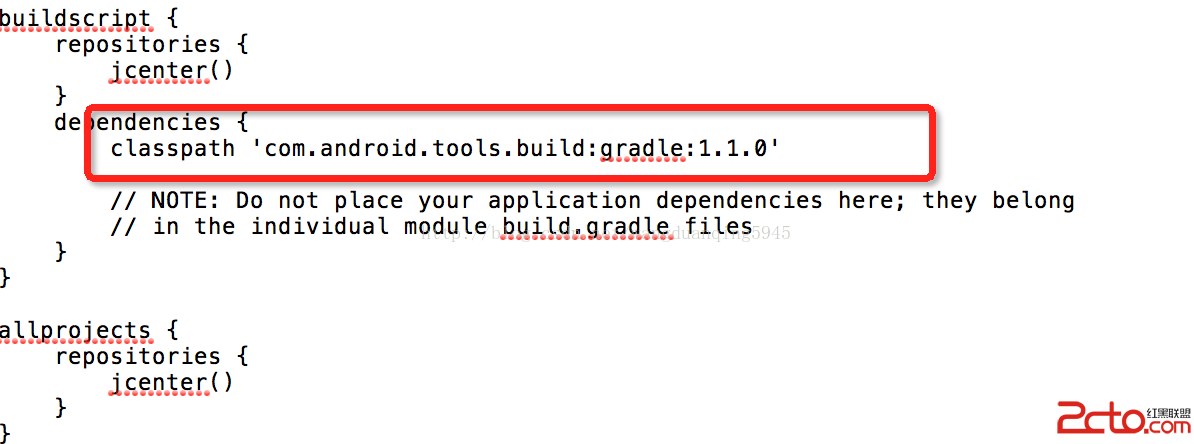 Android Studio 導入工程常見錯誤排查指南
換了新版本的 Android Studio 再去打開老項目,幾乎一定會撞上 gradle 相關的報錯。這裡整理了三種最典型的情況和解法。 錯誤一:不支援的 Gradle
 自定義 View 實作:隨音量變化的圓形錄音按鈕
所謂無圖無真相,先來看效果圖。我們要實現的,是中間那個錄音按鈕——其周邊會顯示一圈隨音量大小變化的波形。 設計思路 VolumCircleBar 繼承自 View,透
 Android 馬賽克效果實作:兩種演算法與效能差距十倍的原因
前陣子看到一個開源專案效果很讚,翻了一下原始碼,思路大致是:在原界面上覆蓋一層自訂 View,取得被點擊那個 View 的內容(Bitmap),在覆蓋層的特定位置畫出來,