

編輯:關於 Android 程式設計
核心思路是註冊一個內容觀察者,去監聽系統簡訊資料庫的變化,一旦有新資料寫入就觸發回呼,再從中取出內容。
這個做法依賴 content://sms/ 這個系統 URI,因此必須在 AndroidManifest.xml 中宣告 READ_SMS 權限。在 Android 6.0 以上,這屬於危險權限,還需要執行期動態向使用者請求並取得同意,否則查詢會直接失敗或回傳空結果。
<uses-permission android:name="android.permission.READ_SMS" />
補充一句:讀取用戶簡訊屬於高度敏感的資料存取。這類功能只應用在明確告知並取得用戶同意的情境(例如自動填寫驗證碼),上架時也需要如實說明用途,切勿在背景中默默蒐集。
在 Activity 中註冊,第三個參數傳入自定義的觀察者,第二個參數 true 代表連子 URI 的變化也要一併接收:
SmsContent content = new SmsContent(new Handler());
this.getContentResolver().registerContentObserver(
        Uri.parse("content://sms/"), true, content);
/** 監聽簡訊資料庫變化 */
class SmsContent extends ContentObserver {

    public SmsContent(Handler handler) {
        super(handler);
    }

    @Override
    public void onChange(boolean selfChange) {
        super.onChange(selfChange);
        // 讀取收件匣中指定號碼的未讀簡訊
        Cursor cursor = getContentResolver().query(
                Uri.parse("content://sms/inbox"),
                new String[]{"_id", "address", "read", "body"},
                "address=? and read=?",
                new String[]{"10010", "0"},
                "_id desc");
        // 以 _id 排序而非 date,因為改動系統時間會讓時間排序失真
        if (cursor != null && cursor.getCount() > 0) {
            cursor.moveToNext();
            int bodyIndex = cursor.getColumnIndex("body");
            String smsBody = cursor.getString(bodyIndex);
            // 這裡就能取得完整的簡訊內容
        }
    }
}
排序欄位的選擇。用 _id desc 而不是 date 排序,是因為使用者一旦手動修改系統時間,依時間排序取到的「最新一則」就會出錯;_id 是自增的,單調性可靠得多。
不要自己關閉 Cursor。原範例使用 Activity 的 managedQuery,這個方法已被標記為過時(deprecated),且由 Activity 代管的 Cursor 不該自行呼叫 close(),否則在 Android 4.0 以上會直接崩潰。建議改用 ContentResolver.query() 並自行管理,在 finally 中關閉:
Cursor cursor = null;
try {
    cursor = getContentResolver().query(/* ... */);
    // 處理資料
} finally {
    if (cursor != null) {
        cursor.close();
    }
}
關於「已讀」狀態。要把簡訊標記為已讀,需要執行 ContentResolver.update() 並帶上 WRITE_SMS 權限。這個權限屬於特殊權限,一般應用很難取得,多數情況下單靠 READ_SMS 是無法修改已讀狀態的。
記得反註冊。在 Activity 的 onDestroy 中呼叫 getContentResolver().unregisterContentObserver(content),否則會造成洩漏,而且觀察者在背景被呼叫時還可能觸發不必要的查詢。
額外提醒。從 Android 4.4 起,簡訊的讀寫介面有所調整,自建 SMS Provider 的應用會影響預設應用設定,因此監聽方式比直接操作資料庫更為合適。同時,onChange 的觸發頻率取決於系統寫入頻率,它適合「即時響應新訊息」,但不適合當作可靠的訊息清單來源——需要完整列表時仍應查詢一次資料庫。
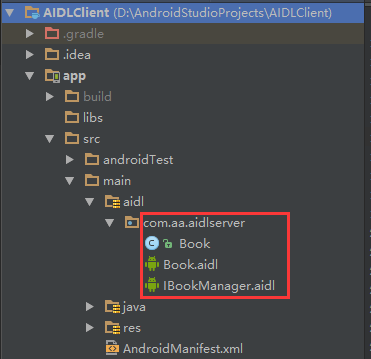 IPC 學習筆記:用 AIDL 實作跨進程書籍管理 Demo
最近在學習 IPC(行程間通訊),這篇把 AIDL 的使用方式完整記錄下來,並附上一個可運行的 Demo:服務端每分鐘自動新增一本書,客戶端透過跨進程呼叫取得書單,並且也
 用 sqlite3 命令列工具查看 Android 資料庫的兩種方式
Android SDK 的 tools 目錄裡藏著一個 sqlite3 執行檔。它是一個輕量的 SQLite 管理工具,功能有點像 MySQL 的命令列視窗,在需要快速查
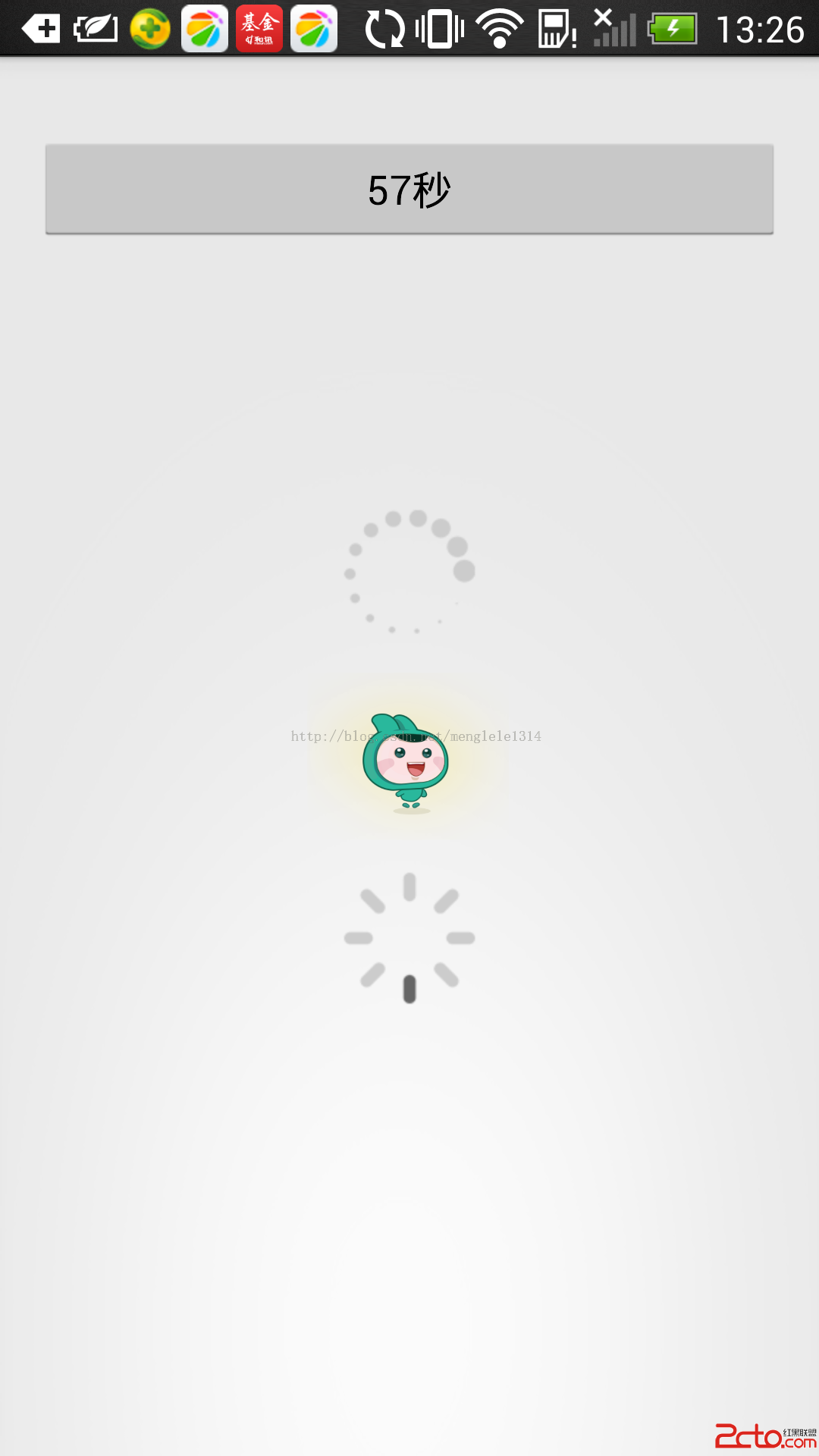 Android 實作簡訊驗證碼倒數計時按鈕
登入頁那個「60 秒後可重新發送」的按鈕,是 App 裡最常見的小互動之一。實作起來不難,用 CountDownTimer 就足夠。 public class Mai
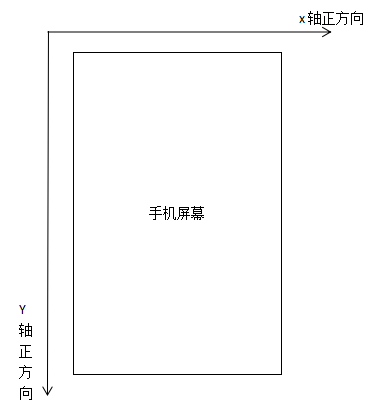 Android 中 View 移動的三種實現方式
View 大概是 Android 進階路上最繞不開的一塊,觸摸事件分發、自定義控件、滑動與移動,環環相扣。本文先把坐標系講清楚,再總結三種讓 View 動起來的方式。