

編輯:關於 Android 程式設計
本文示範如何做出與微信「傳送位置」幾乎一致的效果:一張地圖、一個釘選的圖釘、一個可搜尋的清單,選好之後把經緯度與地址回傳給聊天頁面。專案架構沿用 MVP,並搭配自撰基礎 lib(ndileber)。
先看成品的樣子:
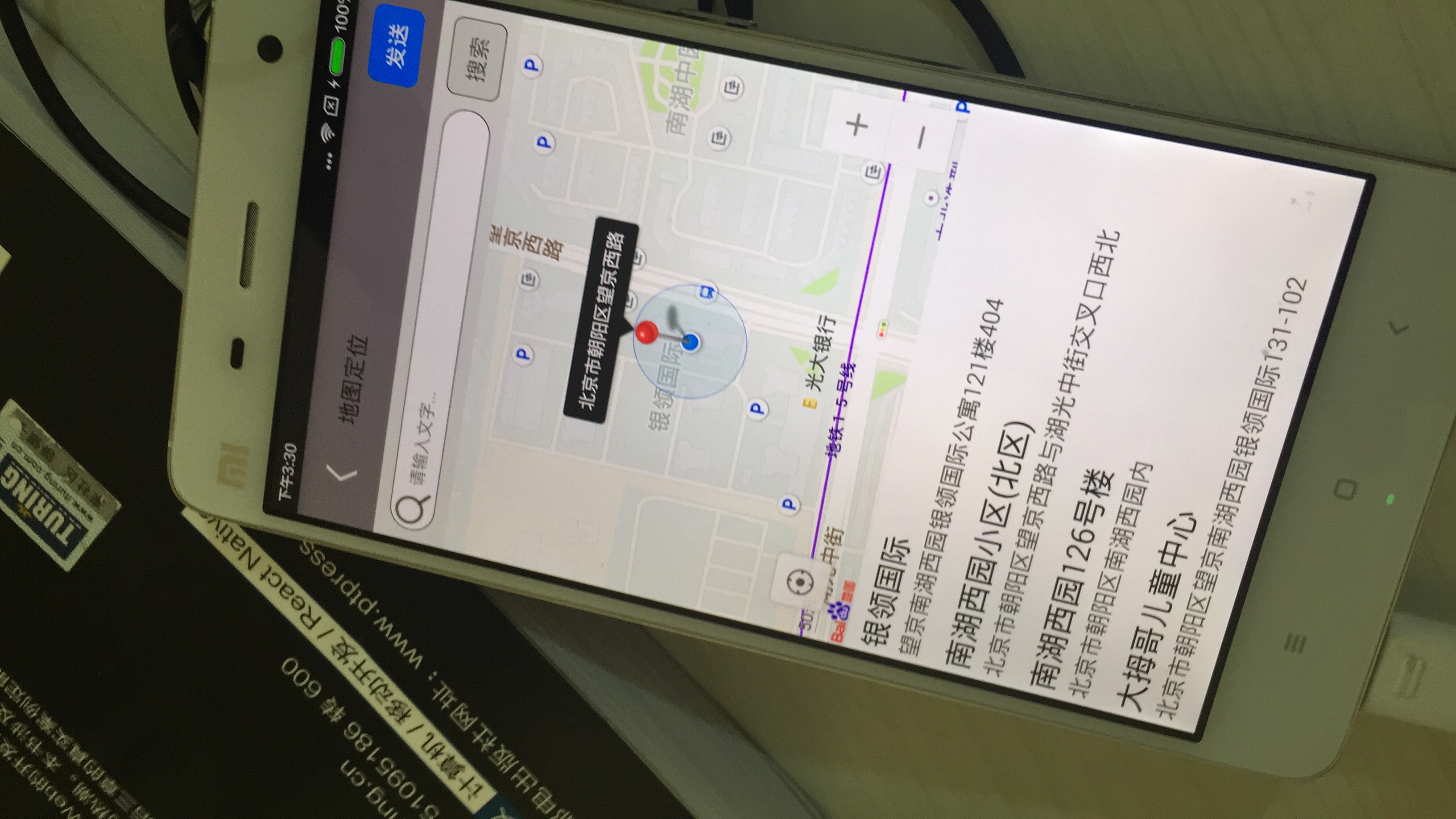
主畫面 activity_location_baidu.xml 的結構是:頂部 ActionBar、中間 MapView、MapView 之上疊一個居中的圖釘與地址浮層、左下角的「回到我的位置」按鈕,以及下方的搜尋列與結果清單。
<com.baidu.mapapi.map.MapView
    android:id="@+id/bmapView"
    android:clickable="true"
    android:layout_width="match_parent"
    android:layout_height="match_parent">

    <LinearLayout
        android:id="@+id/location_info"
        android:layout_width="wrap_content"
        android:layout_height="wrap_content"
        android:layout_above="@+id/location_pin"
        android:layout_centerHorizontal="true"
        android:orientation="vertical"
        android:paddingLeft="8dp"
        android:paddingRight="8dp"
        android:visibility="gone">
        <TextView
            android:id="@+id/marker_address"
            android:layout_width="wrap_content"
            android:layout_height="wrap_content"
            android:textColor="@color/white"
            android:textSize="12sp" />
    </LinearLayout>

    <ImageView
        android:id="@+id/location_pin"
        android:layout_width="wrap_content"
        android:layout_height="wrap_content"
        android:layout_centerInParent="true"
        android:src="@mipmap/pin" />
</com.baidu.mapapi.map.MapView>
這個設計有一個關鍵巧思:圖釘固定在畫面正中央不動,使用者拖動的是地圖。因此「目前選中的位置」永遠等於地圖中心點的經緯度,不需要做座標反轉運算。
清單項 recy_location_item.xml 只有兩個 TextView,分別顯示地點名稱與詳細地址:
<LinearLayout
    android:layout_width="match_parent"
    android:layout_height="wrap_content"
    android:orientation="vertical"
    android:padding="4dp">
    <TextView
        android:id="@+id/location_name"
        android:layout_width="wrap_content"
        android:layout_height="wrap_content"
        android:textColor="@color/black" />
    <TextView
        android:id="@+id/location_local"
        android:layout_width="wrap_content"
        android:layout_height="wrap_content"
        android:textColor="#595959" />
</LinearLayout>
由於專案裡同時保留了百度與高德兩套實作,Adapter 用兩個建構子與兩個刷新方法分別承接兩種資料型別,並以 App.MAP_TYPE 決定走哪一支:
public void onBindViewHolder(final LocationViewHolder holder, int position) {
    if (App.MAP_TYPE == App.MAP_BAIDU) {
        holder.poiInfo = poiInfos.get(position);
        holder.location_name.setText(holder.poiInfo.name);
        holder.location_local.setText(holder.poiInfo.address);
        holder.mView.setOnClickListener(v ->
            locationOnCreateItem2.onItemClick(holder.poiInfo));
    } else {
        holder.poiItem = poiItems.get(position);
        holder.location_name.setText(holder.poiItem.getTitle());
        holder.location_local.setText(holder.poiItem.getSnippet());
        holder.mView.setOnClickListener(v ->
            locationOnCreateItem.onItemClick(holder.poiItem));
    }
}
實務上如果只是要接一家,把另一支分支刪掉即可,不必留著兩套型別增加負擔。
MVP 的 View 與 Presenter 介面集中定義在 Contract 裡,View 端負責純呈現與事件回報,Presenter 端則繼承各種 SDK 回呼介面:
public interface LocationBaiduContract extends BaseContract {
    interface View extends BaseView<Presenter> {
        void setAddress(String address);
        void refData(List<PoiInfo> poiInfoList);
        void sendButtonStatus(int status);
        void pinInfoPanelStatus(int status);
        MapView getMapView();
        void keybordState(boolean show);
        void searchText(String text);
        void setPinInfoText(String text);
        String getSearchText();
        void deleteVisibility(int visiblility);
    }

    interface Presenter extends BasePresenter,
            BaiduMap.OnMapStatusChangeListener,
            OnGetGeoCoderResultListener,
            OnGetPoiSearchResultListener,
            BDLocationListener,
            TextWatcher, TextView.OnEditorActionListener {
        void initMap();
    }
}
初始化地圖。開啟定位圖層、建立 LocationClient 並設定定位參數,同時註冊地理編碼與周邊搜尋的監聽:
public void initMap() {
    mBaiduMap = view.getMapView().getMap();
    mBaiduMap.setMyLocationEnabled(true);

    mLocClient = new LocationClient(view.getContext());
    mLocClient.registerLocationListener(this);
    LocationClientOption option = new LocationClientOption();
    option.setOpenGps(true);
    option.setCoorType("bd09ll");
    option.setScanSpan(1000);
    mLocClient.setLocOption(option);
    mLocClient.start();

    mBaiduMap.setOnMapStatusChangeListener(this);
    mSearch = GeoCoder.newInstance();
    mSearch.setOnGetGeoCodeResultListener(this);
    mPoiSearch = PoiSearch.newInstance();
    mPoiSearch.setOnGetPoiSearchResultListener(this);
}
取得定位後。第一次定位成功(或使用者的「回到我的位置」按鈕被按下)時,把地圖動畫移動到該座標並放大到合適層級,順便做第一次的逆地理編碼:
public void onReceiveLocation(BDLocation location) {
    if (location == null || view.getMapView() == null) return;
    view.sendButtonStatus(View.VISIBLE);
    view.pinInfoPanelStatus(View.VISIBLE);

    MyLocationData locData = new MyLocationData.Builder()
            .accuracy(location.getRadius())
            .direction(100)
            .latitude(location.getLatitude())
            .longitude(location.getLongitude())
            .build();
    mBaiduMap.setMyLocationData(locData);

    if (isFirstLoc || isButtonLoc) {
        isFirstLoc = false;
        isButtonLoc = false;
        LatLng ll = new LatLng(location.getLatitude(), location.getLongitude());
        MapStatus.Builder builder = new MapStatus.Builder();
        builder.target(ll).zoom(18.0f);
        mBaiduMap.animateMapStatus(MapStatusUpdateFactory.newMapStatus(builder.build()));
        searchNearBy(ll);
    }
    mLocClient.stop();
}
拖動地圖結束後。這是整個功能的核心:地圖停止移動,就對中心點做一次逆地理編碼,把「這是哪裡」問出來。
public void onMapStatusChangeFinish(MapStatus mapStatus) {
    LatLng ll = mapStatus.target;
    searchNearBy(ll);
}

public void searchNearBy(LatLng latLng) {
    mSearch.reverseGeoCode(new ReverseGeoCodeOption().location(latLng));
}

public void onGetReverseGeoCodeResult(ReverseGeoCodeResult result) {
    if (result == null || result.error != SearchResult.ERRORNO.NO_ERROR) {
        view.toast("未找到結果", Toast.LENGTH_LONG);
        return;
    }
    if (!isChick) {
        view.setAddress(result.getAddress());
        latitude = result.getLocation().latitude;
        longitude = result.getLocation().longitude;
        addressInfo = result.getAddress();
    }
    isChick = false;
    view.refData(result.getPoiList());
}
這裡的 isChick 旗標是個實務細節:當使用者是「從清單點選某一筆」而觸發地圖移動時,地址應該以清單的名稱為準,而不是被逆地理編碼的結果覆蓋掉。
點選清單項目。把地圖飛到該座標,並用清單文字更新浮層:
public void onItemClick(PoiInfo poiInfo) {
    view.setPinInfoText(poiInfo.name);
    MapStatus.Builder builder = new MapStatus.Builder();
    builder.target(poiInfo.location).zoom(18.0f);
    mBaiduMap.animateMapStatus(MapStatusUpdateFactory.newMapStatus(builder.build()));
    latitude = poiInfo.location.latitude;
    longitude = poiInfo.location.longitude;
    addressInfo = poiInfo.name;
    isChick = true;
}
關鍵字搜尋。以目前中心點為圓心做周邊檢索,半徑 500 公尺:
private void search(String message) {
    mPoiSearch.searchNearby(new PoiNearbySearchOption()
            .keyword(message)
            .location(new LatLng(latitude, longitude))
            .radius(500)
            .pageNum(1));
    view.keybordState(false);
    view.searchText("");
}
回傳結果。按下 ActionBar 右側的送出鍵時,透過靜態 callback 把座標與地址丟回上一頁,然後關掉自己:
private void sendLocation() {
    addressInfo = TextUtils.isEmpty(addressInfo)
            ? MainApplication.getAppContext()
                .getString(R.string.location_address_unkown)
            : addressInfo;
    if (mCallback != null) {
        mCallback.onSuccess(longitude, latitude, addressInfo);
    }
}

public static void start(Context context, LocationProvider.Callback callback) {
    mCallback = callback;
    context.startActivity(new Intent(context, LocationBaiduActivity.class));
}
資源釋放。在 onDestroy() 中必須停止定位、關閉定位圖層並銷毀搜尋物件,否則會有記憶體與定位服務洩漏的風險:
public void onDestroy() {
    mLocClient.stop();
    mBaiduMap.setMyLocationEnabled(false);
    mSearch.destroy();
}
本文完成的是「顯示地圖 → 拖動選點 → 逆地理編碼 → 關鍵字搜尋 → 回傳結果」這條主線。後篇可以接著處理的方向包括:定位權限的動態申請與說明引導、清單的分頁載入與空狀態、網路不佳時的快取策略,以及高德版本的替換做法。
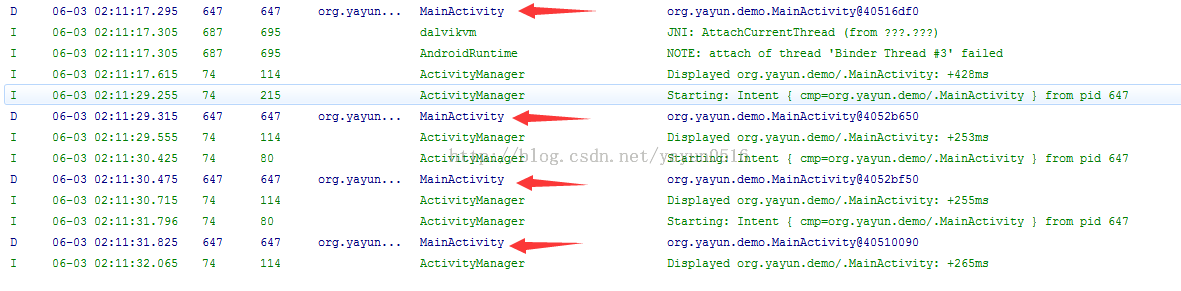 Android Activity 啟動模式探索:四種模式與 Intent Flag
Activity 的啟動模式決定了它如何進入 Task 棧,以及是否允許重複建立實例。Android 提供 standard、singleTop、singleTask 與
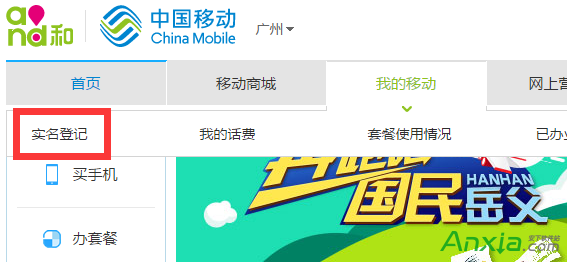 手機卡未實名要被停機?三種辦理途徑整理
手機卡未實名可能面臨停機,那實名登記該怎麼辦?隨著手機卡實名制於9月1日大規模推行,不少用戶開始著急。下面小編把辦理方式整理清楚。 整體來看,辦理實名可分為線下與線上兩大
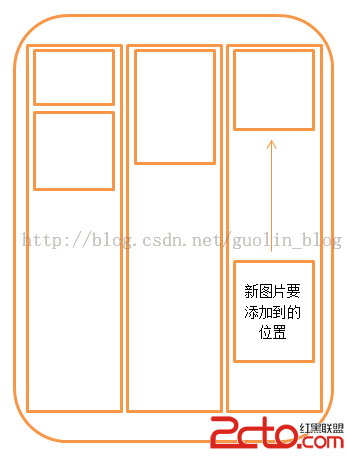 深度改造 Android ListView:打造高效能瀑布流布局
這是 ListView 系列三部曲的最終篇。前兩篇我們已經從源碼層面透徹剖析了 ListView 的工作原理與常見問題,這一篇則要動手改造它,讓 ListView 能以瀑
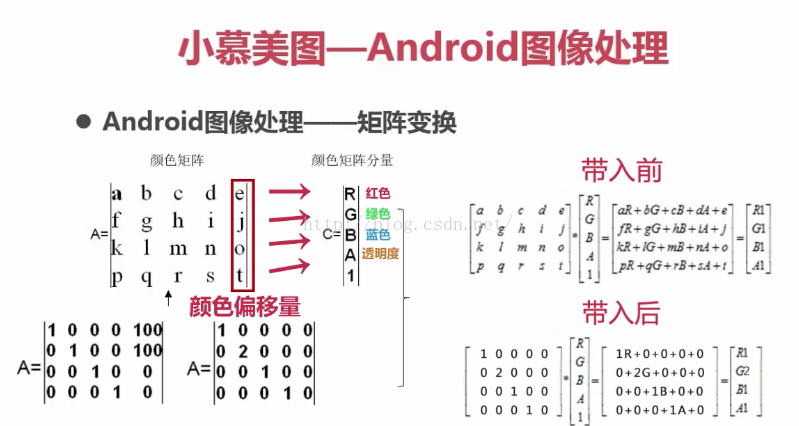 Android 圖像處理:老照片情懷濾鏡實作
老照片濾鏡常被視為一種充滿情懷的視覺效果,它能讓現代數位照片呈現出類似早期相片或復古印刷品的色調。這類效果在 Android 中可以透過逐像素處理 Bitmap 來完成。