

編輯:關於 Android 程式設計
LayoutInflater 是 Android 將 XML 版面轉成 View 物件的核心類別。本文從取得實例、inflate 多載關係,到 attachToRoot 的實際效果,整理一份適合閱讀源碼前先看的筆記。
常見寫法有三種:在 Activity 中呼叫 getLayoutInflater、使用 LayoutInflater.from(context),或透過 context.getSystemService(Context.LAYOUT_INFLATER_SERVICE) 取得。從源碼來看,前兩種最終都會回到系統服務取得同一個 LayoutInflater 實例,因此本質上並沒有差異。
LayoutInflater 有多個 inflate 方法,常見形式包括傳入資源 id 與 root,或傳入 XmlPullParser 與 root。最終都會 converge 到包含 attachToRoot 參數的核心方法。也就是說,不論呼叫哪個版本,真正決定版面如何被建立與附加的,是資源解析、root 是否為 null,以及 attachToRoot 的值。
第一個參數是版面資源或 XML parser,用來描述要轉換的 View 結構。第二個參數 root 是候選父容器,主要用來提供 LayoutParams 與可能的附加目標。第三個參數 attachToRoot 決定轉出的 View 是否直接加入 root。
當 attachToRoot 為 true 且 root 不為 null 時,inflate 會建立版面、套用 root 生成的 LayoutParams,然後呼叫 root.addView 把新 View 加進去,最後回傳 root。當 attachToRoot 為 false 時,inflate 不會把新 View 加入 root,而是把版面產生的根 View 回傳,讓呼叫者自行決定後續處理。
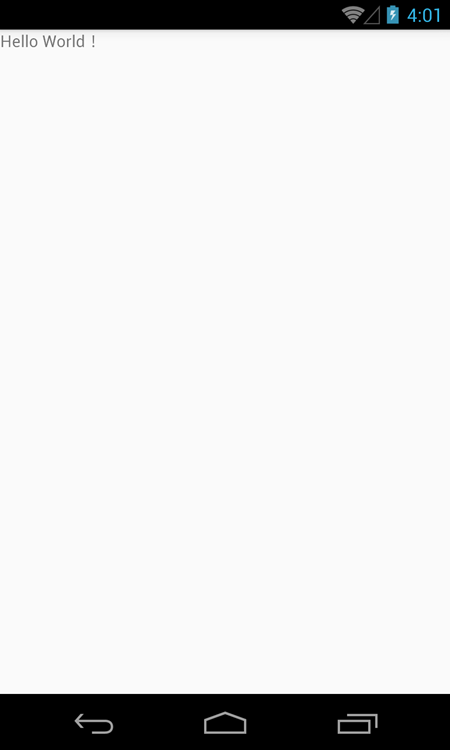
假設 activity_root 是一個垂直 LinearLayout,裡面只有一個 TextView;activity_add 是紅色背景並含一個文字。若在 Activity 中先 setContentView 載入 activity_root,再把 activity_add inflate 進 root,並傳入 true,畫面上就會看到原本的版面被附加新內容。
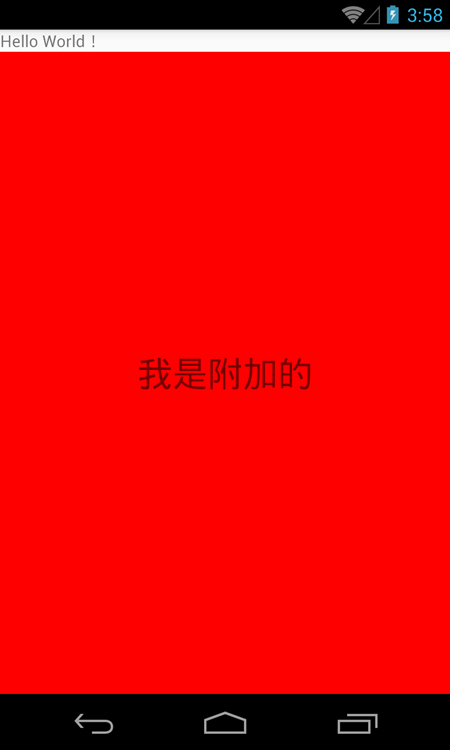
若把 attachToRoot 改為 false,畫面不會出現附加結果,因為新的 View 只是被建立並回傳,並未加入目前畫面。若要手動完成相同效果,可以先 inflate 取得 View,再自行呼叫 addView。
核心 inflate 方法會先取得 AttributeSet,並把 result 預設為 root。接著讀取 XML 的第一個標籤。如果根標籤是 merge,因 merge 沒有單一根節點,通常必須搭配 root 與 attachToRoot 使用,否則會丟出例外。若不是 merge,則透過 createViewFromTag 建立暫時的根 View,也就是 temp。
如果 root 不為 null,系統會呼叫 generateLayoutParams 取得版面參數。當 attachToRoot 為 false 時,這些參數會先設定到 temp;接著遞迴 inflate 子 View。最後,若 root 不為 null 且 attachToRoot 為 true,就把 temp 加入 root;若 root 為 null 或 attachToRoot 為 false,就把 temp 作為結果回傳。
root 最重要的作用,是為被 inflate 的版面提供 LayoutParams 與可能的父容器。attachToRoot 則控制「建立後是否立刻掛上」。理解這兩個變數的組合,就能判斷 inflate 的回傳值究竟是 root,還是新建立的版面根節點。
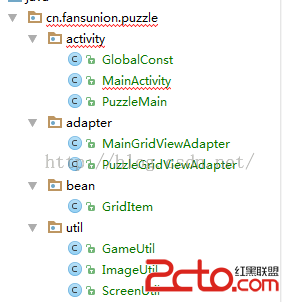 拼圖小遊戲的程式碼設計與實作思路整理
上個週末花了三小時把《Android 群英傳》整體讀完,這一整週則專心在程式碼層級的設計與實作上。裝到真機上玩了幾把,再對照程式碼反覆看,大概一週才把整體脈絡摸清楚——其
 Android 實作:相冊圖片的上傳與下載(Bmob 雲端儲存)
目標效果: 打開相冊選擇一張圖片後,會顯示在上方的 ImageView 中,並上傳儲存到 Bmob 雲端。上傳完成後進入 Bmob 後台,複製剛才新增資料的 obj
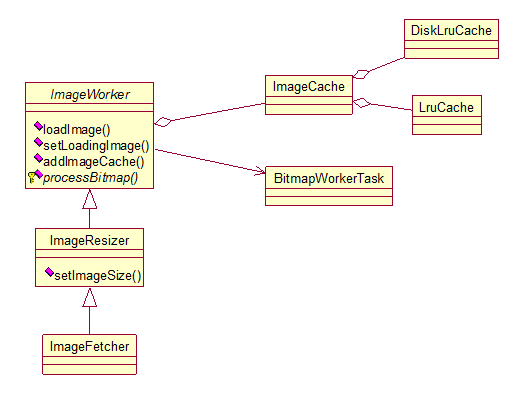 從官方範例剖析 Android Bitmap 的記憶體優化要點
本文將以 Android 官方提供的 Sample 範例為依據,踏踏實實地剖析 Bitmap 在使用時的記憶體注意事項。 在深入分析 Bitmap 之前,先簡單認識一下
 動手寫一個 Android 桌面滑動切換螢幕的控件(二)
上一篇把骨架、測量、佈局與觸控都搭好了,這篇來補上剩下幾個關鍵環節:動畫驅動、效能優化、跨頁預繪製,以及底部指示點。 一、對頁動畫的起點 在 ViewGroup 中實