

編輯:關於 Android 程式設計
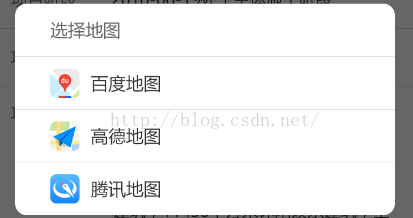
需求很簡單:使用者選好目的地要導航時,彈出一個選擇面板,列出百度地圖、高德地圖、騰訊地圖。裝了對應 App 就喚起原生導航,沒裝就退回網頁版。
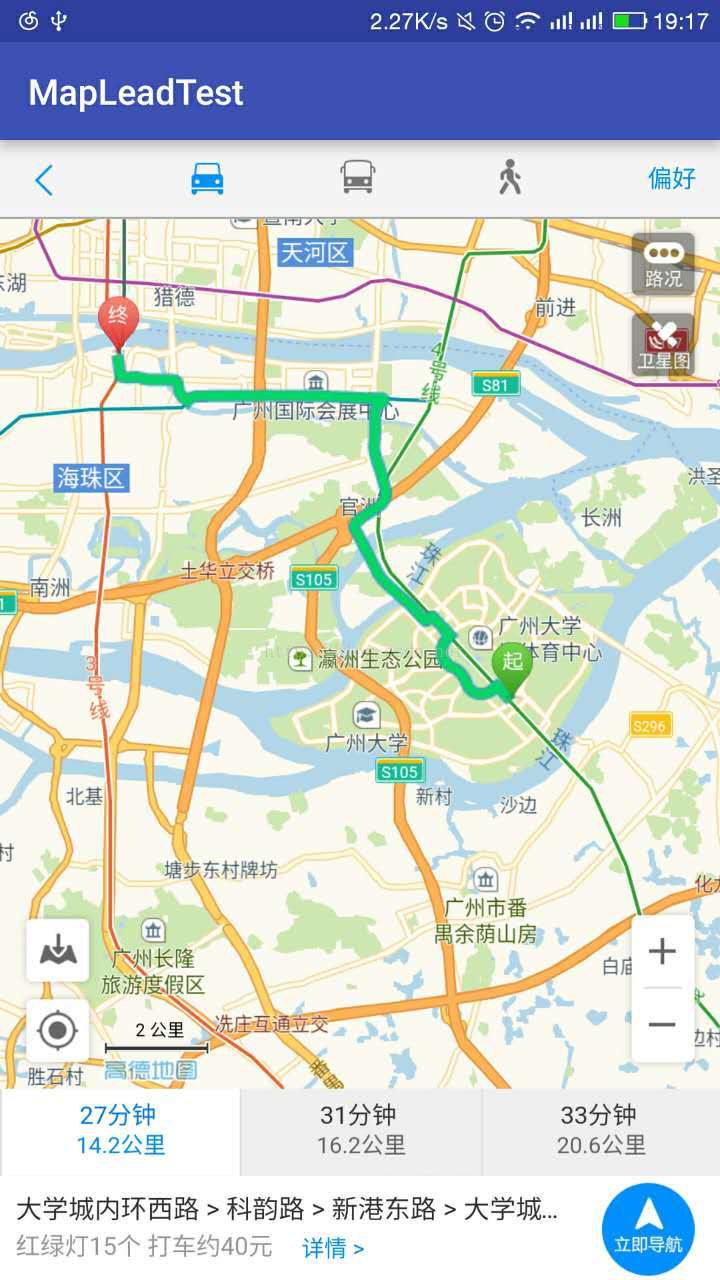
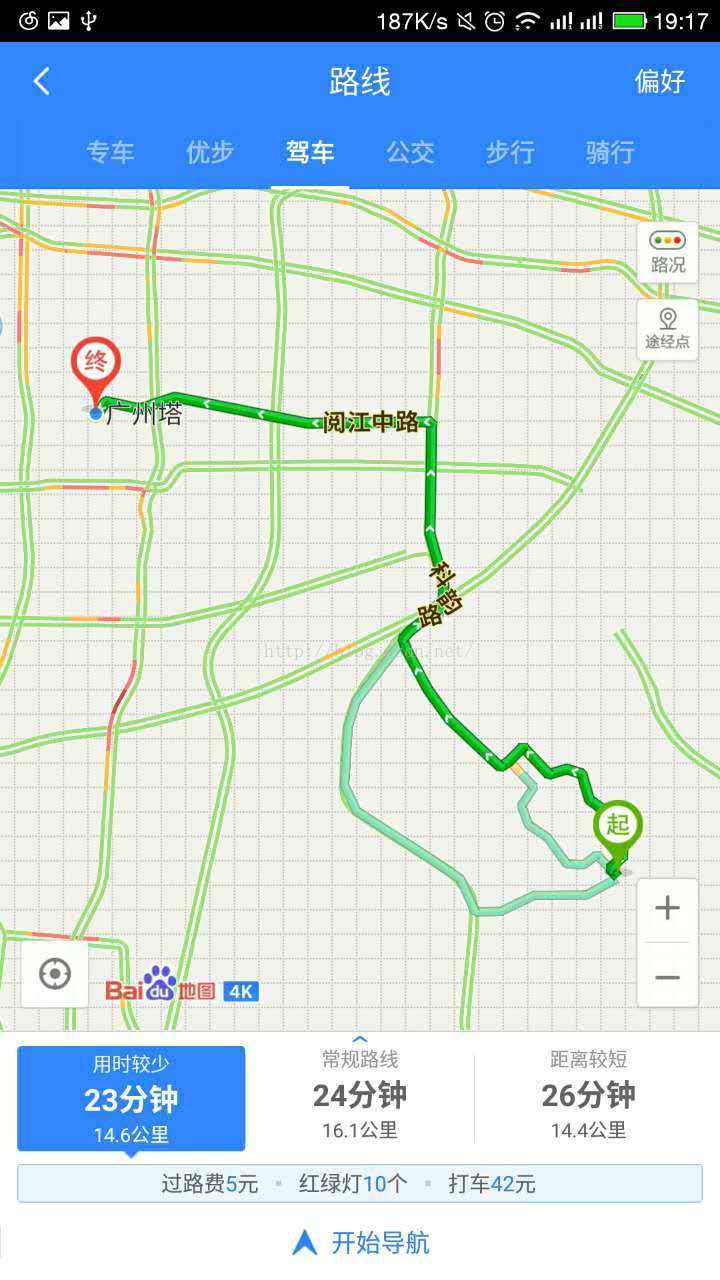
三家實際效果如下:
百度地圖
高德地圖
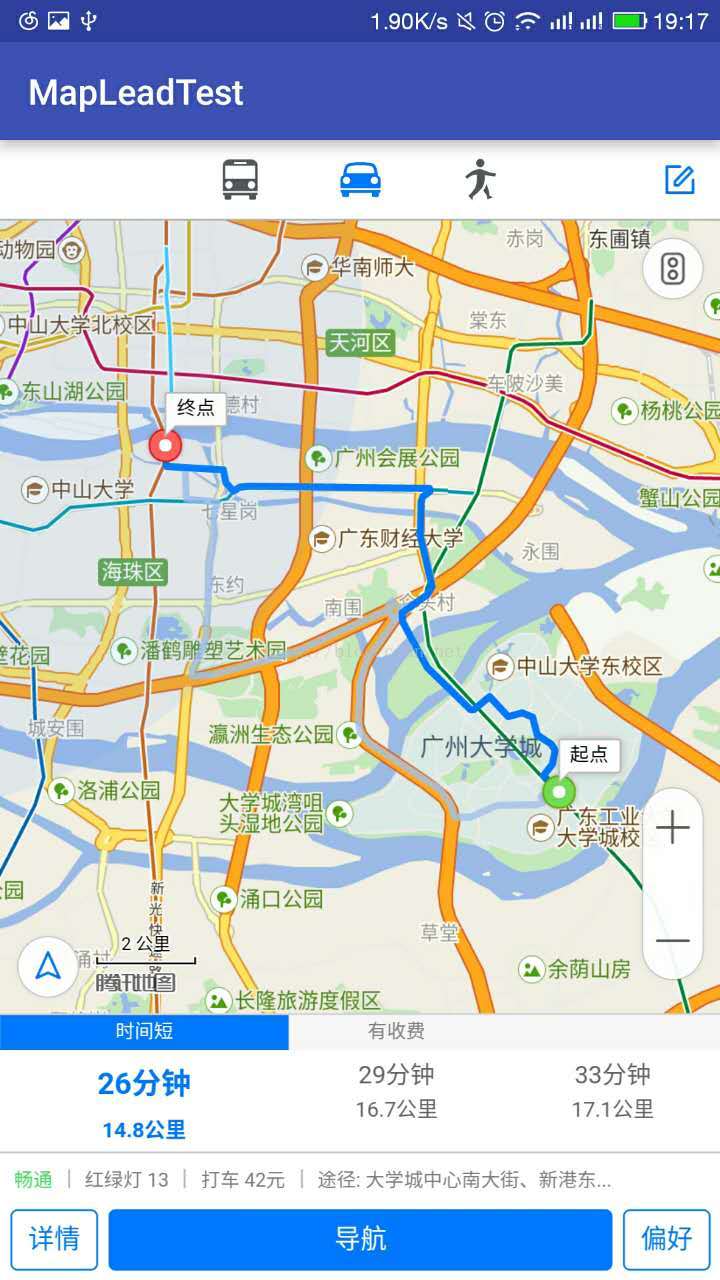
騰訊地圖
一開始我以為這事兒很簡單——不就是傳兩個坐標嗎?去各個平台撈對應的 URL API,把當前位置與目的地位置塞進去,用 Intent 跳轉,收工。
做完才發現自己天真了。國產地圖的坐標彼此並不通用,直接傳會產生偏移。
原因在於國內的坐標體系:
依規定,國內出版的地圖(含電子形式)必須至少用 GCJ-02 做首次加密。因此各家使用的坐標系是:
也就是說,只要能在 BD-09 與 GCJ-02 之間雙向轉換,三家的問題就都解決了。
public class MapTranslateUtils {

    /** 火星坐標(騰訊)轉百度坐標,返回 [緯度, 經度] */
    public static double[] map_hx2bd(double lat, double lon) {
        double x_pi = 3.14159265358979324;
        double x = lon, y = lat;
        double z = Math.sqrt(x * x + y * y) + 0.00002 * Math.sin(y * x_pi);
        double theta = Math.atan2(y, x) + 0.000003 * Math.cos(x * x_pi);
        double bd_lon = z * Math.cos(theta) + 0.0065;
        double bd_lat = z * Math.sin(theta) + 0.006;
        return new double[]{bd_lat, bd_lon};
    }

    /** 百度坐標轉火星坐標(騰訊),返回 [緯度, 經度] */
    public static double[] map_bd2hx(double lat, double lon) {
        double x_pi = 3.14159265358979324;
        double x = lon - 0.0065, y = lat - 0.006;
        double z = Math.sqrt(x * x + y * y) - 0.00002 * Math.sin(y * x_pi);
        double theta = Math.atan2(y, x) - 0.000003 * Math.cos(x * x_pi);
        double tx_lon = z * Math.cos(theta);
        double tx_lat = z * Math.sin(theta);
        return new double[]{tx_lat, tx_lon};
    }
}三家都要用到網頁兜底,所以先抽一個通用的 WebView Activity。佈局很樸素,一個標題欄加一個 WebView:
<LinearLayout xmlns:android="https://schemas.android.com/apk/res/android"
    android:layout_width="match_parent"
    android:layout_height="match_parent"
    android:background="#ffffff"
    android:orientation="vertical">

    <com.zk.common.TitleBarView
        android:id="@+id/titleBar"
        android:layout_width="fill_parent"
        android:layout_height="wrap_content"
        android:background="@color/title_bg" />

    <WebView
        android:id="@+id/web_wv"
        android:layout_width="fill_parent"
        android:layout_height="fill_parent" />
</LinearLayout>
Activity 側要開 JavaScript 與 DOM Storage,並在載入期間顯示進度對話框,進度到 100 才隱藏並顯示 WebView:
public class WebViewActivity extends AppCompatActivity {

    public static void launch(Activity activity, String url, String title) {
        Intent intent = new Intent(activity, WebViewActivity.class);
        intent.putExtra("url", url);
        intent.putExtra("title", title);
        activity.startActivity(intent);
    }

    @Override
    protected void onCreate(Bundle savedInstanceState) {
        super.onCreate(savedInstanceState);
        setContentView(R.layout.activity_web_view);
        mUrl = getIntent().getStringExtra("url");

        detailsWebView = (WebView) findViewById(R.id.web_wv);
        detailsWebView.getSettings().setJavaScriptEnabled(true);
        detailsWebView.getSettings().setDomStorageEnabled(true);
        detailsWebView.setWebViewClient(new WebViewClient() {
            @Override
            public boolean shouldOverrideUrlLoading(WebView view, String url) {
                view.loadUrl(url);
                return false;
            }
        });
        detailsWebView.setWebChromeClient(new WebChromeClient() {
            @Override
            public void onProgressChanged(WebView view, int progress) {
                if (progress == 100) {
                    handler.sendEmptyMessage(1);   // 載入完成,隱藏進度框
                    detailsWebView.setVisibility(View.VISIBLE);
                }
                super.onProgressChanged(view, progress);
            }
        });
        detailsWebView.loadUrl(mUrl);
    }
}
小提醒:隱藏 ProgressDialog 要用 hide() 而不是 dismiss() 或 cancel(),否則下次 show() 時轉圈動畫不會動。
開發文件:https://developer.baidu.com/map/wiki/index.php?title=uri/api/android
private void selectBaidu() {
    dismiss();
    try {
        if (isInstallByread("com.baidu.BaiduMap")) {
            Intent intent = Intent.getIntent(
                    "intent://map/direction?origin=latlng:" + nowLat + "," + nowLng
                    + "|name:&destination=" + desAddress + "&mode=driving"
                    + "&referer=Autohome|GasStation#Intent;"
                    + "scheme=bdapp;package=com.baidu.BaiduMap;end");
            mActivity.startActivity(intent);
        } else {
            Toast.makeText(mActivity,
                    "如果您沒有安裝百度地圖 APP,可能無法正常使用導航,建議選擇其他地圖",
                    Toast.LENGTH_SHORT).show();
        }
    } catch (URISyntaxException e) {
        e.printStackTrace();
    }
}
由於專案本身用的是百度 SDK,手上的坐標已經是 BD-09,喚起百度地圖時可以直接塞,不必轉換。
private void selectGaode() {
    dismiss();
    if (isInstallByread("com.autonavi.minimap")) {
        try {
            Intent intent = new Intent("android.intent.action.VIEW",
                    Uri.parse("androidamap://navi?sourceApplication=amap&lat="
                            + desLat + "&lon=" + desLng + "&dev=1&stype=0"));
            intent.setPackage("com.autonavi.minimap");
            intent.setFlags(Intent.FLAG_ACTIVITY_NEW_TASK
                    | Intent.FLAG_ACTIVITY_CLEAR_TOP);
            mActivity.startActivity(intent);
        } catch (Exception e) {
            String url = "https://m.amap.com/?from=" + nowLat + "," + nowLng
                    + "(from)&to=" + desLat + "," + desLng
                    + "(to)&type=0&opt=1&dev=0";
            WebViewActivity.launch(mActivity, url, "網頁版地圖導航");
        }
    } else {
        double[] des = MapTranslateUtils.map_bd2hx(desLat, desLng);
        double[] now = MapTranslateUtils.map_bd2hx(nowLat, nowLng);
        String url = "https://m.amap.com/?from=" + now[0] + "," + now[1]
                + "(from)&to=" + des[0] + "," + des[1]
                + "(to)&type=0&opt=1&dev=0";
        WebViewActivity.launch(mActivity, url, "網頁版地圖導航");
    }
}這裡有個很容易翻車的細節:dev 參數。傳入的已經是火星坐標時填 0,傳的是高德自己加密後的坐標才填 1。搞錯就會偏出去幾百米。

開發文件:https://lbs.qq.com/uri_v1/guide-route.html

按官方說明,當時騰訊還不支援直接喚起自家 App 做路線規劃,所以只能走網頁:
private void selectTencent() {
    dismiss();
    double[] des = MapTranslateUtils.map_bd2hx(desLat, desLng);
    double[] now = MapTranslateUtils.map_bd2hx(nowLat, nowLng);
    String url = "https://apis.map.qq.com/uri/v1/routeplan?type=drive"
            + "&from=&fromcoord=" + now[0] + "," + now[1]
            + "&to=&tocoord=" + des[0] + "," + des[1]
            + "&policy=0&referer=myapp";
    WebViewActivity.launch(mActivity, url, "網頁版地圖導航");
}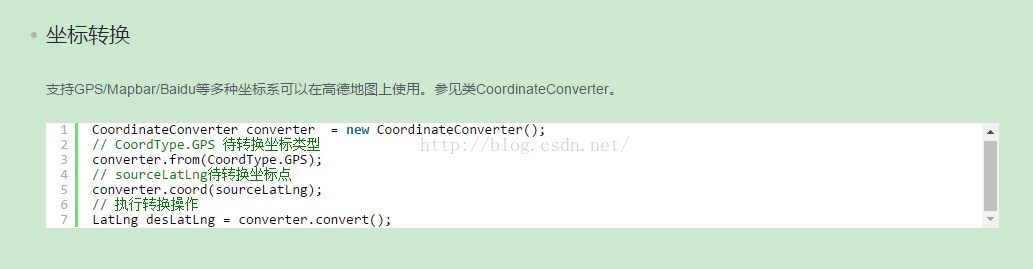
除了自己寫轉換演算法,高德也提供了現成的坐標轉換 API,專案裡若追求維護成本最低,可以直接呼叫它。
總結一下這次的收穫:出發前先確認「手上這組坐標屬於哪個坐標系」,比急著寫跳轉代碼重要得多。只要把 BD-09 ⇄ GCJ-02 的轉換封裝好,再為每家地圖處理好喚起失敗的兜底分支,這個需求其實並不複雜。
 APK 瘦身實戰:20 個真正有效的大小優化手段
為什麼要給 APK 瘦身?包越大,使用者下載時消耗的流量越多、安裝等待越久;對產品而言,這直接反映在轉換率上——在功能相近的競品之間,使用者自然會選那個下載最快、體驗最順
 AndroidStudio 如何使用 aar 詳解
在 Android 開發中,aar 是一種常見的依賴打包格式。本文詳細介紹 aar 的概念、獲取方式以及如何在項目中使用。 一、簡介 aar 是一種類似於 jar 的文件
 Android 優化下載(四):用 DDMS 網絡流量工具找出耗電區段
使用 DDMS 網絡流量工具識別關注的區間 Android 的 DDMS(Dalvik Debug Monitor Server)內建了詳細的網絡使用量頁籤,讓開發者能夠
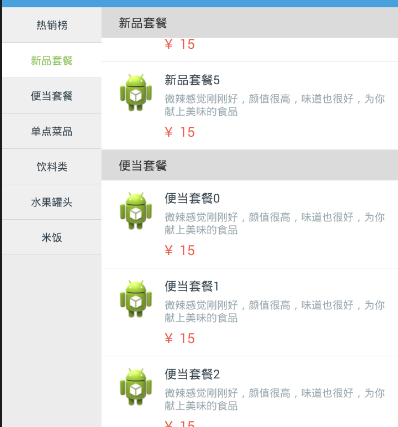 仿美團外賣點餐:兩個 ListView 聯動效果實作
點開外賣 App,左側是分類菜單,右側是對應的菜品列表,滑動任一側另一側同步反應——這就是典型的雙列表聯動。本文示範如何用兩個 ListView 搭配 setSelect