

編輯:關於 Android 程式設計
這篇記錄的是一個跟著影片教學完成的拼圖小遊戲,也是我第一次真正動手處理「圖片切割」與「補間動畫」這兩件事,因此把整個實作思路整理下來,方便日後回顧。
先看成品:應用圖示、關卡選擇頁、兩種難度設定、以及通關後的成功提示畫面。
icon:
選擇介面: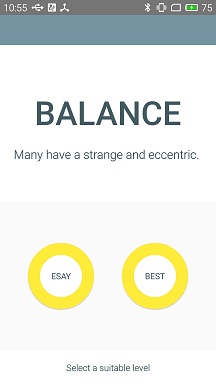
兩種難度畫面: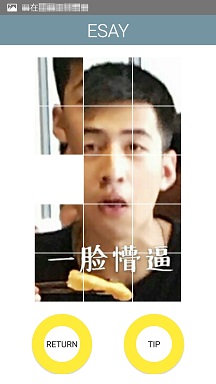
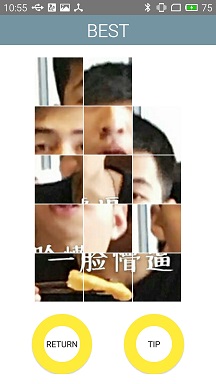
通關畫面: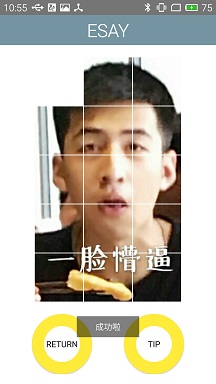
整個遊戲可以拆成九個環節,從資料結構一路走到通關判定:
1. 建立方塊資料結構
2. 指定一塊作為空缺方塊
3. 判斷點擊方塊與空格是否相鄰
4. 以動畫呈現交換過程
5. 交換兩者的資料與圖像
6. 取得手勢方向
7. 依手勢執行交換
8. 隨機打亂初始排列
9. 判定遊戲是否結束
每一小塊拼圖都需要記錄自己的實際座標、目前所在座標、以及被切出來的那張小圖。另外還要記住「原本應該在的位置」,通關判定就靠它。
/* 每個小方塊:實際位置 x/y、方塊圖片 bm、正確位置 p_x/p_y */
class GameDate {
    public int x = 0;
    public int y = 0;
    public Bitmap bm;
    public int p_x = 0;
    public p_y = 0;

    public GameDate(int x, int y, Bitmap bm) {
        this.bm = bm;
        this.x = x;
        this.y = y;
        this.p_x = x;
        this.p_y = y;
    }

    // 判斷這個方塊目前是否在正確位置上
    public Boolean isTrue() {
        return (x == p_x && y == p_y);
    }
}
滑動拼圖的規則決定了必須有一格是空的,不然任何兩塊都無法互換。所以初始化時就挑一個位置設為空格,並用一個全域的 ImageView 記住它是誰。
private ImageView main_nullImage;

/* 把某個方塊指定為缺口方塊 */
public void setNullImageView(ImageView nullImageView) {
    nullImageView.setImageBitmap(null);
    main_nullImage = nullImageView;
}
點擊的方塊必須緊貼空格才能移動。判斷方式很直覺:取出兩者的座標,看上下左右方向的差值是否為 1。
/* 判斷點擊方塊與空格是否相鄰 */
public boolean ifHasNullImageView(ImageView clickImageView) {
    GameDate nullImage = (GameDate) main_nullImage.getTag();
    GameDate gameDate = (GameDate) clickImageView.getTag();

    if (nullImage.y == gameDate.y && nullImage.x == gameDate.x + 1) {
        return true;   // 空格在右側
    } else if (nullImage.y == gameDate.y && nullImage.x == gameDate.x - 1) {
        return true;   // 空格在左側
    } else if (nullImage.y == gameDate.y + 1 && nullImage.x == gameDate.x) {
        return true;   // 空格在下方
    } else if (nullImage.y == gameDate.y - 1 && nullImage.x == gameDate.x) {
        return true;   // 空格在上方
    }
    return false;
}
確認相鄰之後,先讓方塊「滑」到空格的位置,動畫結束的 callback 裡才真正搬移資料與圖片。這樣視覺上才不會出現瞬移的突兀感。
動畫方向要依點擊位置與空格位置的相對關係決定,所以方法多帶一個參數,用來區分「要播放動畫」還是「直接交換」。打亂牌面時走的就是後者。
public void changeDataByImageView(ImageView imageView) {
    changeDataByImageView(imageView, true);
}

public void changeDataByImageView(final ImageView imageView, Boolean isTrue) {
    if (!isTrue) {
        // 不做動畫,直接交換資料
        GameDate gameDate = (GameDate) imageView.getTag();
        main_nullImage.setImageBitmap(gameDate.bm);

        GameDate nullGameData = (GameDate) main_nullImage.getTag();
        nullGameData.bm = gameDate.bm;
        nullGameData.p_x = gameDate.p_x;
        nullGameData.p_y = gameDate.p_y;

        setNullImageView(imageView);
        if (isGameStart) {
            isGameOver();
        }
        return;
    }

    TranslateAnimation translateAnimation = null;
    if (imageView.getX() > main_nullImage.getX()) {
        translateAnimation = new TranslateAnimation(0.1f, -imageView.getHeight(), 0.1f, 0.1f);
    } else if (imageView.getX() < main_nullImage.getX()) {
        translateAnimation = new TranslateAnimation(0.1f, imageView.getHeight(), 0.1f, 0.1f);
    } else if (imageView.getY() > main_nullImage.getY()) {
        translateAnimation = new TranslateAnimation(0.1f, 0.1f, 0.1f, -imageView.getHeight());
    } else if (imageView.getY() < main_nullImage.getY()) {
        translateAnimation = new TranslateAnimation(0.1f, 0.1f, 0.1f, imageView.getHeight());
    }
    // 動畫 listener 中呼叫上面的無動畫版本完成真正的資料搬移
}
除了點擊,也希望玩家能直接在螢幕上滑動。做法是建立 GestureDetector 並覆寫 onFling,把滑動前後兩組座標傳進來比對位移量。
/* 依滑動起訖座標判斷方向:1上 2下 3左 4右 */
public int getDirByGes(float start_x, float start_y, float end_x, float end_y) {
    boolean isLeftOrRight = (Math.abs(start_x - end_x) > Math.abs(start_y - end_y));

    if (isLeftOrRight) {
        boolean isLeft = (start_x - end_x) > 0;
        return isLeft ? 3 : 4;
    } else {
        boolean isUp = (start_y - end_y) > 0;
        return isUp ? 1 : 2;
    }
}
拿到方向後,把它換算成空格的候選新座標,再檢查該座標是否落在棋盤範圍內,最後才做交換。
public void changeByDir(int type) {
    changeByDir(type, true);
}

public void changeByDir(int type, Boolean hasNeighbor) {
    GameDate nullGameDate = (GameDate) main_nullImage.getTag();
    int new_x = nullGameDate.x;
    int new_y = nullGameDate.y;

    if (type == 1) { new_x++; }
    else if (type == 2) { new_x--; }
    else if (type == 3) { new_y++; }
    else if (type == 4) { new_y--; }

    // 邊界檢查,避免換到棋盤外
    if (new_x >= 0 && new_x < game_arr.length
            && new_y >= 0 && new_y < game_arr[0].length) {
        // 取出該位置的 ImageView,呼叫 changeDataByImageView 完成交換
    }
}
進關卡時棋面必須是打亂的。做法很單純:隨機產生 1~4 代表四個方向,反覆呼叫剛剛封裝好的交換邏輯,並用帶參數的重載版本關掉動畫,避免進場時畫面亂跳。
public void randomMove(int t) {
    for (int i = 0; i < t; i++) {
        int type = (int) (Math.random() * 4) + 1;
        changeByDir(type, false);   // false 表示不播放動畫
    }
}
難度就用打亂次數 t 來控制,t 越大越難。
邏輯最單純的一步:掃過所有方塊,只要每一塊的實際座標都等於它原本該在的座標,就代表拼好了。
public boolean isGameOver() {
    for (int i = 0; i < game_arr.length; i++) {
        for (int j = 0; j < game_arr[0].length; j++) {
            GameDate gameDate = (GameDate) game_arr[i][j].getTag();
            if (!gameDate.isTrue()) {
                return false;
            }
        }
    }
    return true;
}
主 Activity 用 GridLayout 排 5×3 的方塊陣列,把一張大圖用 Bitmap.createBitmap 依序切開,每塊設定 tag 為對應的 GameDate,同時掛上點擊監聽與 GestureDetector。
public class MainActivity extends AppCompatActivity {

    private Boolean isGameStart = false;
    private ImageView[][] game_arr = new ImageView[5][3];
    private GridLayout main_game;
    private ImageView main_nullImage;
    private GestureDetector gestureDetector;
    private int count;

    @Override
    public boolean onTouchEvent(MotionEvent event) {
        return gestureDetector.onTouchEvent(event);
    }

    @Override
    protected void onCreate(Bundle savedInstanceState) {
        super.onCreate(savedInstanceState);
        setContentView(R.layout.activity_main);

        gestureDetector = new GestureDetector(this, new GestureDetector.OnGestureListener() {
            @Override
            public boolean onFling(MotionEvent e1, MotionEvent e2, float vx, float vy) {
                changeByDir(getDirByGes(e1.getX(), e1.getY(), e2.getX(), e2.getY()));
                return false;
            }
            // 其餘回呼略
        });

        // 讀取傳入的難度等級
        String level = getIntent().getStringExtra("Level");

        // 載入大圖並切成 5 等份
        Bitmap big = ((BitmapDrawable) getResources().getDrawable(R.drawable.ababa)).getBitmap();
        int tuWandH = big.getHeight() / 5;

        main_game = (GridLayout) findViewById(R.id.main_game);
        for (int i = 0; i < game_arr.length; i++) {
            for (int j = 0; j < game_arr[0].length; j++) {
                Bitmap bm = Bitmap.createBitmap(big, j * tuWandH, i * tuWandH, tuWandH, tuWandH);
                ImageView imageView = new ImageView(this);
                imageView.setImageBitmap(bm);
                imageView.setTag(new GameDate(i, j, bm));
                main_game.addView(imageView);

                if (i == 0 && j == 0) {
                    setNullImageView(imageView);   // 左上角作為起始空格
                } else {
                    imageView.setOnClickListener(v -> {
                        if (ifHasNullImageView((ImageView) v)) {
                            changeDataByImageView((ImageView) v);
                        }
                    });
                }
            }
        }
        isGameStart = true;
    }
}
寫完這輪下來,最大的收穫是理解到「動畫只是表象,資料交換才是本體」——先把資料模型設計乾淨,動畫與手勢都只是換一種方式呼叫同一套交換邏輯而已。
 Android 拼圖遊戲完整實作:圖片切割、拖拽交換與關卡計時
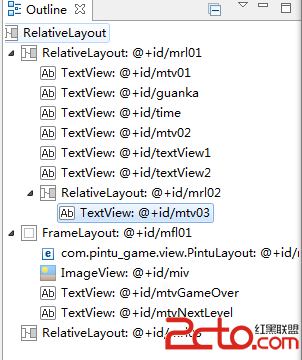
這是一個無線分裂式拼圖遊戲的完整實現,涵蓋圖片切割、方塊打亂、點擊交換動畫、關卡遞進與倒計時等環節。核心是一個自訂的 PintuLayout 佈局,對外只暴露回調接口,A
 借助 Android 自帶 VpnService 截取設備流量的原理與實踐
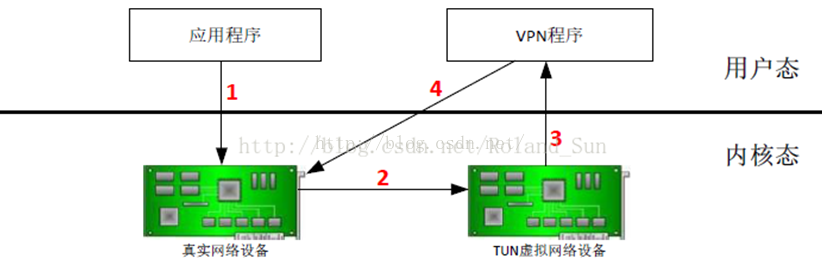
最近在做 Android 下的流量分析功能,查閱了大量資料。總結下來,在無需 Root 的前提下有兩種思路:一是設置代理來分析流量,二是使用 Android 系統提供的
 Android 基於 IIS 的 APK 下載(一):自定義更新控件
Android 越來越普及,那已安裝的應用要如何更新呢?應用市場裡常會顯示「某某應用已更新」之類的資訊,我們能否也實現類似功能?要做哪些準備?做過 Web 開發的人都知道
 Android 音頻開發:MediaCodec 編解碼原理與第三方庫選擇
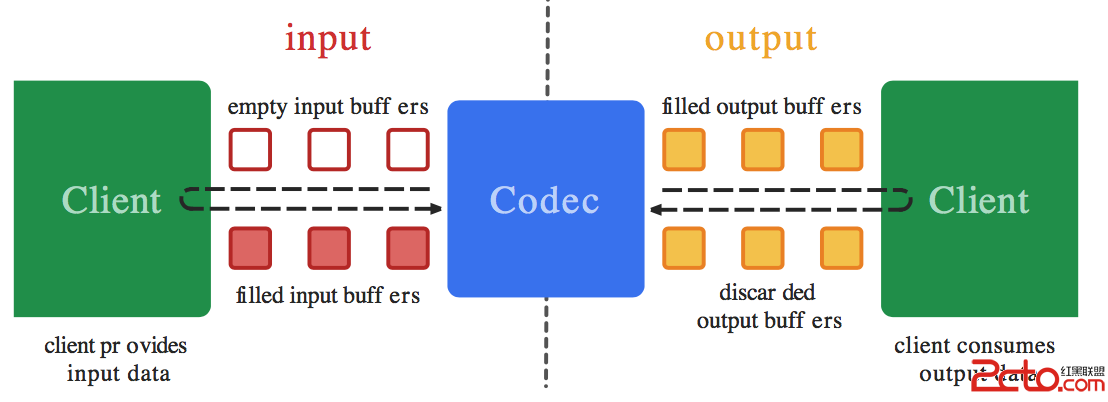
MediaCodec 基本介紹 MediaCodec 是 Android 4.1 以後提供的音視頻編解碼 API。它提供存取 Android 底層多媒體模組的介面,可讓應