

編輯:關於 Android 程式設計
Tween 動畫又稱補間動畫,是通過改變 View 的位置、大小、透明度與角度來實現動畫效果的一種方式。
補間動畫的基類是 Animation,我們通常使用它的直接子類 RotateAnimation、TranslateAnimation、ScaleAnimation 和 AlphaAnimation。
補間動畫既可以通過 XML 進行定義(res/anim/xxx),再用 AnimationUtils 類加載;也可以完全通過代碼進行設置。
...
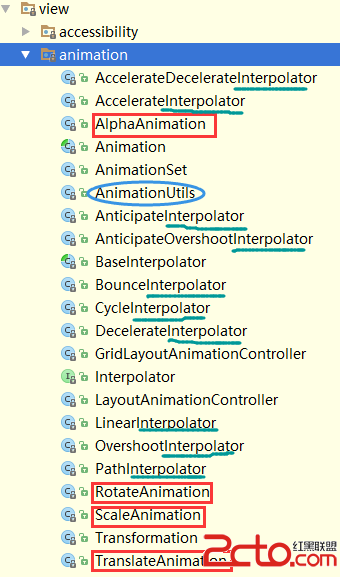
Animation 類中定義了許多常量與初始值,例如:
 public static final int INFINITE = -1;
public static final int RESTART = 1;
public static final int REVERSE = 2;
實際開發中,我們主要使用它的子類以及 AnimationListener 監聽器:
 public static interface AnimationListener {
    void onAnimationStart(Animation animation);
    void onAnimationEnd(Animation animation);
    void onAnimationRepeat(Animation animation);
}
添加此監聽器後,可以對動畫過程做更多細緻的控制。
在介紹動畫之前,得先聊聊「插值器」。插值器的作用是在播放動畫時改變播放速率,可以讓動畫越來越快,或越來越慢。
常用的有以下九個插值器:
一般來說,官方 API 提供的這幾個插值器已經足夠實用。不過我們也可以自定義 Interpolator,簡單地對系統插值器的參數值進行修改即可。
其中 android:zAdjustment 的三種取值含義為:normal(0)保持當前 Z 軸順序;top(1)在動畫期間強制將當前內容置於其他內容之上;bottom(-1)則強制置於其他內容之下。
然後通過 AnimationUtils 類加載動畫並加以應用。
 Animation scaleAnimation = AnimationUtils.loadAnimation(this, R.anim.scale_anim);
targetIv.startAnimation(scaleAnimation);
 ScaleAnimation scaleAnimation = new ScaleAnimation(1.0f, 0.5f, 1.0f, 0.5f,
        Animation.RELATIVE_TO_SELF, 0.5f, Animation.RELATIVE_TO_SELF, 0.5f);
scaleAnimation.setDuration(1000);
scaleAnimation.setInterpolator(new OvershootInterpolator());
scaleAnimation.setFillAfter(true);
targetIv.startAnimation(scaleAnimation);
ScaleAnimation 有四個構造方法:
 public ScaleAnimation(Context context, AttributeSet attrs) {}
public ScaleAnimation(float fromX, float toX, float fromY, float toY) {}
public ScaleAnimation(float fromX, float toX, float fromY, float toY, float pivotX, float pivotY) {}
public ScaleAnimation(float fromX, float toX, float fromY, float toY, int pivotXType, float pivotXValue, int pivotYType, float pivotYValue) {}
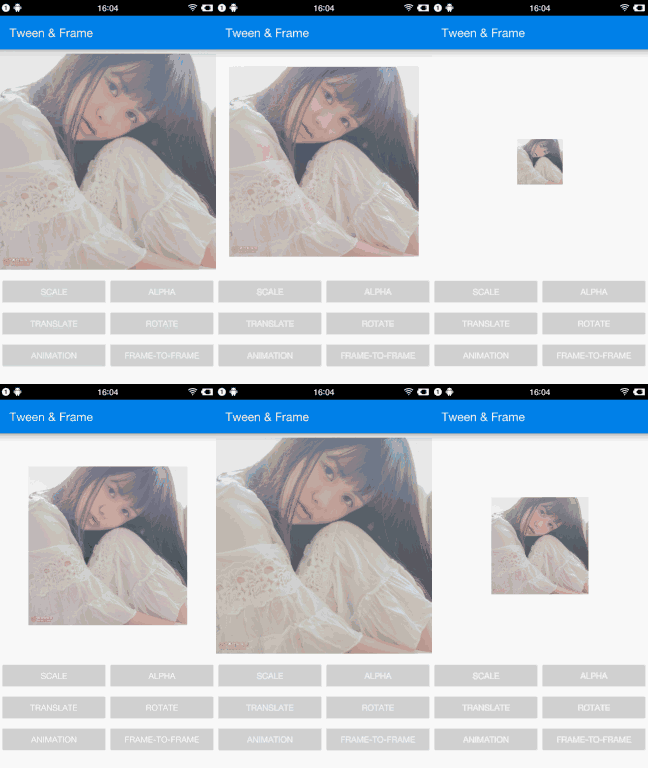
第一個構造用於從資源文件中加載,我們主要使用後三個。後三者的差別在於是否設置變換的中軸點。若不指定 pivotXType 與 pivotYType,默認採用 ABSOLUTE 形式,pivotX 與 pivotY 均相對於左上角 (0,0) 偏移。
pivotXType 有三種可選參數:ABSOLUTE 表示絕對值,相對左上角偏移,如 android:pivotX="50";RELATIVE_TO_SELF 表示相對控件本身的相對值,如 "50%" 表示 X 方向中軸點位於正中,取值範圍為 [0% ~ 100%];RELATIVE_TO_PARENT 則相對於父控件,如 "50%p" 表示中軸點位於父控件中間,取值範圍同為 [0% ~ 100%]。
效果如下:
 RotateAnimation rotateAnimation = new RotateAnimation(0.0f, 550.0f,
        Animation.RELATIVE_TO_SELF, 0.3f, Animation.RELATIVE_TO_SELF, 0.3f);
rotateAnimation.setDuration(1500);
rotateAnimation.setInterpolator(new OvershootInterpolator());
rotateAnimation.setFillAfter(true);
targetIv.startAnimation(rotateAnimation);
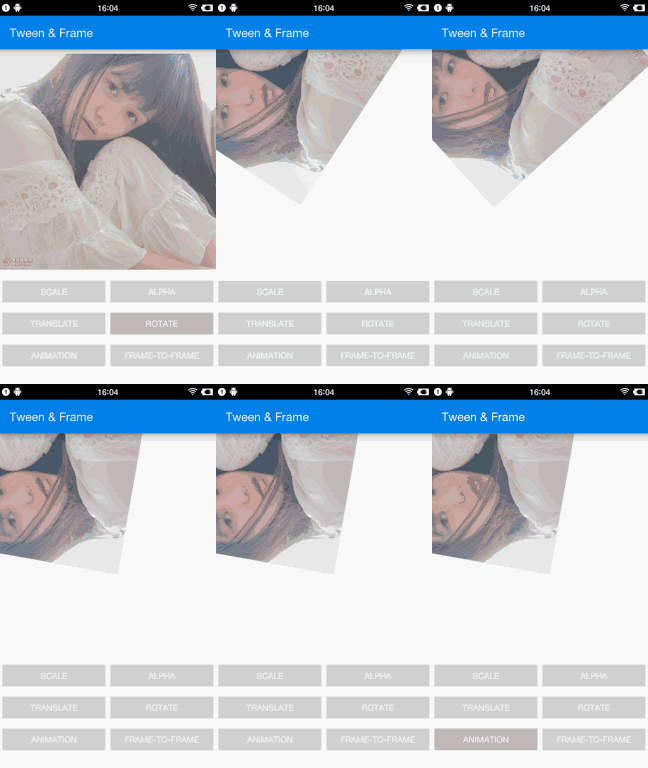
效果圖如下:
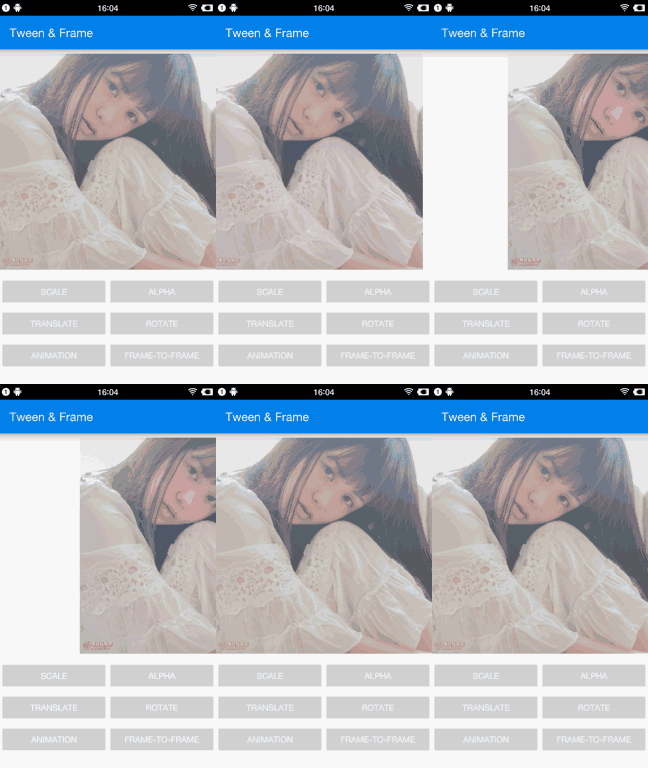
 TranslateAnimation translateAnimation = new TranslateAnimation(0, 200, 0, 0);
translateAnimation.setDuration(1000);
translateAnimation.setInterpolator(new AnticipateOvershootInterpolator());
targetIv.startAnimation(translateAnimation);
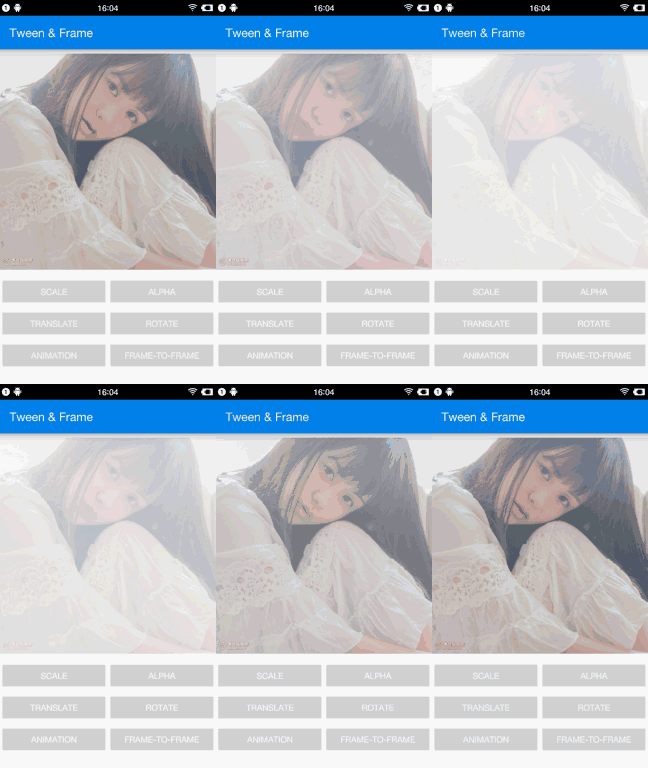
 AlphaAnimation alphaAnimation = new AlphaAnimation(1.0f, 0.2f);
alphaAnimation.setDuration(1500);
alphaAnimation.setInterpolator(new AccelerateDecelerateInterpolator());
alphaAnimation.setRepeatMode(Animation.REVERSE);
alphaAnimation.setRepeatCount(1);
targetIv.startAnimation(alphaAnimation);
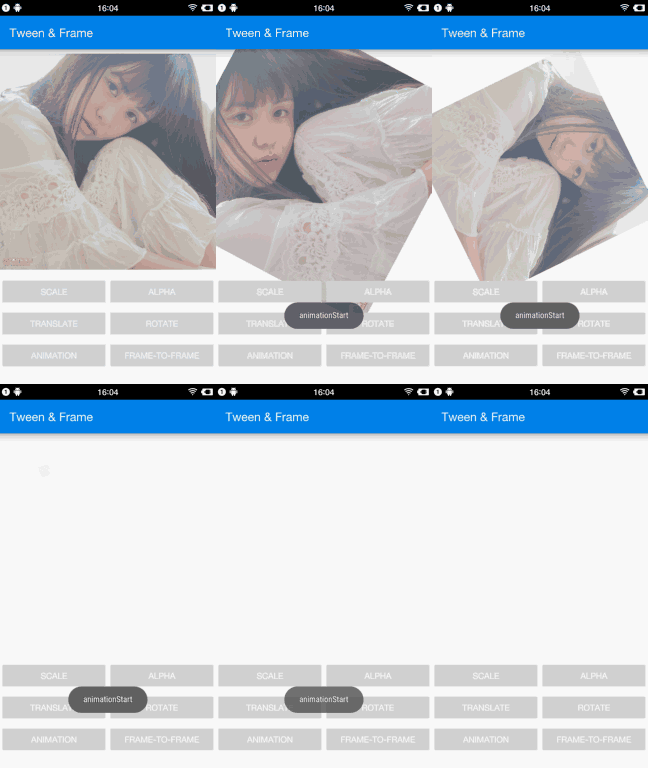
前面介紹的都是單獨的動畫,我們可以將多個動畫組合到一起形成一個集合。動畫集合同樣可以在 XML 中設置,用 set 標簽包含其他子動畫。相比公共動畫屬性,它多了一個 android:shareInterpolator="boolean",用於表示是否讓子動畫共用相同的插值器。
我們來看一個現象:設置好上面的 set 動畫後,運行時會發現動畫開始時會先變小、旋轉一個角度,然後才正式開始。仔細分析 XML 代碼後發現,動畫開始時把 scale 和 rotate 的初始狀態應用了起來,這時想到了 android:fillBefore 屬性。但即使在 scale、rotate 動畫裡添加了 android:fillBefore="false" 後仍然無效。查看 Animation 類源碼才發現,fillBefore 必須在 fillEnabled="true" 時才生效,而 fillBefore 的默認值為 true,所以才會出現上述情況。
再次修改後,代碼如下:
效果如下:
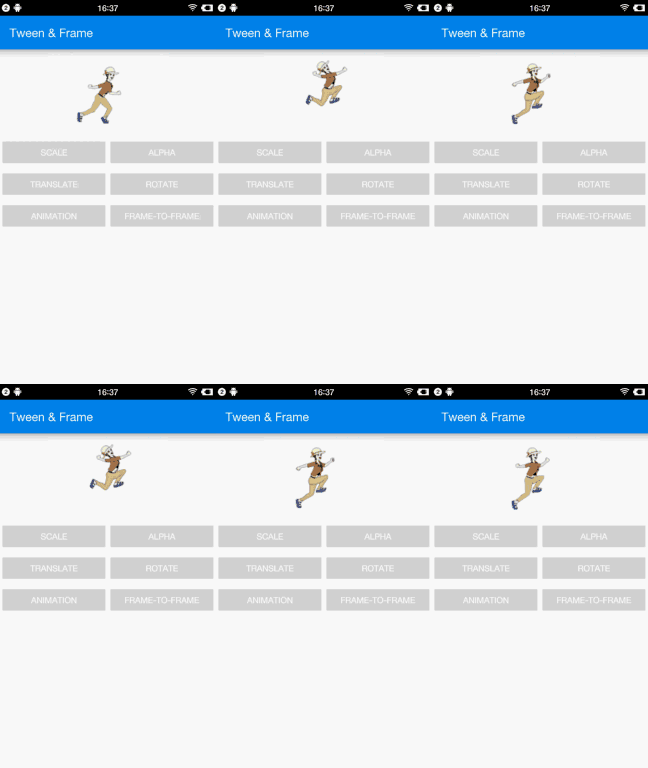
Frame 動畫就是把圖片一幀一幀地播放出來,效果類似 GIF 圖片。幀動畫的設置很簡單,只需按順序把每一幀對應的圖片添加進去,設置好每幀的顯示時長,然後為 View 控件設置該動畫並播放即可。
給 ImageView 設置動畫:
 targetIv.setBackgroundResource(R.drawable.frame_anim);
AnimationDrawable animationDrawable = (AnimationDrawable) targetIv.getBackground();
animationDrawable.start();
 AnimationDrawable animationDrawable = new AnimationDrawable();
animationDrawable.setOneShot(false);
animationDrawable.addFrame(getResources().getDrawable(R.drawable.person1), 200);
animationDrawable.addFrame(getResources().getDrawable(R.drawable.person2), 200);
animationDrawable.addFrame(getResources().getDrawable(R.drawable.person3), 200);
animationDrawable.addFrame(getResources().getDrawable(R.drawable.person4), 200);
animationDrawable.addFrame(getResources().getDrawable(R.drawable.person5), 200);
targetIv.setImageDrawable(animationDrawable);
animationDrawable.start();
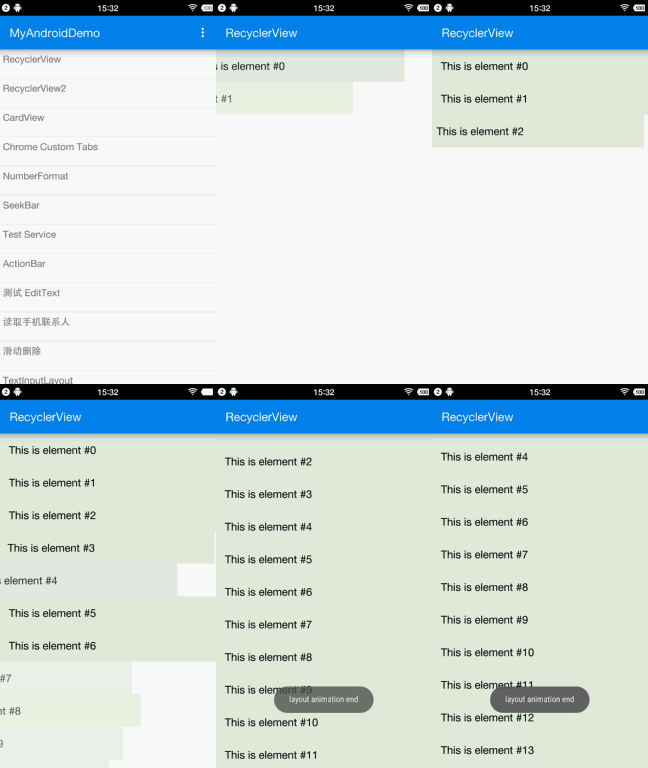
Tween Animation 和 Frame Animation 都是針對單個 View 操作的,而 LayoutAnimationController 可以針對一個 ViewGroup 進行動畫操作,讓一組 View 中的每個子 View 按照一定規則依次展示動畫。例如可以為 ListView、GridView 或 RecyclerView 定義 item 的進場動畫,而不是生硬地一次性全部顯示出來。
一般對 ListView 使用 layoutAnimation 動畫,對 GridView 使用 gridLayoutAnimation 動畫。對 RecyclerView 來說,通常只能使用 layoutAnimation 動畫,直接應用 gridLayoutAnimation 動畫會報錯,但可以通過自定義 RecyclerView 子類進行處理以支援 gridLayoutAnimation。
 public LayoutAnimationController(Animation animation) { this(animation, 0.5f); }
public LayoutAnimationController(Animation animation, float delay) { mDelay = delay; setAnimation(animation); }
LayoutAnimationController 有三個構造函數,常用的是上面兩個。delay 表示每個子 View 啟動動畫的延遲時間,默認為 0.5f,單位為秒。
 Animation animation = AnimationUtils.loadAnimation(this, R.anim.item_list_anim);
LayoutAnimationController layoutAnimationController = new LayoutAnimationController(animation);
layoutAnimationController.setInterpolator(new AccelerateInterpolator());
layoutAnimationController.setDelay(0.5f);
layoutAnimationController.setOrder(LayoutAnimationController.ORDER_RANDOM);
recyclerView.setLayoutAnimation(layoutAnimationController);
GridLayoutAnimationController 是 LayoutAnimationController 的子類,專門針對 GridView 進行動畫操作。
同樣是使用一個 Animation 構造出 GridLayoutAnimation 對象,設置各項參數後,最後將此動畫設置給 GridView 即可。
 Animation animation = AnimationUtils.loadAnimation(this, R.anim.item_anim_alpha);
GridLayoutAnimationController gridLayoutAnimationController = new GridLayoutAnimationController(animation);
gridLayoutAnimationController.setDirection(GridLayoutAnimationController.DIRECTION_BOTTOM_TO_TOP | GridLayoutAnimationController.DIRECTION_RIGHT_TO_LEFT);
gridLayoutAnimationController.setDirectionPriority(GridLayoutAnimationController.PRIORITY_ROW);
gridRecyclerView.setLayoutAnimation(gridLayoutAnimationController);
效果如下:
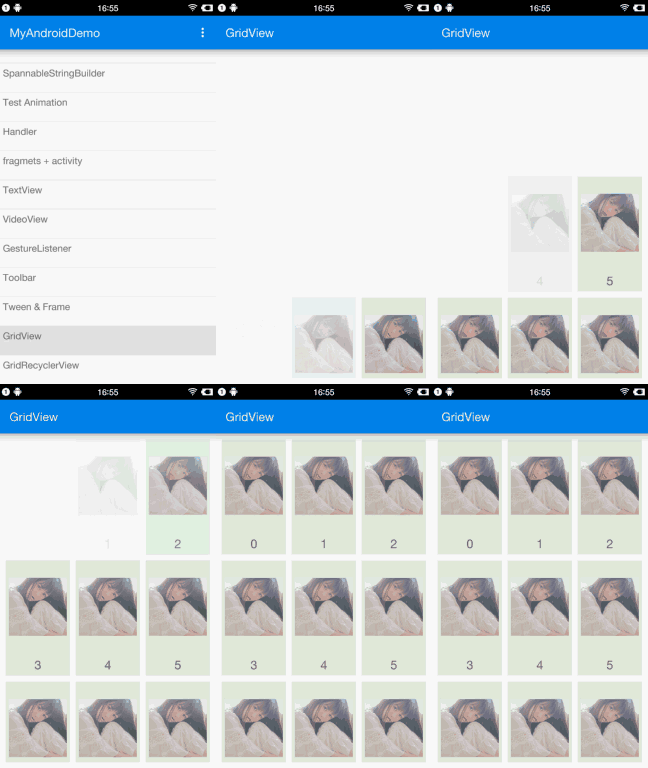
通常情況下,我們可以對 RecyclerView 使用 LayoutAnimation 動畫。但如果對 RecyclerView 使用動畫時出現以下錯誤:
 AndroidRuntime: FATAL EXCEPTION: main
Process: com.jacksen.demo.view, PID: 30770
java.lang.ClassCastException: android.view.animation.LayoutAnimationController$AnimationParameters cannot be cast to android.view.animation.GridLayoutAnimationController$AnimationParameters
    at android.view.animation.GridLayoutAnimationController.getDelayForView(GridLayoutAnimationController.java:299)
    at android.view.animation.LayoutAnimationController.getAnimationForView(LayoutAnimationController.java:321)
    at android.view.ViewGroup.bindLayoutAnimation(ViewGroup.java:3717)
    at android.view.ViewGroup.dispatchDraw(ViewGroup.java:2892)
錯誤含義是 GridLayoutAnimationController.AnimationParameters 無法強轉為 LayoutAnimationController.AnimationParameters。
RecyclerView 的出現本來就是為了替代 ListView,同時它也能呈現出 GridView 的效果。那麼,該如何讓設置了 GridLayoutManager 的 RecyclerView 應用 gridLayoutAnimation 動畫呢?
我們先看看 GridView 是怎麼實現的。在 GridView 源碼中搜索 "LayoutAnimation" 關鍵字,會發現一個 attachLayoutAnimationParameters() 方法,內部將 layoutAnimationParameters 強轉為 GridLayoutAnimationController.AnimationParameters。
 @Override
protected void attachLayoutAnimationParameters(View child, ViewGroup.LayoutParams params, int index, int count) {
    GridLayoutAnimationController.AnimationParameters animationParams =
        (GridLayoutAnimationController.AnimationParameters) params.layoutAnimationParameters;
    if (animationParams == null) {
        animationParams = new GridLayoutAnimationController.AnimationParameters();
        params.layoutAnimationParameters = animationParams;
    }
    animationParams.count = count;
    animationParams.index = index;
    animationParams.columnsCount = mNumColumns;
    animationParams.rowsCount = count / mNumColumns;
    ...
}
隨後我們去 RecyclerView 中尋找 attachLayoutAnimationParameters() 方法,卻發現它並不存在,其父類 ViewGroup 中才有此方法:
 protected void attachLayoutAnimationParameters(View child, LayoutParams params, int index, int count) {
    LayoutAnimationController.AnimationParameters animationParams = params.layoutAnimationParameters;
    if (animationParams == null) {
        animationParams = new LayoutAnimationController.AnimationParameters();
        params.layoutAnimationParameters = animationParams;
    }
    animationParams.count = count;
    animationParams.index = index;
}
由此可見,RecyclerView 默認實現的是 ViewGroup 的 LayoutAnimation。我們只需在自定義的 RecyclerView 中重寫此方法,並去掉 mStackFromBottom 參數的判斷即可。
 public class GridRecyclerView extends RecyclerView {
    public GridRecyclerView(Context context) { super(context); }
    public GridRecyclerView(Context context, AttributeSet attrs) { super(context, attrs); }
    public GridRecyclerView(Context context, AttributeSet attrs, int defStyle) { super(context, attrs, defStyle); }

    @Override
    public void setLayoutManager(LayoutManager layout) {
        if (layout instanceof GridLayoutManager) {
            super.setLayoutManager(layout);
        } else {
            throw new ClassCastException("you should only use the GridLayoutManager as LayoutManager when you use this class");
        }
    }

    @Override
    protected void attachLayoutAnimationParameters(View child, ViewGroup.LayoutParams params, int index, int count) {
        if (getLayoutManager() != null && getLayoutManager() instanceof GridLayoutManager) {
            GridLayoutAnimationController.AnimationParameters animationParams =
                (GridLayoutAnimationController.AnimationParameters) params.layoutAnimationParameters;
            if (animationParams == null) {
                animationParams = new GridLayoutAnimationController.AnimationParameters();
                params.layoutAnimationParameters = animationParams;
            }
            int mNumColumns = ((GridLayoutManager) getLayoutManager()).getSpanCount();
            animationParams.count = count;
            animationParams.index = index;
            animationParams.columnsCount = mNumColumns;
            animationParams.rowsCount = count / mNumColumns;
            final int invertedIndex = count - 1 - index;
            animationParams.column = mNumColumns - 1 - (invertedIndex % mNumColumns);
            animationParams.row = animationParams.rowsCount - 1 - invertedIndex / mNumColumns;
        } else {
            super.attachLayoutAnimationParameters(child, params, index, count);
        }
    }
}
需要注意的是,當使用 GridLayoutManager 時,不能設置 stackFromEnd 屬性:
 /** stackFromEnd is not supported by GridLayoutManager. Consider using setReverseLayout(boolean). */
@Override
public void setStackFromEnd(boolean stackFromEnd) {
    if (stackFromEnd) {
        throw new UnsupportedOperationException("GridLayoutManager does not support stack from end. Consider using reverse layout");
    }
    super.setStackFromEnd(false);
}
 Android 通知機制完全解析(4.4 及以下)
通知是 Android 應用與用戶溝通的重要渠道。用得好的應用,能在用戶不主動打開的情況下持續保持存在感;用得濫的應用,則會被果斷關閉通知權限甚至卸載。本文系統梳理 An
 Android OkHttp 的 HTTP 攔截器 Interceptor 用法示例
OkHttp(GitHub:https://github.com/square/okhttp)的 Interceptor 正如其名「攔截器」,會攔截你的 Request
 Android GridView item 長按拖拽交換完整實作
從 GridView 基礎開始 GridView 是 Android 中常見的網格容器,適合用來展示圖片、圖示或卡片式內容。若要在 GridView 上實作長按拖拽並交換
 Android 入門:AlertDialog 的兩種形態實例分析
本文談 AlertDialog,這是開發中最常遇到的對話框。要特別注意的是,它和 Win32 開發裡的 Dialog 概念不同——AlertDialog 是非阻塞的,彈出