

編輯:關於 Android 程式設計
先前介紹 Animator 時曾提到,那些動畫都是針對單一物件設計的。就算可以對整個 Layout 加效果,本質上仍是「把 Layout 當成一個不可分割的整體」。那如果我想讓畫面上十幾個 View 各自依自己的路徑一起動起來呢?這就是 Transitions Framework 的用武之地。
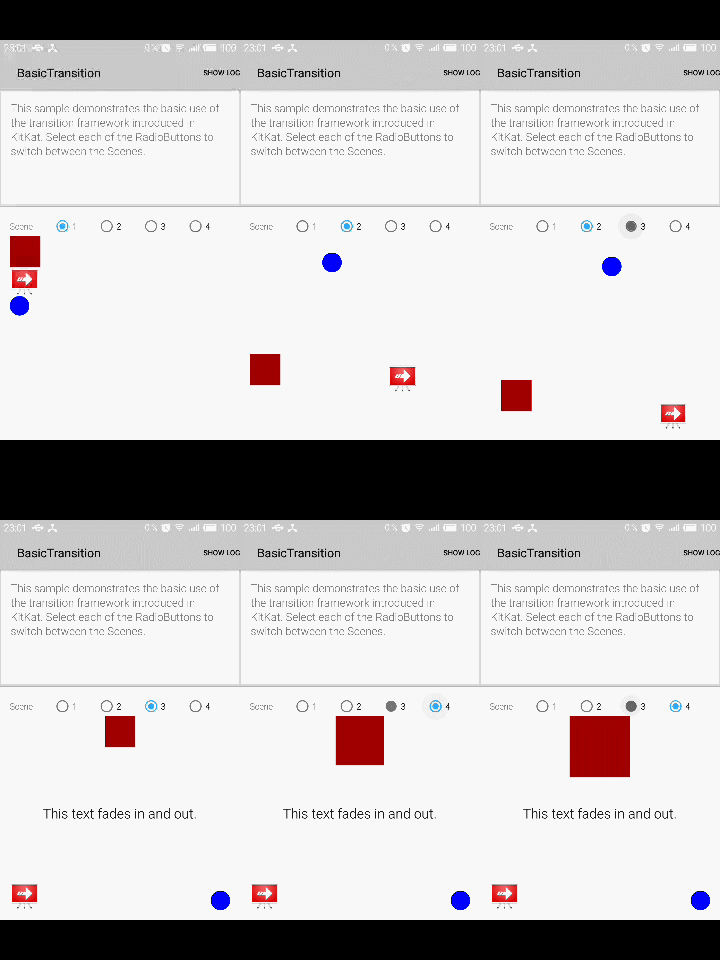
Scene(場景):保存某個 ViewGroup 中所有子元素的狀態快照,同時持有一個對該 ViewGroup 的引用,稱之為 scene root。
Transition(轉場):動畫資訊本體。透過 TransitionManager 套用,可以在兩個不同 Scene 之間,或同一 Scene 內的不同元素之間產生動畫。
官方明確列出幾個已知問題:
Scene mAScene;
Scene mAnotherScene;

// scene root
mSceneRoot = (ViewGroup) findViewById(R.id.scene_root);

// 由布局資源建立 Scene
mAScene = Scene.getSceneForLayout(mSceneRoot, R.layout.a_scene, this);
mAnotherScene = Scene.getSceneForLayout(mSceneRoot, R.layout.another_scene, this);Transitions 允許你自訂進入/離開 Scene 時的行為:把邏輯寫成 Runnable,傳入 Scene.setEnterAction() 或 Scene.setExitAction(),框架會在對應時機呼叫。
方式一,從資源檔載入。先在專案新增 res/transition/ 目錄,建立 XML:
<!-- res/transition/fade_transition.xml -->
<fade xmlns:android="https://schemas.android.com/apk/res/android" />
Transition mFadeTransition = TransitionInflater.from(this)
.inflateTransition(R.transition.fade_transition);方式二,直接在程式碼中建立:
Transition mFadeTransition = new Fade();TransitionManager.go(mEndingScene, mFadeTransition);這一行就能讓 scene root 內的 View 從起始狀態依 Transition 的規則過渡到結束狀態。
由於框架並非對所有物件都適用(例如 ListView),有時需要指定 target。每個參與動畫的物件就是一個 target,且必須存在於 Scene 中。可以用 removeTarget() 排除不支援的物件,或用 addTarget() 明確加入。
TransitionSet 類似 Animation 中的 Set,是一個動畫集合,可以在 XML 中定義:
<fade android:fadingMode="fade_out">
    <changeBounds>
        <fade android:fadingMode="fade_in" />
    </changeBounds>
</fade>
載入方式同樣是 TransitionInflater.from()。由於 TransitionSet 繼承自 Transition,凡是能用 Transition 的地方都能換成 TransitionSet。
繼承 Transition 類別,實作三個方法:
public class CustomTransition extends Transition {

    // 建議的 key 命名規則,避免與其他 Transition 的屬性衝突
    private static final String PROPNAME_BACKGROUND =
            "com.example.android.customtransition:CustomTransition:background";

    /** 框架會對起始 Scene 中的每個物件呼叫 */
    @Override
    public void captureStartValues(TransitionValues transitionValues) {
        captureValues(transitionValues);
    }

    private void captureValues(TransitionValues transitionValues) {
        View view = transitionValues.view;
        transitionValues.values.put(PROPNAME_BACKGROUND, view.getBackground());
    }

    /** 結束狀態,Map 物件與起始狀態不同,可以安心 put */
    @Override
    public void captureEndValues(TransitionValues transitionValues) {
        captureValues(transitionValues);
    }

    /** 產生真正負責動畫的 Animator */
    @Override
    public Animator createAnimator(ViewGroup sceneRoot,
                                   TransitionValues startValues,
                                   TransitionValues endValues) {
        if (null == startValues || null == endValues) {
            return null;   // 只出現在單一 Scene 的 target 直接忽略
        }
        final View view = endValues.view;
        Drawable startBackground = (Drawable) startValues.values.get(PROPNAME_BACKGROUND);
        Drawable endBackground = (Drawable) endValues.values.get(PROPNAME_BACKGROUND);

        if (startBackground instanceof ColorDrawable
                && endBackground instanceof ColorDrawable) {
            ColorDrawable startColor = (ColorDrawable) startBackground;
            ColorDrawable endColor = (ColorDrawable) endBackground;

            if (startColor.getColor() != endColor.getColor()) {
                ValueAnimator animator = ValueAnimator.ofObject(
                        new ArgbEvaluator(),
                        startColor.getColor(), endColor.getColor());
                animator.addUpdateListener(new ValueAnimator.AnimatorUpdateListener() {
                    @Override
                    public void onAnimationUpdate(ValueAnimator animation) {
                        Object value = animation.getAnimatedValue();
                        if (null != value) {
                            view.setBackgroundColor((Integer) value);
                        }
                    }
                });
                return animator;
            }
        }
        // 非 ColorDrawable 的背景變化不處理
        return null;
    }
}三個方法的分工很清晰:captureStartValues() 記下起點、captureEndValues() 記下終點、createAnimator() 負責把兩者之間的差值變成動畫。
到這裡,Android 動畫的兩大分支就齊了:Animation / Animator 負責單一物件的屬性變化,Transitions 框架負責整組 View 的狀態遷移。實務上兩者常併用——先用 Transitions 處理版面重排,再用 Animator 微調單一元素的細節。
技術門檻其實不高,真正難的是做出「好看」的動畫,這就很吃美術與手感了。我自己也還在練習中。
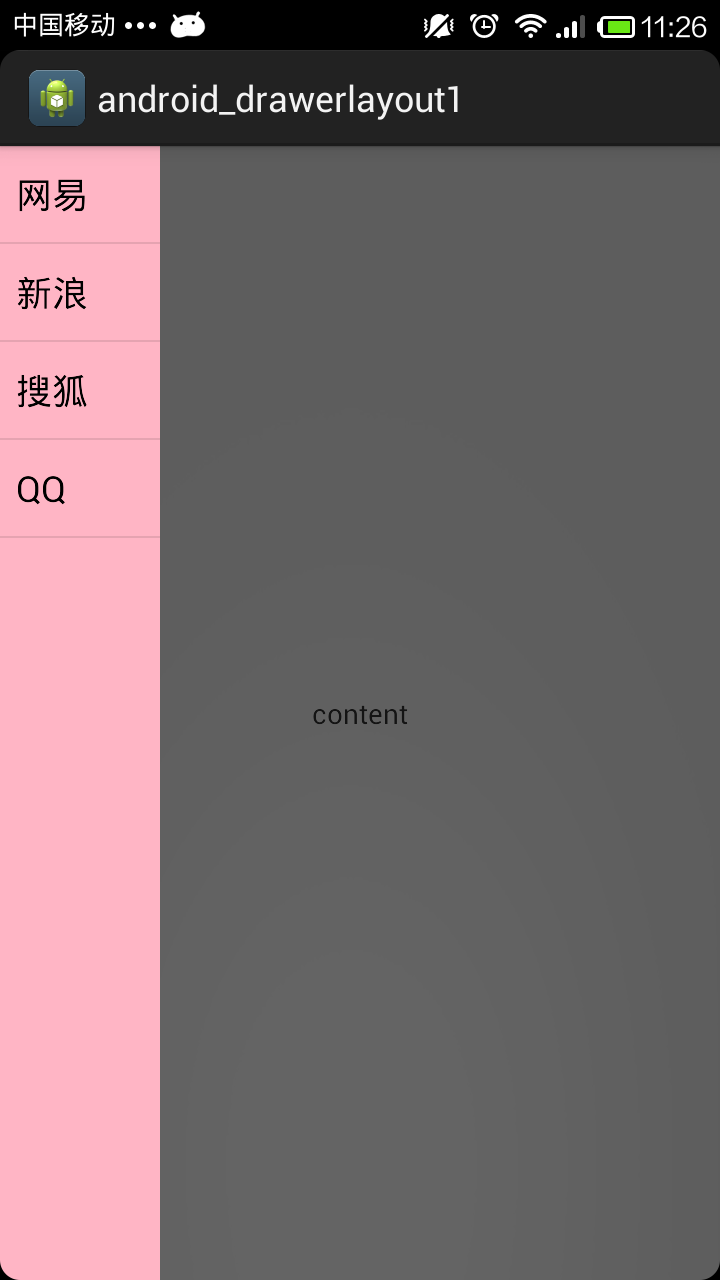 用 DrawerLayout 元件實作側滑抽屜
DrawerLayout 同樣來自 v4 套件,直接繼承自 ViewGroup,本質是個容器。有了它,抽屜效果幾乎不必寫額外程式碼,只要遵守兩條布局約定。 兩條規則 1
 Android 進階:Crash 異常捕獲並上報到伺服器
本文涵蓋兩部分:Crash 異常捕獲的基礎用法,以及如何把捕獲到的崩潰資訊送到伺服器。 專案上線之後,開發者最痛苦的一件事莫過於:App 在用戶手機上崩了,而你完全不知道
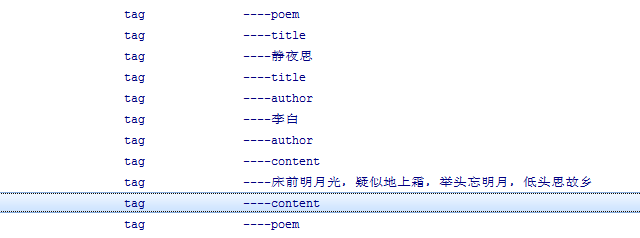 Android 中使用 Pull 解析 XML 數據的完整示例
Pull 解析 XML 的方式與 SAX 大致相同,兩者都是基於事件驅動的。使用 Pull 解析 XML 通常需要以下幾個步驟: 1)通過 XMLPullParserFa
 Android 與 H5 混合開發:仿微信朋友圈的 WebView 實作
混合開發讓 Android 能借助 H5 快速呈現動態內容。本文以仿微信朋友圈為例,說明如何透過 WebView 載入本地 HTML,並讓 Java 與 JavaScri