

編輯:關於 Android 程式設計
TextSwitcher 的 Java Doc 是這樣自我介紹的:
Specialized ViewSwitcher that contains only children of type TextView. A TextSwitcher is useful to animate a label on screen. Whenever setText(CharSequence) is called, TextSwitcher animates the current text out and animates the new text in.
翻譯過來就是兩件事:它是一個只容納 TextView 子視圖的 ViewSwitcher;每次調用 setText 時,舊文本退場動畫與新文本進場動畫同時播放,形成平滑切換的視覺效果。
第一步,在佈局裡加入控件:
<TextSwitcher
    android:id="@+id/ts"
    android:layout_width="wrap_content"
    android:layout_height="0dp"
    android:layout_marginTop="20dp"
    android:layout_weight="1" />
第二步,設置工廠。TextSwitcher 自己不會造子視圖,必須由 ViewFactory 提供:
mTs.setFactory(new TextSwitcher.ViewFactory() {
    @Override
    public View makeView() {
        return LayoutInflater.from(getApplicationContext())
                .inflate(R.layout.text, null);
    }
});
注意 R.layout.text 的根節點必須是 TextView(或它的子類),否則後續的強制轉型會出問題。
第三步,設置進出動畫:
mTs.setInAnimation(AnimationUtils.loadAnimation(
        getApplicationContext(), android.R.anim.fade_in));
mTs.setOutAnimation(AnimationUtils.loadAnimation(
        getApplicationContext(), android.R.anim.fade_out));
之後調用 mTs.setText(txt),效果如下:
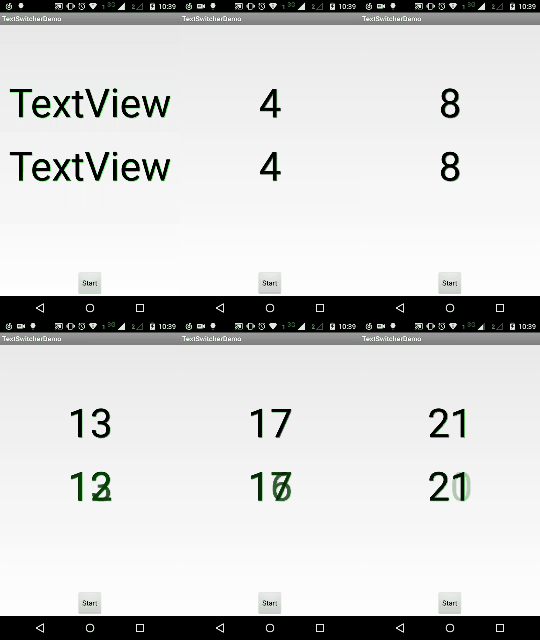
三處細節值得留意:setFactory 必須在 setText 之前調用,否則沒有子視圖可用;動畫也可以直接用 XML 定義後傳入,能實現自訂的位移、透明度曲線;由於內部只維持兩個 TextView 並反覆複用,頻繁刷新文本不會造成對象爆炸,非常適合做輪播標題、播放提示這類場景。
 OkHttp 進階用法:同步異步、快取策略與請求取消
OkHttp 是一款高效的 HTTP 客戶端:同一主機的連線可共享同一個 socket、透過連線池降低響應延遲、透明 GZIP 壓縮、響應快取(主頁:https://gi
 堅果手機U1流暢度提升法 動畫速度自己調
堅果手機自亮相以來就頗受關注,相信已有不少朋友入手。由於動畫縮放速度的設定不同,滑動介面時的觀感也會有差異,有些人便覺得手機不夠順。下面小編就來介紹堅果U1的流暢度優化方
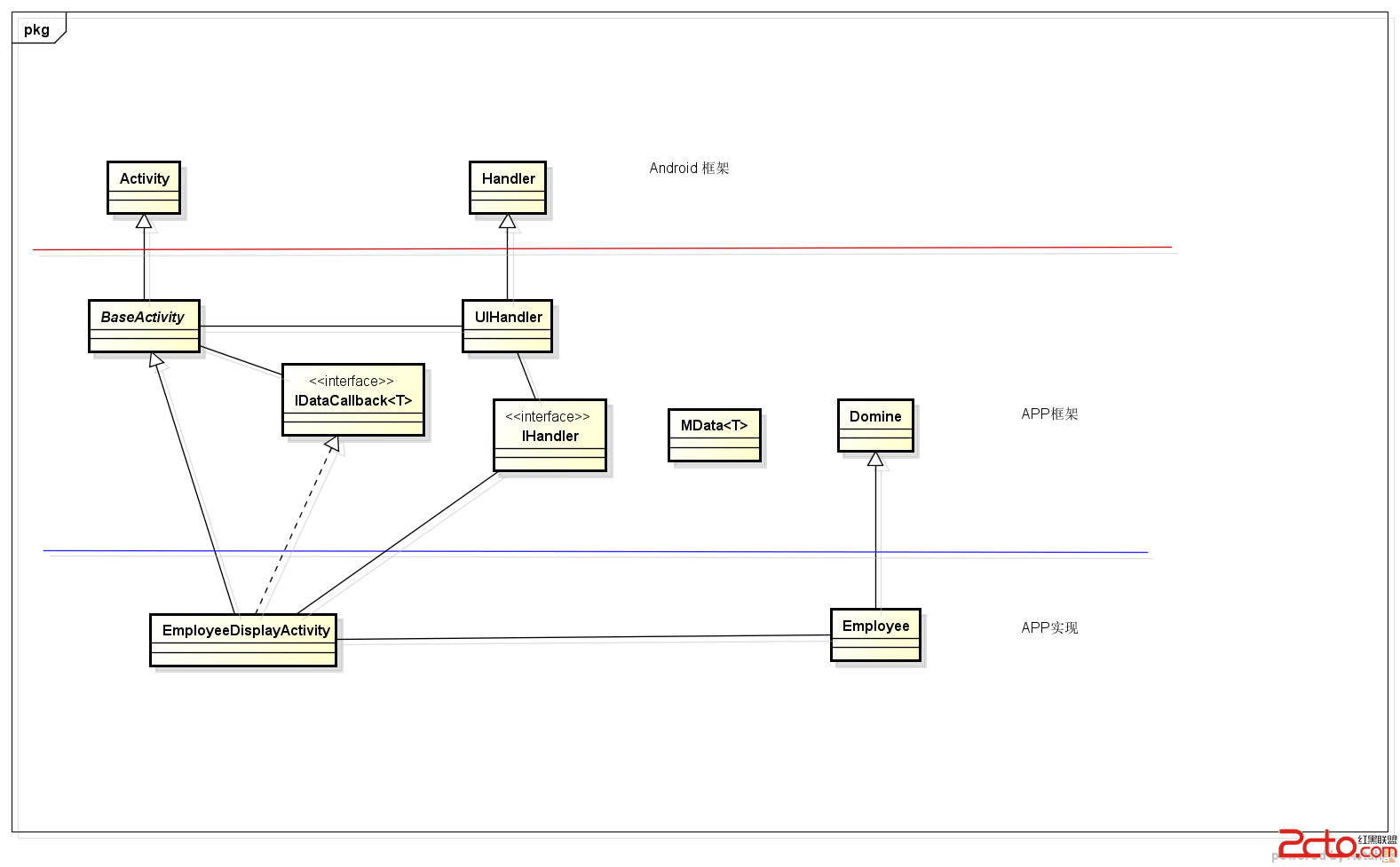 Android 框架設計實踐:打造可復用的 BaseActivity 基類
做 Android 項目做久了,你會發現很多代碼在不同頁面裡反覆出現:網絡狀態監聽、統一的數據回調、廣播註冊與反註冊、全屏與標題欄處理……這些公共邏輯如果散落在各個 Ac
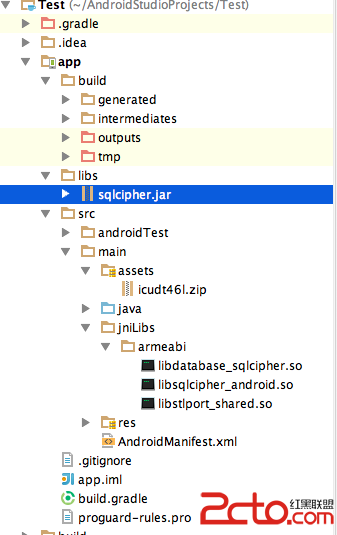 在 Android Studio 中使用 SQLCipher 加密資料庫
Android Studio 的專案結構與 Eclipse 略有差異,SQLCipher 的接入方式也需要跟著調整。以下以 Android Studio 1.3、SQLC