

編輯:關於 Android 程式設計
日期處理是 Android 專案裡最容易出現「格式對不上」的地方:後端給 yyyy-MM-dd HH:mm:ss、檔名要 yyyyMMddHHmmssS、UI 顯示又要中文的「2016年12月01日 23時15分」。與其每次翻文件找 pattern,不如把格式常數與轉換方法集中成一個 DateUtil。
FORMAT_YMD、FORMAT_YMDHMS、FORMAT_FULL 等命名,並提供中文版(FORMAT_YMDHMS_CN)與無分隔符版本(FORMAT_FULL_SN,適合當檔名或交易序號)。str2Date/str2Calendar 與 date2Str 互轉,未指定格式時一律退回預設的 yyyy-MM-dd HH:mm:ss。addMonth、addDay、getNextHour 透過 Calendar 完成,避免自己四是月大小與閏年。getMonth(注意 +1,Calendar 的月份從 0 起算)、getDay、getHour、getMinute、getSecond、getMillis。countDays 以毫秒差換算,支援傳入自訂格式。
/**
 * 日期操作工具類
 */
public class DateUtil {

    /** 年,如 2016 */
    public static final String FORMAT_Y = "yyyy";
    /** 時分,如 12:01 */
    public static final String FORMAT_HM = "HH:mm";
    /** 月日與時分,如 12-01 12:01 */
    public static final String FORMAT_MDHM = "MM-dd HH:mm";
    /** 預設簡寫,如 2016-12-01 */
    public static final String FORMAT_YMD = "yyyy-MM-dd";
    /** 如 2016-12-01 23:15 */
    public static final String FORMAT_YMDHM = "yyyy-MM-dd HH:mm";
    /** 如 2016-12-01 23:15:06 */
    public static final String FORMAT_YMDHMS = "yyyy-MM-dd HH:mm:ss";
    /** 精確到毫秒,如 2016-12-01 23:15:06.123 */
    public static final String FORMAT_FULL = "yyyy-MM-dd HH:mm:ss.S";
    /** 無分隔符的毫秒格式,適合檔名,如 20161201231506123 */
    public static final String FORMAT_FULL_SN = "yyyyMMddHHmmssS";
    /** 中文簡寫,如 2016年12月01日 */
    public static final String FORMAT_YMD_CN = "yyyy年MM月dd日";
    /** 中文簡寫含時,如 2016年12月01日 12時 */
    public static final String FORMAT_YMDH_CN = "yyyy年MM月dd日 HH時";
    /** 中文簡寫含時分,如 2016年12月01日 12時12分 */
    public static final String FORMAT_YMDHM_CN = "yyyy年MM月dd日 HH時mm分";
    /** 中文全稱,如 2016年12月01日 23時15分06秒 */
    public static final String FORMAT_YMDHMS_CN = "yyyy年MM月dd日 HH時mm分ss秒";
    /** 中文毫秒格式 */
    public static final String FORMAT_FULL_CN = "yyyy年MM月dd日 HH時mm分ss秒SSS毫秒";

    /** 未指定格式時使用的預設值 */
    private static final String FORMAT = "yyyy-MM-dd HH:mm:ss";

    /** 字串轉 Date,使用預設格式 */
    public static Date str2Date(String str) {
        return str2Date(str, null);
    }

    /** 字串轉 Date */
    public static Date str2Date(String str, String format) {
        if (str == null || str.length() == 0) {
            return null;
        }
        if (format == null || format.length() == 0) {
            format = FORMAT;
        }
        try {
            return new SimpleDateFormat(format).parse(str);
        } catch (Exception e) {
            e.printStackTrace();
            return null;
        }
    }

    /** 字串轉 Calendar */
    public static Calendar str2Calendar(String str) {
        return str2Calendar(str, null);
    }

    public static Calendar str2Calendar(String str, String format) {
        Date date = str2Date(str, format);
        if (date == null) {
            return null;
        }
        Calendar c = Calendar.getInstance();
        c.setTime(date);
        return c;
    }

    /** Calendar 轉字串 */
    public static String date2Str(Calendar c) {
        return date2Str(c, null);
    }

    public static String date2Str(Calendar c, String format) {
        if (c == null) {
            return null;
        }
        return date2Str(c.getTime(), format);
    }

    /** Date 轉字串 */
    public static String date2Str(Date d) {
        return date2Str(d, null);
    }

    public static String date2Str(Date d, String format) {
        if (d == null) {
            return null;
        }
        if (format == null || format.length() == 0) {
            format = FORMAT;
        }
        return new SimpleDateFormat(format).format(d);
    }

    /** 目前時間字串 */
    public static String getCurDateStr() {
        Calendar c = Calendar.getInstance();
        c.setTime(new Date());
        return c.get(Calendar.YEAR) + "-"
                + (c.get(Calendar.MONTH) + 1) + "-"
                + c.get(Calendar.DAY_OF_MONTH) + "-"
                + c.get(Calendar.HOUR_OF_DAY) + ":"
                + c.get(Calendar.MINUTE) + ":"
                + c.get(Calendar.SECOND);
    }

    /** 目前時間,指定格式 */
    public static String getCurDateStr(String format) {
        return date2Str(Calendar.getInstance(), format);
    }

    /** 毫秒時間戳格式化到秒 */
    public static String getMillon(long time) {
        return new SimpleDateFormat("yyyy-MM-dd-HH-mm-ss").format(time);
    }

    /** 毫秒時間戳格式化到日 */
    public static String getDay(long time) {
        return new SimpleDateFormat("yyyy-MM-dd").format(time);
    }

    /** 毫秒時間戳格式化到毫秒 */
    public static String getSMillon(long time) {
        return new SimpleDateFormat("yyyy-MM-dd-HH-mm-ss-SSS").format(time);
    }

    /** 完整毫秒格式時間戳字串 */
    public static String getTimeString() {
        return new SimpleDateFormat(FORMAT_FULL).format(Calendar.getInstance().getTime());
    }

    /** 日期加 n 個月 */
    public static Date addMonth(Date date, int n) {
        Calendar cal = Calendar.getInstance();
        cal.setTime(date);
        cal.add(Calendar.MONTH, n);
        return cal.getTime();
    }

    /** 日期加 n 天 */
    public static Date addDay(Date date, int n) {
        Calendar cal = Calendar.getInstance();
        cal.setTime(date);
        cal.add(Calendar.DATE, n);
        return cal.getTime();
    }

    /** 距今 h 小時的時刻,h 為負代表過去 */
    public static String getNextHour(String format, int h) {
        Date date = new Date();
        date.setTime(date.getTime() + h * 60 * 60 * 1000L);
        return new SimpleDateFormat(format).format(date);
    }

    /** 月份(1~12) */
    public static int getMonth(Date date) {
        Calendar calendar = Calendar.getInstance();
        calendar.setTime(date);
        return calendar.get(Calendar.MONTH) + 1;
    }

    /** 日 */
    public static int getDay(Date date) {
        Calendar calendar = Calendar.getInstance();
        calendar.setTime(date);
        return calendar.get(Calendar.DAY_OF_MONTH);
    }

    /** 小時(24 小時制) */
    public static int getHour(Date date) {
        Calendar calendar = Calendar.getInstance();
        calendar.setTime(date);
        return calendar.get(Calendar.HOUR_OF_DAY);
    }

    /** 分鐘 */
    public static int getMinute(Date date) {
        Calendar calendar = Calendar.getInstance();
        calendar.setTime(date);
        return calendar.get(Calendar.MINUTE);
    }

    /** 秒 */
    public static int getSecond(Date date) {
        Calendar calendar = Calendar.getInstance();
        calendar.setTime(date);
        return calendar.get(Calendar.SECOND);
    }

    /** 毫秒值 */
    public static long getMillis(Date date) {
        Calendar calendar = Calendar.getInstance();
        calendar.setTime(date);
        return calendar.getTimeInMillis();
    }

    /** 預設日期格式 */
    public static String getDatePattern() {
        return FORMAT_YMDHMS;
    }

    /** 以預設格式解析 */
    public static Date parse(String strDate) {
        return parse(strDate, getDatePattern());
    }

    /** 以指定格式解析 */
    public static Date parse(String strDate, String pattern) {
        try {
            return new SimpleDateFormat(pattern).parse(strDate);
        } catch (ParseException e) {
            e.printStackTrace();
            return null;
        }
    }

    /** 距今天數,使用預設格式 */
    public static int countDays(String date) {
        return countDays(date, getDatePattern());
    }

    /** 距今天數,指定格式 */
    public static int countDays(String date, String format) {
        long t = Calendar.getInstance().getTime().getTime();
        Calendar c = Calendar.getInstance();
        c.setTime(parse(date, format));
        long t1 = c.getTime().getTime();
        return (int) ((t - t1) / 1000) / 3600 / 24;
    }
}
SimpleDateFormat 並非執行緒安全,多執行緒環境下請勿共用同一個實例,每個方法內自行建立即可(上述程式碼就是這個寫法)。另外,countDays 以「毫秒差 ÷ 86400000」取整數,會受日光節約時間影響而可能差一天;若要求精確,建議改用 java.time(API 26 以上)或 ThreeTen-Backport 的 ChronoUnit.DAYS.between,以「日期」而非「時長」來計算。
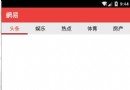 用 ViewPager + Fragment + ViewPagerIndicator 實現網易新聞客戶端首頁
關於實現網易新聞客戶端的界面,之前寫過不少相關博客,可參考: Android 實現網易新聞客戶端效果 Android 實現網易新聞客戶端側滑菜單(一) Android 實
 Android 應用內社區 SDK 的技術架構淺析
圖 1、圖 2 雪球財經應用內社區 應用內微社區是什麼? 簡單來說,微社區是一款幫助開發者在應用中快速搭建社區(類似新浪微博、朋友圈)的產品。在眾多應用裡,開發商往往
 Android 入門:RelativeLayout 與 FrameLayout 用法分析
本文談 RelativeLayout 與 FrameLayout 這兩種佈局。 RelativeLayout 是一種依相對位置排列的佈局,正好與 AbsoluteLay
 Android 源碼入門(三):AOSP 源碼同步、編譯與 Samba 刷機環境搭建
最近事情比較多,既要打理博客,又要維護視頻和公眾號,一直沒能靜下心來梳理源碼的入門脈絡。今天就來聊聊源碼的一套完整玩法,感興趣的朋友一起學習。 參考資料:官方教程 ht