

編輯:關於 Android 程式設計
專案裡需要從第三方應用直接跳到高德地圖的「電子狗」頁面,翻遍開發者論壇也沒找到說明,最後只能靠反編譯 APK 把對外 URI 挖出來。這篇文章把結果記錄下來,省下其他人重複做一次的功夫。
前提很直接:使用者手機上必須已安裝高德地圖,否則找不到對應的 Activity,會拋出 ActivityNotFoundException。
從 AndroidManifest.xml 可以看到一組以 androidamap 為 scheme 的 intent-filter,其中和「開啟功能頁」相關的是 host 為 openFeature 的那一組:
<intent-filter>
    <category android:name="android.intent.category.DEFAULT"/>
    <category android:name="android.intent.category.BROWSABLE"/>
    <data android:host="openFeature" android:scheme="androidamap"/>
</intent-filter>
也就是說,完整的呼叫格式為:
androidamap://openFeature?featureName=你要的功能
其他可用的 host 還包括 navi(導航)、poi(地點詳情)、viewMap、myLocation、route、bus、showTraffic、indoorMap、multiPointShow(多點顯示)、rootmap(回到主地圖)等。
參數解析集中在 MainIntentDispatcher 這個類別中,它會讀取 query 參數 featureName 再分派到各個 Fragment。可用的值大致如下:
| featureName | 對應頁面 | 備註 |
|---|---|---|
| DirectNavigation | 直接導航 | — |
| CitySelect | 切換城市 | — |
| SpecialTopic | 專題/活動頁 | — |
| Subway | 地鐵圖 | 可帶 adcode 指定城市 |
| EasyDriving | 順暢出行 | — |
| Illegal | 違章查詢 | 需登入 |
| Favorite | 收藏夾 | — |
| Layers / OpenTraffic | 路況圖層 | — |
| ExternalURL | 內嵌外部網頁 | 需帶 url 參數(需 URL 編碼) |
| Cleaning | 快取清理提示 | — |
| ShortCut | 新增導航捷徑 | — |
| GoldCoin | 高德金幣 | page=history 可開紀錄頁 |
| TrafficRadio | 交通廣播 | 需連網 |
| openTrafficRemind | 路況提醒 | 需連網 |
| openTrafficTopBoard | 路況看板 | 需連網 |
| openTrafficEdog | 電子狗 | 需連網 |
| PoiDetail | 地點詳情 | 需 x、y、poiname、poiid |
| VoiceSearch | 語音搜尋 | — |
| Account | 帳戶 | 未登入會先跳登入 |
| User | 個人中心 | — |
| Wallet | 錢包 | — |
| Mine | 「我的」內頁 | 搭配 page、item 使用 |
Mine 的 page 與 item 組合對應到更多子頁面,例如 page=ToolBox 搭配 item 為 ElectronicEye(電子狗)、Traffic(路況提醒)、Violation(違章)、Subway(地鐵)、Maincollect(路檢收藏)、AutonaviGold(金幣)、TravelHelper(出行助手);page=Fortune 則對應另一組頁面。
Intent intent = new Intent(Intent.ACTION_MAIN);
intent.addCategory(Intent.CATEGORY_LAUNCHER);

ComponentName cn = new ComponentName(
        "com.autonavi.minimap",
        "com.autonavi.map.activity.NewMapActivity");

intent.setAction("com.autonavi.minimap.ACTION");
intent.setData(Uri.parse("androidamap://openFeature?featureName=openTrafficEdog"));
intent.setComponent(cn);

try {
    startActivity(intent);
} catch (ActivityNotFoundException e) {
    // 使用者未安裝高德地圖,引導至應用商店
    Toast.makeText(this, "請先安裝高德地圖", Toast.LENGTH_SHORT).show();
}
換成其他頁面時,只要替換 featureName 的值即可。若不想指定 ComponentName,也可以簡化為直接 startActivity(new Intent(Intent.ACTION_VIEW, uri)),由系統自行挑選能處理該 scheme 的應用。
這些參數是從特定版本(7.5.8 系列)的 APK 中推得,屬於非官方約定,高德隨時可能更名、增刪或加上簽章驗證,正式專案請不要把它當成穩定 API 依賴。若需求是長期維護的產品功能,建議改用高德官方提供的 URI API 或 URL Scheme 文件,並準備好「未安裝」與「版本過舊」兩種降級路徑。此外,多數功能頁需要網路連線,離線時高德會自行彈出提示而無法進入頁面。
 Android TextView 進階:顯示支援 HTML 與可點擊連結的豐富文本
本文分享如何在 Android 開發中讓 TextView 顯示豐富的文本內容,供需要的朋友參考。 如下圖所示,可以顯示 HTML 的各種元素控制項,點擊連結還能實現上網
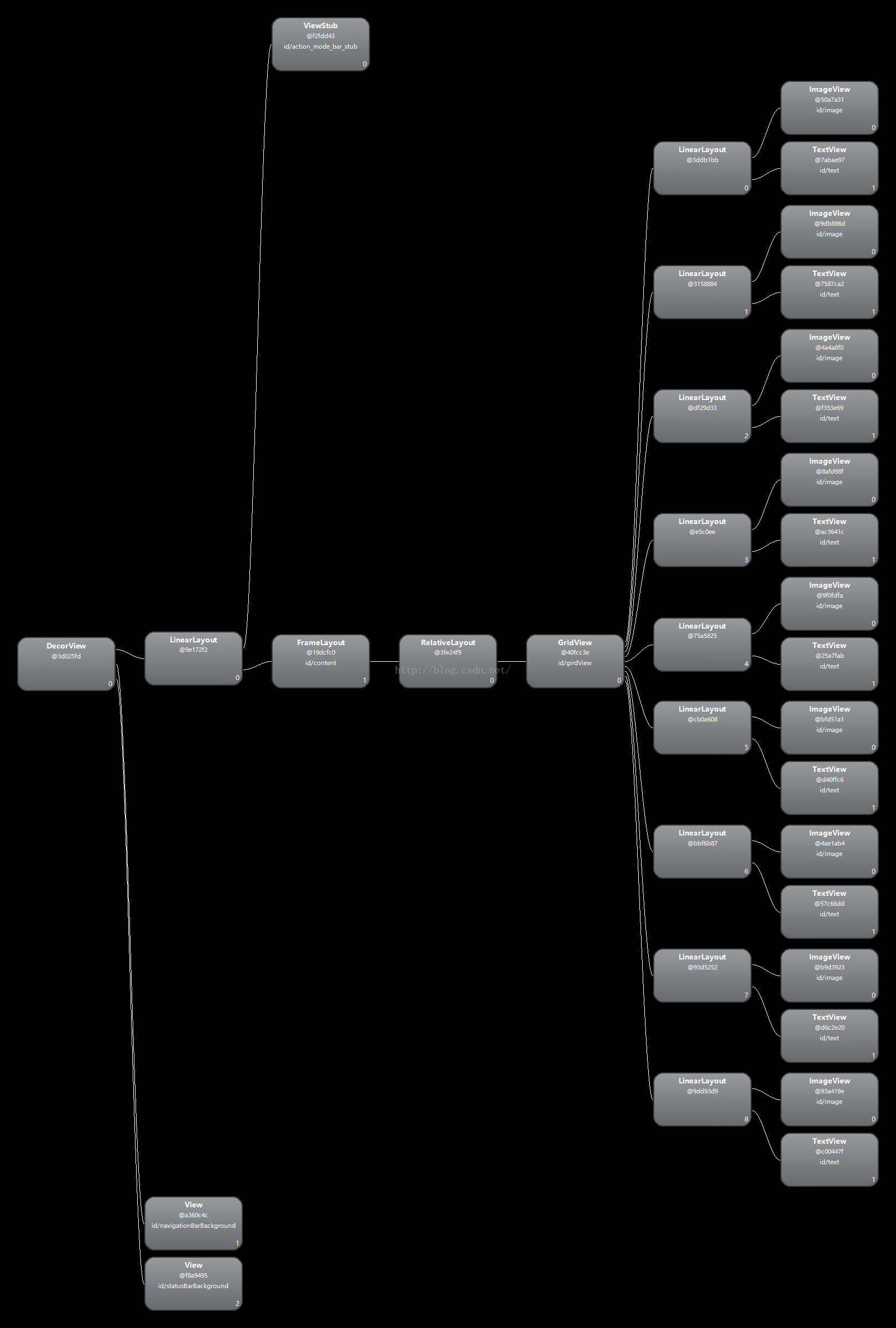 Android 事件分發機制:從 dispatchTouchEvent 到滾動衝突
Android 的觸控事件分發,是理解 View 與 ViewGroup 互動的關鍵。事件從 Activity 開始,往下經過 ViewGroup,再到子 View;在這
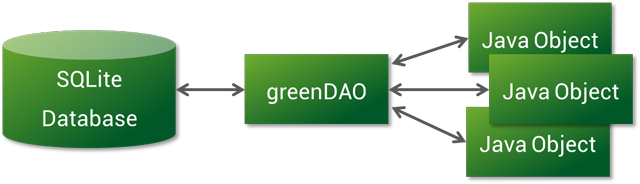 GreenDao 3.2.0 的基本使用入門
前言 Android 開發中或多或少都會接觸到數據庫。系統自帶的 SQLite 是個佔用內存極小的關聯式數據庫,雖然提供了不少操作 API,但我們仍得親手編寫 SQL 語
 AutoCompleteTextView:幾行程式碼做出輸入自動提示
在輸入框打字時,下方即時浮出符合條件的候選清單,這種互動在搜尋、地址輸入、標籤選擇等場景幾乎是必要的。Android 內建的 AutoCompleteTextView 就