

編輯:關於 Android 程式設計
Android 應用層的知識點相當密集:Service 框架、Activity 管理機制、Broadcast 機制、對話框與標題欄、狀態欄、通知機制、ActionBar……其中通知欄(Notification)是最貼近使用者的一環。它位於系統頂層、可下拉展開,會不時提醒你「某個軟體該更新了」「有人傳訊息給你了」。
在手機遊戲裡,通知機制尤其有用:體力回滿了提醒回來領、每日簽到別忘了、活動即將結束。這些都是「時間到了就該說一聲」的需求,用一個常駐 Service 加上定時檢查就能完成。
以下示範以簡化的 Demo 呈現:Service 啟動一條工作 Thread,週期性檢查時間點,命中時發送通知。實作專案時,判斷條件通常還會疊加「今天是否已領取」「目前等級」「距離上次登入多久」等規則。
public class NotificationService extends Service {
    private static final String TAG = "TAG";
    private static final long CHECK_TICK = 1 * 60 * 1000; // 每分鐘檢查一次
    private static final int GET_STAMINA_ID = 1;
    private static final int PUNCH_CARD_ID = 2;

    private NotificationManager mNotificationMgr;
    private NotifyThread mNotifyThread;

    @Override public void onCreate() {
        super.onCreate();
        mNotificationMgr = (NotificationManager) getSystemService(Context.NOTIFICATION_SERVICE);
        mNotifyThread = new NotifyThread();
        mNotifyThread.start();
    }

    @Override public int onStartCommand(Intent intent, int flags, int startId) {
        return super.onStartCommand(intent, flags, startId);
    }

    @Override public void onDestroy() {
        if (mNotifyThread != null) {
            mNotifyThread.stopThread(); // 記得讓執行緒優雅退出
        }
        super.onDestroy();
    }

    @Override public IBinder onBind(Intent intent) {
        return null;
    }

    public void notify(int notifyId, String title, String msg) {
        if (mNotificationMgr == null) return;
        Notification notification = new Notification();
        notification.icon = R.id.icon;
        notification.defaults = Notification.DEFAULT_VIBRATE | Notification.DEFAULT_SOUND;
        notification.when = System.currentTimeMillis();
        notification.tickerText = msg;

        Intent intent = new Intent(this, LoadingActivity.class);
        PendingIntent pendingIntent = PendingIntent.getActivity(this, 0, intent, 0);
        notification.setLatestEventInfo(this, title, msg, pendingIntent);
        mNotificationMgr.notify(notifyId, notification);
    }

    /** 判斷服務是否已在執行,避免重複啟動 */
    public static boolean isRunning(Context context) {
        ActivityManager am = (ActivityManager) context.getSystemService(Context.ACTIVITY_SERVICE);
        if (am == null) return false;
        for (RunningServiceInfo info : am.getRunningServices(50)) {
            if (NotificationService.class.getName().equals(info.service.getClassName())) {
                return true;
            }
        }
        return false;
    }

    private class NotifyThread extends Thread {
        private volatile boolean mStop = false;

        public synchronized void stopThread() {
            mStop = true;
        }

        @Override public void run() {
            while (!mStop) {
                checkNotify();
                try {
                    Thread.sleep(CHECK_TICK);
                } catch (InterruptedException e) {
                    e.printStackTrace();
                }
            }
        }

        public void checkNotify() {
            Calendar cal = Calendar.getInstance();
            int hour = cal.get(Calendar.HOUR_OF_DAY);
            if ((hour >= 12 && hour < 14) || (hour >= 18 && hour < 20)) {
                notify(GET_STAMINA_ID, "通知", "來領取你的體力了");
            }
            if (hour == 20) {
                notify(PUNCH_CARD_ID, "通知", "來簽到領獎了");
            }
        }
    }
}
通常在啟動畫面或遊戲主入口處判斷一次即可,避免重複啟動:
public class GameActivity extends Cocos2dxActivity {
    @Override protected void onCreate(Bundle savedInstanceState) {
        super.onCreate(savedInstanceState);
        if (!NotificationService.isRunning(this)) {
            startService(new Intent(this, NotificationService.class));
        }
    }
}
最後別忘了在 AndroidManifest.xml 中註冊 Activity 與 Service,漏掉 Service 是最常見的「通知不出來」原因。
這份範例刻意保持精簡,但真正上線時有幾點值得留意。首先是耗電:以 Thread + sleep 做輪詢,間隔越短越耗電,因此檢查週期應該對齊業務需求,一分鐘已經算是偏激進的做法。其次是系統限制,較新的 Android 版本對背景執行與常駐服務有更嚴格的限制,正式專案請改用 AlarmManager 搭配 WorkManager,或直接使用各家推送服務來觸發本地提醒。
最後是通知本身的細節:不同 id 對應不同通知,更新時要用同一個 id 覆蓋,避免通知欄被塞滿;點擊後要確保 PendingIntent 能正確回到 App 的預期頁面;而 setLatestEventInfo 屬於舊 API,新專案請改用 Notification.Builder 並建立通知管道。
把這些補齊,一個穩定、不吵人的定時提醒就完成了——它會準時出現,提醒玩家回來領取屬於他的那份獎勵。
 GridView 單選與多選實戰:打造可選號的圓球列表
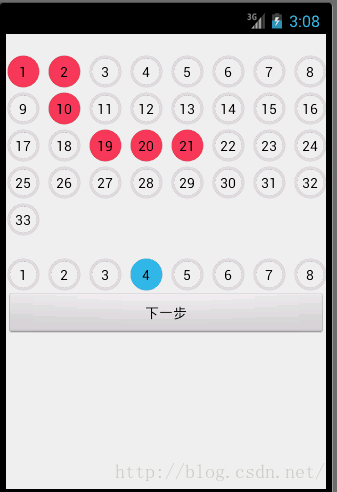
這篇文章記錄了一個很典型的互動需求:用 GridView 呈現一排排圓球,其中紅球允許同時勾選多個,藍球只能選一個,選完之後把結果帶到下一個頁面展示。整個效果的關鍵在於
 ActivityThread 的 main 方法:Android 應用程式真正的起點
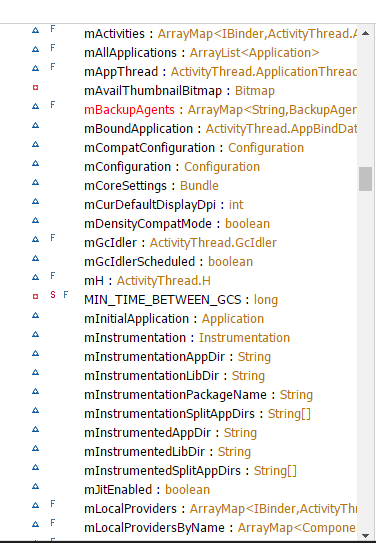
寫在前面:暴雨天還能去上課的是好學生,能去上班的是游泳健將。 先問兩個問題: 第一,在 Android 裡,一個應用程式的真正入口是什麼?第二,為什麼 Android
 Android 開發環境變量配置圖文教學
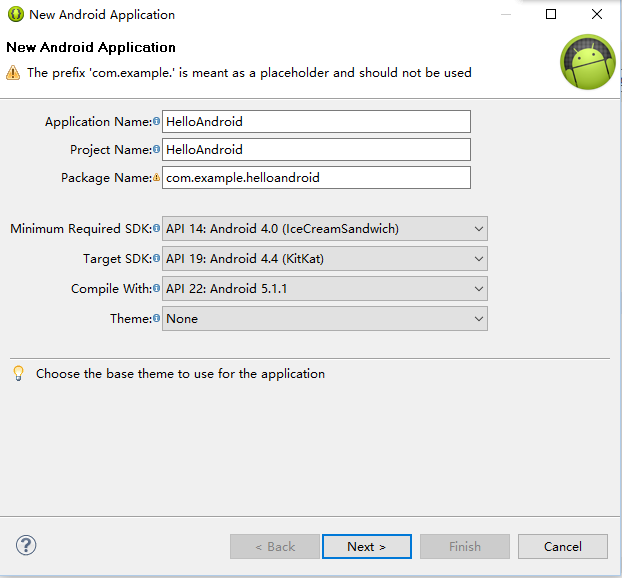
無論使用 ADT 還是 Android Studio 開發,都需要先下載 JDK(官網 https://www.oracle.com/index.html)。安裝完成後,
 Android 日期計算實戰:封裝時間工具類,快速推算所屬周與月的起訖日
做過日曆、報表或排班類功能的開發者,大概都被日期計算折騰過。與其每次到處查 Calendar 的 API,不如把常用操作沉澱成一個工具類。這裡分享一份完整的時間工具類,以