

編輯:關於 Android 程式設計
User Interface 指的是一切能向使用者呈現並接受互動的圖形介面。Android 提供了大量預建的 UI 元件與版面配置資源,也提供了 dialogs、notifications、menus 等特殊 UI 模型。而在這些之上,還有一層用來統一視覺語言的機制:Style 與 Theme。
一個 Style 資源是一組屬性的集合,用來指定某個 View 或視窗的外觀與格式,例如高度、內距、字體顏色、字體大小、背景顏色等。它以 XML 定義在資源目錄中,與版面配置資源分開存放。
把外觀抽成 Style 的第一個好處很直接:具有相同視覺語言的元件可以共用同一份定義。
<TextView
    android:layout_width="fill_parent"
    android:layout_height="wrap_content"
    android:text="@string/hello"
    android:textColor="#00FF00"
    android:typeface="monospace" />
抽出來之後變成:
<style name="CodeFont">
    <item name="android:layout_width">fill_parent</item>
    <item name="android:layout_height">wrap_content</item>
    <item name="android:textColor">#00FF00</item>
    <item name="android:typeface">monospace</item>
</style>
而 Theme 其實就是「作用在更大範圍上的 Style」:Style 作用於個別 View,Theme 則作用於整個 Activity 或整個 Application。把 CodeFont 設為某個 Activity 的主題,等於讓該 Activity 裡的所有元件都套用綠色等寬字體。定義方式完全相同,差別只在套用位置與稱呼。
Style 定義在 res/values/ 下的 XML 檔中,檔名可任意,根元素必須是 resources,內部以 style 標籤描述。style 的 name 屬性不可省略,它就是日後被引用的名稱;每個 item 標籤對應一個屬性。
<?xml version="1.0" encoding="utf-8"?>
<resources>
    <style name="CodeFont" parent="@android:style/TextAppearance.Medium">
        <item name="android:layout_width">fill_parent</item>
        <item name="android:layout_height">wrap_content</item>
        <item name="android:textColor">#00FF00</item>
        <item name="android:typeface">monospace</item>
    </style>
</resources>
之後就能用 @style/CodeFont 引用它。parent 屬性不是必填,它的值是一個資源 ID,代表目前這個 style 繼承了被引用 style 的所有屬性,同時可以在自己的定義中覆寫其中任何一項。
繼承系統內建的 style 時,使用 parent 屬性最直接。例如以 TextAppearance 為基礎,只改文字顏色:
<style name="GreenText" parent="@android:style/TextAppearance">
    <item name="android:textColor">#00FF00</item>
</style>
若繼承的是自己定義的 style,則可以省下 parent,改用「點號鏈式命名」:把被繼承的名稱當成前綴,中間以「.」分隔。
<style name="CodeFont.Red">
    <item name="android:textColor">#FF0000</item>
</style>

<style name="CodeFont.Red.Big">
    <item name="android:textSize">30sp</item>
</style>
引用時分別寫成 @style/CodeFont.Red 與 @style/CodeFont.Red.Big。請特別注意:這種鏈式寫法只適用於繼承自訂 style,要繼承 Android 內建資源時,仍必須使用 parent 屬性。
item 標籤中用來指定屬性的名稱,可以對照具體 View 所支援的屬性(如 layout_width、textColor),程式碼中則透過 R.attr 取得。若某個 style 含有該控件不支援的屬性,這些屬性會被安靜地忽略,不會報錯。
但也有一類屬性不被任何 View 支援,只能用在 Theme 上,也就是只對 Activity 或 Application 有效。它們的共同特徵是名稱以 window 開頭,例如 windowNoTitle(是否隱藏標題列)、windowBackground(視窗背景)。這類設定無法附加在個別元件上,這正是 Theme 存在的理由。
套用到 View:直接在標籤上引用 style 資源。
<TextView
    style="@style/CodeFont"
    android:text="@string/hello" />
套用到 Activity 或 Application:在 AndroidManifest.xml 對應的 application 或 activity 標籤上加上 android:theme 屬性。
<application android:theme="@style/CustomTheme" />

<activity
    android:name=".MainActivity"
    android:theme="@android:style/Theme.Dialog" />
需要透明背景的 Activity 時,改用 Theme.Translucent 即可。
要自訂系統主題,同樣是繼承加覆寫:
<color name="custom_theme_color">#b0b0ff</color>

<style name="CustomTheme" parent="android:Theme.Light">
    <item name="android:windowBackground">@color/custom_theme_color</item>
    <item name="android:colorBackground">@color/custom_theme_color</item>
</style>
這裡有個容易踩的細節:windowBackground 只接受資源引用,不接受色值字面值,所以必須先宣告 color 資源再引用,不能直接寫 #b0b0ff。
另外,把 style 套在某個 ViewGroup 上時,它不會自動往下傳給子 View。若希望整棵子樹共用外觀,正確做法是把 style 當成該頁面 Activity 的 theme。
新的 Android 版本會帶來新的系統主題,例如 Theme.Holo.Light 是 API 11 之後才有的。為了讓同一份程式碼在不同版本上都有合理的外觀,可以利用資源限定符做版本分流。
先在 res/values-v11/styles.xml 中定義新版主題:
<style name="LightThemeSelector" parent="android:Theme.Holo.Light">
    ...
</style>
再在預設的 res/values/styles.xml 中定義同名主題,使用舊版本也具備的 Theme.Light:
<style name="LightThemeSelector" parent="android:Theme.Light">
    ...
</style>
系統會依裝置版本自動挑選:API 11 以上載入 values-v11 的版本,較舊的機型則退回預設版本,程式碼中完全不需要寫版本判斷。
最後補充一個實務觀念:Theme 一旦定調,App 的整體質感就定了大半。與其為每個元件逐一設定顏色與間距,不如先設計好一組有意義的主題屬性(色彩、字體、按鈕樣式),再讓所有頁面繼承它。日後要改版,只需要動一個檔案。
 Android 輔助功能 AccessibilityService 開發指南
AccessibilityService 是 Android 提供給身心障礙使用者或自動化工具的輔助服務。它可監聽系統事件、讀取畫面節點、模擬點擊與滑動,也可用於語音提示
 自定義 View 系列教程 04:Draw 源碼分析與 Canvas 繪圖實踐
經過前文的詳細分析,我們已經知道:在 measure 中測量了 View 的大小,在 layout 階段確定了 View 的位置。完成這兩步後,便進入了我們相對熟悉的 d
 Android 動態切換螢幕方向:程式碼與設定一次說明
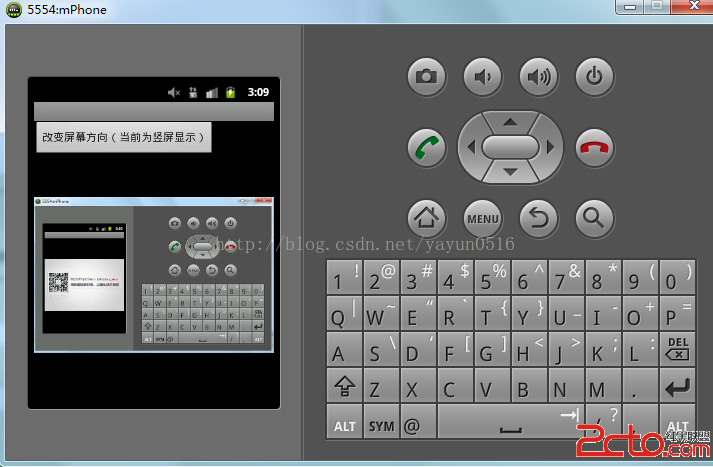
有些 App 需要提供「鎖定方向」的切換按鈕,例如影片播放器或需要看寬表的報表頁。Android 透過 ActivityInfo 的常數搭配 setRequestedOr
 微信授權登錄、分享、支付與支付寶支付的接入實踐
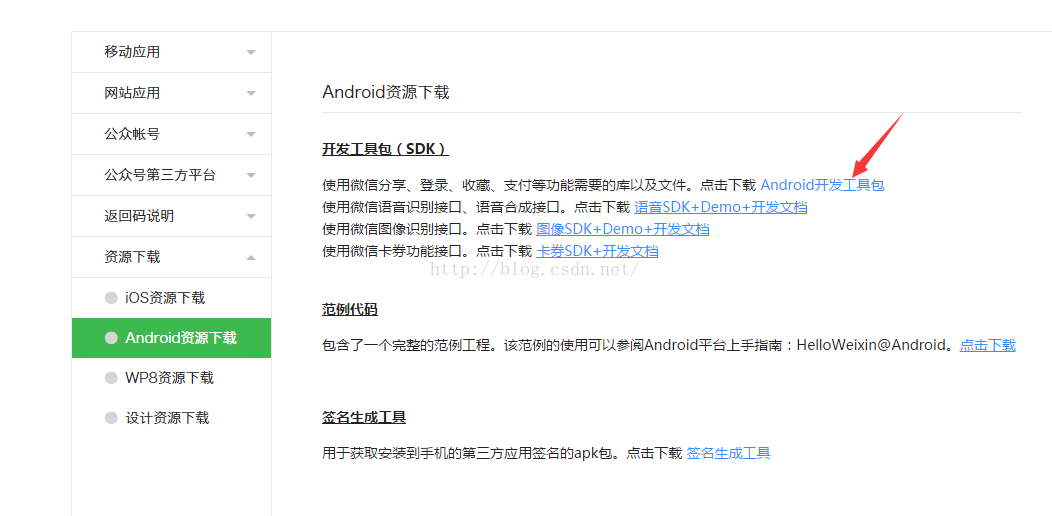
一、微信的授權登錄、分享與支付 (提醒:項目上線時,記得把 keystore 換成正式打包所用的版本。) (一)微信授權登錄 1. 先登入微信開放平台,註冊並建立自己的應