

編輯:關於 Android 程式設計
BroadcastReceiver 用於接收系統全局或應用主動發出的廣播意圖,是 Android 四大組件中實現鬆耦合事件通知的關鍵角色。
廣播分為兩類:普通廣播(Normal Broadcast)與有序廣播(Ordered Broadcast)。Context 提供了對應的發送方法:
sendBroadcast():發送普通廣播,所有匹配的接收者幾乎同時收到,彼此之間沒有先後之分。sendOrderedBroadcast():發送有序廣播,系統會依據接收者聲明的優先級依次執行。優先收到廣播的接收者可以調用 abortBroadcast() 截斷後續傳播。啟動一個 BroadcastReceiver 只需兩步:
Intent;sendBroadcast() 或 sendOrderedBroadcast() 將其發出。需要特別區分的是:OnXxxListener 這類接口只是程序級別的監聽器,而 BroadcastReceiver 是系統級別的組件,可以跨進程工作。
(1)在 Activity 中構造 Intent 並發送一條廣播:
Intent intent = new Intent();
intent.setAction("com.gc.action.CRAZY_BROADCAST");
intent.putExtra("msg", "Test Message");
sendBroadcast(intent);
(2)自定義接收者:
public class MyReceiver extends BroadcastReceiver {
    @Override
    public void onReceive(Context context, Intent intent) {
        System.out.println("接收到的 Intent Action:" + intent.getAction());
        System.out.println("消息內容是:" + intent.getStringExtra("msg"));
    }
}
(3)為接收者配置需要監聽的 Action,有兩種方式。
方式一,代碼中動態註冊:
IntentFilter filter = new IntentFilter("com.gc.action.CRAZY_BROADCAST");
MyReceiver receiver = new MyReceiver();
registerReceiver(receiver, filter);
記得在 Activity 銷毀時調用 unregisterReceiver() 解除註冊,否則容易造成內存洩漏。
方式二,在 AndroidManifest.xml 中靜態聲明:
<receiver android:name=".MyReceiver">
    <intent-filter>
        <action android:name="com.gc.action.CRAZY_BROADCAST" />
    </intent-filter>
</receiver>系統預置了大量常用 Action 常量,下表列出了一部分,完整清單可查閱官方文檔中 android.content.Intent 的說明。
| Action 常量 | 對應字符串 | 說明 |
|---|---|---|
| ACTION_TIME_CHANGED | android.intent.action.TIME_SET | 系統時間被修改 |
| ACTION_DATE_CHANGED | android.intent.action.DATE_CHANGED | 系統日期被修改 |
| ACTION_BOOT_COMPLETED | android.intent.action.BOOT_COMPLETED | 系統啟動完成 |
| ACTION_SHUTDOWN | android.intent.action.ACTION_SHUTDOWN | 系統即將關閉 |
| ACTION_BATTERY_LOW | android.intent.action.BATTERY_LOW | 電量過低 |
| ACTION_POWER_CONNECTED | android.intent.action.ACTION_POWER_CONNECTED | 已連接電源 |
| ACTION_POWER_DISCONNECTED | android.intent.action.ACTION_POWER_DISCONNECTED | 與電源斷開 |
實戰中要留意兩點:其一,靜態註冊的接收者在 Android 8.0 及以上受到隱含廣播限制,多數系統廣播需改用動態註冊或 JobScheduler 等方案;其二,onReceive() 運行在主線程且必須短暫返回,耗時任務應轉交 Service 或線程池處理,切勿在其中做網絡請求或長時間計算。
 MSM8909 移植記錄:改動 UART0 時鐘頻率導致無法下載的搶救過程
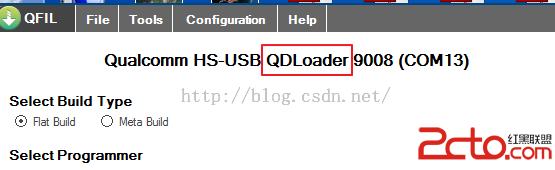
調高通 QFIL 下載工具時,正常情況下連上設備後會顯示如下界面: 圖 1 正常的下載模式 此時顯示的是 QDLoader(高通 Emergency Download
 炫酷的 Android 碎紙機動畫效果實現
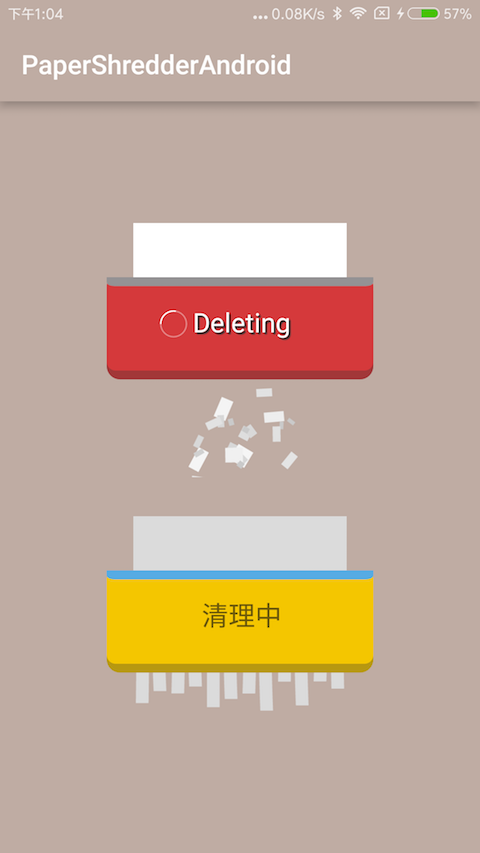
有些應用場景需要一個生動的「碎紙」動畫來強化操作反饋,比如清理垃圾、刪除數據時。本文借助開源的 PaperShredder 庫,展示如何輕鬆做出紙片飛散與紙條絞碎的動畫效
 Android 平台滲透測試工具透視:zANTI 2.5 功能解析
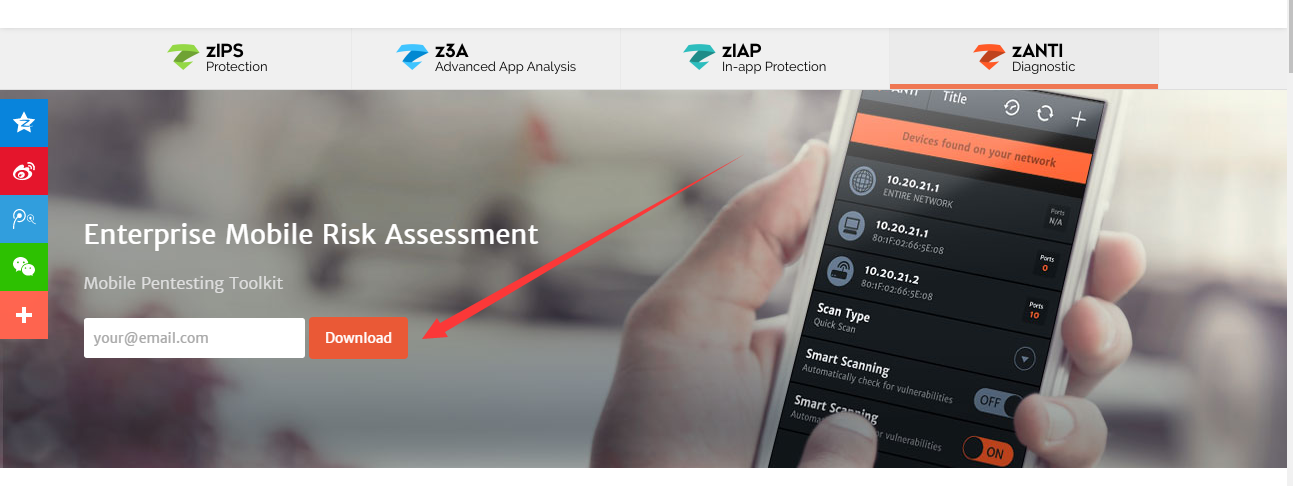
0x00 前言 zANTI 是一款運行於 Android 平台的滲透測試工具,支持嗅探已連接網絡、中間人攻擊測試、端口掃描、Cookie 獲取與路由安全測試等操作,由以色
 Unity 滑頁嵌套實作:解決 ScrollRect 橫向與縱向捲動衝突
簡介 在 Unity 的 UGUI 系統中,ScrollRect 是製作捲動列表與滑頁界面的常用元件。不過,當橫向滑頁裡又需要嵌入縱向滑頁時,兩層 ScrollRect