

編輯:關於 Android 程式設計
登入頁面上幾乎都會有一個「顯示密碼」的勾選框,讓使用者確認自己沒有打錯字。在 Android 裡實作這個功能其實只需要兩個 TransformationMethod,加上一個 CheckBox 的狀態監聽而已。
<?xml version="1.0" encoding="utf-8"?>
<LinearLayout xmlns:android="https://schemas.android.com/apk/res/android"
    android:layout_width="match_parent"
    android:layout_height="match_parent"
    android:orientation="vertical">

    <EditText
        android:id="@+id/editText1"
        android:layout_width="match_parent"
        android:layout_height="wrap_content"
        android:ems="10"
        android:inputType="textPassword">
        <requestFocus />
    </EditText>

    <CheckBox
        android:id="@+id/checkBox1"
        android:layout_width="wrap_content"
        android:layout_height="wrap_content"
        android:text="顯示密碼" />

</LinearLayout>
關鍵在 android:inputType="textPassword",系統預設就會把輸入內容轉為圓點顯示。
public class MainActivity extends Activity {

    private TextView editText1;
    private CheckBox checkBox1;

    @Override
    protected void onCreate(Bundle savedInstanceState) {
        super.onCreate(savedInstanceState);
        setContentView(R.layout.activity_main);

        editText1 = (TextView) findViewById(R.id.editText1);
        checkBox1 = (CheckBox) findViewById(R.id.checkBox1);

        checkBox1.setOnCheckedChangeListener(new OnCheckedChangeListener() {
            @Override
            public void onCheckedChanged(CompoundButton buttonView, boolean isChecked) {
                if (isChecked) {
                    // 勾選:顯示明文
                    editText1.setTransformationMethod(
                            HideReturnsTransformationMethod.getInstance());
                } else {
                    // 取消勾選:恢復掩碼
                    editText1.setTransformationMethod(
                            PasswordTransformationMethod.getInstance());
                }
            }
        });
    }
}真正做切換的只有這兩行:
editText1.setTransformationMethod(HideReturnsTransformationMethod.getInstance());
editText1.setTransformationMethod(PasswordTransformationMethod.getInstance());
TransformationMethod 是 TextView 用來決定「顯示時要不要改寫文字外觀」的策略。PasswordTransformationMethod 把每個字元換成掩碼符號,HideReturnsTransformationMethod 則只隱藏換行符號、其他照原樣顯示,因此被拿來當作「顯示密碼」的替身。因為它並不會改動 EditText 背後實際儲存的字串,密碼值完全不會受影響。
順帶一提,這裡把 editText1 宣告成 TextView 而非 EditText 也沒問題,因為 setTransformationMethod 是定義在父類別 TextView 上的方法。
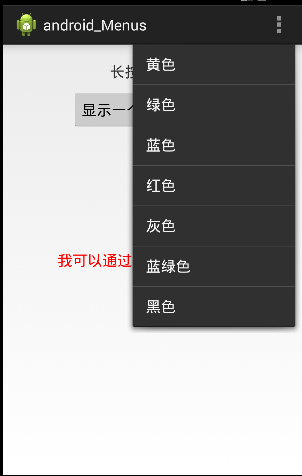 Android UI 控件之菜單(Menu)全解
(一)概述 這一章來聊聊 Android 裡的 Menu。系統提供的菜單主要有三類: OptionMenu:選項菜單,最常見的一種,早期通過 Menu 鍵調出 SubM
 Android 自定義倒計時 View 實作全解析
本篇將手把手帶你實作一個帶陰影、帶指引小圓點的自定義倒計時 View。別被效果圖嚇到,真正的難點其實只有「白色小圓圈的動態定位」一處,其餘都是自定義 View 中常見的知
 自定義 ViewGroup 完整教學:從 onMeasure 到 onLayout 手寫一個容器
前面我們已經看過幾種自定義控件的做法:音頻條,以及可複用的組合控件。還沒看過的建議先補上,因為本篇會直接沿用其中的成果。 今天要往下一層走:自己寫一個 ViewGrou
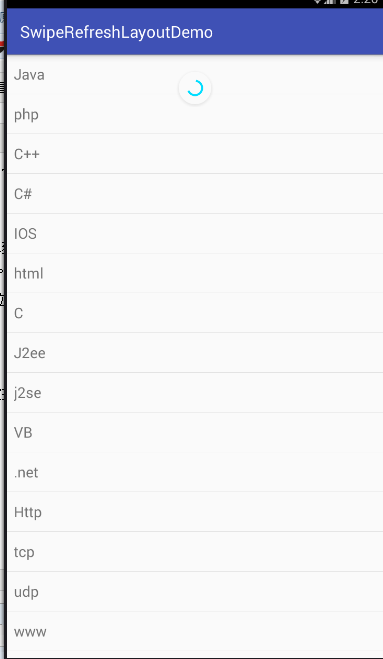 官方下拉刷新控件 SwipeRefreshLayout 使用詳解
Android 開源社區的下拉刷新庫可謂琳瑯滿目,但很多人忽略了一件事:官方 v4 支持包裡早就自帶了一個。SwipeRefreshLayout 的效果雖然樸素,但勝在零