

編輯:關於 Android 程式設計
Android 中做定時任務,標準工具是 AlarmManager。它的運作方式是:註冊一個時間點與一個 Intent 到系統,時間到時系統送出廣播,執行我們指定的動作。
「要執行的動作」通常包成 PendingIntent。它可以理解為 Intent 的封裝包——一個「將來要執行的 Intent 操作」。
兩者的差別在於:使用 Intent 時,還得自己呼叫 startActivity、startService 或 sendBroadcast 它才會生效;PendingIntent 則把這個動作本身也包了進去,交給系統就能直接執行。
// 建立一個用來啟動 Service 的 PendingIntent
Intent intent = new Intent(instance, RecommendService.class);
intent.putExtra("userInfoBody", userInfoBody);
intent.putExtra("isDynamic", true);
intent.putExtra("content", comment);

PendingIntent sender = PendingIntent.getService(
        instance, 1, intent, PendingIntent.FLAG_UPDATE_CURRENT);

// 設定重複鬧鐘
long firstTime = SystemClock.elapsedRealtime() + 1 * 1000;
AlarmManager am = (AlarmManager) getSystemService(ALARM_SERVICE);
am.setRepeating(AlarmManager.ELAPSED_REALTIME_WAKEUP,
        firstTime, 10 * 60 * 1000, sender);
getService() 的四個參數分別是:Context、區分不同 PendingIntent 的 request code、要執行的 Intent,以及 flag。
這裡有個容易踩的陷阱:兩個 PendingIntent 是否「相同」,看的是 Intent 的 action、data、categories、components 加上 request code,Extra 並不參與比對。 也就是說,你可能用同一組參數註冊了兩次,卻期望它們帶著不同的 Extra 執行——結果第二個永遠不會生效。解法就是加上 FLAG_UPDATE_CURRENT。
FLAG_CANCEL_CURRENT:若系統中已有相同的 PendingIntent,先取消舊的再建立新的。
FLAG_NO_CREATE:若不存在相同的 PendingIntent,不建立,直接回傳 null。
FLAG_ONE_SHOT:只用一次。觸發過後自動 cancel,再呼叫 send() 會拋 SendIntentException。
FLAG_UPDATE_CURRENT:若已存在對等的 PendingIntent,沿用該物件,但用新的 Intent 內容(例如 Extra)更新它。
set(type, startTime, pi):設定一次性鬧鐘。
setRepeating(type, startTime, intervalTime, pi):設定固定間隔的重複鬧鐘。
setInexactRepeating(type, startTime, intervalTime, pi):同樣是重複鬧鐘,但間隔不精確。多數場合應該優先選它,因為系統可以將多個 App 的鬧鐘合併喚醒,顯著降低耗電。
ELAPSED_REALTIME:使用相對時間(自開機起算),裝置睡眠時不會觸發。
ELAPSED_REALTIME_WAKEUP:相對時間,睡眠時會喚醒裝置並執行。
RTC:使用絕對時間(當前系統時間),睡眠時不會觸發。
RTC_WAKEUP:絕對時間,睡眠時會喚醒裝置。
POWER_OFF_WAKEUP:理論上關機狀態也能提示,是實務上很常被提到的類型;不過它受 SDK 版本影響,部分版本並不支援,正式專案不應依賴。
startTime 的計時基準必須與 type 搭配:相對時間對應 SystemClock.elapsedRealtime(),絕對時間對應 System.currentTimeMillis()。搭錯了,鬧鐘會在 1970 年或幾十年後才響。
用 Service 實現提示,就用 PendingIntent.getService();用廣播,就用 getBroadcast();用 Activity,就用 getActivity()。這三者用錯不會編譯錯誤也不會執行失敗,只是效果永遠不出現,是很難查的問題。
public class RecommendService extends IntentService {
    @Override
    protected void onHandleIntent(Intent intent) {
    }
}
IntentService 的優勢在於:多次定時觸發送來的 Intent 會依序排隊處理,而且耗時操作不必自己開子執行緒,因為它已經為每個 Intent 準備好工作執行緒了。
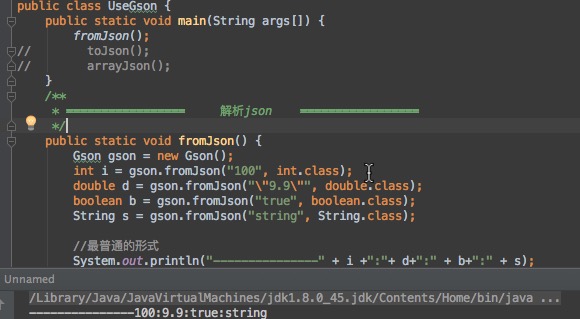 Gson 使用大全:從基礎解析到泛型與字段過濾
平時真正用到的 Gson 方法其實就那么幾個,學的東西用少了容易忘,趁這個機會撿起來做個記錄,方便日後復習。 JSON 是一種交換文本數據的格式,解析方式有很多,框架級的
 Android Camera API2.0:全新 Camera FW/HAL 架構解析
前言 先前的文章大多在總結 Camera HAL1 到 HAL3 的系統架構,但這些架構對 Camera App 開發而言,仍停留在 Camera API1.0 的標準。
 greenDAO 實戰:用代碼生成器自動打造 SQLite 操作工具類
上一篇我們介紹了如何建立類別產生工程,這一篇就來說明實際怎麼使用。 以下是 ExampleDaoGenerator 工程的程式碼(做了一些修改): package de
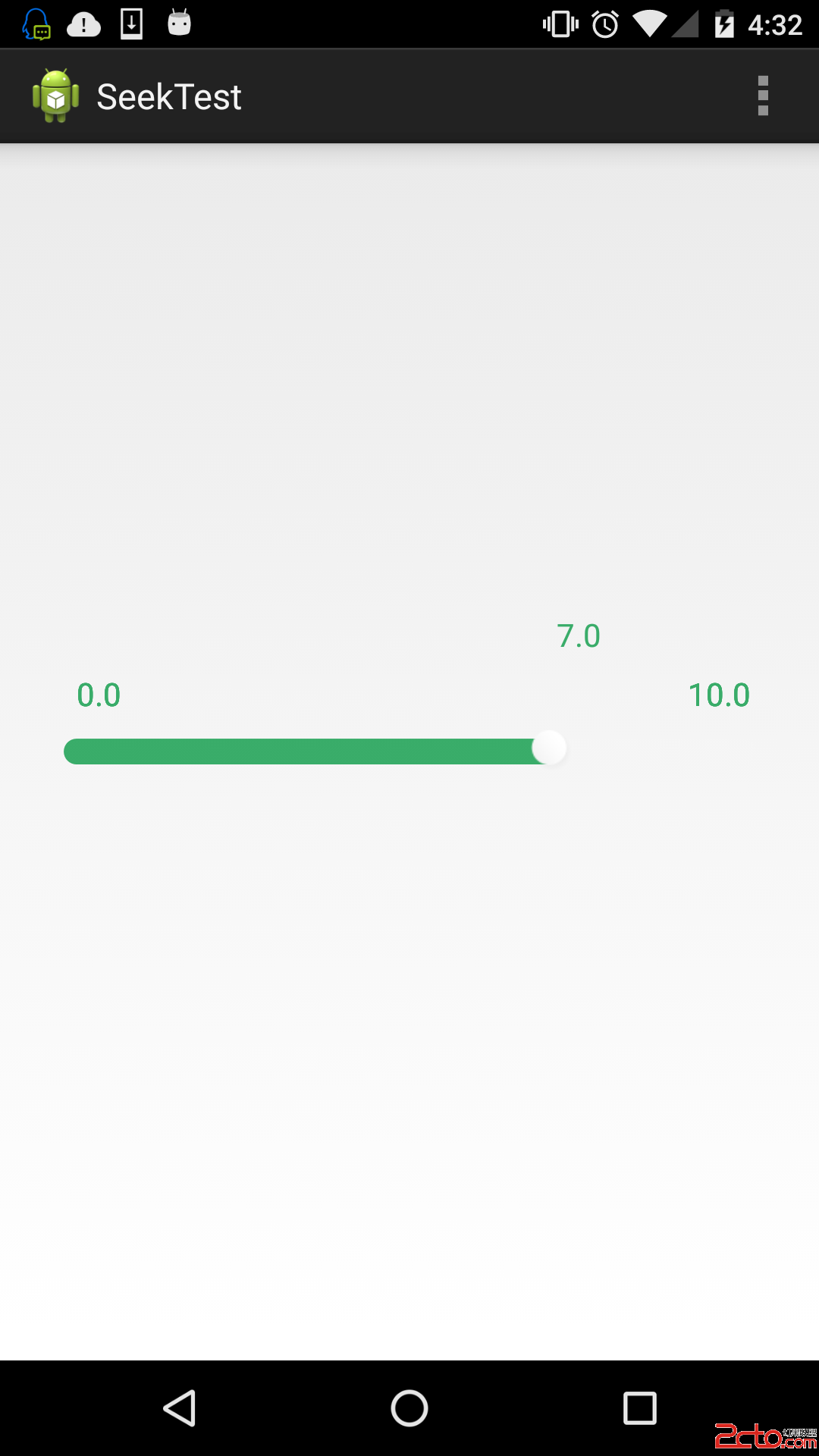 自定義可拖動的 SeekBar:讓進度值浮在滑塊上方
最近忙著找實習,實驗室又在推新專案,部落格和 GitHub 都荒廢了一段時間,有點慚愧。接下來還是得持續寫。 這次記錄專案裡用到的一個自定義 SeekBar。需求很單純: