

編輯:關於 Android 程式設計
當 App 需要「打開某個檔案」,卻不想自己處理所有格式時,最自然的做法就是把檔案交給系統,讓系統依 MIME 類型挑選合適的 Activity。
若想攔下所有類型的檔案:
<intent-filter>
    <action android:name="android.intent.action.VIEW" />
    <category android:name="android.intent.category.DEFAULT" />
    <category android:name="android.intent.category.BROWSABLE" />
    <data android:mimetype="*/*" />
</intent-filter>
實務上更建議把 mimetype 寫得更具體,例如只處理 video/*、audio/*、application/pdf,否則使用者在檔案管理器中點任何檔案都會冒出你的 App,體驗很差。
String mimeType = intent.getType();
if (Intent.ACTION_VIEW.equals(intent.getAction())) {
    if (mimeType != null
            && (mimeType.matches("video/(.+)") || mimeType.matches("audio/(.+)"))) {
        startActivity1();   // 交給自建的播放器
    } else {
        startActivity2();   // 其他類型走通用處理
    }
}
更清楚的寫法是用 startsWith() 取代正規表示式:
if (mimeType != null && mimeType.startsWith("video/")) { ... }
getType(),通常還需要 getData() 或 getScheme() 來判斷來源是 file:// 還是 content://。FLAG_GRANT_READ_URI_PERMISSION,否則會拿到 SecurityException。file:// URI,對外分享檔案請改用 FileProvider.getUriForFile()。Intent.setType() 搭配 Intent.createChooser(),讓使用者自己挑。核心概念其實一句話:mimeType 是系統派工的分類依據,宣告得精準,路由就乾淨。
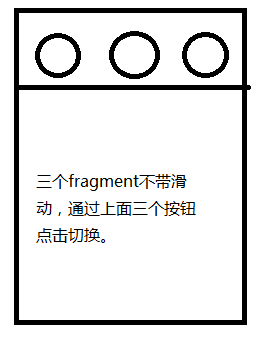 dispatchKeyEvent 按鍵監聽實戰:屏蔽方向鍵與 KeyEvent 常用常量速查
最近在項目裡踩了一個跟軟鍵盤方向鍵有關的坑,記錄下來,順手把 dispatchKeyEvent 的機制也理清楚。 需求是什麼 項目裡有一個頁面用 ViewPager 加
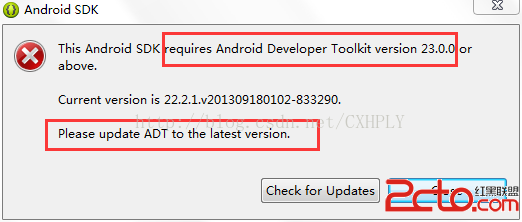 Eclipse 開發環境啟動報錯:This Android SDK requires Android Developer Toolkit version 23.0.0 or above 的解法
剛入門 Android 開發的朋友,在張羅 Eclipse、SDK 與 ADT 這套經典組合時,常常會在 SDK 線上安裝完成、重新開啟 Eclipse 的那一刻被一個警
 從0開始學Android之開發工具篇——Android Studio詳解
Android Studio詳解 古人云:工欲善其事,必先利其器。要開始Android開發之旅,第一步自然是把開發工具準備好。 一、Android Studio的背景 A
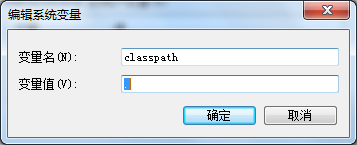 Java 4 Android 開發教程(三):環境變數與 JDK 基本概念
開始寫 Java 之前,必須先搞懂環境變數、JRE 與 JVM 的關係。這篇文章把入門階段最容易混淆的幾個名詞一次講清楚。 什麼是環境變數 環境變數是作業系統用來存放執