

編輯:關於 Android 程式設計
遇到「資料明明有、Adapter 也設了,畫面卻一片空白」的狀況,別急著懷疑 Adapter 邏輯。最常见的原因其實很樸素:佈局檔裡根本沒把那個列表要顯示的空間留給它。
看下面這段佈局:
<com.xxx.view.BaseListView
    android:id="@+id/list_find"
    android:layout_width="match_parent"
    android:layout_height="match_parent"
    android:cacheColorHint="@android:color/transparent"
    android:divider="@drawable/base_horizontal_line"
    android:dividerHeight="1dp"
    android:fadingEdgeLength="0dp"
    android:fastScrollEnabled="true"
    android:paddingBottom="10dp" />

<com.xxx.view.BaseListView
    android:id="@+id/list_article"
    android:layout_width="match_parent"
    android:layout_height="match_parent"
    android:cacheColorHint="@android:color/transparent"
    android:divider="@drawable/base_horizontal_line"
    android:dividerHeight="1dp"
    android:fadingEdgeLength="0dp"
    android:fastScrollEnabled="true"
    android:paddingBottom="10dp" />
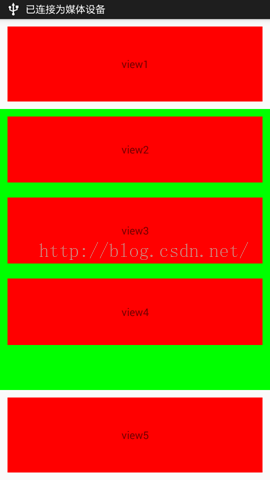
問題一目了然:id 為 list_find 的 View 高度是 match_parent,在垂直 LinearLayout 中已經把父容器的高度全部佔滿,緊接其後的 list_article 分不到任何剩餘空間,實際高度被壓成 0。控制項沒有可見區域,自然不會去執行 getView,資料也就顯示不出來。
常見的修正方式有幾種:把兩個列表的 layout_height 改為 0dp 並搭配 layout_weight 按比例分配;或者讓外層改為滾動容器、內部列表使用 wrap_content;若兩個列表是互斥顯示的,則透過 View.GONE/VISIBLE 切換,一次只留一個佔滿螢幕。
ListView 的填充流程是先問 Adapter 要數量,數量為 0 就直接跳過所有 getView 呼叫。所以資料來源為 null、集合沒清乾淨、查詢條件寫錯導致回傳空清單,都會表現為「getView 完全沒被呼叫」。
setAdapter() 確實有被執行,且是在 setContentView 之後。View.GONE,或父容器(例如某些 ScrollView 嵌套)限制了子 View 的測量方式。一句話總結:getView 不被呼叫,九成不是 Adapter 的問題,而是控制項沒有拿到尺寸、或者資料源本身是空的。
 Android 中使用 Socket:TCP 與 UDP 的實作重點
Socket 是應用層與傳輸層之間的抽象介面,讓開發者能以較簡單的方式使用 TCP 或 UDP 進行網路通信。理解 Socket 前,先回到 TCP/IP 協議族:它將網
 Android 事件分發機制全解析:從 dispatchTouchEvent 到 requestDisallowIntercept
一、概述 說到 Android 的事件分發機制,真是既熟悉又陌生。每次需要時翻翻源碼,總能若有所得;可要憑自己的理解從頭到尾講一遍,卻又一句也說不上來。歸根究底,大概是自
 用 LayoutParams 在代碼中動態控制控件位置與尺寸
XML 布局能解決的問題不要用代碼去做,但有些場景——比如尺寸和位置來自服務端下發的配置——就必須在運行時動態設置。這時候 LayoutParams 是唯一的工具。 L
 Android 視頻播放的開發心得體會
Android 視頻播放主要有兩種方式:一是系統封裝好的 VideoView,具備前進、後退、暫停/播放、拉動等最基本功能,夠一般使用,操作辦法也很簡單;二是若需要高度自