

編輯:關於 Android 程式設計
自定義 View 時,長寬等屬性通常在布局檔中設定,例如 android:layout_height="wrap_content"。除此之外,我們也能自定義屬性,使用時就能寫成 myapp:myTextSize="20sp" 這樣的形式。
首先要建立變數。新增一個 values/attrs.xml(檔名可自訂,但須放在 values 目錄下):
<?xml version="1.0" encoding="utf-8"?>
<resources>
<declare-styleable name="MyView">
<attr name="textSize" format="dimension" />
</declare-styleable>
</resources>
其中 resources 是根標籤,可定義多個 declare-styleable;name 定義變數名稱,下面可再宣告多個屬性。以 <attr name="textSize" format="dimension"/> 來說,屬性名為 textSize,format 指定型別為 dimension(尺寸值)。
format 還可指定其他型別:reference(引用資源 ID)、string(字串)、color(顏色值)、dimension(尺寸值)、boolean(布爾值)、integer(整型)、float(浮點)、fraction(百分比)、enum(枚舉)、flag(位運算)。
<LinearLayout xmlns:android="https://schemas.android.com/apk/res/android"
xmlns:myapp="https://schemas.android.com/apk/res/com.eyu.attrtextdemo"
android:layout_width="match_parent"
android:layout_height="match_parent"
android:orientation="vertical">
<us.yydcdut.MyView
android:layout_height="wrap_content"
android:layout_width="wrap_content"
myapp:textSize="20sp"
myapp:myColor="#324243"/>
</LinearLayout>
關鍵在於多了一行 xmlns:myapp="...",命名空間後面接的是你的 package 名稱,如此一來就能用 myapp:textSize 與 myapp:myColor 設定自定義屬性。
在 View 建構時,透過 context.obtainStyledAttributes 取得一個 TypedArray,再由它來讀取屬性設定。最常用的單參數版本,參數直接從 styleable 取得:
TypedArray a = context.obtainStyledAttributes(attrs, R.styleable.MyView);
使用完畢務必呼叫 recycle(),否則這次的設定會影響到下一次使用。
完整範例:
public class MyView extends View{
public Paint paint;
public MyView(Context context, AttributeSet attrs) {
super(context, attrs);
paint = new Paint();
TypedArray a = context.obtainStyledAttributes(attrs, R.styleable.MyView);
int textColor = a.getColor(R.styleable.MyView_myColor, 003344);
float textSize = a.getDimension(R.styleable.MyView_myTextSize, 33);
paint.setTextSize(textSize);
paint.setColor(textColor);
a.recycle();
}
@Override
protected void onDraw(Canvas canvas) {
super.onDraw(canvas);
paint.setStyle(Style.FILL);
canvas.drawText("aaaaaaa", 10, 50, paint);
}
}
透過 getColor、getDimension 等方法讀值並帶入預設值,就能讓自定義 View 擁有靈活可配置的屬性。
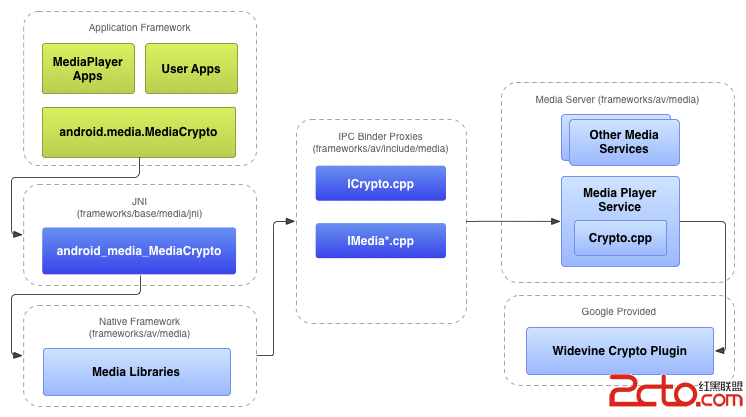 Widevine DRM 與 Keybox:Android 三級安全等級與整合要點
Android 在相容裝置上免費提供 Widevine DRM 方案,官方建議直接採用,因為它已經實作完成、無需自行造輪子。本文整理其架構、三個安全等級的差異,以及 Ke
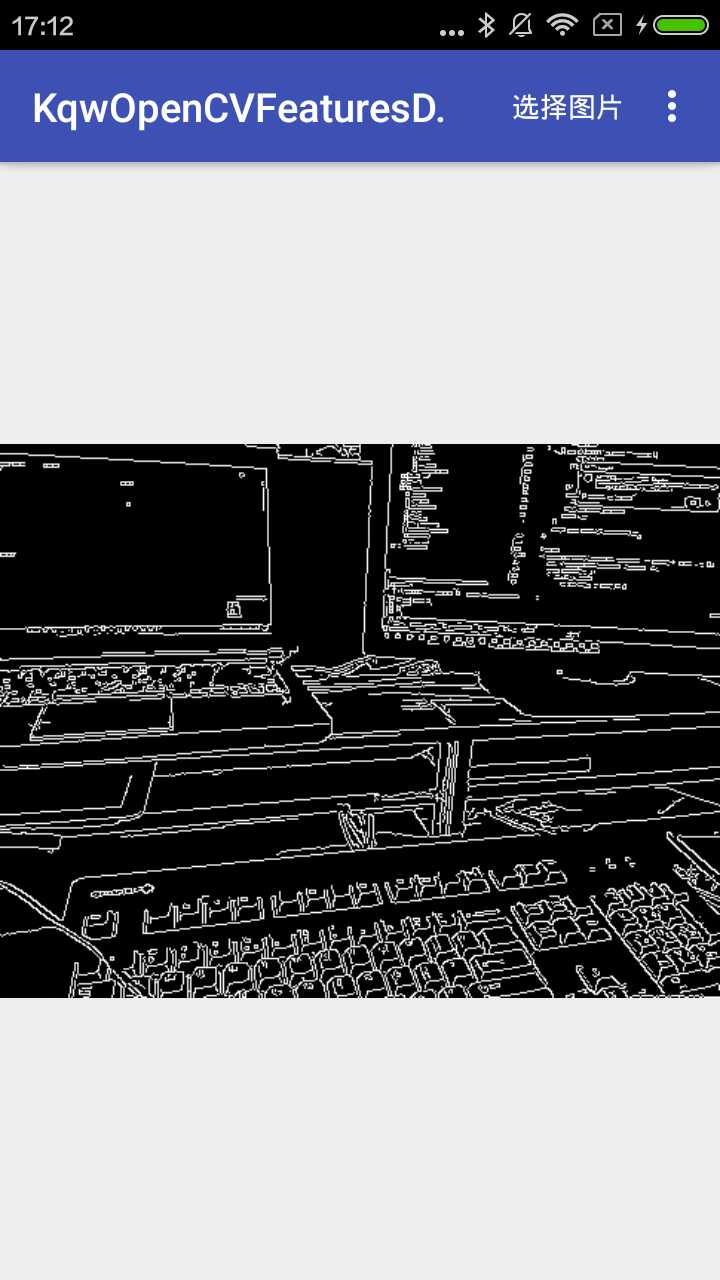 OpenCV 實踐:用 Canny 邊緣檢測器提取圖像邊緣
效果預覽 關於 Canny 邊緣檢測器 Canny 是被引用最廣的邊緣檢測算法之一,普遍被視為這一領域效果最好的方法。相比更早的高斯差分思路,它引入了多方向的灰度梯
 React Native 結合 Redux 的專案開發實戰心得(一)
寫在前面 前一陣子剛把以 Redux 為核心的單頁應用收尾,緊接著就投入到 React Native 的開發節奏裡。整個過程快得令人意外——短短一週,我們兩人分工協作就
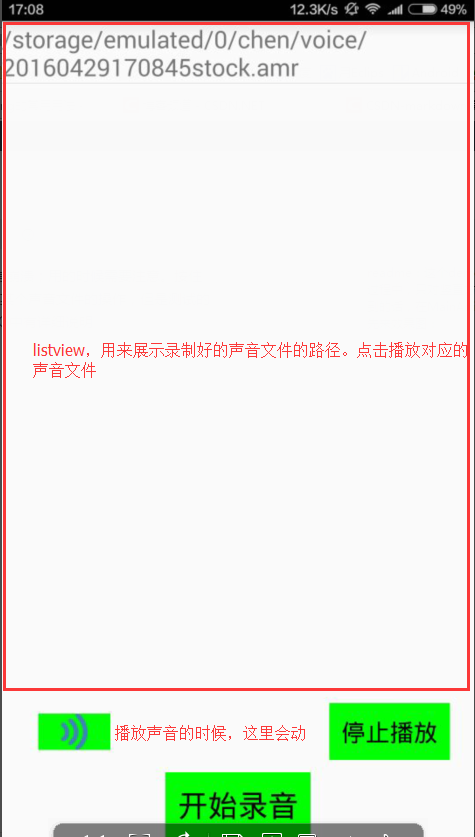 Android 錄音與音頻播放功能完整實現教程
本文記錄了一個錄製聲音文件並播放的完整 Demo 實現過程,供需要的朋友參考。 先說明幾點注意事項:其一,這個 Demo 未對「多次快速點擊同一個音頻文件」做完善處理,偶