

編輯:關於 Android 程式設計
假設資源位於 assets 目錄下,可用 Context.getAssets().open("sample.txt") 取得輸入流。若要遞迴遍歷並複製整個 assets 目錄到裝置,可以像下面這樣判斷是目錄還是檔案:
public void deepFile(Context ctxDealFile, String path) {
try {
String str[] = ctxDealFile.getAssets().list(path);
if (str.length > 0) {// 如果是目錄
File file = new File("/data/" + path);
file.mkdirs();
for (String string : str) {
path = path + "/" + string;
System.out.println("zhoulc:\t" + path);
deepFile(ctxDealFile, path);
path = path.substring(0, path.lastIndexOf('/'));
}
} else {// 如果是檔案
InputStream is = ctxDealFile.getAssets().open(path);
FileOutputStream fos = new FileOutputStream(new File("/data/" + path));
byte[] buffer = new byte[1024];
int count = 0;
while (true) {
count++;
int len = is.read(buffer);
if (len == -1) {
break;
}
fos.write(buffer, 0, len);
}
is.close();
fos.close();
}
} catch (IOException e) {
e.printStackTrace();
}
}
以下示範讀取 assets 中 ini/boot.ini 的內容,解析出 boot 與 bootIP 的設定值:
private void getBootUrl(Context context) throws IOException {
Log.d(TAG, "getBootUrl() start");
InputStream is = null;
BufferedReader in = null;
try {
is = context.getAssets().open("ini/boot.ini");
in = new BufferedReader(new InputStreamReader(is));
} catch (IOException e1) {
e1.printStackTrace();
Log.d(TAG, e1.getMessage());
}
StringBuffer sb = new StringBuffer();
String temp = null;// 存放每行讀取的內容
int line = 1;
String[] sbStrs = new String[] {};// 以「=」為分隔符將 string 分割
try {
while ((temp = in.readLine()) != null) {
if (temp.contains("boot")) {
sb.append(temp.substring((temp.indexOf("t") + 2)) + " ");// 從「=」等分隔符以後截取子串保存
line++;
while ((temp = in.readLine()) != null) {
if (temp.contains("bootIP")) {
sb.append(temp.substring((temp.indexOf("P") + 2)) + " ");
break;
} else {
line++;
}
break;
}
}
in.close();
is.close();
} catch (IOException e) {
e.printStackTrace();
bootUrl = "";
Log.d(TAG, e.getMessage());
} finally {
if (in != null) {
in.close();
}
}
sbStrs = sb.toString().split(" ");
bootUrl = sbStrs[0];
bootIpUrl = sbStrs[1];
Log.d(TAG, "getBootUrl() end");
}
 用 include 標籤重用版面配置:讓 UI 維護成本降下來
重複寫同樣的配置,遲早出問題 如果每個 XML 檔都把相同的區塊重寫一遍,會有兩個後果:一是程式碼冗餘、可讀性差;二是修改時到處都得改,對後期維護非常不利。 所以合理的做
 Android Activity 之間的資料傳遞:Intent 用法全解(附人品計算器實作)
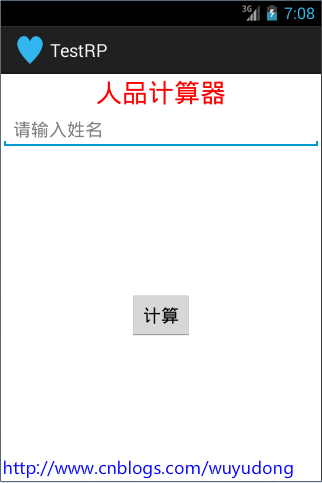
本文用一個「人品計算器」小專案,把 Activity 之間傳遞資料的常見做法完整跑一遍:首頁輸入姓名,按下按鈕後跳到結果頁,由結果頁隨機算出一個人品值並顯示出來。 In
 動手做一款 Android 拼圖小遊戲:自定義 View 與動畫的綜合練習
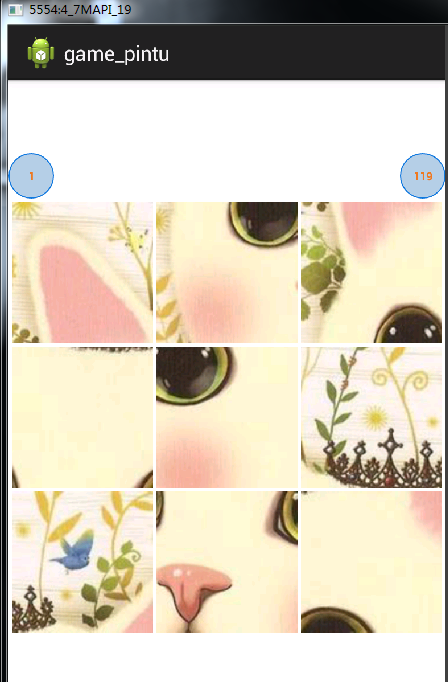
一、需求描述 拼圖是個經典的益智玩法:把一張圖片切成若干塊、打亂之後,讓玩家在限定時間內還原。這個案例的規則很直覺——隨意點選兩塊即可交換位置,不需要拖曳,因此手機操作成
 用 Android-Rate 快速做出「去應用市場給好評」的引導彈窗
最近寫產品的文章少了些。家裡的小寶寶(麥麥)正處於愛咬人的階段,得花心思照顧;加上最近沉迷魔獸世界,寫作的時間就被擠掉了。今天偶然看到一個在 App 內提示使用者跳轉應用