

編輯:關於 Android 程式設計
自訂 View 的核心是 onDraw(),所有繪製邏輯都寫在這裡。但如果想要「隨時觸發重繪」,就得靠另一個方法:invalidate()。做過 Win32 API 開發的人會覺得這很熟悉——呼叫 invalidate 之後,系統就會重新觸發 onDraw。
要牢記的是:不要在 onDraw 裡直接呼叫 invalidate,那會造成無限重繪;invalidate 應該由外部(例如使用者互動、資料變動時)呼叫。
如果你的 View 沒有自己獨特的屬性,直接在 XML 中使用即可。若需要自訂屬性,流程如下。
<?xml version="1.0" encoding="utf-8"?>
<resources>
    <declare-styleable name="TriangleViewAttr">
        <attr name="tricolor" format="color" />
    </declare-styleable>
</resources>
在最外層 layout 或該 View 上宣告前綴,並指向你的 package:
xmlns:tri="https://schemas.android.com/apk/res/com.jsdx.zqysypt"
tri 是前綴,可自取;後面必須是應用程式所在的 package 名稱。
<demo.view.def.MyView
    android:layout_width="fill_parent"
    android:layout_height="wrap_content"
    tri:tricolor="@color/ios_blue" />
透過 context.obtainStyledAttributes 取得屬性陣列:
private void getAttr(Context context, AttributeSet attrs) {
    array = context.obtainStyledAttributes(attrs, R.styleable.TriangleViewAttr);
    maincolor = array.getColor(R.styleable.TriangleViewAttr_tricolor, maincolor);
    // 注意:TriangleViewAttr_tricolor 就是 TriangleViewAttr.tricolor
    array.recycle();   // 很重要,一定要回收
}
recycle() 這行經常被省略,但 TypedArray 會持有資源,不回收容易導致記憶體洩漏。
下面這個 TriangleView 畫出由三個點構成的三角形:左上角、左下角、右側中點。
package com.commons.widget.views;

import android.content.Context;
import android.content.res.TypedArray;
import android.graphics.Canvas;
import android.graphics.Color;
import android.graphics.Paint;
import android.graphics.Path;
import android.util.AttributeSet;
import android.util.Log;
import android.view.View;

import com.jsdx.zqysypt.R;

/**
 * 用法:
 * xmlns:tri="https://schemas.android.com/apk/res/包名"
 * android:layout_width="12dp"
 * android:layout_height="12dp"
 * tri:tricolor="@color/ios_blue"
 */
public class TriangleView extends View {

    // 預設為透明
    int maincolor = Color.TRANSPARENT;

    // 是否為等邊三角形
    boolean isEquilateral = false;

    TypedArray array = null;

    public TriangleView(Context context) {
        super(context);
    }

    public TriangleView(Context context, AttributeSet attrs) {
        super(context, attrs);
        getAttr(context, attrs);
    }

    public TriangleView(Context context, AttributeSet attrs, int defStyleAttr) {
        super(context, attrs, defStyleAttr);
        getAttr(context, attrs);
    }

    private void getAttr(Context context, AttributeSet attrs) {
        array = context.obtainStyledAttributes(attrs, R.styleable.TriangleViewAttr);
        maincolor = array.getColor(R.styleable.TriangleViewAttr_tricolor, maincolor);
        array.recycle();
    }

    @Override
    protected void onDraw(Canvas canvas) {
        super.onDraw(canvas);

        // 建立畫筆
        Paint p = new Paint();
        p.setColor(maincolor);
        p.setStyle(Paint.Style.FILL);   // 填滿

        int width = getWidth();
        int height = getHeight();
        int loc_x = getLeft();
        int loc_y = getTop();
        Log.d("TriangleView", width + " " + height);

        // 繪製三角形,同樣手法可畫任意多邊形
        Path path = new Path();
        path.moveTo(0, 0);   // 起點

        if (isEquilateral) {
            // 1.73205 為根号3,等邊三角形 Needed
            path.lineTo((height / 2) * 1.73205f, height / 2);
        } else {
            path.lineTo(width, height / 2);
        }

        path.lineTo(0, height);
        path.close();        // 閉合成多邊形

        canvas.drawPath(path, p);
    }

    /**
     * 執行期變更顏色
     * 注意:傳入 0xe96f4a 無效,必須帶 alpha 成 0xffe96f4a
     */
    public void showColor(int color) {
        maincolor = color;
        this.invalidate();
    }
}
<com.commons.widget.views.TriangleView
    xmlns:triattr="https://schemas.android.com/apk/res/com.jsdx.zqysypt"
    android:layout_width="10dp"
    android:layout_height="20dp"
    android:layout_alignParentLeft="true"
    android:layout_centerVertical="true"
    triattr:tricolor="@color/mainact_lefttopblue" />
0xe96f4a 因為 alpha 為 0 而完全透明,要寫成 0xffe96f4a。wrap_content,需要覆寫 onMeasure 自行計算建議尺寸。 Android 仿微信選單效果:C# 與 Java 雙版本實作對照
本篇示範以程式化方式建立選單,同時提供 C#(Xamarin.Android)與 Java 兩種寫法。由於兩邊呼叫的原生 API 完全相同,邏輯寫法幾乎一致,讀者可以互相
 Android Canvas 繪圖 API 筆記:從基本圖形到自定義 View
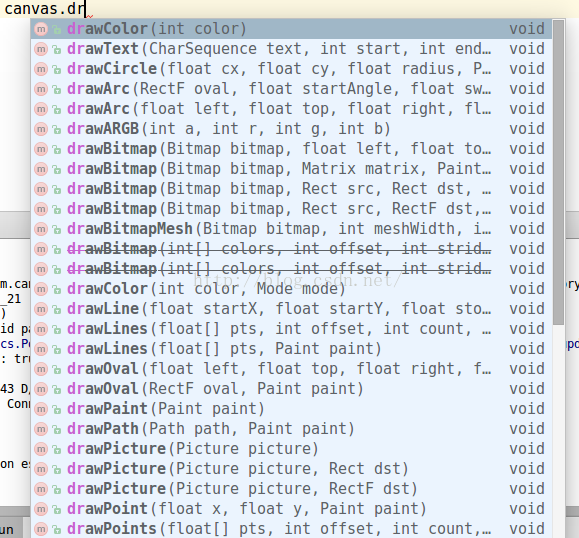
在 Android 自定義 View 中,Canvas 是繪製內容的畫布,而 Paint 則像畫筆,決定顏色、線寬、樣式與抗鋸齒等效果。View 的 onDraw 回呼會
 驗證碼倒計時按鈕實現:Android賬號注冊常見交互
為防止惡意刷短信或郵件,注冊頁面的「獲取驗證碼」按鈕通常都要做倒計時處理:點擊後按鈕變灰並開始倒數,倒數結束才能再次點擊。本文分享一個可複用的封裝思路。 效果預覽 Re
 Android 自定義屬性與扁平化 UI 設計
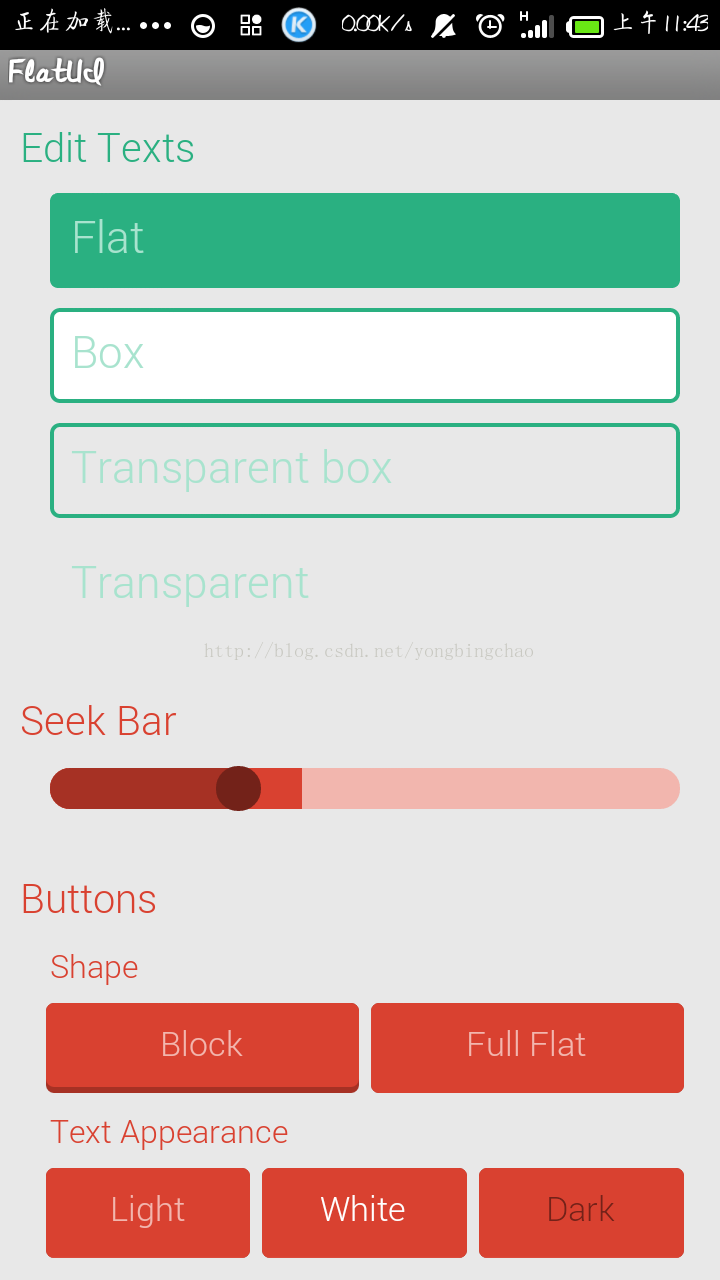
在 Android 中,自定義屬性能讓 UI 元件更靈活。透過自訂屬性,開發者可以將重複的樣式設定封裝在自定義 View 中,進而實現更簡潔的扁平化介面。 定義自定義屬性