

編輯:關於 Android 程式設計
網路圖片載入失敗是很常見的情況。與其留一片空白,不如在偵測到沒有 Drawable 時換上預設佔位圖:
if (mPhotoView.getDrawable() == null) {
    // Toast.makeText(getActivity(), "圖片載入失敗", Toast.LENGTH_SHORT).show();
    mPhotoView.setImageDrawable(
            getResources().getDrawable(R.drawable.icon_default_user_photo));
}
實務上更完整的做法是在圖片載入框架的失敗回呼中設定佔位圖,而不是事後才檢查;因為 getDrawable() 為 null 也可能只是「還沒載完」,此時直接換成預設圖反而會蓋掉稍後成功的結果。
ByteArrayOutputStream out = new ByteArrayOutputStream();
bitmap.compress(Bitmap.CompressFormat.PNG, 100, out);
byte[] array = out.toByteArray();
Bitmap bitmap = BitmapFactory.decodeByteArray(data, 0, data.length);
Drawable drawable = new FastBitmapDrawable(bitmap);
若是 BitmapDrawable 或 FastBitmapDrawable,直接取 getBitmap 即可;其他類型的 Drawable 則要畫到一個新的 Bitmap 上:
Bitmap bitmap = Bitmap.createBitmap(
        drawable.getIntrinsicWidth(), drawable.getIntrinsicHeight(),
        Bitmap.Config.ARGB_8888);
Canvas canvas = new Canvas(bitmap);
drawable.draw(canvas);
Drawable drawable = activity.getResources().getDrawable(R.drawable.icon);
Bitmap bitmap = BitmapFactory.decodeResource(resources, id);
decodeResource 會依螢幕密度自動縮放,decodeResourceStream 與 decodeFile 則不會,跨密度處理圖片時這個差異容易造成尺寸不如預期。recycle() 釋放 Bitmap。getDrawable() 在 API 22 以上已標記為 deprecated,建議改用 ContextCompat.getDrawable(context, id) 以相容不同版本。 夜神安卓模擬器怎麼玩手遊?安裝、載入 APK 與實用功能
夜神是目前效能表現相當突出的一款安卓模擬器。與傳統方案相比,它基於 Android 4.4.2,同時相容 X86 與 AMD 架構,在效能、穩定性與相容性上都有明顯改善,
 Data Binding 資料綁定庫完整指南:從第一個表達式到自定義 BindingAdapter
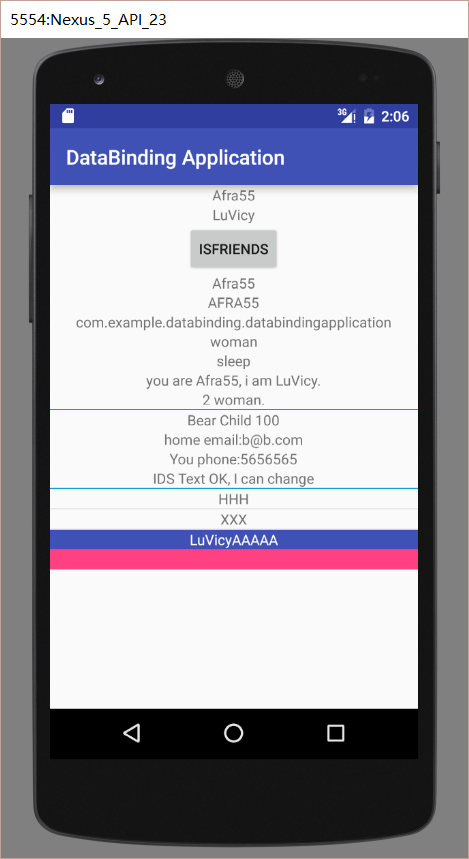
開場 我的經驗是:先跑一次 Demo,帶著疑問回去讀文件,理解會快很多。Demo 放在 https://github.com/Afra55/DataBindingApp
 微信支付與支付寶支付整合重點整理
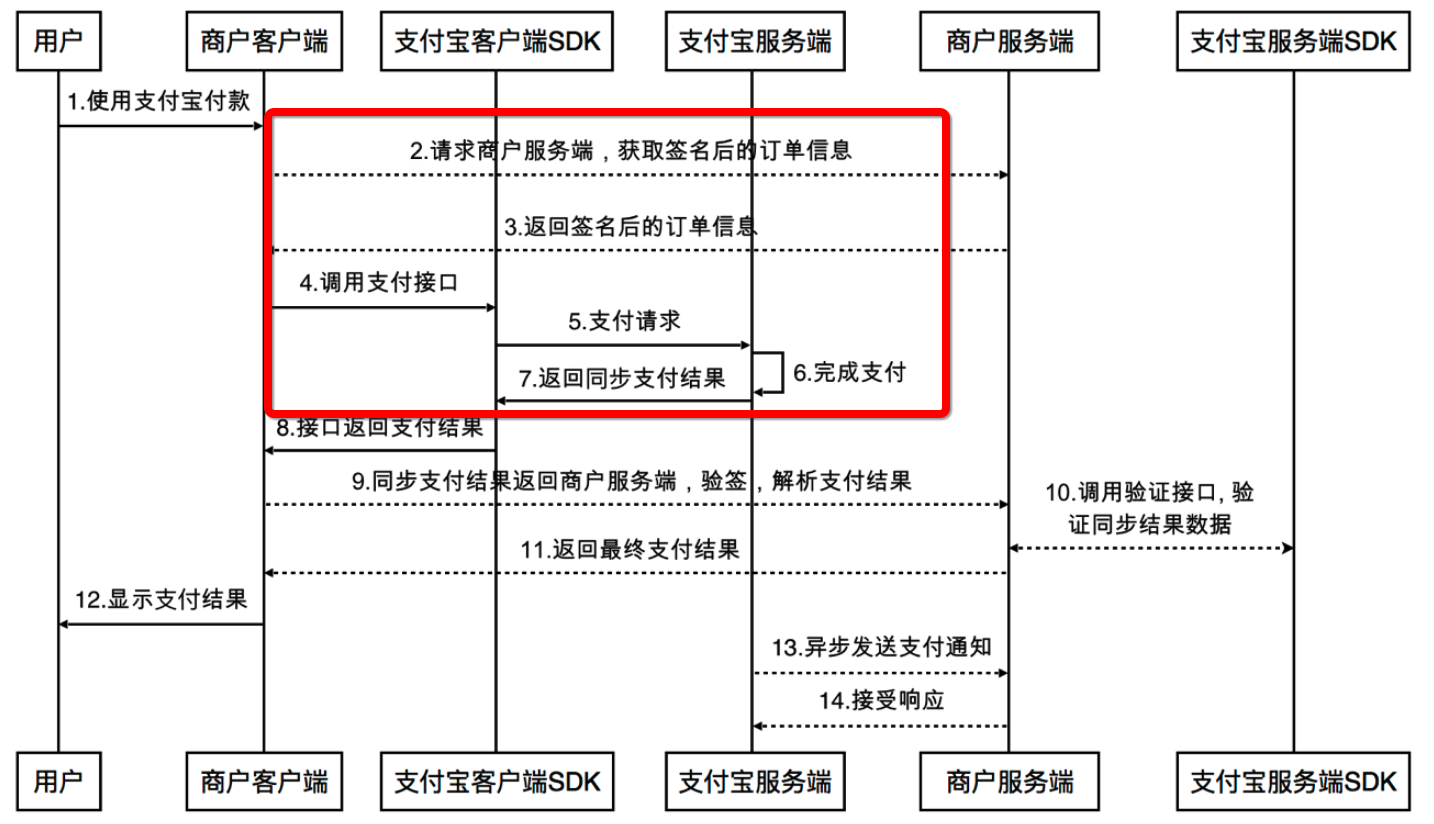
在涉及交易功能的 App 中,微信支付與支付寶支付是最常見的兩種付款方式。本文整理整合時的準備流程、伺服器互動重點,以及實作上容易遇到的問題。 支付寶支付 準備工作 首先
 Android 多媒體:人臉識別(FaceDetector)
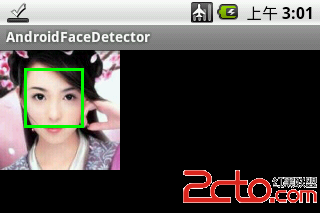
1. 相關背景 Google 於 2006 年收購 Neven Vision 公司(該公司擁有十多項應用於行動裝置的圖像識別專利),藉此獲得圖像識別技術,並很快應用於 P