

編輯:關於 Android 程式設計
利用 TabHost 創建標籤式的版面配置,切換不同標籤時顯示對應內容與背景。效果如下所示:
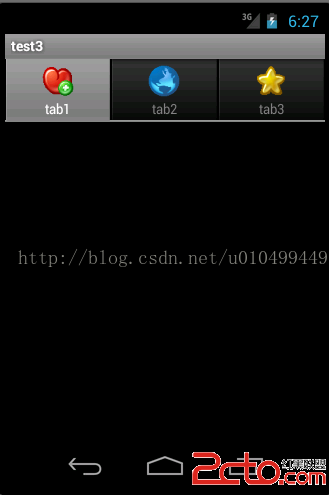
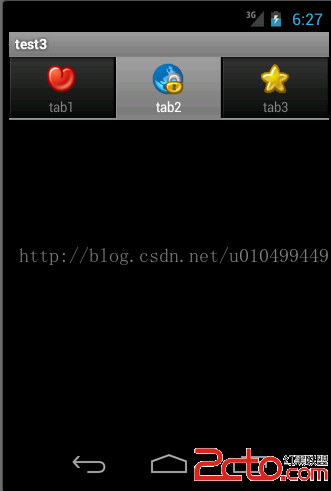
1、添加 6 張圖片資源(直接拖入 drawable 文件夾),分別為 gray.png、white.png、gray2.png、white2.png、gray3.png、white3.png,代表標籤默認狀態與按下後的狀態。
2、在 drawable 文件夾中新建 XML 檔 picture.xml、picture2.xml、picture3.xml,分別填入以下內容。
picture.xml
<selector xmlns:android="https://schemas.android.com/apk/res/android">
    <item android:drawable="@drawable/white" android:state_selected="true" />
    <item android:drawable="@drawable/gray" />
</selector>
picture2.xml
(同上結構,換成 white2 / gray2)
picture3.xml
<selector xmlns:android="https://schemas.android.com/apk/res/android">
    <item android:drawable="@drawable/white3" android:state_selected="true" />
    <item android:drawable="@drawable/gray3" />
</selector>
3、在 activity_main.xml 中添加控件,並在 MainActivity.java 中調用。
activity_main.xml
<FrameLayout
    xmlns:android="https://schemas.android.com/apk/res/android"
    xmlns:tools="https://schemas.android.com/tools"
    android:id="@+id/container"
    android:layout_width="match_parent"
    android:layout_height="match_parent"
    tools:context="com.example.test2.MainActivity"
    tools:ignore="MergeRootFrame">
    <TextView
        android:id="@+id/view1"
        android:layout_width="fill_parent"
        android:layout_height="wrap_content" />
    <TextView
        android:id="@+id/view2"
        android:layout_width="fill_parent"
        android:layout_height="wrap_content" />
    <TextView
        android:id="@+id/view3"
        android:layout_width="fill_parent"
        android:layout_height="wrap_content" />
</FrameLayout>
MainActivity.java:
package com.example.test3;

import android.app.Activity;
import android.os.Bundle;
import android.view.LayoutInflater;
import android.widget.TabHost;

public class MainActivity extends TabActivity {
    @Override
    protected void onCreate(Bundle savedInstanceState) {
        super.onCreate(savedInstanceState);
        TabHost tabHost = getTabHost();
        LayoutInflater.from(this).inflate(
                R.layout.activity_main, // 加載頁面
                tabHost.getTabContentView(), true);
        tabHost.addTab(tabHost.newTabSpec("tab1")
                .setIndicator("tab1", getResources().getDrawable(R.drawable.picture))
                .setContent(R.id.view1));
        tabHost.addTab(tabHost.newTabSpec("tab2")
                .setIndicator("tab2", getResources().getDrawable(R.drawable.picture2))
                .setContent(R.id.view2));
        tabHost.addTab(tabHost.newTabSpec("tab3")
                .setIndicator("tab3", getResources().getDrawable(R.drawable.picture3))
                .setContent(R.id.view3));
        tabHost.setCurrentTab(1);
    }
}
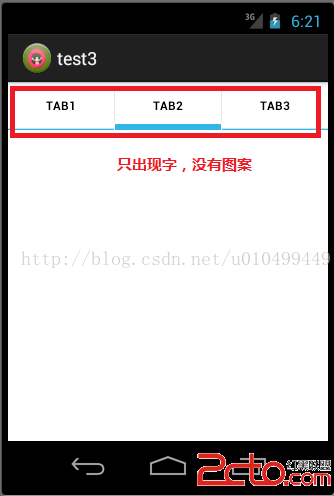
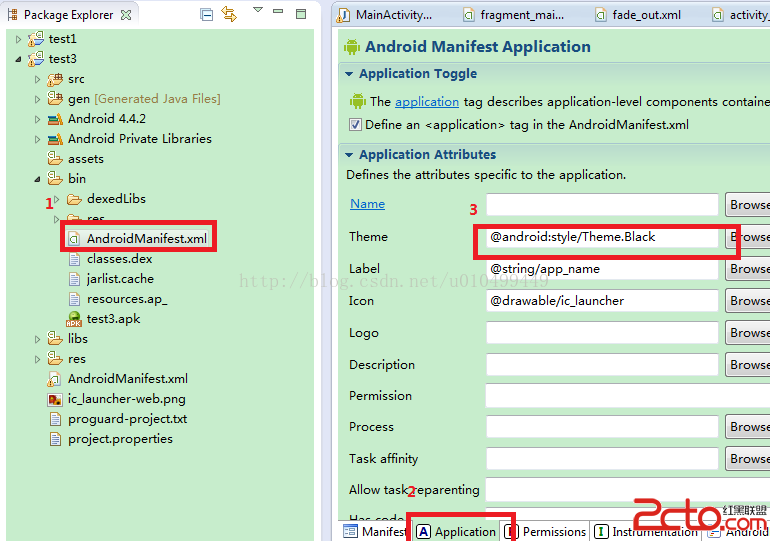
4、測試後若出現「只顯示文字、不顯示圖標」的情況,可在 AndroidManifest.xml 中進行相應調整,最終即可正常顯示圖標。
 用方向傳感器實現 Android 電子指南針
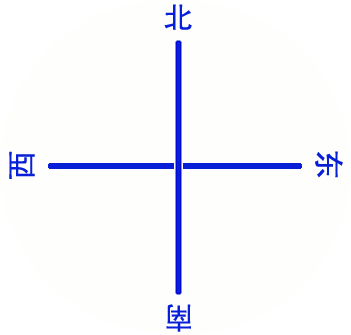
電子指南針的原理並不複雜:讀取設備的方向傳感器拿到方位角,再驅動一張指針圖片旋轉即可。本文用不到五十行代碼完成這個效果。 一、布局文件 界面只有一個居中的 Image
 Chromium 網頁 Layer Tree 繪製流程分析
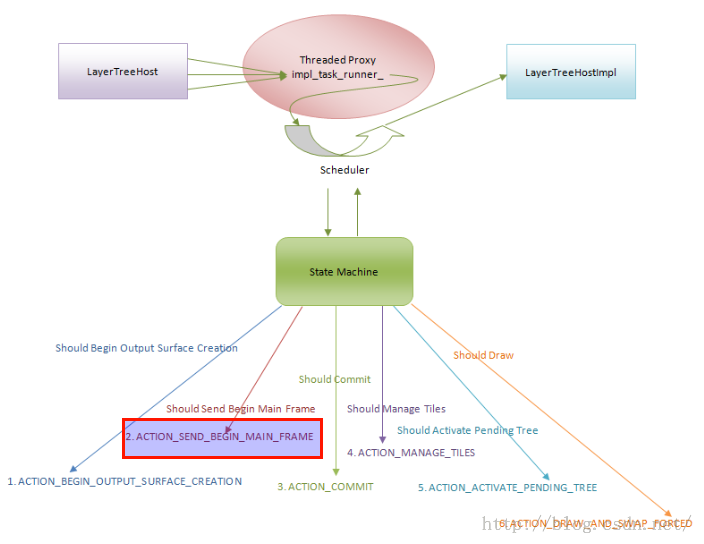
CC Layer Tree 繪製的時機 當網頁繪圖表面建立完成後,調度器會請求繪製 CC Layer Tree,讓網頁能盡快顯示。CC Layer Tree 可對應到 G
 淺談 EventBus:Android 發布訂閱事件總線
EventBus 是一款針對 Android 優化的發布/訂閱事件總線,主要用來替代 Intent、Handler、Broadcast 等元件,在 Activity、Fr
 自製 Android RangeSeekBar:從 onMeasure 到雙滑桿範圍選擇器
前陣子群裡有位同學的專案需要一個「雙端範圍選擇器」,看著對方受苦受難,實在于心不忍。正當我在「事不關己」與「拔刀相助」之間糾結時,一句「沒事多造點輪子,你的人生會有很多收