

編輯:關於 Android 程式設計
Android 底層是 Linux,很多系統資訊都放在 /proc 底下,以純文字格式保存,用 IO 流讀起來就能拿到。例如:
cat /proc/cpuinfo   # CPU 資訊
cat /proc/meminfo   # 記憶體資訊
cat /proc/version   # 核心與 GCC 版本
這些都很簡單。但並不是所有內容都以純文字形式存在,磁碟資訊就是例子。與其為每一項都寫一套解析,不如做一個通用的指令解析器,把「執行指令、收集輸出」這件事統一處理。
用 ProcessBuilder 執行指令,把 stdout 整包讀成字串回傳:
public class CMDExecutor {
    /** @param cmd 指令與參數 @param workdir 執行指令時所在目錄(等同下指令後 pwd 看到的) */
    public synchronized String run(String[] cmd, String workdir) {
        String result = "";
        InputStream is = null;
        try {
            ProcessBuilder builder = new ProcessBuilder(cmd);
            if (!TextUtils.isEmpty(workdir)) {
                builder.directory(new File(workdir));
            }
            builder.redirectErrorStream();          // 把 stderr 併到 stdout
            Process process = builder.start();
            is = process.getInputStream();
            byte[] buf = new byte[1024];
            int len;
            while ((len = is.read(buf)) != -1) {
                result += new String(buf, 0, len);
            }
        } catch (Exception e) {
            return null;
        } finally {
            if (is != null) {
                try { is.close(); } catch (IOException e) { e.printStackTrace(); }
            }
        }
        return result;
    }
}
public class GetPhoneInfoUtil {

    /** 核心版本、GCC 版本等 */
    public String fetch_version_info() {
        CMDExecutor cmdexe = new CMDExecutor();
        String[] args = { "/system/bin/cat", "/proc/version" };
        return cmdexe.run(args, "system/bin/");   // 已指定目錄,args 也可寫相對路徑 "cat"
    }

    /** CPU 資訊 */
    public String fetch_cpu_info() {
        CMDExecutor cmdexe = new CMDExecutor();
        String[] args = { "/system/bin/cat", "/proc/cpuinfo" };
        return cmdexe.run(args, "/system/bin/");
    }

    /** 電信資訊,需加權限 android.permission.READ_PHONE_STATE */
    public String fetch_tel_status(Context context) {
        TelephonyManager tm = (TelephonyManager) context.getSystemService(Context.TELEPHONY_SERVICE);
        int mcc = context.getResources().getConfiguration().mcc;
        int mnc = context.getResources().getConfiguration().mnc;
        String str = "DeviceId(IMEI) = " + tm.getDeviceId() + "\n";
        str += "DeviceSoftwareVersion = " + tm.getDeviceSoftwareVersion() + "\n";
        str += "IMSI MCC (Mobile Country Code): " + mcc + "\n";
        str += "IMSI MNC (Mobile Network Code): " + mnc + "\n";
        return str;
    }

    /** 網路組態 */
    public static String fetch_netcfg_info() {
        return new CMDExecutor().run(new String[] { "/system/bin/netcfg" }, "/system/bin/");
    }

    /** 磁碟資訊 */
    public static String fetch_disk_info() {
        return new CMDExecutor().run(new String[] { "/system/bin/df" }, "/system/bin/");
    }

    /** 螢幕資訊 */
    public String getDisplayMetrics(Context context) {
        DisplayMetrics dm = context.getResources().getDisplayMetrics();
        String str = "";
        str += "The absolute width: " + dm.widthPixels + "pixels \n";
        str += "The absolute height: " + dm.heightPixels + "pixels \n";
        str += "The logical density of the display: " + dm.density + " \n";
        str += "X dimension: " + dm.xdpi + "pixels per inch \n";
        str += "Y dimension: " + dm.ydpi + "pixels per inch \n";
        return str;
    }
}
另外,System.getProperty() 也能拿到一些 Java 層的屬性,例如 java.vendor.url、java.class.path、os.name、os.version、user.home 等,適合成為診斷資訊的一部分一起呈現。
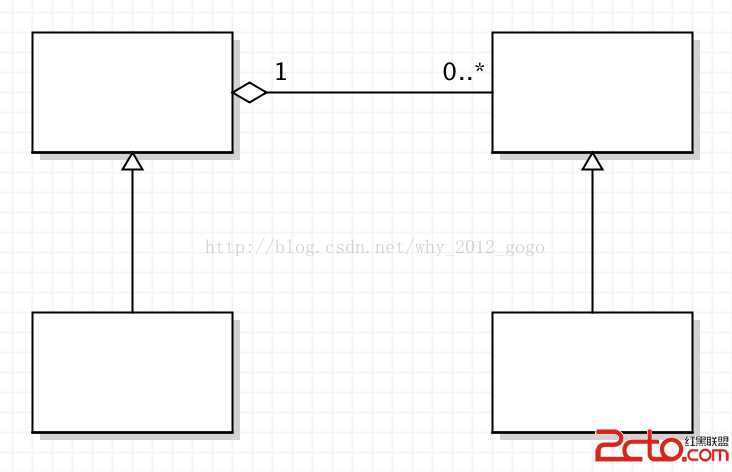 觀察者模式在 Android 中的落地實踐:以購物車支付狀態同步為例
觀察者模式(Observer)屬於物件行為型模式,也被稱為「模型—視圖」模式。它定義了一對多的依賴關係:多個觀察者同時盯著同一個被觀察對象,一旦後者狀態改變,所有觀察者都
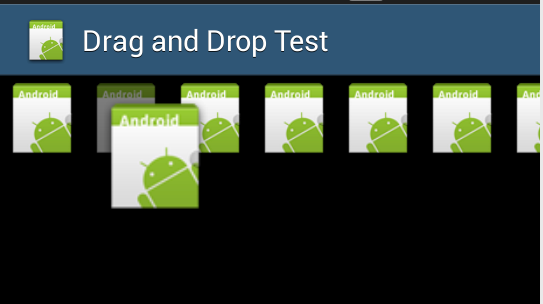 Android 實現 HorizontalScrollView 內子控件橫向拖拽排序
網上關於 ListView 上下拖動的例子不少,但項目需要橫向拖拽時,合適的參考卻不多。本文記錄一個在橫向容器中通過長按拖拽、重新排列子控件位置的實現,靠的是 Andro
 仿微信底部菜單欄:用TabHost實現未讀消息紅點提示
底部菜單欄幾乎是所有應用的標配。這裡用 TabHost 做了一個通用版本,重點是能像微信那樣在圖標上顯示未讀消息數量。之前也做過類似功能,但佈局嵌套層數太多顯得臃腫,這次
 Android 驗證碼倒計時:CountDownTimer 與按鈕狀態切換
驗證碼倒計時是表單常見互動。透過 CountDownTimer,可以在指定時間內每秒更新文字,並在結束後恢復可點擊狀態。 封裝思路 建立 CountDownTimerUt