

編輯:關於 Android 程式設計
在 Android 1.5 之前,掛斷電話非常容易,直接呼叫 TelephonyManager 的 endCall() 就好。但 1.5 之後,Google 基於安全考量把 endCall 隱藏起來(標上 @hide),一般開發者拿不到這個方法。繞過去的經典做法就是反射。
TelephonyManager 是透過系統服務取得的:
registerService(TELEPHONY_SERVICE, new ServiceFetcher() {
    public Object createService(ContextImpl ctx) {
        return new TelephonyManager(ctx.getOuterContext());
    }
});
而 android.os.ServiceManager 提供了 getService 方法,可以拿到系統服務的 IBinder:
/**
 * Returns a reference to a service with the given name.
 * @param name the name of the service to get
 * @return a reference to the service, or null if the service doesn't exist
 */
public static IBinder getService(String name) {
    return null;
}
android.telephony.TelephonyManager 是 ITelephony 介面的代理,而 ITelephony 裡的 endCall 被標記為隱藏:
/**
 * Interface used to interact with the phone.
 * {@hide}
 */
interface ITelephony {
    /**
     * End call or go to the Home screen
     * @return whether it hung up
     */
    boolean endCall();
}
TelephonyManager 實際上是系統電話服務的代理物件,透過 AIDL 取得 IBinder 之後再做一層封裝,只代理部分公開方法。因此關係是:
TelephonyManager  ──IBinder(AIDL)──▶  系統電話服務
   代理物件
利用「綁定服務會回傳 IBinder,再用 IBinder 呼叫服務內方法」這個特性,就能繞過被隱藏的 API。
com.android.internal.telephony 套件(套件名稱不能改),把 ITelephony.aidl 複製進去;再建立 android.telephony 套件,複製 NeighboringCellInfo.aidl。
private void endCall() {
    // ServiceManager 被系統隱藏了,只能用反射
    try {
        Class<?> clazz = CallSMSSafeService.class.getClassLoader()
                .loadClass("android.os.ServiceManager");
        Method method = clazz.getDeclaredMethod("getService", String.class);
        IBinder iBinder = (IBinder) method.invoke(null, TELEPHONY_SERVICE);
        ITelephony.Stub.asInterface(iBinder).endCall();
    } catch (Exception e) {
        e.printStackTrace();
        Log.i(TAG, "攔截電話異常");
    }
}
記得在 Manifest 加上權限,否則會拿到 SecurityException:
<uses-permission android:name="android.permission.CALL_PHONE" />
<uses-permission android:name="android.permission.READ_PHONE_STATE" />
老實說,不能。這篇文章記錄的是 2014 年前後的寫法,而上面的方案在後續版本中被層層堵死,值得把時間線講清楚:
CALL_PRIVILEGED 權限的一般應用也無法實際掛斷通話——這個權限是 signature 等級,只有系統簽章的應用拿得到。因此,如果你的需求是「攔截來電並自動掛斷」,現行的正確做法是使用 InCallService 或 CallScreeningService(API 24 以上)。後者正是為此設計的官方 API,只需在 onScreenCall() 中呼叫 response.disconnectCall(),應用還需要具備「預設電話應用」或「來電顯示應用」的角色。若需求是「結束自己撥出的通話」,則用 TelecomManager 的 endCall() 或 in-call 服務即可。
本文保留下來,價值在於示範一個通用的除錯思路:當官方 API 被隱藏時,先從源碼找出底層的 AIDL 介面與 ServiceManager 服務名,再判斷權限是否允許。這套方法在理解 Android framework 分層上仍然很有用,只是別再把它當成正式方案。
 Android 拍照與相冊選圖並裁切(二):封裝成可重複使用的元件
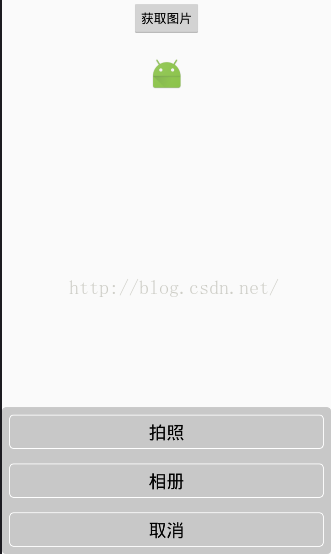
「從系統相冊挑一張照片」或「叫起系統相機拍一張」,幾乎每個專案都會用到。這次把它做了一次封裝,順便把互動效果做得接近 iOS 的樣子。 成品如下: 整個設計分成四層:C
 深入解析 Android 5.0 波紋(Ripple)效果的實現與自定義
自從 Material Design 問世以來,波紋(Ripple)點擊反饋效果就成了大家耳熟能詳的互動體驗。用過 5.0 新控件的朋友對它應該不陌生,但如果換成 Tex
 Android 自訂進度條完整指南:換色、縱向與弧形
Android 原生的 ProgressBar 只有橫向一種樣式,而且預設外觀實在算不上美觀,如下圖: 當設計稿要求換掉前後背景、改成縱向,甚至做成弧形時,該怎麼辦?本
 在 Fragment 中承載 Unity3D 視圖:三個容易踩到的關鍵細節
Unity3D 匯出 Android 專案後,產生的 MainActivity 通常繼承自 NativeActivity 或 UnityPlayerActivity。這