

編輯:關於 Android 程式設計
Android Lint 是一套靜態程式碼分析工具,能協助開發者在編譯階段發現潛在問題。以下依類別整理 Lint 常見的檢查項目。
DuplicatedIds:版面配置中的 id 應保持唯一。
NewApi:程式碼中使用的某些 API 高於 Manifest 中的 Min SDK。
InconsistentArrays:字串國際化中,同一名稱的 String-Array 對應的 item 值不相同。
Registered:Activity/Service/ContentProvider 未透過 AndroidManifest 註冊。
Deprecated:使用了已廢棄的 API。
PxUsage:避免使用 px,應改用 dp。
MissingTranslation:字串國際化不完全。
ExtraTranslation:國際化的字串在預設位置(default locale)未定義。
SetJavaScriptEnabled:若不確定程式確實需要 JavaScript,就不要執行 SetJavaScriptEnabled。
Exported:ContentProvider/Receiver/Service/Activity 的 exported 為 true 時,應設定 Permission,讓使用者取得權限後才能使用。
HardcodedDebugMode:不要在 manifest 中設定 android:debuggable。不設定時,編譯 Eng 版本採用 debug 模式、User 版本採用 release 模式。
DrawAllocation:避免在繪製或解析版面(draw/layout)時配置物件,例如在 onDraw() 中實例化 Paint。
ObsoleteLayoutParam:版面配置中無用的參數。
UseCompoundDrawables:可優化的版面,例如含 Imageview 與 TextView 的線性版面,可用 CompoundDrawable 的 TextView 取代。
UseSparseArrays:盡量用 SparseArray 取代 HashMap。
DisableBaselineAlignment:若 LinearLayout 用於巢狀的版面計算,其 android:baselineAligned 應設為 false 以加速計算。
FloatMath:使用 FloatMath 取代 Math。
NestedWeights:避免巢狀 weight,那會拖累執行效率。
UnusedResources/UnusedIds:未被使用的資源會使程式變大並降低編譯速度。
Overdraw:若為 RootView 指定背景 Drawable,會先用主題背景繪製一遍,再用指定背景,這就是所谓的「Overdraw」,可將主題背景設為 null 來避免。
UselessLeaf/UselessParent:View 或其父層沒有作用。
TypographyDashes:特殊字元需用編碼取代,例如「–」需用「–」、「—」需用「—」。
TypographyEllipsis:「…」需用「…」取代。
TypographyOther:「(c)」需用「©」取代。
IconNoDpi:圖示不應同時出現在 nodpi 與指定 dpi 目錄下。
GifUsage:圖片不要用 GIF,最好用 PNG,也可用 JPG。
BackButton:Android 中不要設計 Back 按鈕,一般有 Back 硬按鍵。
ButtonCase:Button 的「Ok」/「Cancel」大小寫應一致;有標準資源的字串應使用系統定義的 @android:string/ok 與 @android:string/cancel。
ContentDescription:ImageView 與 ImageButton 應提供 contentDescription。
HardcodeText:硬編碼的字串應在資源檔中定義。
EnforceUTF8:所有 XML 資源檔都應以 UTF-8 編碼。
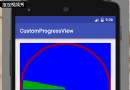 Android 自定義 View 實作圓形 Progress 進度條
先看成果: 目標很明確:在一個圓框內部畫一段會持續增長的扇形。整體可以拆成四個步驟。 一、建立類別與自定義屬性 新增 ProgressView 繼承自 View
 Android JNI 驅動測試實戰:以 S3C6410 PWM 為例
本次測試的環境如下: 硬件平台:S3C6410操作系統:Ubuntu、Windows板子系統:Android開發工具:jdk、ndk、eclipse 整個流程從 Linu
 Android 自定義流式標籤控件:自動換行與高度自適應實作
做過標籤、分類、篩選條件這類需求的人都知道,系統自帶的 FlexboxLayout 之外的簡單方案,往往還是自己動手畫一個來得可控。下面這個 FlowTagView 就是
 ViewPager + Fragment 實現微信式滑動切頁與懶加載
正文 本文記錄 ViewPager + Fragment 實現類似微信的滑動切換頁面效果,並附上切換過程中的漸變動畫。功能本身難度不高,關鍵在於把幾個知識點串起來。