

編輯:關於 Android 程式設計
Android 系統預設的對話框是黑底白框,放在多數現代 App 的設計語言裡顯得格格不入。好消息是 Dialog 完全支援樣式覆寫,透過 new Dialog(context, R.style.xxx) 就能換掉整組外觀。
關鍵在那個 style 資源——那圈白邊全靠它決定。
在 res/values/ 下建立或編輯 style.xml:
<resources>
    <style name="dialog" parent="@android:style/Theme.Dialog">
        <item name="android:windowFrame">@null</item>
        <item name="android:windowIsFloating">true</item>
        <item name="android:windowIsTranslucent">false</item>
        <item name="android:windowNoTitle">true</item>
        <item name="android:background">@null</item>
        <item name="android:backgroundDimEnabled">false</item>
        <item name="android:windowBackground">@android:color/transparent</item>
    </style>
</resources>
逐項說明:
@android:color/transparent,也可以用一張全透明的 .9.png,或直接寫 #00000000。
public void dialogStyle(View v) {
    final Dialog d = new Dialog(this, R.style.dialog);
    View vv = LayoutInflater.from(this).inflate(R.layout.dialog_test, null);
    TextView delete = (TextView) vv.findViewById(R.id.delete);

    d.setCanceledOnTouchOutside(true);
    d.setContentView(vv);
    d.show();

    delete.setOnClickListener(new OnClickListener() {
        @Override
        public void onClick(View arg0) {
            d.dismiss();
        }
    });
}
順序上要注意:先 inflate 出自訂版面、綁好事件,再 setContentView 與 show。
<?xml version="1.0" encoding="utf-8"?>
<LinearLayout xmlns:android="https://schemas.android.com/apk/res/android"
    android:layout_width="match_parent"
    android:layout_height="match_parent"
    android:orientation="vertical" >

    <RelativeLayout
        android:layout_width="fill_parent"
        android:layout_height="wrap_content" >

        <TextView
            android:id="@+id/delete"
            android:layout_width="238dp"
            android:layout_height="58dp"
            android:layout_centerHorizontal="true"
            android:background="#2c2c2c"
            android:gravity="center"
            android:text="刪除聯繫人"
            android:textColor="#ffffff" />
    </RelativeLayout>
</LinearLayout>
windowBackground 當作點擊遮罩。values-v21 等高版本資料夾時,低版本會 fallback 到 values,記得兩邊屬性名稱差異(部分屬性在 API 21 改名為 Material 系列)。AppCompatDialog 搭配 Theme.AppCompat.Dialog 系列,能獲得一致的配色與深色模式支援。 Android 實戰:仿超級課程表的一鍵匯入課表功能
課程表 App 的一鍵匯入功能,核心在於模擬登入教務系統、抓取課程資料並解析顯示。本文以仿作方式說明流程。 準備工具 可使用 HttpWatch 分析登入與查詢請求,使
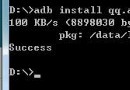 在電腦模擬器上執行 Android APK 的方法
準備 Android 環境若要在電腦上執行 APK,通常需要先設定 Android SDK 環境變數。可將 platform-tools 加入 PATH。新版 SDK 中
 動畫節奏由你決定:Interpolator 與 ViewPropertyAnimator 進階用法
動畫好不好看,往往不取決於「動了什麼」,而取決於「怎麼動」。同樣是一顆小球從上往下掉,先加速後減速和先做減速後加速,觀感天差地遠。控制這件事的關鍵,就是 Interpol
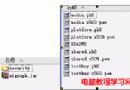 Android 簽名實戰:用 build-signer.xml 讓 APK 取得系統權限
APK 簽名的本質,是讓程式以系統中某個使用者的身分運行,進而擁有該使用者的全部權限。例如操作串口需要 system 權限,操作電話相關功能需要 Phone 權限等等。