

編輯:關於 Android 程式設計
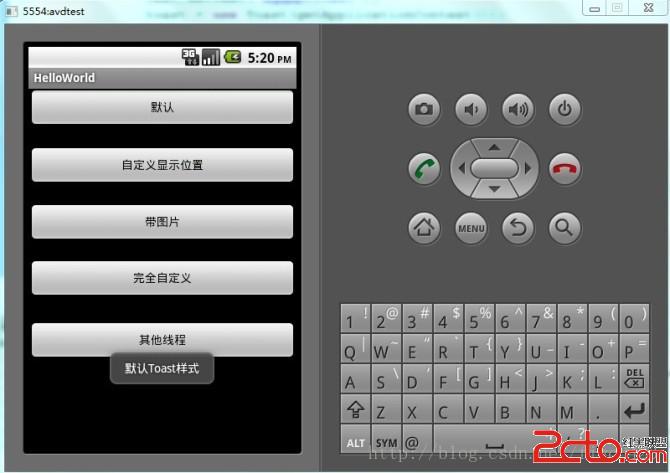
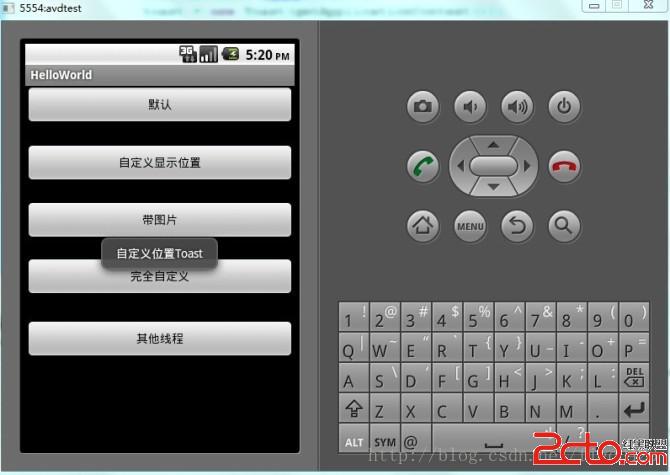
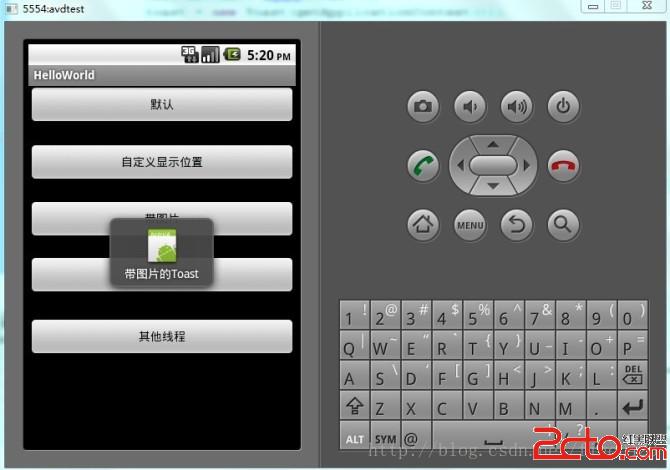
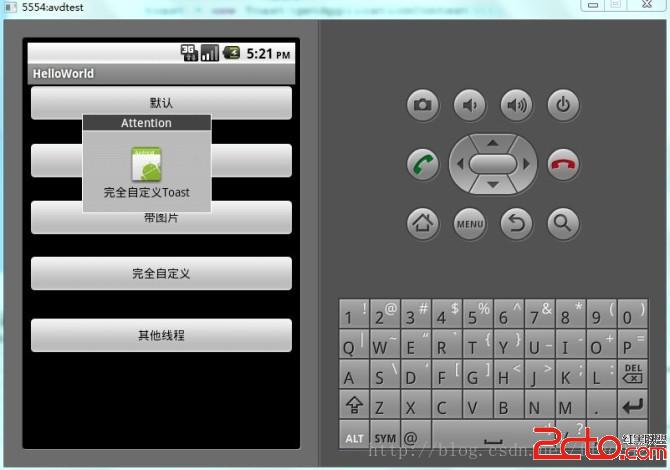
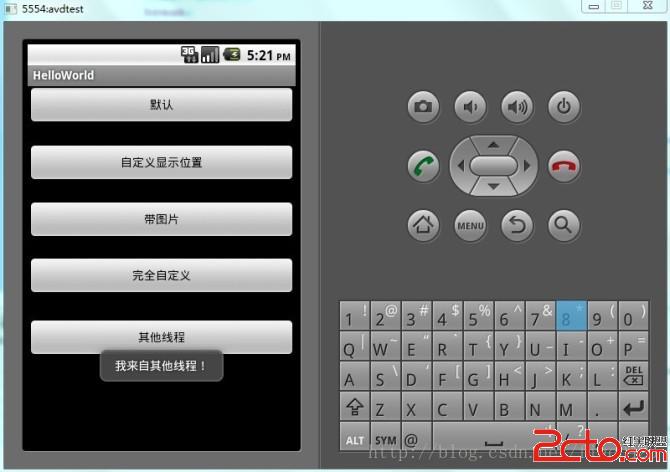
Toast 這個類別在 Android 中是用來彈出提示訊息的,取名「土司」大概是因為提示框的長相就像一塊吐司吧。下面我們就來動手實作,看看 Toast 有哪些玩法。
主頁面 toastview.xml,放五個按鈕分別觸發不同效果的 Toast:
自訂的 toast 頁面 customtoast.xml:
package com.figo.helloworld; import android.app.Activity; import android.os.Bundle; import android.os.Handler; import android.view.Gravity; import android.view.LayoutInflater; import android.view.View; import android.view.View.OnClickListener; import android.view.ViewGroup; import android.widget.ImageView; import android.widget.LinearLayout; import android.widget.TextView; import android.widget.Toast; public class ToastActivity extends Activity implements OnClickListener { Handler handler = new Handler(); @Override public void onCreate(Bundle savedInstanceState) { super.onCreate(savedInstanceState); setContentView(R.layout.toastview); findViewById(R.id.btnSimpleToast).setOnClickListener(this); findViewById(R.id.btnSimpleToastWithCustomPosition).setOnClickListener(this); findViewById(R.id.btnSimpleToastWithImage).setOnClickListener(this); findViewById(R.id.btnCustomToast).setOnClickListener(this); findViewById(R.id.btnRunToastFromOtherThread).setOnClickListener(this); } public void showToast() { handler.post(new Runnable() { @Override public void run() { Toast.makeText(getApplicationContext(),"我來自其他線程!", Toast.LENGTH_SHORT).show(); } }); } @Override public void onClick(View v) { Toast toast = null; switch (v.getId()) { case R.id.btnSimpleToast: Toast.makeText(getApplicationContext(),"默認Toast樣式", Toast.LENGTH_SHORT).show(); break; case R.id.btnSimpleToastWithCustomPosition: toast = Toast.makeText(getApplicationContext(), "自定義位置Toast", Toast.LENGTH_LONG); toast.setGravity(Gravity.CENTER,0, 0); toast.show(); break; case R.id.btnSimpleToastWithImage: toast = Toast.makeText(getApplicationContext(), "帶圖片的Toast", Toast.LENGTH_LONG); toast.setGravity(Gravity.CENTER,0, 0); LinearLayout toastView = (LinearLayout) toast.getView(); ImageView imageCodeProject = new ImageView(getApplicationContext()); imageCodeProject.setImageResource(R.drawable.icon); toastView.addView(imageCodeProject,0); toast.show(); break; case R.id.btnCustomToast: LayoutInflater inflater = getLayoutInflater(); View layout = inflater.inflate(R.layout.customtoast, (ViewGroup)findViewById(R.id.llToast)); ImageView image = (ImageView) layout.findViewById(R.id.imgToast); image.setImageResource(R.drawable.icon); TextView title = (TextView)layout.findViewById(R.id.tvTitleToast); title.setText("Attention"); TextView text = (TextView)layout.findViewById(R.id.tvTextToast); text.setText("完全自定義Toast"); toast = new Toast(getApplicationContext()); toast.setGravity(Gravity.RIGHT| Gravity.TOP, 100, 60); toast.setDuration(Toast.LENGTH_LONG); toast.setView(layout); toast.show(); break; case R.id.btnRunToastFromOtherThread: new Thread(new Runnable() { public void run() { showToast(); } }).start(); break; } } }這個範例示範了 Toast 的五種常見用法:預設樣式、自訂顯示位置、加入圖片、完全自訂版面,以及從其他執行緒透過 Handler 回到主執行緒彈出提示。
 Android GPS 應用程式設計完整指南
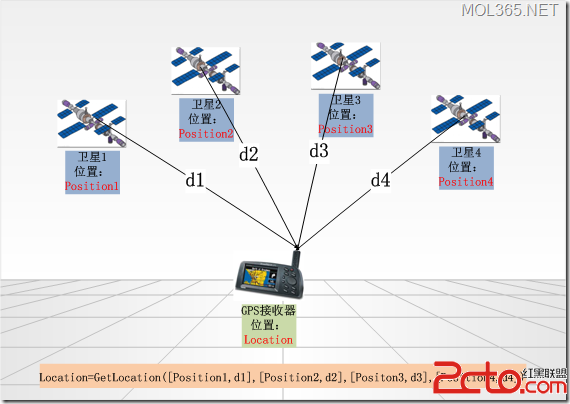
GPS 簡介 GPS 是英文 Global Positioning System(全球定位系統)的簡稱,是 20 世紀 70 年代由美國陸海空三軍聯合研制的新一代空間衛星
 Android Fragment 嵌套報錯解析
在 Fragment 中嵌套另一個 Fragment 時,若在構造函數中取得 getChildFragmentManager,常會引發錯誤。原因在於此時 Fragment
 Android 開發最佳實踐:通知、下拉刷新、搜索、內存與性能
一、Notification 通知 通知是 Android 中使用頻率極高的事件提示機制。以下實踐主要基於 Support Library 中的 Notification
 Android 用 onTouchEvent 判斷上下左右滑動
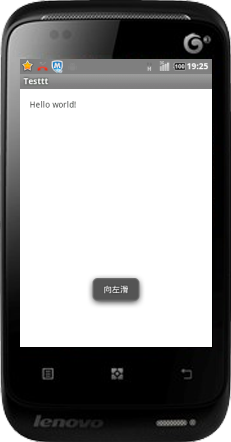
若不使用手勢類,也可以直接在 Activity 的 onTouchEvent 中判斷上下左右滑動。做法是記錄 ACTION_DOWN 時的 x、y 座標,等 ACTION