

編輯:關於 Android 程式設計
本文介紹合併檔案的幾種方式,並以合併 amr 語音檔為例說明流程。amr 格式的檔案頭為 6 位元組,因此合併時需扣除第一個檔案以外其他檔案的檔案頭。
注意:不同格式的檔案頭長度不同,合併時應依格式扣除對應的檔案頭。
ListtempFiles = new ArrayList (); File finalFile;
private File getFile(boolean isTempFile) { finalFile = null; if (!Environment.getExternalStorageState().equals(Environment.MEDIA_MOUNTED)) { Log.w("Waring", "檢測到你的手機沒有插入SD卡,請插入SD後再試!"); } SimpleDateFormat simpleDateFormat = new SimpleDateFormat("yyyy-MM-dd-HH-mm-ss", Locale.getDefault()); String fileName = simpleDateFormat.format(new Date()) + ".amr"; if (isTempFile) { fileName = "temp" + fileName; } try { File parentFile = new File(Environment.getExternalStorageDirectory().getCanonicalFile() + "/" + "Recorder"); if (!parentFile.exists() || parentFile == null) { parentFile.mkdirs(); } finalFile = new File(parentFile, fileName); } catch (IOException e) { e.printStackTrace(); } return finalFile; }
方式一:使用 FileOutputStream 與 FileInputStream,遍歷每個暫存檔並扣除 amr 的 6 位元組檔頭:
public void mergeFiles1() { if (tempFiles.isEmpty()) return; File realFile = getFile(false); try { FileOutputStream fos = new FileOutputStream(realFile); for (int i = 0; i < tempFiles.size(); i++) { FileInputStream fis = new FileInputStream(tempFiles.get(i)); byte[] tmpBytes = new byte[fis.available()]; int length = tmpBytes.length; if (i == 0) { while (fis.read(tmpBytes) != -1) { fos.write(tmpBytes, 0, length); } } else { while (fis.read(tmpBytes) != -1) { fos.write(tmpBytes, 6, length - 6); } } fos.flush(); fis.close(); } fos.close(); } catch (Exception e) { e.printStackTrace(); } for (File file : tempFiles) { if (file.exists()) { file.delete(); } } }
方式二:使用 FileChannel 的 transferTo 直接搬移位元組(實務上仍應扣除檔頭):
public void mergeFiles2() { File realFile = getFile(false); FileChannel mFileChannel; try { FileOutputStream fos = new FileOutputStream(realFile); mFileChannel = fos.getChannel(); FileChannel inFileChannel; for (File file : tempFiles) { inFileChannel = new FileInputStream(file).getChannel(); inFileChannel.transferTo(0, inFileChannel.size(), mFileChannel); inFileChannel.close(); } fos.close(); mFileChannel.close(); } catch (Exception e) { e.printStackTrace(); } }
方式三:使用 RandomAccessFile,透過 seek 跳過 amr 檔頭:
public void mergeFiles3() { try { File realFile = getFile(false); FileOutputStream fos = new FileOutputStream(realFile); RandomAccessFile ra = null; for (int i = 0; i < tempFiles.size(); i++) { ra = new RandomAccessFile(tempFiles.get(i), "r"); if (i != 0) { ra.seek(6); } byte[] buffer = new byte[1024 * 8]; int len = 0; while ((len = ra.read(buffer)) != -1) { fos.write(buffer, 0, len); } } ra.close(); fos.close(); } catch (Exception e) { e.printStackTrace(); } }
三種方式各有適用情境:串流寫法直觀通用,FileChannel 適合大量資料搬移,RandomAccessFile 則便於精確控制讀取位置。
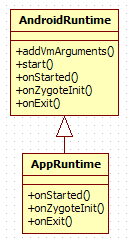 Android 啟動流程解析:Zygote 如何開啟 Java 世界
Android 系統以 Linux 核心為基礎,因此同時存在 Native 空間與 Java 空間。系統啟動初期主要運行於 Native 空間,而 Zygote 正是負責
 打造炫目圓形菜單,輕鬆高仿建行圓形菜單
一、概述 今天打開建行 App 看存款,一看悲從中來;再一看:欸,這個圓形菜單挺炫的。於是為了排遣悲痛,我決定親手實現一次這個效果。當然還有另一個原因——當初剛學 And
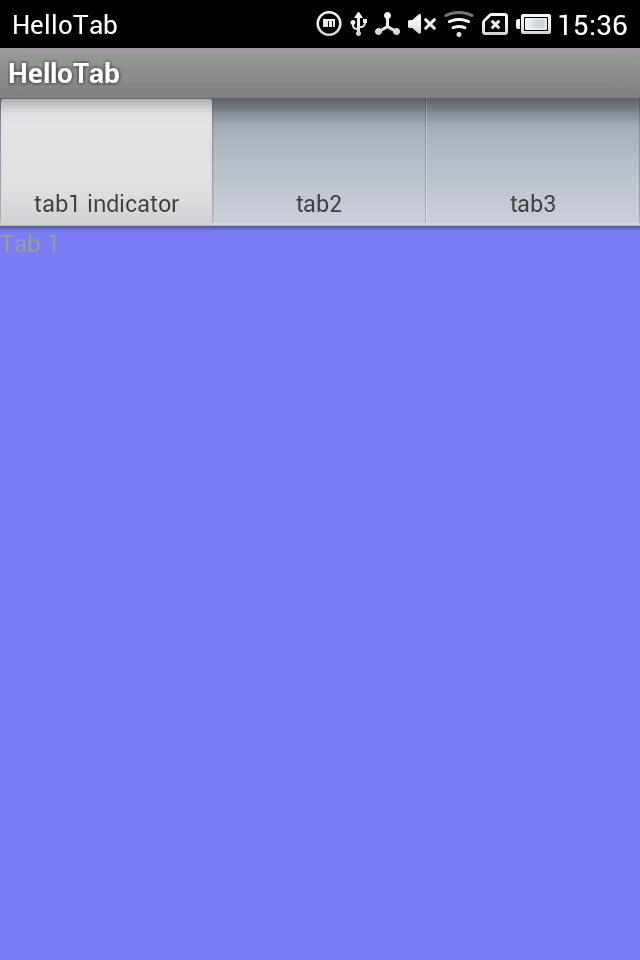 Android TabHost 標籤頁的四種實作方式
Tab 標籤是 Android 早期常見的 UI 元件,核心類別是 TabHost。本文用四個由淺入深的例子把它的用法完整走一遍,最後再談談為什麼現在已經不建議使用它。
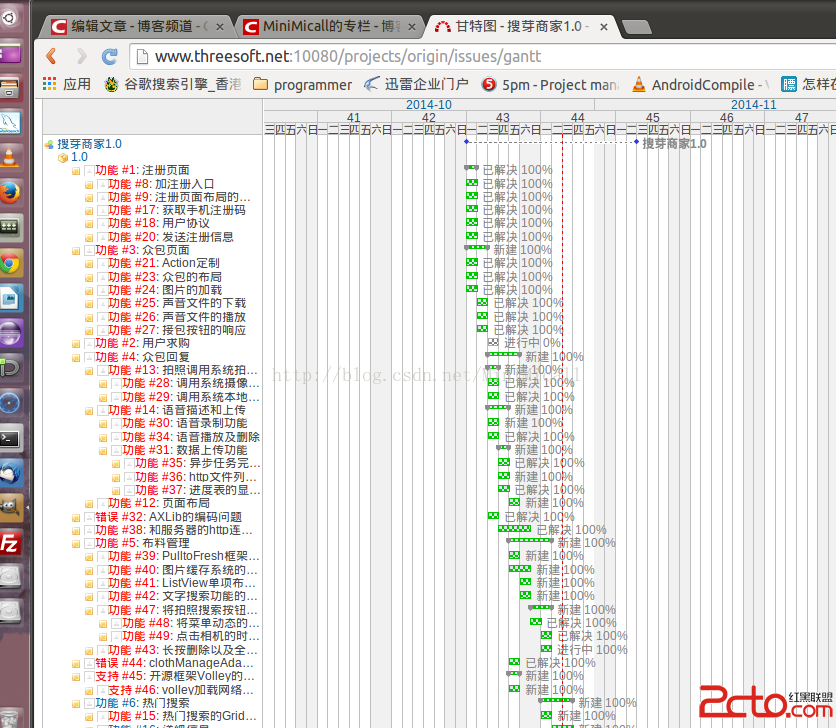 Android 開發:為 PullToRefresh 列表加入點擊監聽,實作長按刪除 Item
本文為原創部落格分享,記錄了在專案中為下拉刷新列表加入點擊與長按刪除功能的實作過程與踩雷經驗。 截至目前,專案的賣家版本大致已完成,一路攻關下來速度也控制得不錯。從任務分