

編輯:關於 Android 程式設計
先上效果图,直观感受一下我们要做的东西:
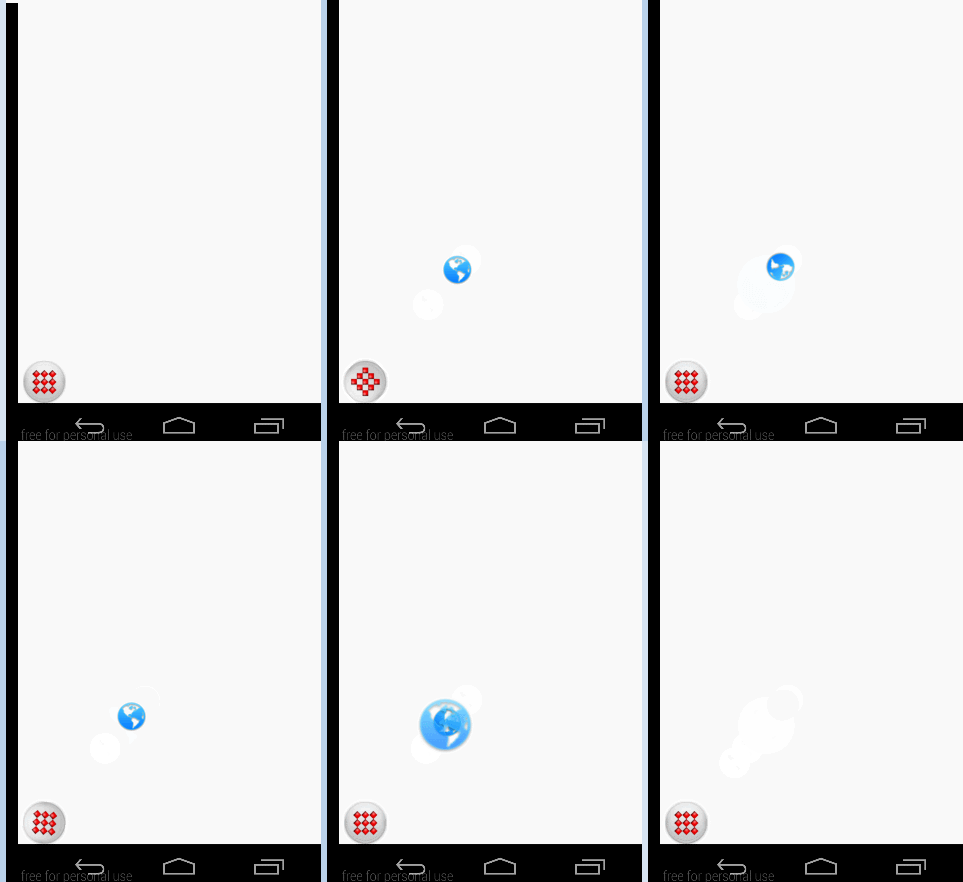
先写 Layout 文件:
这三个 ImageView 都贴在屏幕底部,其中 clone_item 需要固定在球弹起后的最高点位置。
先初始化这三个 ImageView:
sat_main = (ImageView)findViewById(R.id.sat_main); final ImageView itemView = (ImageView)findViewById(R.id.sat_item); final ImageView cloneView = (ImageView)findViewById(R.id.clone_item); cloneView.setImageResource(R.drawable.searchable_web); itemView.setImageResource(R.drawable.searchable_web); itemView.setVisibility(View.GONE);
接着初始化 cloneView 的位置:
//這個是使cloneview固定在leftmargin x bottomMargin y的地方 RelativeLayout.LayoutParams layoutParams =(RelativeLayout.LayoutParams) cloneView.getLayoutParams(); layoutParams.bottomMargin = Math.abs(y); layoutParams.leftMargin = Math.abs(x); cloneView.setLayoutParams(layoutParams);
点击按钮时,按钮本身会跟着旋转,用下面这段 rotate 动画来实现:
球最终落点的坐标可以用三角函数算出:x 坐标是 distance×cos(角度),y 坐标是 distance×sin(角度)。用下面的方法取得位移:
//取得distance的cos(degree) public static int getTranslateX(float degree, int distance) { return Double.valueOf(distance * Math.cos(Math.toRadians(degree))).intValue(); } public static int getTranslateY(float degree, int distance){ return Double.valueOf(-1 * distance * Math.sin(Math.toRadians(degree))).intValue(); }
然后是球弹起的核心动画:
public static Animation createItemOutAnimation(Context context, int index, long expandDuration, int x, int y){ AlphaAnimation alphaAnimation = new AlphaAnimation(0f, 1f); long alphaDuration = 60; if(expandDuration < 60){ alphaDuration = expandDuration / 4; } alphaAnimation.setDuration(alphaDuration); alphaAnimation.setStartOffset(0); //x和y是球彈到最高點的坐標 TranslateAnimation translate = new TranslateAnimation(0, x, 0, y); translate.setStartOffset(0); translate.setDuration(expandDuration); //OvershootInterpolator:表示向前甩一定值後再回到原來位置。 translate.setInterpolator(context, R.anim.sat_item_overshoot_interpolator); RotateAnimation rotate = new RotateAnimation(0f, 360f, Animation.RELATIVE_TO_SELF, 0.5f, Animation.RELATIVE_TO_SELF, 0.5f); //AccelerateInterpolator:動畫從開始到結束,變化率是一個加速的過程。 //DecelerateInterpolator:動畫從開始到結束,變化率是一個減速的過程 rotate.setInterpolator(context, R.anim.sat_item_out_rotate_interpolator); long duration = 100; if(expandDuration <= 150){ duration = expandDuration / 3; } rotate.setDuration(expandDuration-duration); rotate.setStartOffset(duration); AnimationSet animationSet = new AnimationSet(false); animationSet.setFillAfter(false); animationSet.setFillBefore(true); animationSet.setFillEnabled(true); animationSet.addAnimation(alphaAnimation); animationSet.addAnimation(rotate); animationSet.addAnimation(translate); animationSet.setStartOffset(30*index); return animationSet; }
当这个动画把球送到最高点后,我们就得把 itemView 设为 GONE、cloneView 设为 VISIBLE,让视觉上「无缝」切换到已经定位好的克隆视图。更多细节会在后续篇章继续补充。
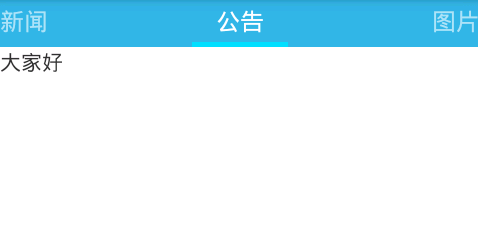 Android ViewPager 實現選項卡切換:PagerTabStrip 入門
選項卡(Tab)切換是 App 裡最常見的導覽模式之一。用 ViewPager 搭配 PagerTabStrip,幾十行程式碼就能做出「標題跟著頁面一起滑動」的效果,而且
 魅藍 Max 與小米 Max 對比:誰更值得買?
小米 Max 發布四個月後,魅族旗下子品牌魅藍也推出了魅藍 Max。兩台都掛著「Max」的名號,但定位與性價比差距其實不小,下面逐項對照。 魅藍 Max 採用 6.0 吋
 使用 RecyclerView 實作拖曳排序與高仿 QQ 側滑刪除
最近在專案中用到 RecyclerView 來完成拖曳排序與側滑刪除,在此記錄一下。 會需要用到 ItemTouchHelper.Callback 這個類別。 效果圖:
 SharedPreferences 儲存設定
SharedPreferences 提供簡單的鍵值儲存方式,很適合保存設定、開關狀態或小型資料。寫入先取得 SharedPreferences,再透過 Editor 呼叫