

編輯:關於 Android 程式設計
ListView 除了單調的列表,也能透過客製 Adapter 與背景資源,做出具有視覺層次的表格樣式。本文示範一個只有三筆資料的清單,並依位置套用不同的圓角背景(頂端、中段、底部),營造出連貫的卡片感。
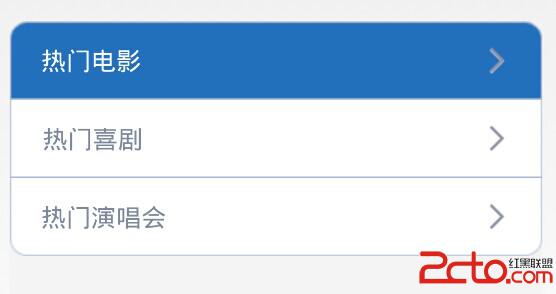
Activity 中的設定:把 divider 設為 null,再掛上自製的 SquareItemAdapter。
@Override protected void onCreate(Bundle savedInstanceState) { super.onCreate(savedInstanceState); setContentView(R.layout.test); ListView list = (ListView)findViewById(R.id.lvLinks); SquareItemAdapter adapter = new SquareItemAdapter(this); list.setDivider(null); list.setAdapter(adapter); } private class SquareItemAdapter extends BaseAdapter { Context context; TextView tvName; public int getCount() { // TODO Auto-generated method stub return 3; } public Object getItem(int position) { // TODO Auto-generated method stub return position; } public long getItemId(int position) { // TODO Auto-generated method stub return position; } public View getView(int position, View convertView, ViewGroup parent) { // TODO Auto-generated method stub final LayoutInflater inflater = (LayoutInflater) context .getSystemService(Context.LAYOUT_INFLATER_SERVICE); final View v = inflater.inflate(R.layout.square_item_view, null); tvName = (TextView) v.findViewById(R.id.tvItemName); if (position == 0) { tvName.setText(getString(R.string.link_lookaround)); v.setBackgroundResource(R.drawable.circle_list_top); } else if (position == 1) { tvName.setText(getString(R.string.link_recommend)); v.setBackgroundResource(R.drawable.circle_list_middle); } else { tvName.setText(getString(R.string.link_hot)); v.setBackgroundResource(R.drawable.circle_list_bottom); } return v; } public SquareItemAdapter(Context ct) { context = ct; } }單項目的版面配置(square_item_view.xml):用 RelativeLayout 讓文字靠左、箭頭圖示靠右。
文字樣式:可將重複的屬性抽成 style,讓版面更乾淨。
若還想加上更細緻的視覺效果,可以再針對背景圖做修飾。
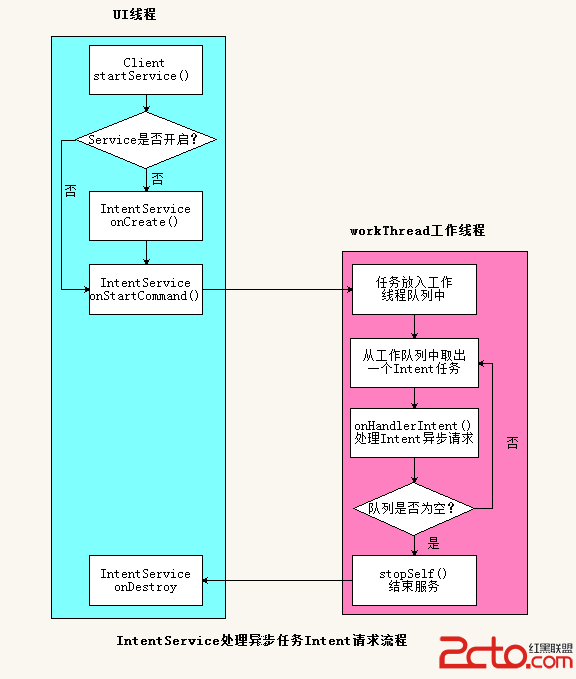 Android IntentService 使用與源碼解析:Roterated 後台任務的最佳解
為什麼需要 IntentService Service 是 Android 四大組件之一,地位舉足輕重。當你的應用需要下載檔案、播放音樂這類長期在後台進行、又沒有使用者介
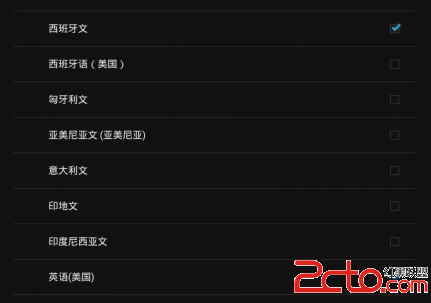 修改 Android 預設輸入法:預先勾選多國語言並指定預設語言
客製系統時常會遇到這個需求:出廠就要預先啟用多種輸入語言,並指定其中一種為預設。做法是改 SettingsProvider 的初始資料。 1. 先在裝置上觀察正確的設定
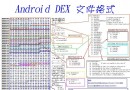 Android 逆向指南:動手解析編譯後的 Dex 檔案格式
前言 在 Android 逆向與安全分析中,編譯後的 Dex 檔案是理解應用行為的重要入口。本文以一個最小的 Hello.dex 為例,從檔案標頭開始,逐層拆解字串池、型
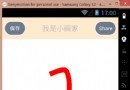 Android 觸摸軌跡實作對比:SurfaceView 與自定義 View 該怎麼選
需求很簡單:做一塊空白畫板,能畫出手指滑動的軌跡。聽起來不難,但真要動手就會發現細節不少。本文用同一個功能分別以 View 與 SurfaceView 實作兩次,最後比較