

編輯:關於 Android 程式設計
MD5 是常見的字串摘要應用,例如登入密碼雜湊、資料校驗等。本文提供一個可直接使用的 StringUtils 工具類,把任意字串轉成 32 位元十六進位的 MD5 值,並示範位元組陣列與十六進位字串互轉的寫法。
實作重點在於:先用 MessageDigest 取得 MD5 摘要的位元組,再逐位元組轉成兩位十六進位字串拼接,最後查表對應 0–f 的字元。
public class StringUtils { public static String MD5Encode(String origin) { String resultString = null; try { resultString = new String(origin); MessageDigest md = MessageDigest.getInstance("MD5"); resultString = byteArrayToHexString(md.digest(resultString.getBytes())); } catch (Exception ex) { } return resultString; } public static String byteArrayToHexString(byte[] b) { StringBuffer resultSb = new StringBuffer(); for (int i = 0; i < b.length; i++) { resultSb.append(byteToHexString(b[i])); } return resultSb.toString(); } private static String byteToHexString(byte b) { int n = b; if (n < 0) n = 256 + n; int d1 = n / 16; int d2 = n % 16; return hexDigits[d1] + hexDigits[d2]; } private final static String[] hexDigits = { "0", "1", "2", "3", "4", "5", "6", "7", "8", "9", "a", "b", "c", "d", "e", "f"}; }使用時只要呼叫 StringUtils.MD5Encode("要加密的字串") 就能得到對應的 MD5 值。需要留意的是,MD5 已不適合存放敏感憑證,正式環境建議改用加鹽 SHA-256 等更安全的雜湊方式。
 Android 筆記:HTTP 通訊入門與 HttpURLConnection 實作
先搞清楚 URL 的組成 談 HTTP 之前,把 URL 拆明白會省很多力氣。以 https://www.******.com/china/index.htm 為例:
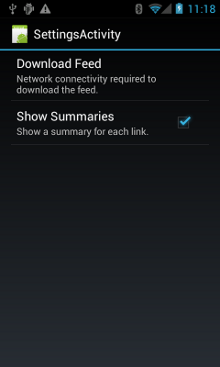 Android 官方培訓課程中文整理:如何管理應用的網路使用行為
原文出處:https://android.xsoftlab.net/training/basics/network-ops/managing.html 這一節要探討的是
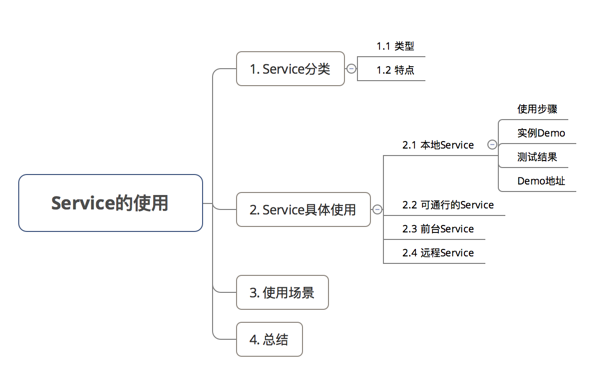 Android Service 全攻略:本地、可通訊、前台與遠端服務一次搞懂
前言 Service 是 Android 四大組件之一,應用範圍很廣。本文從最基礎的生命週期談起,並依序說明本地 Service、可通訊 Service、前台 Servi
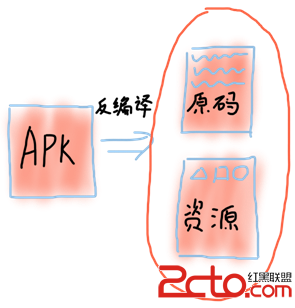 安卓應用反編譯(二)-APK 包反編譯實戰解析
第二章 APK 包反編譯 經過編譯器處理後的程式碼與資源,最終會被層層打包成一個 APK 檔案,其中不少內容甚至已被轉換為二進位格式。所幸我們仍有辦法把這些編譯過的產物「