

編輯:關於 Android 程式設計
在專案中經常會碰到圖片與文字混排的問題,解決方法有很多,本文提供的方法並非唯一,實際上仍需依場景選擇更合適的方案。本文主要透過 XML 佈局來實現圖片與文字的水平混排。
透過 TextView 的 drawable 屬性即可實現圖文混排:
<TextView
    android:id="@+id/my_tv"
    android:layout_width="wrap_content"
    android:layout_height="wrap_content"
    android:text="在線"
    android:textColor="#85898f"
    android:layout_marginTop="5dp"
    android:drawablePadding="5dp"
    android:drawableLeft="@drawable/user_online" />
其中,android:drawablePadding 很好地解決了圖片與文字的間距問題。
也可以透過 RelativeLayout 加入 TextView 與 ImageView 來實現:
<RelativeLayout
    android:layout_width="wrap_content"
    android:layout_height="wrap_content" >

    <ImageView
        android:id="@+id/my_iv"
        android:layout_width="wrap_content"
        android:layout_height="wrap_content"
        android:background="@drawable/user_online"
        android:layout_alignParentLeft="true"
        android:layout_centerVertical="true"
        android:layout_marginLeft="5dp" />

    <TextView
        android:id="@+id/my_tv"
        android:layout_width="wrap_content"
        android:layout_height="wrap_content"
        android:layout_toRightOf="@id/my_iv"
        android:layout_centerVertical="true"
        android:layout_marginLeft="5dp" />
</RelativeLayout>
當然,也可以透過 Java 程式碼來實現圖文混排,可依需求彈性調整。
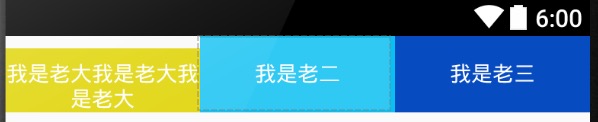 layout_weight屬性圖解:三種典型分配場景
layout_weight的作用 先按照宣告的尺寸分配,剩餘的空間再依照layout_weight進行分配。 這句話是理解layout_weight的關鍵。下面透過三
 仿百度外賣:打造有趣的Android自訂下拉刷新動畫
如今的App花樣百出,各種需求層出不窮,就連一個小小的下拉刷新都能玩出新花樣。前兩天訂飯時,筆者偶然注意到了「百度外賣」那個騎車快遞員的下拉刷新動畫,於是今天的主題就定為
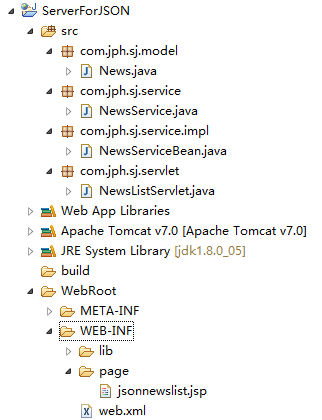 Android 網路編程:獲取並解析網路 JSON 數據實作
要從網路取得 JSON 數據,需要服務器端提供相應的支援。本文將完整示範如何建立一個回傳 JSON 的服務器端,並在 Android 端下載、解析並展示這些數據。 一、建
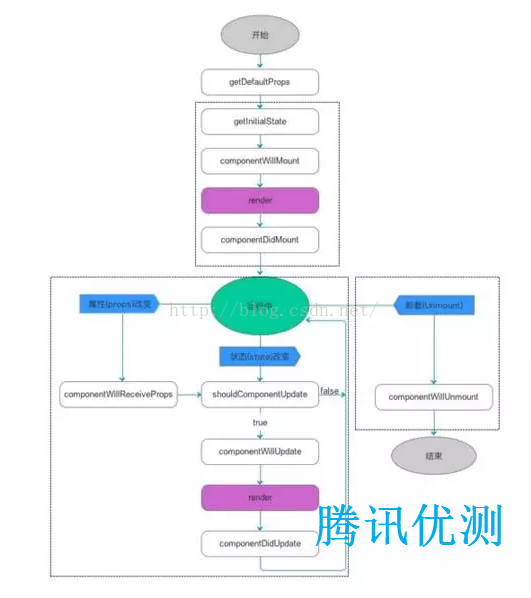 React Native首屏渲染優化實踐:從770毫秒到340毫秒
為什麼要優化首屏渲染React Native讓前端開發者可以用JavaScript構建接近原生的應用體驗。但在實際項目中,如果直接使用React Native實現頁面,首