

編輯:關於 Android 程式設計
在 Android 應用開發中,發送手機短信是很常見的需求。對 Android 平台來說這是最簡單的功能之一:不需要太多程式碼,也不必自訂底層實作,只要調用系統提供的 SmsManager 即可。
核心程式碼僅僅三行:
SmsManager sms = SmsManager.getDefault();
PendingIntent intent = PendingIntent.getBroadcast(MainActivtiy.this, 0, new Intent(), 0);
sms.sendTextMessage(phone.getText().toString(), null, text.getText().toString(), intent, null);
下面一步步把這個功能做出來。
import android.app.Activity;
import android.app.PendingIntent;
import android.content.Intent;
import android.os.Bundle;
import android.telephony.SmsManager;
import android.view.View;
import android.view.View.OnClickListener;
import android.widget.Button;
import android.widget.EditText;
import android.widget.Toast;

public class MainActivtiy extends Activity {
    EditText text;
    EditText phone;
    Button send;

    @Override
    public void onCreate(Bundle savedInstanceState) {
        super.onCreate(savedInstanceState);
        setContentView(R.layout.main);
        send = (Button) findViewById(R.id.send);
        text = (EditText) findViewById(R.id.text);
        phone = (EditText) findViewById(R.id.phone);
        send.setOnClickListener(new OnClickListener() {
            @Override
            public void onClick(View v) {
                SmsManager sms = SmsManager.getDefault();
                PendingIntent intent = PendingIntent.getBroadcast(MainActivtiy.this, 0, new Intent(), 0);
                sms.sendTextMessage(phone.getText().toString(), null, text.getText().toString(), intent, null);
                Toast.makeText(MainActivtiy.this, "發送成功.....", Toast.LENGTH_LONG).show();
            }
        });
    }
}
在 AndroidManifest.xml 中加入發送短信的權限:

幾點實務提醒:sendTextMessage 的第二個參數是散射地址,一般傳 null 即可;第五個參數是發送結果的 PendingIntent,若需要在真實設備上確認發送是否成功,建議補上並搭配 BroadcastReceiver 處理。另外,自 Android 6.0 起 SEND_SMS 屬於危險權限,除了宣告之外還必須在執行期動態向使用者申請。
 Android Studio 教程(三):常用快捷鍵
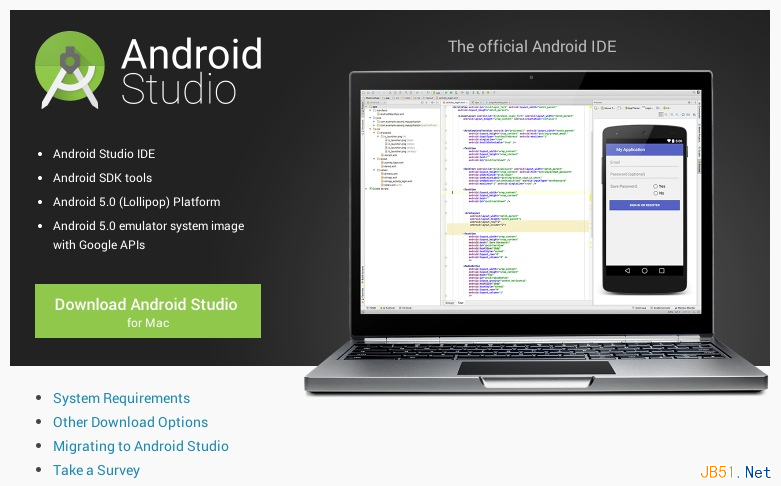
今天是個大日子,Android Studio 1.0 終於發布了正式版,對於 Android 開發者來說無疑是喜聞樂見的消息,那就果斷下載來用吧。 官方下載地址:htt
 手把手打造類 360 懸浮視窗:WindowManager 實戰源碼解析
當我們在手机上安装 360 安全卫士时,屏幕上总会浮现一个不起眼的小浮动窗口。点击它便可跳转至安全卫士的操作界面,而且它并不会被其他 Activity 所遮盖,始终清晰可
 Android 天氣 App 資料庫設計:LitePal 實作省市縣三表
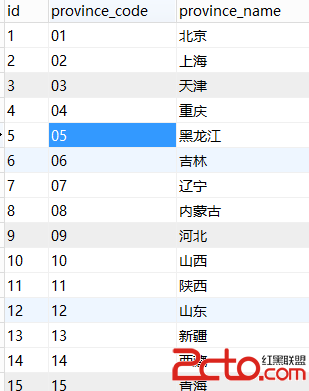
需求背景 在天氣應用中,通常需要先選擇地區,再查詢對應天氣。地區資料具有明顯層級結構:省、市、縣。因此適合使用關聯式資料庫保存這些靜態或半靜態資料。 使用 LitePal
 從零自學 Android 到月薪破萬:一個普通人的真實翻盤記錄
寫這篇文字,是想給兩種人看:一種是剛剛決定從零開始學 Android、卻遲遲不敢邁出第一步的人;另一種是已經上路、正在半途苦撐的人。我不敢說自己有什麼過人天賦,恰恰相反,