

編輯:關於 Android 程式設計
GET 是最直覺的請求方式:參數直接拼在網址後面,伺服器收到後回傳資料。在 Android 上用 HttpURLConnection 就能完成,程式碼量很少。
/**
 * 以 GET 方式發送請求
 *
 * @param username 使用者名稱
 * @param password 密碼
 * @return null 表示請求路徑有問題,text 為請求取得的資料
 */
public static String getRequest(String username, String password) {
    try {
        String path = "https://172.22.64.156:8080/0001AndroidWebService/LoginServlet?username="
                + URLEncoder.encode(username)
                + "&password="
                + URLEncoder.encode(password);

        URL url = new URL(path);
        HttpURLConnection conn = (HttpURLConnection) url.openConnection();
        conn.setReadTimeout(500);
        conn.setRequestMethod("GET");

        int code = conn.getResponseCode();
        if (code == 200) {
            // 請求成功
            InputStream is = conn.getInputStream();
            String text = StreamUtil.readStream(is);
            return text;
        } else {
            // 請求失敗
            return null;
        }
    } catch (Exception e) {
        e.printStackTrace();
    }
    return null;
}
參數務必編碼。中文、空白與特殊符號若直接拼進網址會造成請求失敗,URLEncoder.encode() 是必要的。字元編碼建議明確帶上,例如 URLEncoder.encode(value, "UTF-8")。
逾時設定別太小。範例中的 500 毫秒在真實網路上很容易誤判超時,一般會設在數秒等級,並區分連線逾時與讀取逾時。
不要放在主線程。Android 4.0 之後網路請求寫在 UI 線程會直接拋出 NetworkOnMainThreadException,請搭配 AsyncTask、執行緒池或現代化的 HTTP 客戶端使用。
記得關閉串流與斷開連線。用 try-with-resources 或 finally 區塊收尾,能避免連線洩漏。
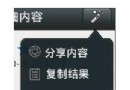 Android 自定義 PopupWindow 模擬微信右上角菜單
菜單布局設計微信右上角的操作菜單通常由多個橫向排列的項目組成,每個項目包含圖示與文字。實作時可以使用 LinearLayout 作為容器,再將 ImageView 與 T
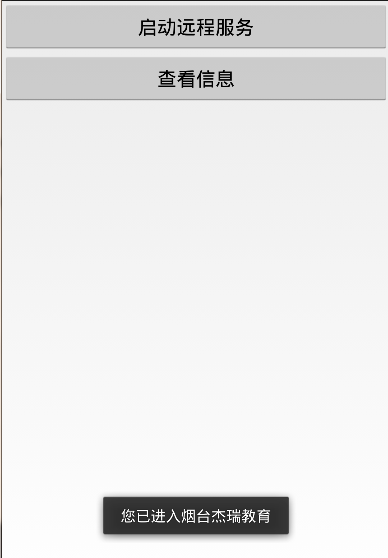 Android 使用 AIDL 實現跨進程調用 Service 的完整教學
一、問題描述 Android 應用程式的四大組件——Activity、BroadcastReceiver、ContentProvider、Service,都可以進行跨進程
 React Native ActivityIndicator 加載指示器使用說明
在 React Native 中,ActivityIndicator 是常見的加載指示器元件,常被用來表示資料讀取、網路請求或畫面初始化中的等待狀態。它的外觀類似轉動的菊
 Android 佈局圓角邊框:shape drawable 與 LinearLayout 背景應用
圓角邊框是 Android 介面常見的視覺元素。透過 shape drawable,可以只設定背景色、邊框與四角半徑,不必額外切圖。 建立 shape 在 drawabl