

編輯:關於 Android 程式設計
本文示範如何以開源的 XListView 元件,還原 Android 版手機 QQ「好友動態」的列表視覺效果。

整個效果的關鍵在於 Item 的版面配置,先來看項目配置檔:
<?xml version="1.0" encoding="utf-8"?>
<LinearLayout xmlns:android="https://schemas.android.com/apk/res/android"
    android:id="@+id/contacts_items"
    android:layout_width="fill_parent"
    android:layout_height="fill_parent"
    android:background="#ffffff"
    android:orientation="vertical" >

    <View android:id="@+id/topLine"
        android:layout_width="fill_parent"
        android:layout_height="1dp"
        android:background="#ffcccccc" />

    <LinearLayout android:layout_width="fill_parent"
        android:layout_height="wrap_content"
        android:layout_marginBottom="10dp"
        android:layout_marginTop="10dp"
        android:orientation="horizontal" >

        <ImageView android:id="@+id/imgHead"
            android:layout_width="40dp"
            android:layout_height="40dp"
            android:layout_marginLeft="5dp"
            android:layout_marginTop="5dp"
            android:src="@drawable/ic_launcher" />

        <LinearLayout android:layout_width="fill_parent"
            android:layout_height="wrap_content"
            android:layout_marginLeft="5dp"
            android:orientation="vertical" >

            <RelativeLayout android:layout_width="fill_parent"
                android:layout_height="wrap_content"
                android:layout_marginTop="2dp" >
                <TextView android:id="@+id/tvName"
                    android:layout_width="wrap_content"
                    android:layout_height="wrap_content"
                    android:layout_alignParentLeft="true"
                    android:layout_centerVertical="true"
                    android:singleLine="true"
                    android:text="Tom"
                    android:textSize="16.0sp" />
                <TextView android:id="@+id/tvDate"
                    android:layout_width="wrap_content"
                    android:layout_height="wrap_content"
                    android:layout_alignParentRight="true"
                    android:layout_centerVertical="true"
                    android:ellipsize="end"
                    android:singleLine="true"
                    android:text="13:32"
                    android:textColor="#ffcccccc"
                    android:textSize="12sp" />
            </RelativeLayout>

            <TextView android:id="@+id/tvContent"
                android:layout_width="fill_parent"
                android:layout_height="wrap_content"
                android:paddingBottom="5dp"
                android:paddingTop="5dp"
                android:text="Hello world"
                android:textSize="14sp" />

            <ImageView android:id="@+id/ivPhoto"
                android:layout_width="fill_parent"
                android:layout_height="wrap_content"
                android:layout_marginLeft="5dp"
                android:layout_marginRight="5dp"
                android:gravity="center"
                android:visibility="gone" />

            <RelativeLayout android:layout_width="fill_parent"
                android:layout_height="wrap_content"
                android:layout_marginTop="5dp" >
                <ImageView android:id="@+id/ivAddress"
                    android:layout_width="wrap_content"
                    android:layout_height="wrap_content"
                    android:layout_alignParentLeft="true"
                    android:layout_centerVertical="true"
                    android:paddingLeft="2dp"
                    android:src="@drawable/qzone_address_icon"
                    android:visibility="gone" />
                <TextView android:id="@+id/tvAddress"
                    android:layout_width="wrap_content"
                    android:layout_height="wrap_content"
                    android:layout_centerVertical="true"
                    android:layout_toRightOf="@id/ivAddress"
                    android:paddingLeft="5dp"
                    android:textSize="10sp"
                    android:visibility="gone" />
            </RelativeLayout>

            <RelativeLayout android:layout_width="fill_parent"
                android:layout_height="wrap_content"
                android:layout_marginTop="5dp" >
                <ImageView android:id="@+id/ivPhone"
                    android:layout_width="wrap_content"
                    android:layout_height="wrap_content"
                    android:layout_alignParentLeft="true"
                    android:layout_centerVertical="true"
                    android:src="@drawable/status_phone" />
                <TextView android:id="@+id/tvPhonemodel"
                    android:layout_width="wrap_content"
                    android:layout_height="wrap_content"
                    android:layout_centerVertical="true"
                    android:layout_toRightOf="@id/ivPhone"
                    android:paddingLeft="3dp"
                    android:text="Nexus 5"
                    android:textSize="10sp" />
                <TextView android:id="@+id/tvComment"
                    android:layout_width="wrap_content"
                    android:layout_height="wrap_content"
                    android:layout_alignParentRight="true"
                    android:layout_centerVertical="true"
                    android:text="評論"
                    android:textSize="10sp" />
                <ImageView android:id="@+id/ivComment"
                    android:layout_width="wrap_content"
                    android:layout_height="wrap_content"
                    android:layout_centerVertical="true"
                    android:layout_toLeftOf="@id/tvComment"
                    android:paddingLeft="20dp"
                    android:src="@drawable/qzone_picviewer_bottom_comment_icon" />
                <TextView android:id="@+id/tvAgree"
                    android:layout_width="wrap_content"
                    android:layout_height="wrap_content"
                    android:layout_centerVertical="true"
                    android:layout_toLeftOf="@id/ivComment"
                    android:text="贊"
                    android:textSize="10sp" />
                <ImageView android:id="@+id/ivAgree"
                    android:layout_width="wrap_content"
                    android:layout_height="wrap_content"
                    android:layout_centerVertical="true"
                    android:layout_toLeftOf="@id/tvAgree"
                    android:src="@drawable/qzone_picviewer_bottom_unpraise_icon" />
            </RelativeLayout>

            <RelativeLayout android:layout_width="fill_parent"
                android:layout_height="wrap_content"
                android:layout_marginTop="5dp" >
                <ImageView android:id="@+id/ivAgreeShow"
                    android:layout_width="wrap_content"
                    android:layout_height="wrap_content"
                    android:layout_alignParentLeft="true"
                    android:layout_centerVertical="true"
                    android:paddingLeft="2dp"
                    android:src="@drawable/qzone_picviewer_bottom_praise_icon"
                    android:visibility="gone" />
                <TextView android:id="@+id/tvAgreeShow"
                    android:layout_width="wrap_content"
                    android:layout_height="wrap_content"
                    android:layout_centerVertical="true"
                    android:layout_toRightOf="@id/ivAgreeShow"
                    android:paddingLeft="5dp"
                    android:visibility="gone" />
            </RelativeLayout>

            <RelativeLayout android:layout_width="fill_parent"
                android:layout_height="wrap_content"
                android:layout_marginTop="5dp" >
                <TextView android:id="@+id/tvComments"
                    android:layout_width="wrap_content"
                    android:layout_height="wrap_content"
                    android:layout_centerVertical="true"
                    android:paddingLeft="5dp"
                    android:visibility="gone" />
            </RelativeLayout>

            <RelativeLayout android:layout_width="fill_parent"
                android:layout_height="wrap_content"
                android:layout_marginTop="5dp" >
                <Button android:id="@+id/btnSendComment"
                    android:layout_width="wrap_content"
                    android:layout_height="15dp"
                    android:layout_alignParentRight="true"
                    android:layout_centerVertical="true"
                    android:background="#00000000"
                    android:focusable="false"
                    android:text="發送"
                    android:textSize="10sp"
                    android:visibility="gone" />
                <Button android:id="@+id/btnComment"
                    android:layout_width="fill_parent"
                    android:layout_height="15dp"
                    android:layout_alignParentLeft="true"
                    android:layout_toLeftOf="@id/btnSendComment"
                    android:background="@drawable/btn_shape"
                    android:hint="Please input your comment..."
                    android:textSize="10sp" />
            </RelativeLayout>
        </LinearLayout>
    </LinearLayout>>

    <View android:id="@+id/lastLine"
        android:layout_width="fill_parent"
        android:layout_height="1dp"
        android:background="#ff474745"
        android:visibility="gone" />
</LinearLayout>
接著是 Adapter。這裡有幾個值得注意的實作細節:使用 ViewHolder 模式搭配 convertView.setTag() 避免重複 findViewById;item 內的按鈕一律 setFocusable(false),否則會搶走 ListView 的焦點導致整列無法點擊;点赞與評論的狀態直接寫回 Model 再呼叫 notifyDataSetChanged() 刷新。
package edu.njupt.zhb.xlistviewtest;

import java.util.ArrayList;
import java.util.List;

import android.annotation.TargetApi;
import android.app.Activity;
import android.content.Context;
import android.graphics.BitmapFactory;
import android.os.Build;
import android.view.LayoutInflater;
import android.view.View;
import android.view.View.OnClickListener;
import android.view.ViewGroup;
import android.view.inputmethod.InputMethodManager;
import android.widget.BaseAdapter;
import android.widget.Button;
import android.widget.EditText;
import android.widget.ImageView;
import android.widget.TextView;

@TargetApi(Build.VERSION_CODES.GINGERBREAD)
public class XBaseAdapter extends BaseAdapter {

    private Context context;
    private Activity activity;
    private List<Model> listViewData;
    private int layoutResId;

    public XBaseAdapter(Context context, int layoutResId, Activity activity) {
        this.context = context;
        this.layoutResId = layoutResId;
        this.activity = activity;
        listViewData = new ArrayList<Model>();
    }

    @Override
    public View getView(int position, View convertView, ViewGroup parent) {
        Model model = listViewData.get(position);
        ViewItemHolder holder;

        if (convertView == null) {
            convertView = LayoutInflater.from(context).inflate(layoutResId, null);
            holder = new ViewItemHolder();
            holder.imgHead = (ImageView) convertView.findViewById(R.id.imgHead);
            holder.tvName = (TextView) convertView.findViewById(R.id.tvName);
            holder.tvDate = (TextView) convertView.findViewById(R.id.tvDate);
            holder.tvContent = (TextView) convertView.findViewById(R.id.tvContent);
            holder.ivPhoto = (ImageView) convertView.findViewById(R.id.ivPhoto);
            holder.ivAddress = (ImageView) convertView.findViewById(R.id.ivAddress);
            holder.tvAddress = (TextView) convertView.findViewById(R.id.tvAddress);
            holder.tvPhonemodel = (TextView) convertView.findViewById(R.id.tvPhonemodel);
            holder.ivAgree = (ImageView) convertView.findViewById(R.id.ivAgree);
            holder.ivComment = (ImageView) convertView.findViewById(R.id.ivComment);
            holder.tvComment = (TextView) convertView.findViewById(R.id.tvComment);
            holder.ivAgreeShow = (ImageView) convertView.findViewById(R.id.ivAgreeShow);
            holder.tvAgreeShow = (TextView) convertView.findViewById(R.id.tvAgreeShow);
            holder.btnComment = (Button) convertView.findViewById(R.id.btnComment);
            holder.tvComments = (TextView) convertView.findViewById(R.id.tvComments);
            convertView.setTag(holder);
        } else {
            holder = (ViewItemHolder) convertView.getTag();
        }

        holder.imgHead.setImageBitmap(BitmapFactory.decodeResource(
                context.getResources(), model.getImgHead()));
        holder.tvName.setText(model.getName());
        holder.tvDate.setText(model.getDate());
        holder.tvContent.setText(model.getContent());

        if (model.getType() == FinalVar.MSG_IMAGE) {
            holder.ivPhoto.setImageResource(R.drawable.pic_screen);
            holder.ivPhoto.setVisibility(View.VISIBLE);
        } else {
            holder.ivPhoto.setVisibility(View.GONE);
        }

        if (!model.getAddress().isEmpty()) {
            holder.ivAddress.setVisibility(View.VISIBLE);
            holder.tvAddress.setVisibility(View.VISIBLE);
            holder.tvAddress.setText(model.getAddress());
        } else {
            holder.ivAddress.setVisibility(View.GONE);
            holder.tvAddress.setVisibility(View.GONE);
        }

        holder.tvPhonemodel.setText(model.getPhonemodel());
        holder.ivAgree.setOnClickListener(new ListViewButtonOnClickListener(position));
        holder.ivAgree.setImageResource(model.isAgree()
                ? R.drawable.qzone_picviewer_bottom_praise_icon
                : R.drawable.qzone_picviewer_bottom_unpraise_icon);
        holder.ivAgree.setFocusable(false);

        if (model.getAgreeShow() != null && model.getAgreeShow().size() > 0) {
            holder.ivAgreeShow.setVisibility(View.VISIBLE);
            holder.tvAgreeShow.setVisibility(View.VISIBLE);
            holder.tvAgreeShow.setText(model.getAgreeShow().toString() + "覺得很贊!");
        } else {
            holder.ivAgreeShow.setVisibility(View.GONE);
            holder.tvAgreeShow.setVisibility(View.GONE);
        }

        holder.ivComment.setOnClickListener(new ListViewButtonOnClickListener(position));
        holder.ivComment.setFocusable(false);
        holder.tvComment.setOnClickListener(new ListViewButtonOnClickListener(position));
        holder.btnComment.setOnClickListener(new ListViewButtonOnClickListener(position));
        holder.btnComment.setFocusable(false);

        if (model.getComments() != null && model.getComments().size() > 0) {
            holder.tvComments.setVisibility(View.VISIBLE);
            StringBuilder sb = new StringBuilder();
            for (String comment : model.getComments()) {
                sb.append(comment).append("\n");
            }
            holder.tvComments.setText(sb.toString());
        } else {
            holder.tvComments.setVisibility(View.GONE);
        }
        return convertView;
    }

    @Override
    public long getItemId(int position) { return position; }

    @Override
    public Object getItem(int position) { return listViewData.get(position); }

    @Override
    public int getCount() {
        return listViewData == null ? 0 : listViewData.size();
    }

    public void addModel(Model model) { listViewData.add(model); }

    public void addModel(Model model, boolean insertHead) {
        if (insertHead) {
            listViewData.add(0, model);
        } else {
            listViewData.add(model);
        }
    }

    public Model getModel(int i) {
        if (i < 0 || i > listViewData.size() - 1) return null;
        return listViewData.get(i);
    }

    public void clear() { listViewData.clear(); }

    class ViewItemHolder {
        ImageView imgHead;
        TextView tvName, tvDate, tvContent;
        ImageView ivPhoto, ivAddress, ivComment, ivAgree, ivAgreeShow;
        TextView tvAddress, tvPhonemodel, tvComment, tvAgreeShow, tvComments;
        Button btnComment;
    }

    class ListViewButtonOnClickListener implements OnClickListener {
        private int position;

        ListViewButtonOnClickListener(int position) { this.position = position; }

        @Override
        public void onClick(View v) {
            switch (v.getId()) {
                case R.id.ivAgree: {
                    ImageView ivAgree = (ImageView) v;
                    Model model = listViewData.get(position);
                    List<String> agreeShow = model.getAgreeShow();
                    if (agreeShow == null || agreeShow.size() <= 0) {
                        agreeShow = new ArrayList<String>();
                    }
                    if (model.isAgree()) {
                        agreeShow.remove("我");
                        ivAgree.setImageResource(R.drawable.qzone_picviewer_bottom_unpraise_icon);
                    } else {
                        agreeShow.add("我");
                        ivAgree.setImageResource(R.drawable.qzone_picviewer_bottom_praise_icon);
                    }
                    model.setAgree(!model.isAgree());
                    model.setAgreeShow(agreeShow);
                    notifyDataSetChanged();
                    break;
                }
                case R.id.ivComment:
                case R.id.tvComment:
                case R.id.btnComment: {
                    InputMethodManager imm = (InputMethodManager) v.getContext()
                            .getSystemService(Context.INPUT_METHOD_SERVICE);
                    imm.toggleSoftInput(0, InputMethodManager.SHOW_FORCED);
                    String nickname = listViewData.get(position).getName();
                    activity.findViewById(R.id.etComment).setVisibility(View.VISIBLE);
                    activity.findViewById(R.id.btnSendComment).setVisibility(View.VISIBLE);
                    ((EditText) activity.findViewById(R.id.etComment)).setHint("@" + nickname);
                    activity.findViewById(R.id.etComment).setFocusable(true);
                    activity.findViewById(R.id.btnSendComment)
                            .setOnClickListener(new ListViewButtonOnClickListener(position));
                    break;
                }
                case R.id.btnSendComment: {
                    Model mdl = listViewData.get(position);
                    List<String> commentsList = mdl.getComments();
                    String commentString = ((EditText) activity.findViewById(R.id.etComment))
                            .getEditableText().toString();
                    if (commentsList == null || commentsList.size() <= 0) {
                        commentsList = new ArrayList<String>();
                    }
                    commentsList.add(commentString);
                    mdl.setComments(commentsList);
                    notifyDataSetChanged();
                    ((EditText) activity.findViewById(R.id.etComment)).setText("");
                    activity.findViewById(R.id.etComment).setVisibility(View.GONE);
                    activity.findViewById(R.id.btnSendComment).setVisibility(View.GONE);
                    InputMethodManager imm2 = (InputMethodManager) v.getContext()
                            .getSystemService(Context.INPUT_METHOD_SERVICE);
                    imm2.toggleSoftInput(0, InputMethodManager.HIDE_NOT_ALWAYS);
                    break;
                }
                default:
                    break;
            }
        }
    }
}
完整專案原始碼: ListView 冷門但實用的知識點大整理
敢說自己完全掌握 ListView 的 Android 開發者,恐怕不多。本文整理了一批容易被忽略、但真正遇到時會救命的細節(不含非同步載入時的流暢度優化等進階主題)。
 Android Studio 實現 APK 版本更新:檢測、下載與自動安裝全流程
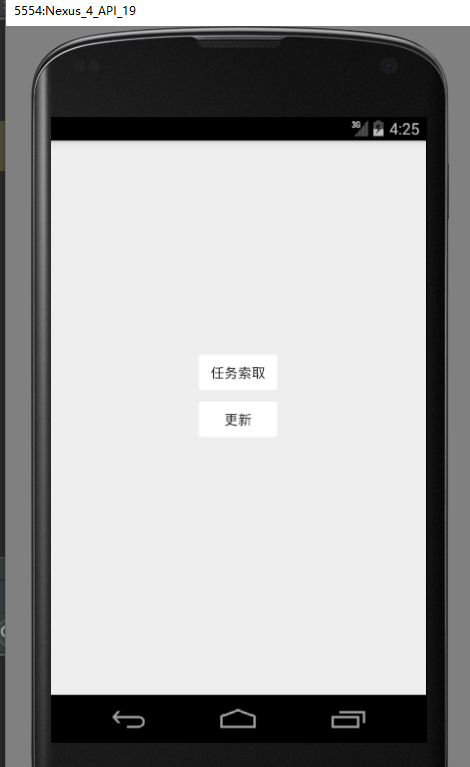
先放幾張效果圖,讓大家對要做成什麼樣有個概念:原理大家都懂,就不囉嗦了,直接看程式碼。裡面有幾段是我自己拿來測試的雜項,你可以直接刪掉。一、主介面 activity_ma
 Android 開發中 SQLite 數據庫的使用方法詳解
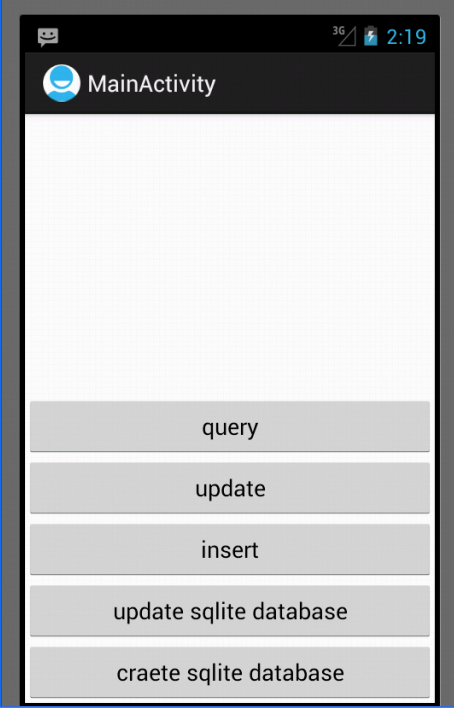
前言 SQLite 是一種輕量級的小型數據庫,體積雖小,功能卻相當完善,具備了常見數據庫的基本能力。由於它佔用的系統資源極少,因此在當前眾多嵌入式系統中被廣泛採用。And
 在 UbuntuKylin 16.04.1 上從零搭建 Android 開發環境
前段時間和同學聊天,聽說他們公司準備把開發環境從 Windows 遷到 Linux。我突然意識到自己還沒在 Linux 上搭過 Android 開發環境,於是趁著有空試了