

編輯:關於 Android 程式設計
過去做下拉刷新,很多人會引入 PullToRefresh、ActionBar-PullToRefresh 這類第三方開源庫。其實從 support v4 19.1 版本開始,官方已經提供了現成的組件——SwipeRefreshLayout,它能輕鬆還原 Google Now 風格的刷新動畫。
SwipeRefreshLayout 繼承自 ViewGroup,可以包裹任意其他組件。使用官方控件的好處是通用性強、風格統一,也不必擔心依賴衝突。
它本質上是一個容器,把需要支持下拉刷新的內容(例如 ListView)放進去即可:
<RelativeLayout xmlns:android="https://schemas.android.com/apk/res/android"
    android:layout_width="match_parent"
    android:layout_height="match_parent">

    <ListView
        android:id="@+id/listview"
        android:layout_width="match_parent"
        android:layout_height="match_parent" />

</RelativeLayout>
實際項目中,把最外層容器換成 SwipeRefreshLayout,並將 ListView 作為其子控件:
<android.support.v4.widget.SwipeRefreshLayout
    android:id="@+id/swip"
    android:layout_width="match_parent"
    android:layout_height="match_parent">

    <ListView
        android:id="@+id/listview"
        android:layout_width="match_parent"
        android:layout_height="match_parent" />

</android.support.v4.widget.SwipeRefreshLayout>
Activity 實現 OnRefreshListener 接口,在回調中處理數據刷新邏輯:
public class MainActivity extends ActionBarActivity
        implements OnRefreshListener {

    private SwipeRefreshLayout swipeRefreshLayout;

    Handler handler = new Handler() {
        @Override
        public void handleMessage(Message msg) {
            super.handleMessage(msg);
            swipeRefreshLayout.setRefreshing(false);
        }
    };

    @Override
    protected void onCreate(Bundle savedInstanceState) {
        super.onCreate(savedInstanceState);
        setContentView(R.layout.activity_main);

        swipeRefreshLayout = (SwipeRefreshLayout) findViewById(R.id.swip);
        swipeRefreshLayout.setOnRefreshListener(this);
        swipeRefreshLayout.setColorScheme(
            android.R.color.holo_blue_bright,
            android.R.color.holo_green_light,
            android.R.color.holo_orange_light,
            android.R.color.holo_red_light);
    }

    @Override
    public void onRefresh() {
        // 在這裡請求數據並更新界面
        handler.sendEmptyMessageDelayed(1, 5000);
    }
}
總體來看,SwipeRefreshLayout 用法簡單、侵入性低,是替代第三方刷新庫的首選方案。
 百度一鍵 Root 怎麼取得權限?電腦版圖文操作
百度一鍵 Root 是一款介面乾淨、操作直覺的工具,對剛入門的使用者相當友善。Root 的作用是把系統的最高權限交到你的手上,讓你能處理原本做不到的事——例如移除內建軟體
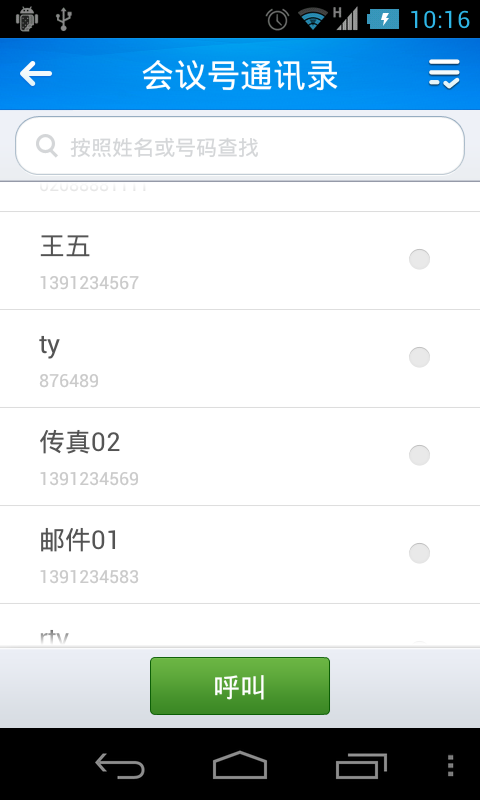 Android 通訊錄開發:ListView 刪除功能的實作脈路
刪除列表項的核心觀念 在通訊錄或任何 ListView 應用中,刪除功能的本質是更新資料來源,再通知 Adapter 刷新畫面。由於 Android 要求 UI 更新在主
 Native Socket.IO and Android:用 Node.js 打造即時聊天客戶端
原文地址:https://socket.io/blog/native-socket-io-and-android/ 本教程要動手做一個聊天客戶端:以 Node.js 作
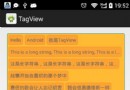 Android 流式標籤佈局:自定義 TagView 與 TagGroup
流式標籤佈局常用於標籤、分類、關鍵字與篩選條件。它能在有限寬度中自動換行,讓畫面更有彈性。要實作這類效果,可以將單個標籤設計為 TagView,並用 TagGroup 負