

編輯:關於 Android 程式設計
Service 與 Activity 的資料互動可透過 bound service 完成。Activity 呼叫 bindService,Service 於 onBind 回傳 Binder,Activity 再透過 ServiceConnection 取得 Binder 並呼叫 Service 方法。
public class HelloService extends Service {
    private final MyBinder binder = new MyBinder();

    public class MyBinder extends Binder {
        public HelloService getService() {
            return HelloService.this;
        }
    }

    public IBinder onBind(Intent intent) {
        return binder;
    }

    public int getRandom() {
        return new Random().nextInt(100);
    }
}在 onServiceConnected 中將 IBinder 轉型為自訂 Binder,再取得 Service 實例。若需更複雜的跨行程資料傳遞,也可使用 Parcel 與 transact。
private ServiceConnection connection = new ServiceConnection() {
    public void onServiceConnected(ComponentName name, IBinder service) {
        MyBinder binder = (MyBinder) service;
        helloService = binder.getService();
    }
    public void onServiceDisconnected(ComponentName name) {
    }
};
使用完畢後呼叫 unbindService,避免資源殘留。
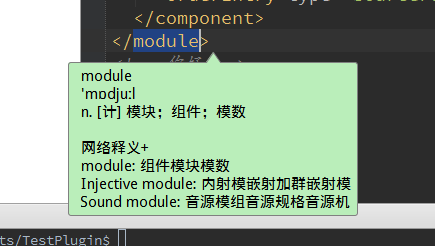 動手打造 IDEA / AndroidStudio 翻譯插件
先來看兩張成品效果圖: 一、事前準備 由於 AndroidStudio 本身不具備開發插件的功能,因此我們需要使用 IDEA 來進行開發。翻譯功能採用有道翻譯接口(需
 Android 用 SurfaceView 打造流暢的九宮格抽獎效果
項目裡要做九宮格抽獎活動,我以前沒做過類似功能。雖然平時看博客時偶爾掃到過抽獎相關的文章,但因為用不上,一直沒點進去看。這回項目真要做了,只能硬著頭皮去翻。 網上翻了半天
 Android 長按彈出自定義選項框並執行操作的完整實作
本文示範如何在 Android 中實作「長按某個 View 後彈出選項框,點擊選項執行對應操作」的效果。 核心程式碼 private void showPopWindo
 為 ListView 加入左右滑動刪除與編輯功能
實務上為了滿足產品需求、做出設計稿指定的互動,我們時常得把原生控制項改造成自己想要的樣子。Android 原生的 ListView 並不支援左右滑動,但像微信通訊錄那樣「