

編輯:關於 Android 程式設計
這陣子在做天語(Lephone)機型適配時,測試回報一個問題:標題欄文字太長顯示不完整。這其實不算 bug,也不是所有機種都有,只是聯想修改了原生標題欄的 UI 樣式,在其平台上顯得不好看。
修改過程中遇到一個有趣的難題:系統內建的進度條在到達 100% 後會自動淡出,而自製版本總是卡在 100% 顯示不全。試過開執行緒做延時,不僅卡住畫面,效果也一樣。同事一句提醒點醒了方向——用動畫。系統的實作大概也是如此:進度填滿後,用一段 alpha 動畫改變透明度即可。
最終成果:標題欄顯示網頁標題並可跑馬燈滾動,下方以一條細進度條呈現載入進度,抵達 100% 後以動畫淡出。之所以自訂,是因為 Lephone 修改後的標題欄帶有一個返回按鈕,且標題文字與進度條被放在 FrameLayout 中,視覺效果不理想。
AlwaysMarqueeTextView 是繼承 TextView 並重寫後實作跑馬燈效果的類別(網路上可以找到)。
<?xml version="1.0" encoding="utf-8"?>
<RelativeLayout
    xmlns:android="https://schemas.android.com/apk/res/android"
    android:layout_width="fill_parent"
    android:layout_height="fill_parent">

    <com.android.CustomTitleTest.AlwaysMarqueeTextView
        android:id="@+id/tvtitle"
        android:layout_width="fill_parent"
        android:layout_height="wrap_content"
        android:focusableInTouchMode="true"
        android:singleLine="true"
        android:ellipsize="marquee"
        android:focusable="false"
        android:marqueeRepeatLimit="marquee_forever"
        android:layout_centerVertical="true"/>

    <ProgressBar android:id="@+id/pb"
        android:layout_width="fill_parent"
        android:layout_height="2sp"
        android:visibility="gone"
        android:layout_alignParentBottom="true" ></ProgressBar>
</RelativeLayout>public class MyWebChromeClient extends WebChromeClient {
private Activity activity;
private ProgressBar pb;
private TextView tvtitle;
private Animation animation;
public MyWebChromeClient(Activity activity) {
this.activity = activity;
}
@Override
public void onProgressChanged(WebView view, int newProgress) {
pb = (ProgressBar) activity.findViewById(R.id.pb);
pb.setMax(100);
if (newProgress < 100) {
if (pb.getVisibility() == View.GONE)
pb.setVisibility(View.VISIBLE);
pb.setProgress(newProgress);
} else {
pb.setProgress(100);
animation = AnimationUtils.loadAnimation(activity, R.anim.animation);
pb.startAnimation(animation); // 播放淡出動畫
pb.setVisibility(View.INVISIBLE);
}
super.onProgressChanged(view, newProgress);
}
@Override
public void onReceivedTitle(WebView view, String title) {
tvtitle = (TextView) activity.findViewById(R.id.tvtitle);
tvtitle.setText(title);
super.onReceivedTitle(view, title);
}
}<?xml version="1.0" encoding="utf-8"?>
<set xmlns:android="https://schemas.android.com/apk/res/android">
<alpha android:fromAlpha="1.0"
android:toAlpha="0.0"
android:duration="700"/>
</set>private WebView browser;
@Override
public void onCreate(Bundle savedInstanceState) {
super.onCreate(savedInstanceState);
getWindow().requestFeature(Window.FEATURE_CUSTOM_TITLE);
setContentView(R.layout.main);
getWindow().setFeatureInt(Window.FEATURE_CUSTOM_TITLE,
R.layout.broser_custom_title);
browser = (WebView) findViewById(R.id.my_browser);
browser.setWebChromeClient(new MyWebChromeClient(Main.this));
browser.loadUrl("https://www.example.com");
}自訂標題欄的標準三步驟是:requestFeature(FEATURE_CUSTOM_TITLE) → setContentView → setFeatureInt,順序不可顛倒。而「進度填滿後如何優雅退場」,答案就是一段 alpha 動畫,而不是執行緒延時——這也是這個案例最值得記下的經驗。
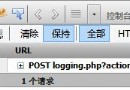 用 HttpClient 自動登入 Discuz 論壇的完整拆解
想用程式自動登入論壇,第一步不是寫程式,而是先搞清楚瀏覽器到底做了什麼。 一、觀察瀏覽器的行為 用 Firefox 打開 Hi-PDA 的登入頁,輸入帳號密碼按下登入,
 高仿微信支付密碼輸入框:動態密碼格 + 底部彈出數字鍵盤
支付密碼輸入框是 App 裡再常見不過的元件,但自己做過的人都知道細節不少。本文把它拆成三塊來做,每一塊都可以單獨複用。 設計思路 Ⅰ. 密碼格數量由程式碼動態生成——
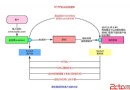 Android 網路效能分析與優化實錄:從抓包到落地
近期針對公司 Android 端 SDK 進行實測,暴露出「網路資源載入緩慢」的問題。在已知 CDN 可能不穩定的前提下,我們把 SDK 自身的網路模組拆開來分析,整理成
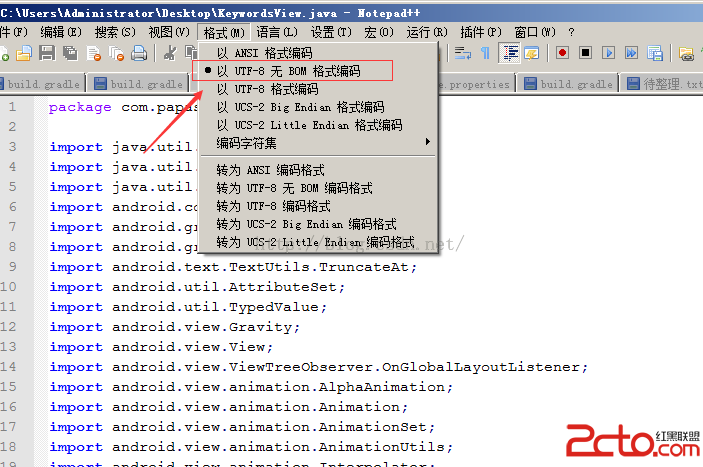 Android Studio 常見錯誤:BOM 非法字元、res-auto 與 APK 重複檔案
在 Android Studio 開發過程中,常會遇到一些看似不明顯、但會導致編譯或打包失敗的問題。本文整理三種常見錯誤:BOM 造成的非法字元、Gradle 專案中的自