

編輯:關於 Android 程式設計
實務上為了滿足產品需求、做出設計稿指定的互動,我們時常得把原生控制項改造成自己想要的樣子。Android 原生的 ListView 並不支援左右滑動,但像微信通訊錄那樣「滑出刪除/編輯按鈕」的交互又確實好用,於是就有了這篇自製的實作。
pointToPosition() 判斷落在 ListView 的哪一個 position。效果如下:
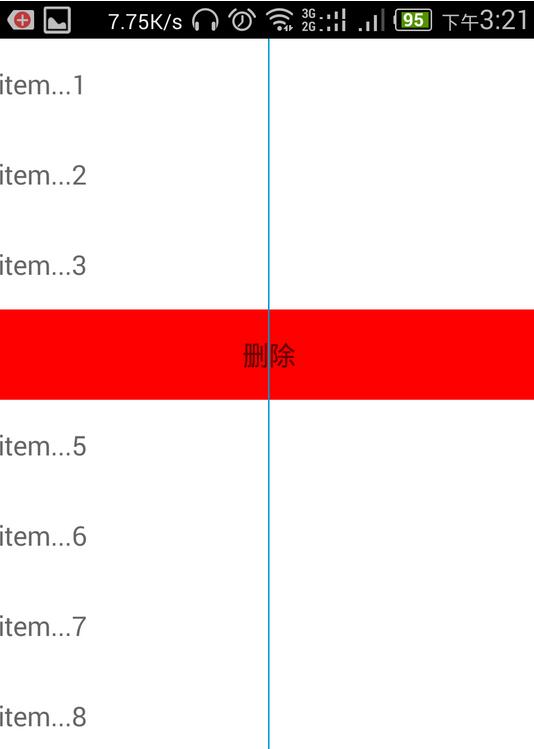
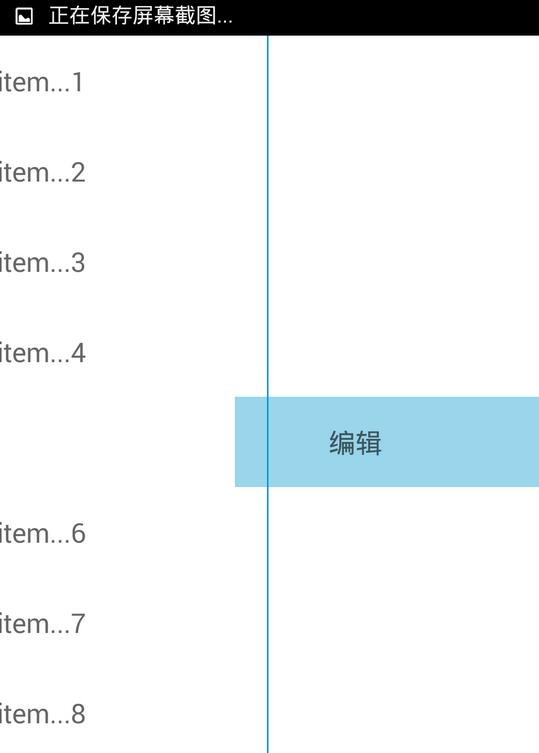
關鍵在 dispatchTouchEvent() 與 onTouchEvent() 的分工:前者負責「判斷這是不是一次橫向滑動」,後者負責「真的去滑」。一旦判定為橫滑,就呼叫 requestDisallowInterceptTouchEvent(true) 阻止父層攔截,並構造一個 ACTION_CANCEL 事件回灌給 ListView,避免它同時在垂直方向滾動。
 package com.example.wz.view;

 import android.annotation.SuppressLint;
 import android.content.Context;
 import android.os.Handler;
 import android.util.AttributeSet;
 import android.view.MotionEvent;
 import android.view.VelocityTracker;
 import android.view.View;
 import android.view.ViewConfiguration;
 import android.view.WindowManager;
 import android.widget.AdapterView;
 import android.widget.ListView;
 import android.widget.TextView;
 import com.example.wz.R;
 import com.example.wz.util.MyLog;
 import com.example.wz.util.OpenLooper;
 import com.example.wz.util.OpenLooper.LoopCallback;

 public class MyListView extends ListView {
     public MyLog log = new MyLog(this, true);
     public float screenWidth;
     public int mTouchSlop;
     public float density;

     public MyListView(Context context) {
         super(context);
     }

     public MyListView(Context context, AttributeSet attrs) {
         this(context, attrs, 0);
     }

     public float transleteSpeed = 2f;
     public OpenLooper openLooper = null;
     public LoopCallback loopCallback = null;

     @SuppressWarnings("deprecation")
     public MyListView(Context context, AttributeSet attrs, int defStyle) {
         super(context, attrs, defStyle);
         this.screenWidth = ((WindowManager) context.getSystemService(Context.WINDOW_SERVICE))
                 .getDefaultDisplay().getWidth();
         // 系統定義的觸控靈敏度門檻,避免把點擊誤判為滑動
         this.mTouchSlop = ViewConfiguration.get(getContext()).getScaledTouchSlop();
         this.density = context.getResources().getDisplayMetrics().density;
         this.openLooper = new OpenLooper();
         this.openLooper.createOpenLooper();
         this.loopCallback = new ListLoopCallback(this.openLooper);
         this.openLooper.loopCallback = this.loopCallback;
     }

     /** 本體是否正在動畫歸位中 */
     public class BodyStatus {
         public int None = 0, Down = 1, Move = 2, Up = 3, Homing = 4;
         int state = None;
     }
     public BodyStatus bodyStatus = new BodyStatus();

     /** 滑動/歸位方向 */
     public class RemoveDirection {
         public int None = 0, Left = 1, Right = 2, Homing_Left = 3, Homing_Right = 4;
         public int state = None;
     }
     public RemoveDirection removeDirection = new RemoveDirection();

     public class ListLoopCallback extends LoopCallback {
         public ListLoopCallback(OpenLooper openLooper) {
             openLooper.super();
         }

         @Override
         public void loop(double ellapsedMillis) {
             if (bodyStatus.state == bodyStatus.Homing) {
                 goHoming((float) ellapsedMillis);
             }
         }
     }

     /** 逐影推進滑動動畫;滑出螢幕即回報刪除事件 */
     public void goHoming(float delta) {
         float distance = (float) delta * transleteSpeed;

         if (removeDirection.state == removeDirection.Left) {
             float currentX = itemView.getScrollX() + distance;
             if (currentX > screenWidth) {
                 distance = distance - (currentX - screenWidth);
             }
             itemView.scrollBy((int) (distance), itemView.getScrollY());
             if (itemView.getScrollX() > screenWidth / 2 + 40 * screenWidth / 1080) {
                 t2.setTranslationX(itemView.getScrollX() - screenWidth / 2 - 40 * 3f);
             } else {
                 t2.setTranslationX(40 * 3f);
             }
         } else if (removeDirection.state == removeDirection.Right) {
             float currentX = itemView.getScrollX() - distance;
             if (currentX < -screenWidth) {
                 distance = distance - (Math.abs(currentX) - screenWidth);
             }
             itemView.scrollBy((int) (-distance), itemView.getScrollY());
             if (itemView.getScrollX() < -(screenWidth / 2 + 40 * 3f * 2)) {
                 t1.setTranslationX(-(Math.abs(itemView.getScrollX())
                         - screenWidth / 2 - 40 * 3f));
             } else {
                 t1.setTranslationX(-40 * 3f);
             }
         } else if (removeDirection.state == removeDirection.Homing_Left) {
             // 收回左側滑出的按鈕
             float currentX = itemView.getScrollX() - distance;
             if (currentX < 0) {
                 distance = distance - (Math.abs(currentX));
             }
             itemView.scrollBy((int) (-distance), itemView.getScrollY());
         } else if (removeDirection.state == removeDirection.Homing_Right) {
             // 收回右側滑出的按鈕
             float currentX = itemView.getScrollX() + distance;
             if (currentX > 0) {
                 distance = distance - currentX;
             }
             itemView.scrollBy((int) (distance), itemView.getScrollY());
         }

         // 動畫結束:滑到底就通知外部移除,最後歸零
         if (itemView.getScrollX() == 0 || itemView.getScrollX() >= screenWidth
                 || itemView.getScrollX() <= -screenWidth) {
             openLooper.stop();
             if (itemView.getScrollX() >= screenWidth) {
                 mRemoveListener.removeItem(removeDirection, position);
             } else if (itemView.getScrollX() <= -screenWidth) {
                 mRemoveListener.removeItem(removeDirection, position);
             }
             new Handler().postDelayed(new Runnable() {
                 @Override
                 public void run() {
                     itemView.scrollTo(0, itemView.getScrollY());
                     bodyStatus.state = bodyStatus.None;
                 }
             }, 300);
         }
     }

     public int touch_down_x;
     public int touch_down_y;
     public View itemView;
     public TextView t1;
     public TextView t2;
     public int SNAP_VELOCITY = 800;
     public int position;

     @Override
     public boolean dispatchTouchEvent(MotionEvent event) {
         int action = event.getAction();

         if (action == MotionEvent.ACTION_DOWN) {
             if (bodyStatus.state != bodyStatus.None) {
                 return super.dispatchTouchEvent(event);
             }
             this.touch_down_x = (int) event.getX();
             this.touch_down_y = (int) event.getY();
             position = pointToPosition(touch_down_x, touch_down_y);
             if (position == AdapterView.INVALID_POSITION) {
                 return super.dispatchTouchEvent(event);
             }
             itemView = getChildAt(position - getFirstVisiblePosition());
             t2 = (TextView) itemView.findViewById(R.id.t2);
             t1 = (TextView) itemView.findViewById(R.id.t1);
         } else if (action == MotionEvent.ACTION_MOVE) {
             // 速度過快,或橫向位移明顯大於縱向,就判定為橫滑
             if (Math.abs(getScrollVelocity()) > SNAP_VELOCITY
                     || (Math.abs(event.getX() - touch_down_x) > mTouchSlop
                         && Math.abs(event.getY() - touch_down_y) < mTouchSlop)) {
                 isSlide = true;
             }
         } else if (action == MotionEvent.ACTION_UP) {
             int velocityX = getScrollVelocity();
             if (Math.abs(velocityX) > SNAP_VELOCITY) {
                 // 速度足夠,直接滑到底
                 if (velocityX > SNAP_VELOCITY) {
                     bodyStatus.state = bodyStatus.Homing;
                     removeDirection.state = removeDirection.Right;
                     openLooper.start();
                 } else {
                     bodyStatus.state = bodyStatus.Homing;
                     removeDirection.state = removeDirection.Left;
                     openLooper.start();
                 }
             } else {
                 // 速度不足,依剩餘位移決定去留
                 if (itemView.getScrollX() >= screenWidth / 2) {
                     bodyStatus.state = bodyStatus.Homing;
                     removeDirection.state = removeDirection.Left;
                     openLooper.start();
                 } else if (itemView.getScrollX() <= -screenWidth / 2) {
                     bodyStatus.state = bodyStatus.Homing;
                     removeDirection.state = removeDirection.Right;
                     openLooper.start();
                 } else {
                     if (itemView.getScrollX() < 0) {
                         removeDirection.state = removeDirection.Homing_Right;
                     } else {
                         removeDirection.state = removeDirection.Homing_Left;
                     }
                     bodyStatus.state = bodyStatus.Homing;
                     openLooper.start();
                 }
             }
             recycleVelocityTracker();
             isSlide = false;
         }
         return super.dispatchTouchEvent(event);
     }

     public boolean isSlide = false;

     @SuppressLint("Recycle")
     @Override
     public boolean onTouchEvent(MotionEvent event) {
         if (isSlide && position != AdapterView.INVALID_POSITION) {
             requestDisallowInterceptTouchEvent(true);
             addVelocityTracker(event);
             int x = (int) event.getX();
             int action = event.getAction();

             if (action == MotionEvent.ACTION_DOWN) {
                 // 不做處理
             } else if (action == MotionEvent.ACTION_MOVE) {
                 // 把 ListView 的這次事件取消掉,避免它同時垂直滾動
                 MotionEvent cancelEvent = MotionEvent.obtain(event);
                 cancelEvent.setAction(MotionEvent.ACTION_CANCEL
                         | (event.getActionIndex() << MotionEvent.ACTION_POINTER_INDEX_SHIFT));
                 onTouchEvent(cancelEvent);

                 int deltaX = touch_down_x - x;
                 touch_down_x = x;

                 // 讓按鈕保持貼齊邊緣,滑很遠時固定在原位
                 if (itemView.getScrollX() > screenWidth / 2 + 40 * 3f * 2) {
                     t2.setTranslationX(itemView.getScrollX() - screenWidth / 2 - 40 * 3f);
                 } else {
                     t2.setTranslationX(40 * 3f);
                 }
                 if (itemView.getScrollX() < -(screenWidth / 2 + 40 * 3f * 2)) {
                     t1.setTranslationX(-(Math.abs(itemView.getScrollX())
                             - screenWidth / 2 - 40 * 3f));
                 } else {
                     t1.setTranslationX(-40 * 3f);
                 }

                 itemView.scrollBy(deltaX, 0);
                 return true;
             }
         }
         return super.onTouchEvent(event);
     }

     // ---- 對外暴露的監聽器 ----
     public RemoveListener mRemoveListener;

     public void setRemoveListener(RemoveListener removeListener) {
         this.mRemoveListener = removeListener;
     }

     public interface RemoveListener {
         public void removeItem(RemoveDirection direction, int position);
     }

     // ---- 速度追蹤 ----
     public VelocityTracker velocityTracker;

     public void addVelocityTracker(MotionEvent event) {
         if (velocityTracker == null) {
             velocityTracker = VelocityTracker.obtain();
         }
         velocityTracker.addMovement(event);
     }

     public int getScrollVelocity() {
         if (velocityTracker != null) {
             velocityTracker.computeCurrentVelocity(1000);
             return (int) velocityTracker.getXVelocity();
         }
         return 0;
     }

     public void recycleVelocityTracker() {
         if (velocityTracker != null) {
             velocityTracker.recycle();
             velocityTracker = null;
         }
     }
 }
 package com.example.wz;

 import java.util.ArrayList;
 import android.app.Activity;
 import android.os.Bundle;
 import android.util.DisplayMetrics;
 import android.util.Log;
 import android.view.LayoutInflater;
 import android.view.View;
 import android.view.ViewGroup;
 import android.widget.BaseAdapter;
 import android.widget.TextView;
 import com.example.wz.view.MyListView;
 import com.example.wz.view.MyListView.RemoveDirection;
 import com.example.wz.view.MyListView.RemoveListener;

 public class TestListActivity extends Activity {
     LayoutInflater mInflater;

     @Override
     protected void onCreate(Bundle savedInstanceState) {
         displayMetrics = new DisplayMetrics();
         this.getWindowManager().getDefaultDisplay().getMetrics(displayMetrics);
         super.onCreate(savedInstanceState);
         setContentView(R.layout.activity_testlist);
         mInflater = getLayoutInflater();
         listView = (MyListView) findViewById(R.id.slideCutListView);
         showAddressDialog();
     }

     public DisplayMetrics displayMetrics;
     MyListView listView;
     public ArrayList<String> items;

     public void showAddressDialog() {
         items = new ArrayList<String>() { {
             add("item...1");  add("item...2");  add("item...3");  add("item...4");
             add("item...5");  add("item...6");  add("item...7");  add("item...8");
             add("item...9");  add("item...10"); add("item...11"); add("item...12");
             add("item...13"); add("item...14"); add("item...15"); add("item...16");
             add("item...17"); add("item...18"); add("item...19"); add("item...20");
         } };

         NearbyRelationAdapter nearbyRelationAdapter = new NearbyRelationAdapter();
         listView.setAdapter(nearbyRelationAdapter);

         listView.setRemoveListener(new RemoveListener() {
             @Override
             public void removeItem(RemoveDirection direction, int position) {
                 if (direction.state == direction.Left) {
                     Log.e("A", "left" + "-" + position);
                 } else if (direction.state == direction.Right) {
                     Log.e("A", "right" + "-" + position);
                 }
             }
         });
     }

     public class NearbyRelationAdapter extends BaseAdapter {
         @Override public int getCount() {
             return items.size();
         }

         @Override public Object getItem(int posotion) {
             return items.get(posotion);
         }

         @Override public long getItemId(int posotion) {
             return posotion;
         }

         @Override
         public View getView(int position, View convertView, ViewGroup parent) {
             Holder holder = null;
             if (convertView == null) {
                 holder = new Holder();
                 convertView = mInflater.inflate(R.layout.view_menu_item1, null);
                 holder.title = (TextView) convertView.findViewById(R.id.title);
                 // 左右兩側的按鈕初始藏在畫面外
                 holder.o1 = convertView.findViewById(R.id.o1);
                 holder.o1.setTranslationX(-displayMetrics.widthPixels);
                 holder.o2 = convertView.findViewById(R.id.o2);
                 holder.o2.setTranslationX(displayMetrics.widthPixels);
                 convertView.setTag(holder);
             } else {
                 holder = (Holder) convertView.getTag();
             }
             holder.title.setText(items.get(position));
             // 複用時把上一列的位移清掉,避免殘留滑開狀態
             convertView.scrollTo(0, convertView.getScrollY());
             return convertView;
         }

         class Holder {
             TextView title;
             View o1, o2;
         }
     }
 }
這裡有個容易忽略的細節:getView() 中一定要呼叫 convertView.scrollTo(0, ...) 把位移歸零。因為 ListView 的列會被複用,若不做這件事,使用者滑開某一列後捲動清單,其他列會莫名其妙地呈現半開狀態。
ListView 版面:
 <?xml version="1.0" encoding="utf-8"?>
 <RelativeLayout xmlns:android="https://schemas.android.com/apk/res/android"
     xmlns:tools="https://schemas.android.com/tools"
     android:layout_width="match_parent"
     android:layout_height="match_parent"
     android:background="@android:color/darker_gray" >

     <com.example.wz.view.MyListView
         android:id="@+id/slideCutListView"
         android:layout_width="match_parent"
         android:layout_height="match_parent"
         android:cacheColorHint="@android:color/transparent"
         android:listSelector="@android:color/transparent" >
     </com.example.wz.view.MyListView>

     <TextView
         android:layout_width="1dp"
         android:layout_height="match_parent"
         android:layout_centerHorizontal="true"
         android:background="#0099cd" />
 </RelativeLayout>
每一列的版面,結構是「左右兩顆按鈕 + 上層內容」。左滑露出右側的刪除、右滑露出左側的編輯:
 <?xml version="1.0" encoding="utf-8"?>
 <RelativeLayout xmlns:android="https://schemas.android.com/apk/res/android"
     android:layout_width="match_parent"
     android:layout_height="wrap_content"
     android:background="#fff" >

     <!-- 右滑時露出的「刪除」 -->
     <RelativeLayout
         android:id="@+id/o1"
         android:layout_width="match_parent"
         android:layout_height="60dp"
         android:background="#ff0000" >
         <TextView
             android:id="@+id/t1"
             android:layout_width="80dp"
             android:layout_height="wrap_content"
             android:layout_alignParentRight="true"
             android:layout_centerVertical="true"
             android:gravity="center"
             android:padding="10dp"
             android:text="刪除"
             android:textColor="#99000000"
             android:textSize="18sp" />
     </RelativeLayout>

     <!-- 左滑時露出的「編輯」 -->
     <RelativeLayout
         android:id="@+id/o2"
         android:layout_width="match_parent"
         android:layout_height="60dp"
         android:background="#660099cd" >
         <TextView
             android:id="@+id/t2"
             android:layout_width="80dp"
             android:layout_height="wrap_content"
             android:layout_alignParentLeft="true"
             android:layout_centerVertical="true"
             android:gravity="center"
             android:padding="10dp"
             android:text="編輯"
             android:textColor="#99000000"
             android:textSize="18sp" />
     </RelativeLayout>

     <!-- 上層的正常內容 -->
     <RelativeLayout
         android:id="@+id/r1"
         android:layout_width="match_parent"
         android:layout_height="60dp"
         android:background="#fff" >
         <TextView
             android:id="@+id/title"
             android:layout_width="match_parent"
             android:layout_height="wrap_content"
             android:layout_centerVertical="true"
             android:gravity="center_vertical"
             android:textColor="#99000000"
             android:textSize="18sp" />
     </RelativeLayout>
 </RelativeLayout>
程式中的 OpenLooper 與 MyLog 等輔助類別,與上一篇抽屜選單共用同一份實作。整體而言,這個自製 List 的三個關鍵點是:用 mTouchSlop 做方向判斷、用 VelocityTracker 判斷是否該滑到底、用 scrollTo 在複用時清位移。三者缺一,體驗就會出現各種小毛病。
轉載自:https://blog.csdn.net/qxs965266509
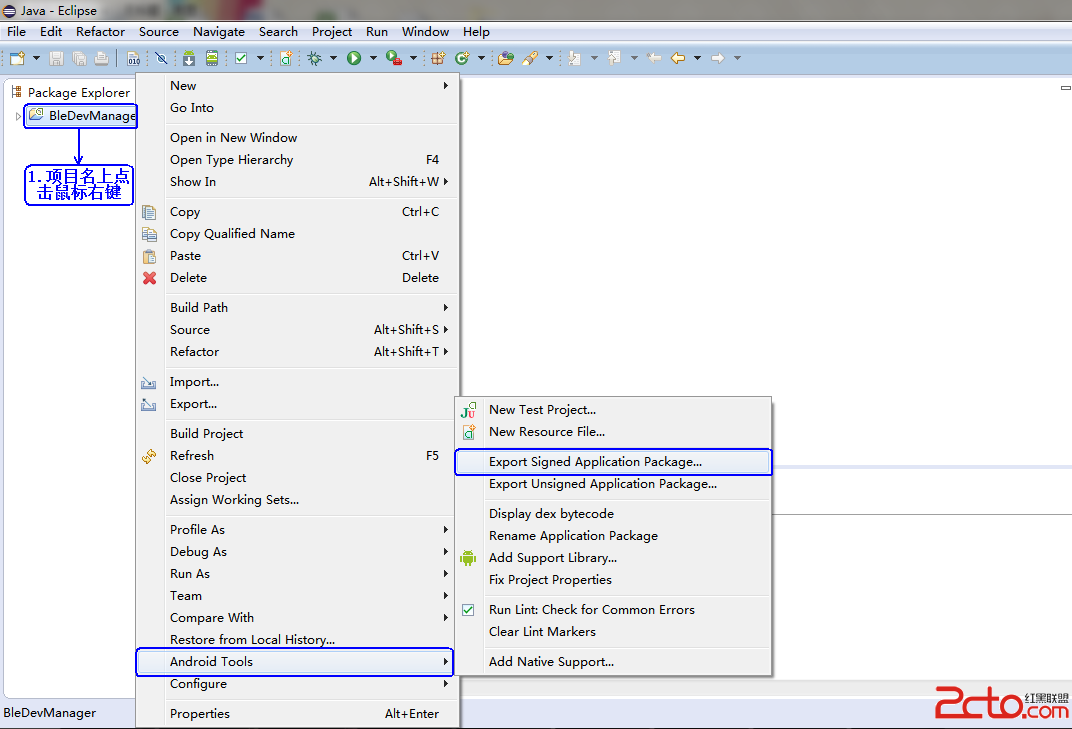 Android 應用簽名完整指南:Eclipse 操作與命令列實作
簽名的作用 Android 應用以套件名稱作為唯一識別。若兩個應用程式使用相同套件名稱,後安裝者可能覆蓋先安裝者。為了避免這種情況,Android 要求正式發布的應用必須
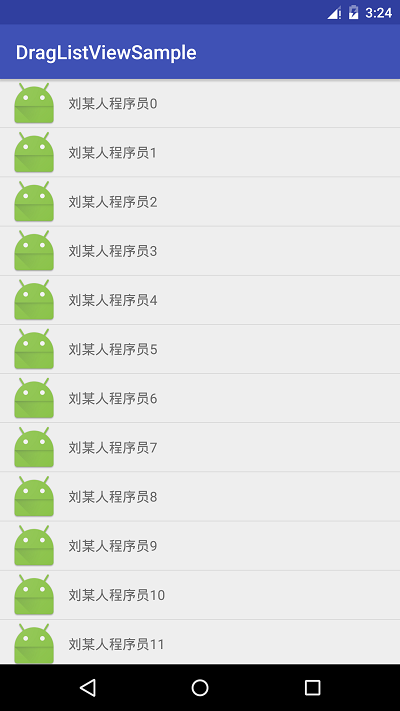 自定義 ListView 實作仿 QQ 可拖拽排序列表
先講整體思路。我的設想是這樣:先把一個最普通的 ListView 跑起來,Adapter 用系統封裝好的 ArrayAdapter,內部傳入自訂的實體類;等資料流動正常之
 Android 版面配置優化:ViewStub、include、merge 使用與源碼分析
一、include:讓共用版面配置可重複使用 在 Android 介面開發中,隨著畫面數量增加,重複的標題欄、返回按鈕、搜尋列或提示區塊也會變多。若每個版面配置都重新撰寫
 Android 滾輪時間選擇器:可擴充的日期與時間 Dialog
系統內建的日期選擇器未必符合所有產品需求,因此可嘗試以 WheelView 打造滾輪式時間選擇器。這類控制項可自訂標題、顯示欄位與是否開啟長期選項,適合日期、時間與證件有