

編輯:關於 Android 程式設計
專案裡遇到要傳檔案時,最省事的做法是把檔案轉成 Base64 字串再送出去,收端再把字串解回位元組寫存檔案。這個方式邏輯簡單、不用處理二進位流的種種細節,但代價也很明確:不適合太大的檔案,因為整個檔案要一次讀進記憶體,檔案一大就會有效率與 OOM 的風險。
至於「多大算太大」,這跟裝置可用記憶體、讀取方式都有關係,建議依實機情境自行實測評估。以下提供一組可直接複用的方法。
Android 2.2 之後內建了 android.util.Base64,不必再自己找第三方實作:
import android.util.Base64;
思路是:開啟檔案 → 依檔案大小配置位元組陣列 → 一次讀入 → 編碼成字串。
/**
 * 將檔案轉成 Base64 字串
 * @param path 檔案路徑
 * @return Base64 編碼後的字串
 */
public static String encodeBase64File(String path) throws Exception {
    File file = new File(path);
    FileInputStream inputFile = new FileInputStream(file);
    byte[] buffer = new byte[(int) file.length()];
    inputFile.read(buffer);
    inputFile.close();
    return Base64.encodeToString(buffer, Base64.DEFAULT);
}
這裡用 (int) file.length() 直接依檔案大小開好剛好的陣列,寫法簡潔,但這也是「不適合大檔」的根本原因——檔案多大,記憶體就要一次吃掉多少。
/**
 * 將 Base64 字串解碼並存檔
 * @param base64Code 編碼後的字串
 * @param savePath   檔案存放路徑
 */
public static void decoderBase64File(String base64Code, String savePath)
        throws Exception {
    byte[] buffer = Base64.decode(base64Code, Base64.DEFAULT);
    FileOutputStream out = new FileOutputStream(savePath);
    out.write(buffer);
    out.close();
}
解碼端反過來做即可:解碼成位元組陣列,再整批寫入檔案。
Base64.DEFAULT 是最通用的選擇;若要放進 URL 或做為檔名的一部分,可改用 Base64.NO_WRAP 或 Base64.URL_SAFE,避免換行與特殊字元惹麻煩。try-with-resources 或 finally 確保串流一定被關掉。inputFile.read(buffer) 不保證一次讀滿,嚴謹的寫法應該檢查回傳值或改用迴圈讀到 EOF。整體來說,Base64 互轉適合用在小型憑證、設定檔、小圖示這類場合;一旦是影音或大圖,還是本分地走串流上傳才對。
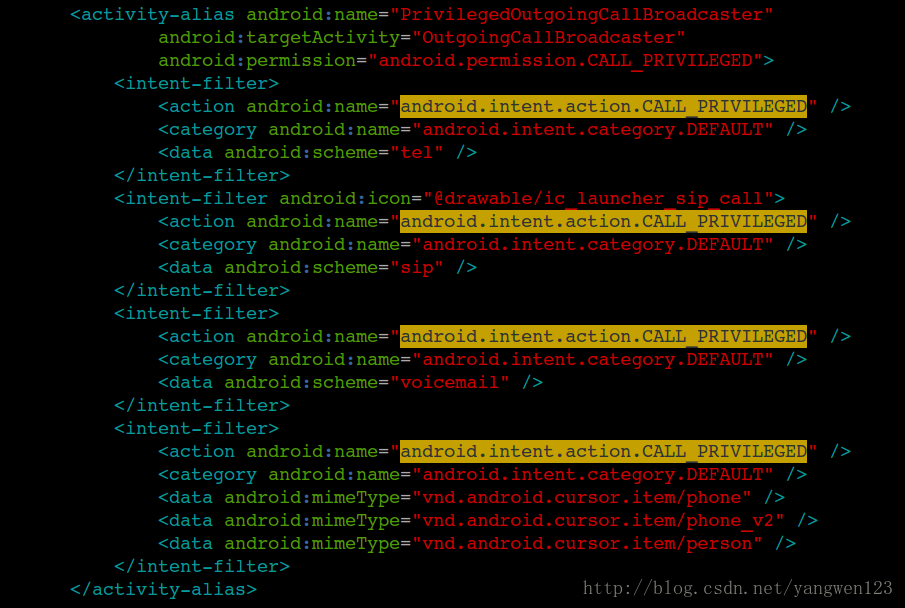 Android 電話撥打流程源碼深度剖析
在之前的文章中,我們已經分析了電話撥號界面與電話呼叫界面。由於 Android 的電話 Phone 模塊設計相當複雜,因此我們選擇先從 UI 層入手分析。 想了解 And
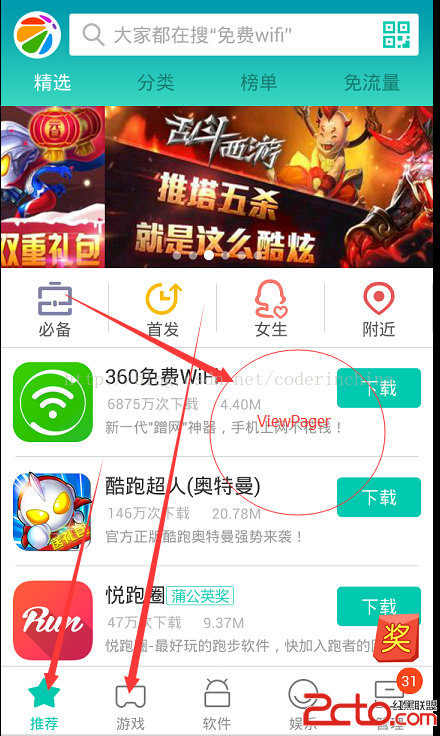 Android 禁止 ViewPager 滑動
最近項目中有個需求:禁止 ViewPager 的滑動事件。我們看 360 手機助手的界面,風格大概就是這樣——中間內容是不可滑動的。 下面寫個 demo 說明如何禁止
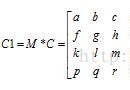 圖片色彩特效實戰:ColorMatrix 的三種玩法
在 Android 開發中,圖片處理是相當常見的需求,其中又以色彩處理最為 frequent。我們時常看到美圖秀秀、美顏相機這類 app——為什麼原本人像偏暗,拍出來卻白
 Android 隨機驗證碼實作:用 Canvas 畫出帶干擾的驗證碼圖片
在 Android 客戶端開發中,驗證碼有兩種用途,目的完全不同:簡訊驗證碼用於身分認證,主要透過 HTTP 等通訊協議向伺服器索取並校驗;圖形隨機驗證碼則多用於「限制或