

編輯:關於 Android 程式設計
本文示範如何透過 ksoap2 在 Android 平台上調用 .NET 開發的 WebService,實現手機號碼歸屬地查詢的功能。使用前需先把 ksoap2-android-assembly-2.5.4-jar-with-dependencies.jar 這個庫導入到 lib 裡。
package com.example.usewebservice;

import org.ksoap2.SoapEnvelope;
import org.ksoap2.serialization.SoapObject;
import org.ksoap2.serialization.SoapSerializationEnvelope;
import org.ksoap2.transport.HttpTransportSE;
import android.os.Bundle;
import android.os.Handler;
import android.os.Message;
import android.annotation.SuppressLint;
import android.app.Activity;
import android.view.View;
import android.view.View.OnClickListener;
import android.widget.Button;
import android.widget.EditText;
import android.widget.TextView;
import android.widget.Toast;

public class MainActivity extends Activity {
    /**
     * Android 平台調用 WebService(手機號碼歸屬地查詢)
     * 要先把 ksoap2-android-assembly-2.5.4-jar-with-dependencies.jar 導入到 lib 裡
     */
    public EditText text;
    public Button button;
    public TextView tx;
    public String telephone_number;
    public MyThread thread;
    public Handler handler;

    @SuppressLint("HandlerLeak")
    @Override
    protected void onCreate(Bundle savedInstanceState) {
        super.onCreate(savedInstanceState);
        setContentView(R.layout.activity_main);
        text = (EditText) findViewById(R.id.editText1);
        button = (Button) findViewById(R.id.button1);
        thread = new MyThread();
        button.setOnClickListener(new OnClickListener() {
            @Override
            public void onClick(View v) {
                telephone_number = text.getText().toString().trim();
                if (telephone_number.equals("") || telephone_number.length() < 7) {
                    text.setError("您輸入的手機號碼(段)有誤!");
                    text.requestFocus();
                } else {
                    new Thread(thread).start();
                }
            }
        });
        handler = new Handler() {
            @SuppressLint("HandlerLeak")
            public void handleMessage(Message msg) {
                switch (msg.what) {
                    case 0x01:
                        Bundle bundle = new Bundle();
                        bundle = msg.getData();
                        Toast.makeText(MainActivity.this, bundle.getString("result"),
                                Toast.LENGTH_SHORT).show();
                }
            }
        };
    }

    // 創建線程
    public class MyThread implements Runnable {
        public void run() {
            Looper.prepare(); // 創建本線程的消息隊列並初始化
            getTelephoneInfo(telephone_number);
            Looper.loop(); // 開始運行消息隊列
        }
    }

    public void getTelephoneInfo(String phone_number) {
        // 命名空間
        String nameSpace = "https://WebXml.com.cn/";
        // 調用的方法名稱
        String methodName = "getMobileCodeInfo";
        // WebService 的網址
        String URL = "https://webservice.webxml.com.cn/WebServices/MobileCodeWS.asmx";
        // 命名空間 + 方法
        String soapAction = "https://WebXml.com.cn/getMobileCodeInfo";

        // 指定 WebService 的命名空間和調用的方法名
        SoapObject rpc = new SoapObject(nameSpace, methodName);
        // 設置需調用 WebService 接口需要傳入的兩個參數 mobileCode、userId
        rpc.addProperty("mobileCode", phone_number);
        rpc.addProperty("userId", "");

        // 生成調用 WebService 方法的 SOAP 請求信息,並指定 SOAP 的版本
        SoapSerializationEnvelope envelope =
                new SoapSerializationEnvelope(SoapEnvelope.VER11);
        envelope.bodyOut = rpc;
        // 設置是否調用的是 dotNet 開發的 WebService
        envelope.dotNet = true;
        envelope.setOutputSoapObject(rpc);

        HttpTransportSE transport = new HttpTransportSE(URL);
        try {
            transport.call(soapAction, envelope);
        } catch (Exception e) {
            e.printStackTrace();
        }

        // 獲取返回的數據
        SoapObject object = (SoapObject) envelope.bodyIn;
        String result = object.getProperty("getMobileCodeInfoResult").toString();

        Message msg = new Message();
        Bundle bundle = new Bundle();
        bundle.putString("result", result);
        msg.setData(bundle);
        msg.what = 0x01;
        handler.handleMessage(msg);
    }
}
<RelativeLayout xmlns:android="https://schemas.android.com/apk/res/android"
    android:layout_width="fill_parent"
    android:background="@drawable/dd"
    android:layout_height="fill_parent" >

    <TextView
        android:id="@+id/textView1"
        android:layout_width="wrap_content"
        android:layout_height="wrap_content"
        android:layout_alignParentTop="true"
        android:layout_centerHorizontal="true"
        android:layout_marginTop="24dp"
        android:text="手機號碼歸屬地查詢"
        android:textSize="30sp" />

    <EditText
        android:id="@+id/editText1"
        android:layout_width="wrap_content"
        android:layout_height="wrap_content"
        android:layout_alignParentLeft="true"
        android:layout_alignParentRight="true"
        android:layout_below="@+id/textView1"
        android:layout_marginTop="23dp"
        android:phoneNumber="true"
        android:hint="請至少輸入你手機號碼的前7位"
        android:ems="10" />

    <Button
        android:id="@+id/button1"
        android:layout_width="wrap_content"
        android:layout_height="wrap_content"
        android:layout_alignParentLeft="true"
        android:layout_alignParentRight="true"
        android:layout_centerVertical="true"
        android:text="查詢" />

</RelativeLayout>
由於網路請求屬於耗時操作,因此這裡將查詢邏輯放在獨立的 Thread 中執行,並透過 Handler 把結果回傳到主線程更新 UI,以避免阻塞主線程造成 ANR。
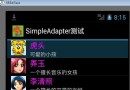 Android 開發系列(十九):為 SimpleAdapter 自訂樣式
Adapter 的核心作用,是把資料處理好之後再呈現到視圖上。對一般的 ArrayAdapter 來說,只要把一個陣列與一個樣式傳給它,就能用列表把這個字串陣列顯示出來。
 Android TextView 圓弧邊框與背景實作詳解
Android TextView 圓弧效果圖:布局碼: <TextView android:id=@+id/product_tag android:layout_w
 安卓開發之 ViewDragHelper 使用大全,並自定義可下拉展開內容的 ViewGroup
一、ViewDragHelper 一個自定義 ViewGroup 的工具類,它提供了許多有用的方法和狀態,允許用戶去拖拽並繪製子 View 在自定義 ViewGroup
 Android 鬧鐘實作:AlarmManager 定時器開發指南
AlarmManager 是什麼 在 Android 開發中,AlarmManager 常用於實作鬧鐘、定時提醒與週期性任務。它提供全域的定時機制,能在指定時間或固定間隔