

編輯:關於 Android 程式設計
Android TextView 圓弧
效果圖:
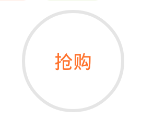
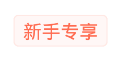
布局碼:
<TextView android:id="@+id/product_tag" android:layout_width="wrap_content" android:layout_height="wrap_content" android:gravity="center" android:singleLine="true" android:textSize="10sp" android:textColor="@color/label_orange" android:layout_marginLeft="10dp" android:background="@drawable/shape_label_orange" android:text="標簽"/>
樣式碼:弧度與背景主要靠 background 中的 xml 檔實現。
1、圓角矩形樣式:
<?xml version="1.0" encoding="utf-8"?> <shape xmlns:android="https://schemas.android.com/apk/res/android"> <!-- 實心 --> <solid android:color="@android:color/white"/> <!-- 邊框 --> <stroke android:width="0.5dp" android:color="@color/label_orange"/> <!-- 圓角 --> <corners android:radius="3dp"/> <!-- 邊距 --> <padding android:top="2dp" android:bottom="2dp" android:left="6dp" android:right="6dp"/> </shape>
2、橢圓樣式:
<?xml version="1.0" encoding="utf-8"?> <shape xmlns:android="https://schemas.android.com/apk/res/android" android:shape="oval" android:useLevel="false"> <!-- 實心 --> <solid android:color="@color/label_round_orange" /> <!-- 圓角 --> <corners android:radius="360dp" /> <!-- 邊距 --> <padding android:bottom="1dp" android:left="1dp" android:right="1dp" android:top="1dp" /> <!-- 大小 --> <size android:width="15dp" android:height="15dp" /> </shape>
透過 shape 標籤的 solid(實心)、stroke(邊框)、corners(圓角)與 padding(邊距),即可輕鬆做出圓角標籤或圓形背景。希望這份整理能幫助到你。
 Android 布局技巧之創建高效布局
Android 的 UI 工具包提供了多種布局,但只使用最直覺的方式,未必能獲得最佳效能。尤其當布局層級過深或元件數量過多時,初始化、測量與繪製成本都會增加。本文以常見列
 Android 學習之路:數據的存儲與使用(一)
今天是 Android 學習的第四天,上午簡單學習了數據的存儲與使用,這裡把上午的心得整理一下。 數據存儲主要分為四大類: * 檔案 * SharedPreference
 Android 7.0 Rild 工作流程全解析
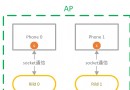
一、以 Rild 為核心的通訊架構 智慧型手機的硬體設計裡,幾乎都會出現兩顆處理器:一顆負責跑作業系統與各類 App,我們稱它為 Application Processo
 Android 推送入門:百度雲推送快速上手
現在幾乎每個 App 都具備推送功能。本文記錄使用百度雲推送的入門過程,官方文件與 Demo 都相當完善,跟著操作即可快速串接。目標是以百度雲推送為基礎,打造一個即時通訊