

編輯:關於 Android 程式設計
在 Android 開發中,經常需要判斷當前螢幕是橫屏還是豎屏,以便做出相應的介面調整。下面是一個實用的工具類,透過 getRequestedOrientation() 結合螢幕寬高來判斷方向。
public class AndroidTools {
    /**
     * 判斷橫豎屏
     * @param activity
     * @return 1:豎 | 0:橫
     */
    public static int ScreenOrient(Activity activity) {
        int orient = activity.getRequestedOrientation();
        if (orient != ActivityInfo.SCREEN_ORIENTATION_LANDSCAPE
                && orient != ActivityInfo.SCREEN_ORIENTATION_PORTRAIT) {
            WindowManager windowManager = activity.getWindowManager();
            Display display = windowManager.getDefaultDisplay();
            int screenWidth = display.getWidth();
            int screenHeight = display.getHeight();
            orient = screenWidth < screenHeight
                    ? ActivityInfo.SCREEN_ORIENTATION_PORTRAIT
                    : ActivityInfo.SCREEN_ORIENTATION_LANDSCAPE;
        }
        return orient;
    }
}
判斷邏輯其實很直觀:先取得應用設定的螢幕方向,如果應用沒有明確指定為橫屏或豎屏,就透過螢幕的寬度與高度進行比較。當寬度小於高度時視為豎屏,反之則為橫屏。這樣一來,即便在未指定方向的情況下,也能準確獲取目前的螢幕擺放狀態。
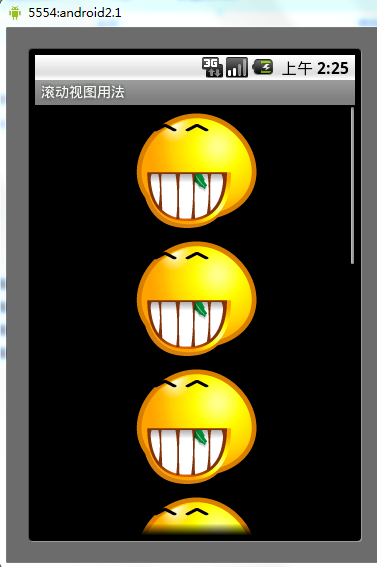 Android ScrollView 用法解析
ScrollView 概念 ScrollView 是滾動視圖,當畫面內容過多、無法一次顯示時,可透過垂直滾動來瀏覽。ScrollView 只支援垂直滾動。 版面配置 &l
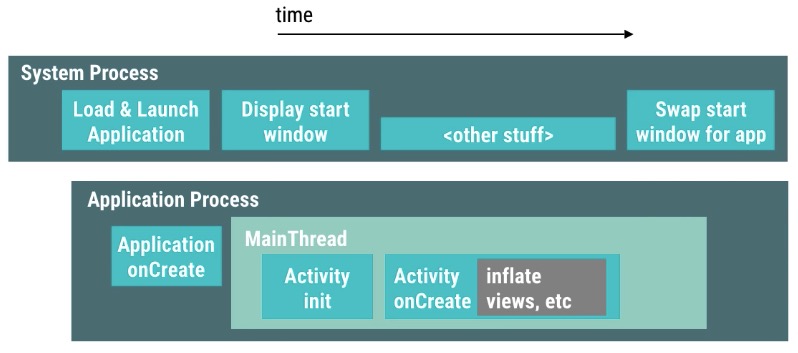 Android 性能優化摘錄:啟動、APK 體積與 UI 渲染
Android 性能優化可以從三個面向著手:啟動速度、安裝包大小與 UI 渲染效率。以下摘錄整理實務上常見的檢查重點與工具使用時機。 App 啟動優化 使用者點擊桌面圖標
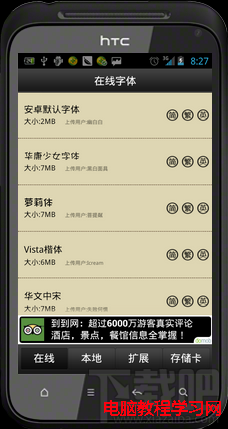 字體管家怎麼用?教你美化手機字型
字體管家是一款用來更換手機字型的工具,歸在手機美化類別。它在線上字型的收錄算是相當齊全,雖然還稱不上百變,但分類足夠應付日常的美化需求。 剛接觸這類軟體時,多數人會有點不
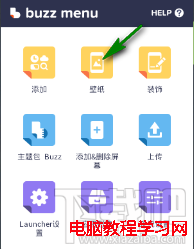 Buzz 桌面教學:更換桌面壁紙
Buzz 桌面換壁紙方法 1.雙指下滑開啟 Buzz 主選單,選擇「壁紙」。 2.接著從「多項壁紙」、「Buzz 壁紙」、「圖庫」三個來源中挑一個。 三個來源的差別值