

編輯:關於 Android 程式設計
本文分享如何透過 AsyncTask 非同步從網路載入圖片,顯示到 ImageView 並儲存至 sdcard。由於耗時的網路操作若放在主線程會阻塞 UI,因此採用多執行緒(AsyncTask)的方式來解決。
package com.example.f02_sdcard02;

import android.os.AsyncTask;
import android.os.Bundle;
import android.app.Activity;
import android.app.ProgressDialog;
import android.graphics.Bitmap;
import android.graphics.BitmapFactory;
import android.util.Log;
import android.view.View;
import android.widget.Button;
import android.widget.ImageView;

public class MainActivity extends Activity {
    private Button button;
    private ProgressDialog dialog;
    private String path = "https://111.0.26.119:8080/http/hangzhou.jpg"; // 圖片 URL
    private ImageView imageView;

    @Override
    protected void onCreate(Bundle savedInstanceState) {
        super.onCreate(savedInstanceState);
        setContentView(R.layout.activity_main);
        dialog = new ProgressDialog(MainActivity.this);
        dialog.setTitle("提示");
        dialog.setMessage("load......");
        button = (Button) this.findViewById(R.id.button1);
        imageView = (ImageView) this.findViewById(R.id.imageView1);
        button.setOnClickListener(new View.OnClickListener() {
            @Override
            public void onClick(View arg0) {
                new MyTask().execute(path); // 啟動非同步任務
            }
        });
    }

    public class MyTask extends AsyncTask<String, Void, byte[]> {
        private String imageName;

        @Override
        protected void onPreExecute() {
            super.onPreExecute();
            dialog.show();
        }

        @Override
        protected byte[] doInBackground(String... arg0) {
            byte[] data = HttpUtiles.downloadImg(arg0[0]);
            // 取得圖片名稱
            imageName = arg0[0].substring(arg0[0].lastIndexOf("/") + 1);
            Log.i("TAG", "-------->" + data.length);
            return data;
        }

        @Override
        protected void onPostExecute(byte[] result) {
            super.onPostExecute(result);
            Bitmap bitmap = BitmapFactory.decodeByteArray(result, 0, result.length);
            imageView.setImageBitmap(bitmap); // 顯示圖片
            FileUtiles fileUtiles = new FileUtiles();
            fileUtiles.fileSave(imageName, result); // 存入 sdcard
            dialog.dismiss();
        }
    }
}
public class HttpUtiles {
    public static byte[] downloadImg(String path) {
        byte[] data = null;
        HttpClient client = new DefaultHttpClient();
        HttpPost httpPost = new HttpPost(path);
        try {
            HttpResponse httpResponse = client.execute(httpPost);
            if (httpResponse.getStatusLine().getStatusCode() == 200) {
                data = EntityUtils.toByteArray(httpResponse.getEntity());
                Log.i("TAG", "-------->" + data.length);
            }
        } catch (Exception e) {
            e.printStackTrace();
        } finally {
            client.getConnectionManager().shutdown();
        }
        return data;
    }
}
檔案儲存到 sdcard 的程式碼在上一篇已貼出,此處不再贅述。透過 AsyncTask,我們把耗時的網路請求放在 doInBackground 中執行,並在 onPostExecute 中回到主線程更新 UI,既流暢又安全。
最後別忘了在清單檔中加入以下權限:
<uses-permission android:name="android.permission.INTERNET"/>
<uses-permission android:name="android.permission.WRITE_EXTERNAL_STORAGE"/>
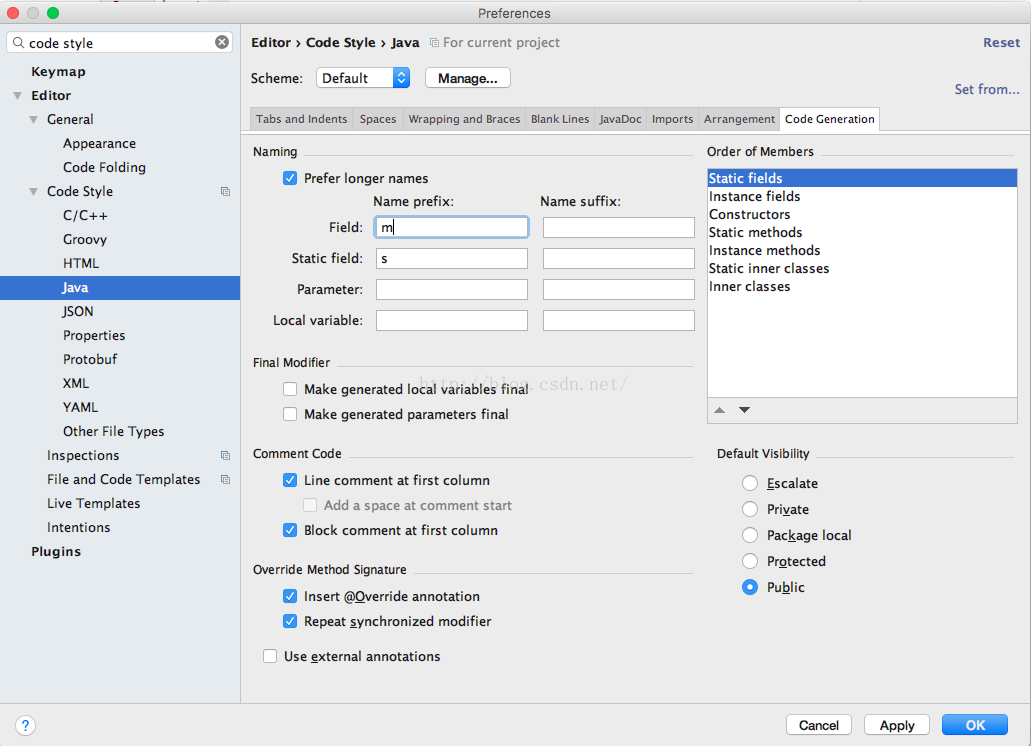 Android Studio 快速生成 Setter 與 Getter
在 Android 或 Java 開發中,類別通常需要為欄位產生 Setter 與 Getter。若每個欄位都手動撰寫,不僅費時,也容易出錯。Android Studio
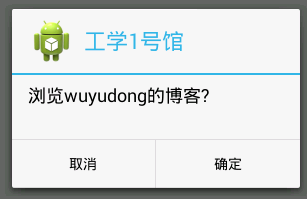 Android 四種常見對話框實例詳解
對話框是應用中與用戶互動的重要方式,無論是提示信息、讓用戶做選擇,還是展示加載進度,都离不开它。本文通過四個典型實例,帶大家逐一掌握 Android 中最常見的對話框用法
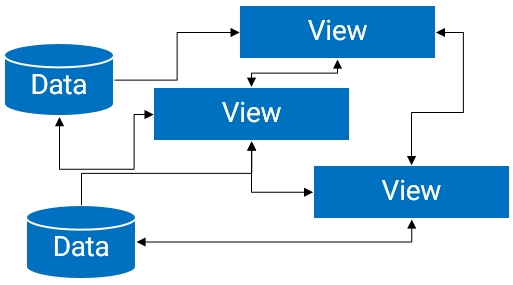 Android MVP 模式實戰:從觀念到代碼的完整演練
概要 MVP 模式大家都聽過,它是由 MVC 演變而來的。先回顧一下 MVC:Model 存放實體模型與業務邏輯,View 存放布局與資源文件,Control 則對應 A
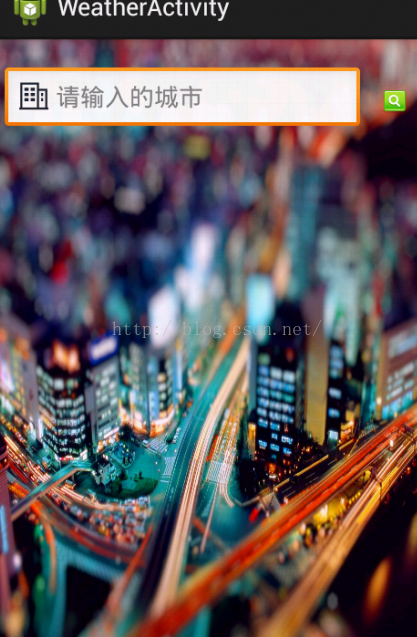 Android 項目實戰:完整拆解天氣預報應用的實現過程
需求很直白:輸入城市名,點擊查詢,列表依次展示未來七天的天氣,並帶有入場動畫。 一、搞定數據來源 提供天氣服務的網站不少,通常都會開放 API 供開發者調用。這裡以聚