

編輯:關於 Android 程式設計
我們在自定義 Android 控件的時候,除了用 Java 代碼構建出組件的外觀,往往還需要聲明一些「屬性」提供給布局文件使用。那什麼是控件的屬性呢?
比如在布局文件中創建一個 TextView 時,我們會寫 android:layout_width="wrap_content"、android:layout_height="wrap_content" 等等,這些都是控件的屬性。TextView 是系統為我們提供的組件,它的屬性也是系統預先定義好的。可以查看 Android 源碼中的 /frameworks/base/core/res/res/values/attrs.xml,這個文件定義了所有系統組件的屬性。
當我們自定義組件時,除了使用系統提供的屬性,還可以自定義屬性。主要步驟如下:
一、在 attrs.xml 文件中聲明屬性
所有支持的 format 類型有:
reference 引用、color 顏色、boolean 布爾值、dimension 尺寸值、float 浮點值、integer 整型值、string 字符串、enum 枚舉值。
二、在布局文件中使用
使用前必須先聲明命名空間:xmlns:example=https://schemas.android.com/apk/res/包名。說明:xmlns 是 XML namespace 的縮寫;example 可任取名;https://schemas.android.com/apk/res/ 是 Android 固定格式;末尾則是應用的包名,需與 manifest 配置一致。
三、在代碼中解析屬性
TypedArray ta = context.obtainStyledAttributes(attrs, R.styleable.MyToggleBtn);// 由 attrs 獲得 TypedArray
以上是創建自定義屬性的大致步驟。下面通過一個完整的 Demo 來加深理解。
首先創建一個繼承自 View 的自定義控件,並在 res/values 下創建 attrs.xml:
然後在布局文件中引用這個自定義控件 MyView:
由於自定義的 MyView 繼承自 View,必須重寫 View 的構造方法。View 有三個構造方法,先來看只帶一個參數的構造方法:
public class MyView extends View { public MyView(Context context) { super(context); } }
此時運行工程會立即崩潰,報錯為 java.lang.NoSuchMethodException: <init> [class android.content.Context, interface android.util.AttributeSet],表示找不到帶兩個參數的構造方法。於是便知:使用自定義屬性時,必須重寫父類另一個帶 AttributeSet 參數的構造方法,修改如下:
public class MyView extends View { public MyView(Context context, AttributeSet attrs) { super(context, attrs); int count = attrs.getAttributeCount(); for (int index = 0; index < count; index++) { String attributeName = attrs.getAttributeName(index); String attributeValue = attrs.getAttributeValue(index); System.out.println("name: " + attributeName + " value: " + attributeValue); } } }
打印結果如下:
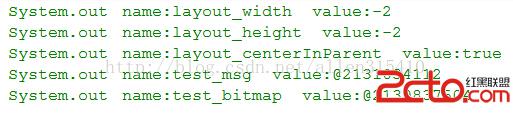
可以看到,AttributeSet 就是對布局文件 XML 解析後的結果,封裝為對象,裡面存儲的都是經過簡單加工的原始數據。
接下來看看系統的 View 類是怎麼處理的:
public View(Context context, AttributeSet attrs, int defStyle) { this(context); TypedArray a = context.obtainStyledAttributes(attrs, com.android.internal.R.styleable.View, defStyle, 0);
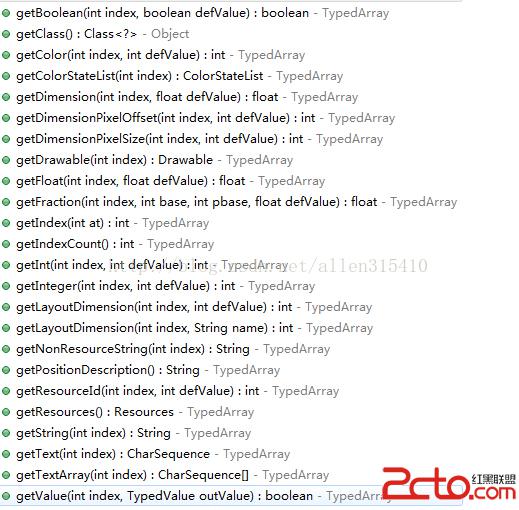
於是我們找到了與屬性密切相關的 TypedArray 類。翻看源碼可以發現,TypedArray 不繼承任何類(除 Object 外),相當於一個工具類:通過 context.obtainStyledAttributes 把 AttributeSet(原材料)和屬性類型(圖紙)傳進去,經過加工後,把封裝好的屬性存到 TypedArray 中。
public class MyView extends View { public MyView(Context context, AttributeSet attrs) { super(context, attrs); TypedArray ta = context.obtainStyledAttributes(attrs, R.styleable.MyView); int count = ta.getIndexCount(); for (int i = 0; i < count; i++) { int itemId = ta.getIndex(i); switch (itemId) { case R.styleable.MyView_test_bitmap: int bitmapId = ta.getResourceId(itemId, 100); break; case R.styleable.MyView_test_id: int test_id = ta.getInteger(itemId, 10); break; case R.styleable.MyView_test_msg: String test_msg = ta.getString(itemId); break; default: break; } } } }

TypedArray 提供了 getResourceId、getInteger、getString、getBoolean 等一系列方法,見名知意,可以按屬性類型取出對應的值(並帶默認值)。
下面以之前寫過的「仿 iOS 滑動開關按鈕」為例,為它添加自定義屬性。首先在 res/values 下創建 attrs.xml:
然後在引用該控件的布局中設置自定義屬性(記得先聲明命名空間 xmlns:mytogglebtn=https://schemas.android.com/apk/res/包名,其中 mytogglebtn 可任取,包名千萬別寫錯,否則找不到屬性文件):
接著在自定義控件的構造方法中,把屬性集解析成 TypedArray,並取出各屬性值用於初始化控件:
public SlideButton(Context context, AttributeSet attrs) { super(context, attrs); TypedArray ta = context.obtainStyledAttributes(attrs, R.styleable.MyToggleBtn); int count = ta.getIndexCount(); for (int i = 0; i < count; i++) { int itemId = ta.getIndex(i); switch (itemId) { case R.styleable.MyToggleBtn_currState: currentState = ta.getBoolean(itemId, false); break; case R.styleable.MyToggleBtn_switchBG: int backgroundId = ta.getResourceId(itemId, -1); if (backgroundId == -1) throw new RuntimeException("資源沒有被找到,請設置背景圖"); switchBG = BitmapFactory.decodeResource(getResources(), backgroundId); break; case R.styleable.MyToggleBtn_slideBg: int slideId = ta.getResourceId(itemId, -1); if (slideId == -1) throw new RuntimeException("資源沒有找到,請設置按鈕圖片"); slideButtonBG = BitmapFactory.decodeResource(getResources(), slideId); break; default: break; } } }
由此可見,自定義屬性其實很簡單:就是在構造方法中把屬性集加工成 TypedArray 對象,通過它取出每個屬性的 id,再按 id 取出對應的值(畢竟 Android 布局文件本質上也是 key-value 形式),最後用這些值去初始化自定義控件即可。
這種完整的自定義屬性方式並不是特別常見,因為平時開發中需要什麼數據直接在 Java 代碼裡設置就好了。但在特定場合下——比如某些數據不確定,或者要把控件提供給別人進行個性化配置時,自定義屬性就變得必須了。
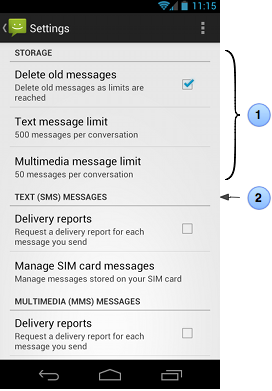 Android 官方文檔導讀:用 Preference API 打造設定頁面
設定頁面(Settings)用來讓使用者調整並保存 App 的特性與行為——日夜模式、清除快取、是否允許推播通知等等,幾乎每個稍具規模的 App 都有這一頁。 在 And
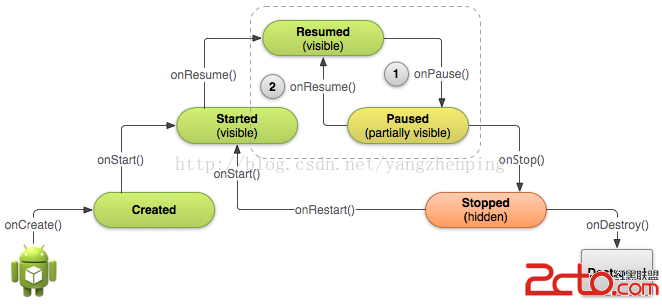 Android 官方入門文件 [13]:暫停與恢復一個 Activity
Pausing and Resuming an Activity(暫停與恢復一個 Activity) 本節教你:1. 暫停你的 Activity2. 恢復你的 Activ
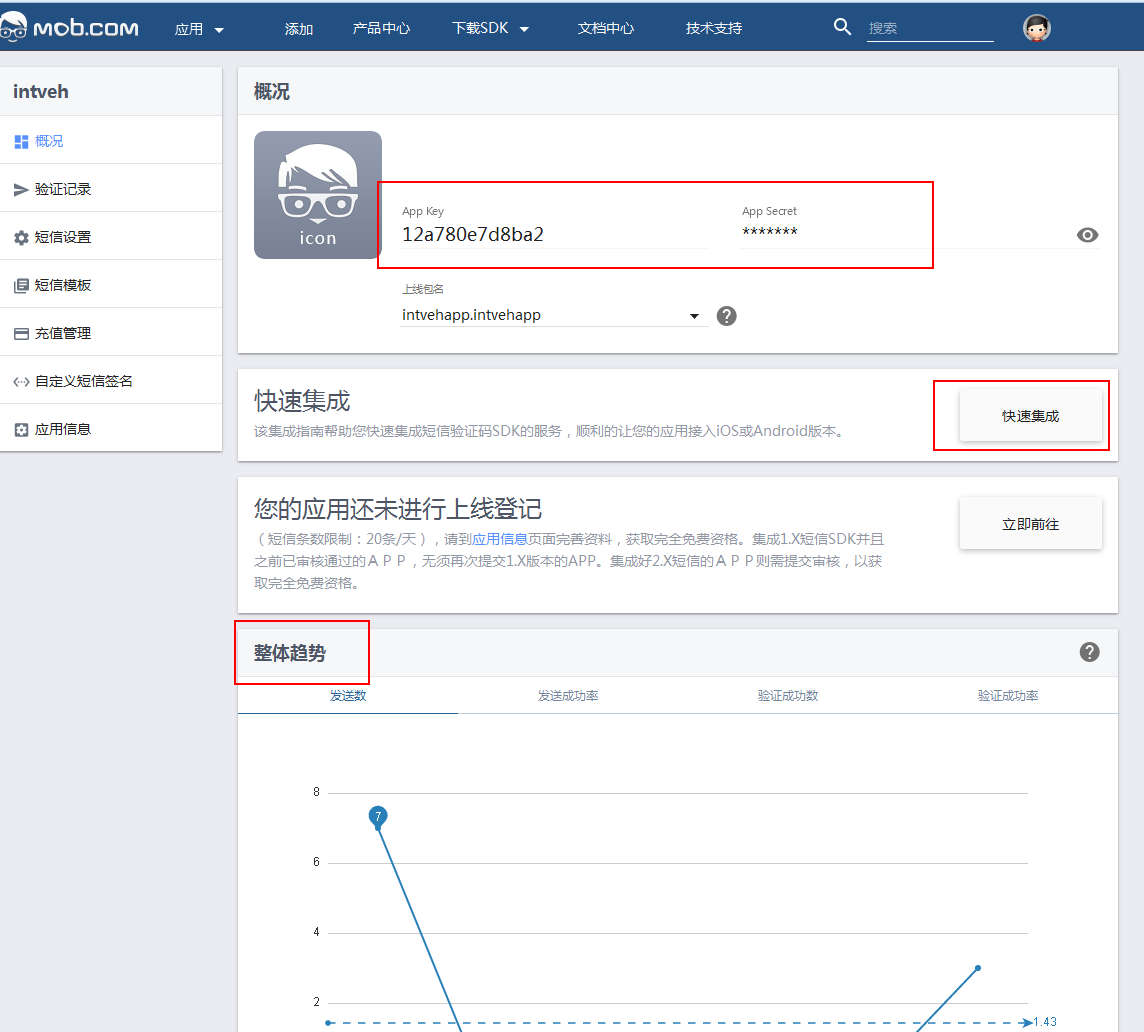 Android App 整合 Mob 簡訊驗證碼:從申請到無 GUI 接入
為什麼選擇 Mob 簡訊驗證碼許多 App 在註冊、登入或通知時都需要簡訊能力。對個人開發者或小團隊而言,自行接電信服務成本較高,Mob 提供的簡訊驗證碼 SDK 是一個
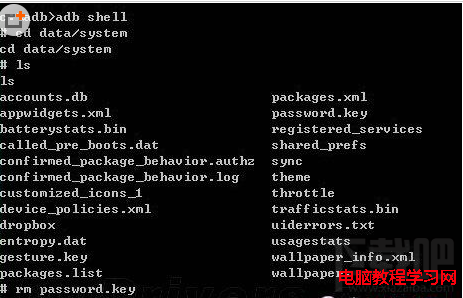 手機密碼忘了怎麼解鎖?三種常見方法
忘記手機密碼時,可先判斷是否開啟 USB 調試、是否登入 Google 帳號,以及是否能接受清除資料。 方法一:ADB 解鎖 前提是 USB 調試已開啟。將手機連電腦,