

編輯:關於 Android 程式設計
近期專案需要讀取手機內的簡訊。取得簡訊有兩種常見途徑:一是透過廣播即時攔截,二是直接查詢系統的簡訊資料庫。由於需求是解析既有的指定簡訊,我選擇了第二種方式——從資料庫檢索並解析收件箱中的內容。
動手之前,先了解相關知識、找找有沒有現成範例,再回頭參考 Android 應用層源碼裡對常量的定義,往往能收穫不少思路。即使高版本 API 因 minSdk 限制無法直接使用,其實作方式仍值得借鏡。
進入 android.jar 中的 android.provider.Telephony,可以看到 Sms 相關的欄位定義。雖然直接呼叫可能會提示 API level 不足,但不妨模仿它。我要檢索的是收件箱,因此在 TextBasedSmsColumns 介面中選擇 MESSAGE_TYPE_INBOX 作為訊息類型。以下是 Sms 介面的核心片段:
/**
 * Contains all text-based SMS messages.
 */
public static final class Sms implements BaseColumns, TextBasedSmsColumns {

    private Sms() { }

    public static String getDefaultSmsPackage(Context context) {
        ComponentName component = SmsApplication.getDefaultSmsApplication(context, false);
        if (component != null) {
            return component.getPackageName();
        }
        return null;
    }

    public static Cursor query(ContentResolver cr, String[] projection) {
        return cr.query(CONTENT_URI, projection, null, null, DEFAULT_SORT_ORDER);
    }

    public static Cursor query(ContentResolver cr, String[] projection, String where, String orderBy) {
        return cr.query(CONTENT_URI, projection, where, null, orderBy == null ? DEFAULT_SORT_ORDER : orderBy);
    }

    public static final Uri CONTENT_URI = Uri.parse("content://sms");
    public static final String DEFAULT_SORT_ORDER = "date DESC";

    public static Uri addMessageToUri(ContentResolver resolver, Uri uri, String address, String body,
            String subject, Long date, boolean read, boolean deliveryReport) {
        return addMessageToUri(resolver, uri, address, body, subject, date, read, deliveryReport, -1L);
    }

    public static boolean isOutgoingFolder(int messageType) {
        return (messageType == MESSAGE_TYPE_FAILED) || (messageType == MESSAGE_TYPE_OUTBOX)
                || (messageType == MESSAGE_TYPE_SENT) || (messageType == MESSAGE_TYPE_QUEUED);
    }
}
其中 CONTENT_URI = Uri.parse("content://sms") 代表查詢所有簡訊,而我只需要收件箱,因此把它改成 content://sms/inbox。接著把 Sms 與 TextBasedSmsColumns 兩個介面的內容複製到自己的專案中,並刪去那些引用了系統未開放方法而導致編譯錯誤的程式碼。整理後大致如下:
package com.jwzhangjie.smarttv_client.support.sms1;

import android.content.ContentResolver;
import android.content.ContentValues;
import android.database.Cursor;
import android.net.Uri;
import android.provider.BaseColumns;

public final class Sms implements BaseColumns, TextBasedSmsColumns {

    private Sms() { }

    public static Cursor query(ContentResolver cr, String[] projection) {
        return cr.query(CONTENT_URI, projection, null, null, DEFAULT_SORT_ORDER);
    }

    public static Cursor query(ContentResolver cr, String[] projection, String where, String orderBy) {
        return cr.query(CONTENT_URI, projection, where, null, orderBy == null ? DEFAULT_SORT_ORDER : orderBy);
    }

    // 只查詢收件箱
    public static final Uri CONTENT_URI = Uri.parse("content://sms/inbox");
    public static final String DEFAULT_SORT_ORDER = "date DESC";

    public static Uri addMessageToUri(ContentResolver resolver, Uri uri, String address, String body,
            String subject, Long date, boolean read, boolean deliveryReport) {
        return addMessageToUri(resolver, uri, address, body, subject, date, read, deliveryReport, -1L);
    }

    public static boolean isOutgoingFolder(int messageType) {
        return (messageType == MESSAGE_TYPE_FAILED) || (messageType == MESSAGE_TYPE_OUTBOX)
                || (messageType == MESSAGE_TYPE_SENT) || (messageType == MESSAGE_TYPE_QUEUED);
    }
}
有了查詢功能後,還需要一個用來承載查詢結果的資料類別,可依專案需求自行定義。以下示範一個實作 Parcelable 的 SMSInfo:
package com.jwzhangjie.smarttv_client.support.sms1;

/**
 * 資料庫中 sms 相關欄位說明:
 * _id            自增欄位,從 1 開始
 * thread_id      序號,同一發送人的 id 相同
 * address        發件人手機號碼
 * person         聯絡人清單中的序號,陌生人為 null
 * date           發件日期
 * protocol       協議,0 為 SMS_PROTO,1 為 MMS_PROTO
 * read           是否已讀,0 未讀,1 已讀
 * status         狀態:-1 接收,0 complete,64 pending,128 failed
 * type           ALL=0, INBOX=1, SENT=2, DRAFT=3, OUTBOX=4, FAILED=5, QUEUED=6
 * body           簡訊內容
 * service_center 簡訊服務中心號碼
 * subject        簡訊主題
 */

import android.os.Parcel;
import android.os.Parcelable;

public class SMSInfo implements Parcelable {

    private long id;          // 簡訊序號
    private int protocol;     // 協議 0:SMS,1:MMS
    private String smsBody;   // 簡訊內容
    private String smsPhoneNum;   // 發送電話號碼
    private String smsDateTime;   // 發送日期時間
    private String smsSender;     // 發送人
    private int smsType;          // 1 接收,2 已發送

    public SMSInfo() { }

    private SMSInfo(Parcel source) {
        readFromParcel(source);
    }

    public void readFromParcel(Parcel source) {
        id = source.readLong();
        protocol = source.readInt();
        smsBody = source.readString();
        smsPhoneNum = source.readString();
        smsDateTime = source.readString();
        smsSender = source.readString();
        smsType = source.readInt();
    }

    @Override
    public int describeContents() {
        return 0;
    }

    @Override
    public void writeToParcel(Parcel dest, int flags) {
        dest.writeLong(id);
        dest.writeInt(protocol);
        dest.writeString(smsBody);
        dest.writeString(smsPhoneNum);
        dest.writeString(smsDateTime);
        dest.writeString(smsSender);
        dest.writeInt(smsType);
    }

    public static final Creator CREATOR = new Creator() {
        @Override
        public SMSInfo createFromParcel(Parcel source) {
            return new SMSInfo(source);
        }
        @Override
        public SMSInfo[] newArray(int size) {
            return new SMSInfo[size];
               }
    };

    @Override
    public String toString() {
        return "id :" + id + " 協議:" + protocol + " 內容:" + smsBody;
    }

    // 各欄位的 getter / setter 略
}
接著才是真正從資料庫取值。查詢方法的四個參數分別是:CONTENT_URI(前面定義的收件箱 URI)、projection(要取哪些欄位,按需索取即可,全取會浪費效能)、where(查詢條件)與 orderBy(排序)。以下示範如何增量讀取並解析:
package com.jwzhangjie.smarttv_client.support.sms1;

import java.util.ArrayList;
import java.util.List;
import android.content.ContentResolver;
import android.content.Context;
import android.database.Cursor;

public class GetSMSInfo {

    private ContentResolver mResolver;
    private Context context;
    private List infos;

    private static final String[] PROJECTION = new String[]{
        Sms._ID,       // 0:作為標記位,記錄上次掃描到的位置
        Sms.TYPE,      // 1:收或發
        Sms.ADDRESS,   // 2:手機號
        Sms.BODY,      // 3:內容
        Sms.DATE,      // 4:日期
        Sms.PROTOCOL   // 5:協議
    };

    public static final int COLUMN_INDEX_ID = 0;
    public static final int COLUMN_INDEX_TYPE = 1;
    public static final int COLUMN_INDEX_PHONE = 2;
    public static final int COLUMN_INDEX_BODY = 3;
    public static final int COLUMN_INDEX_DATE = 4;
    public static final int COLUMN_INDEX_PROTOCOL = 5;

    public GetSMSInfo(Context context) {
        this.infos = new ArrayList();
        this.mResolver = context.getContentResolver();
        this.context = context;
    }

    public List getSmsInfo() {
        // 取出上次檢索到的最後一個 ID
        long last_sms_id = UPSharedPreferences.getLong(context, "card", "last_sms_id", 0);
        Cursor cursor = Sms.query(mResolver, PROJECTION, "_id >" + last_sms_id, "_id");
        int protocol;
        String body, date;
        if (cursor != null) {
            while (cursor.moveToNext()) {
                last_sms_id = cursor.getLong(COLUMN_INDEX_ID);
                body = cursor.getString(COLUMN_INDEX_BODY);
                date = cursor.getString(COLUMN_INDEX_DATE);
                protocol = cursor.getInt(COLUMN_INDEX_PROTOCOL);
                if (protocol == 0) { // 只看接收的簡訊
                    SMSInfo info = new SMSInfo();
                    info.setId(last_sms_id);
                    info.setSmsBody(body);
                    info.setSmsDateTime(date);
                    infos.add(info);
                }
            }
            cursor.close();
        }
        // 記錄本次最新的 ID,供下次增量讀取
        UPSharedPreferences.setLong(context, "card", "last_sms_id", last_sms_id);
        return infos;
    }
}
如此一來,所有符合條件的簡訊都會放進 List<SMSInfo>,後續即可逐一解析所需內容。由於涉及使用者隱私,這裡就不展示實際的解析結果畫面了。
 Android 轉盤選單實作:以 CircleLayout 自訂群組元件
本文示範一個可旋轉的圓形(轉盤式)選單,做法是自己寫一個 ViewGroup 把子元件沿圓周排開,再處理觸控與手勢。 Activity 端的用法 package com
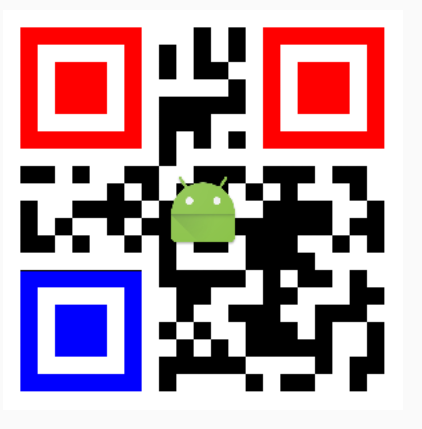 Android 彩色定位點二維碼生成:基於 ZXing 的像素著色方案
部分專案會需要在二維碼的三個定位點使用不同顏色,例如紅色、藍色或其他品牌色。本文以 ZXing 為基礎,說明如何取得 QR Code 的版本資訊與矩陣,並對定位點區域進行
 OkHttp 基礎用法與二次封裝詳解:Get、Post 與 Gson 集成
日常開發中,網絡層往往由同事封裝好,我們只管調用。但一旦要自己動手封裝,就會發現細節不少:線程切換、參數組織、返回數據的泛型解析、統一異常處理。本文從最原始的 get /
 Android ListView 實現圖文並列並自定義分割線(仿微信聯繫人)
在前一篇文章中,我們通過 Fragment 和 ViewPager 模仿實現了微信的布局框架。今天我們繼續用 ListView 來實現其中「聯繫人」欄目的基本視圖,效果如