

編輯:關於 Android 程式設計
專案裡總有一些「到處都會用到、以後又可能會改」的參數,例如伺服器位址。寫死在程式碼裡每次改都要重新編譯,實在麻煩。這時候把它抽到一個 .properties 檔裡統一管理,是成本最低的做法。
把檔案放在 assets 目錄下,命名為 appConfig.properties:
serverUrl=https://192.168.1.155/ap
放在 assets 的好處是它不會被編譯進資源 ID,改內容不必動程式碼,也不必像 res/raw 那樣受資源系統約束。
package cn.com.smartcost.offer.util;

import java.io.InputStream;
import java.util.Properties;
import android.content.Context;

/**
 * 讀取 properties 設定檔
 */
public class MyProperUtil {

    private static Properties urlProps;

    public static Properties getProperties(Context c) {
        Properties props = new Properties();
        try {
            // 方法一:透過 Context 取得 assets 中的檔案
            InputStream in = c.getAssets().open("appConfig.properties");
            // 方法二:透過 Class 取得
            // InputStream in = MyProperUtil.class.getResourceAsStream("/assets/appConfig.properties");
            props.load(in);
            in.close();
        } catch (Exception e1) {
            e1.printStackTrace();
        }
        urlProps = props;
        return urlProps;
    }
}
兩種寫法都可以,實際差異在於取得 InputStream 的路徑。用 Context 取 assets 直覺好懂;用 ClassLoader 取則在沒有 Context 的場合(例如純工具類)比較方便。
Properties properties = MyProperUtil.getProperties(getApplicationContext());
String url = properties.getProperty("serverUrl");
Log.i("URL", url);
原始範例把 System.out.println 留在工具類裡,正式環境建議移除或改用 Log,避免無意義的輸出。另外,既然設定檔通常全程唯讀,可以在應用啟動時讀取一次並快取在單例中,不必每次取值都重新開檔。若參數屬於「正式環境不可竄改」的性質(例如 API 端點),也別忘了 assets 是使用者可讀的,敏感資訊應該放到服務端而非打包進 APK。
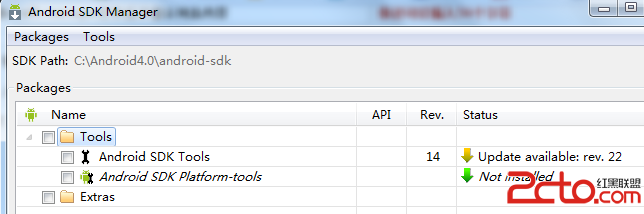 Android 開發環境配置的常見坑與解法整理
剛踏入 Android 開發這條路,第一件事就是自己動手把開發環境搭起來。可別小看這一步,從 JDK、SDK 到 ADT,一路走下來幾乎步步是坑,解決完一個又冒出一個,折
 Android 實戰:手把手畫出圓形水波紋 LoadingView
本文一步步示範如何畫一個圓形水波紋的 loading 檢視。這類效果應用場景很多,例如顯示記憶體佔用百分比、下載進度等。 先備知識 貝塞爾曲線:用來畫出平滑的水波曲線
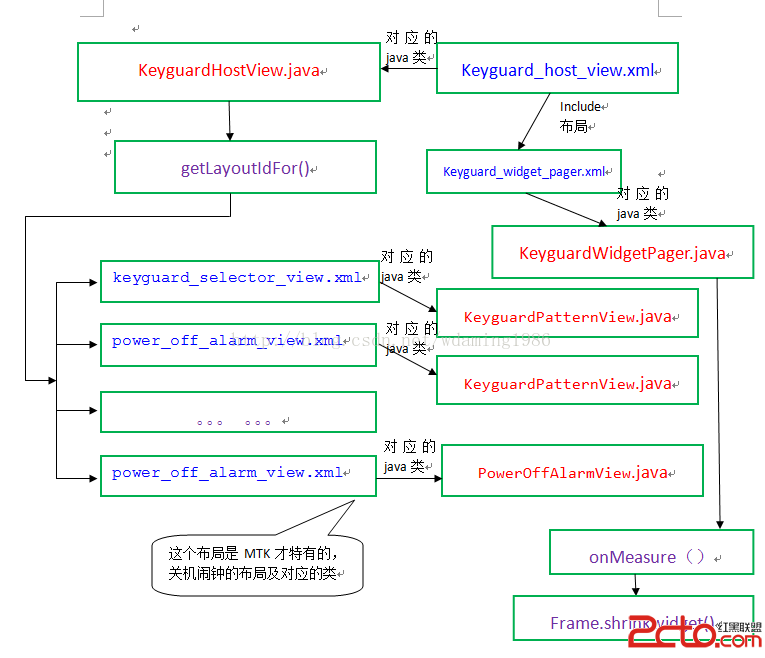 從鎖屏服務 AIDL 通信看 Android 底層啟動流程
從 SystemServer 說起在 Android 4.4 的啟動流程中,SystemServer 會負責啟動多個系統服務。其中,WindowManagerServic
 小米Edge什麼時候上市?曲面屏機型與小米Note2的發表時間整理
小米Edge是米粉期待度很高的一款機型,因為它將是小米首次採用曲面柔性螢幕的產品。問題是:它到底什麼時候會登場?目前狀況小米Edge尚未正式發表,上市時間未定。以下整理的